The network for creativity
Join 1.25M professional creatives like you
Connect with clients, get discovered, and run your business 100% commission-free
Creatives on Contra have earned over $150M and we are just getting started
Back to feedPost

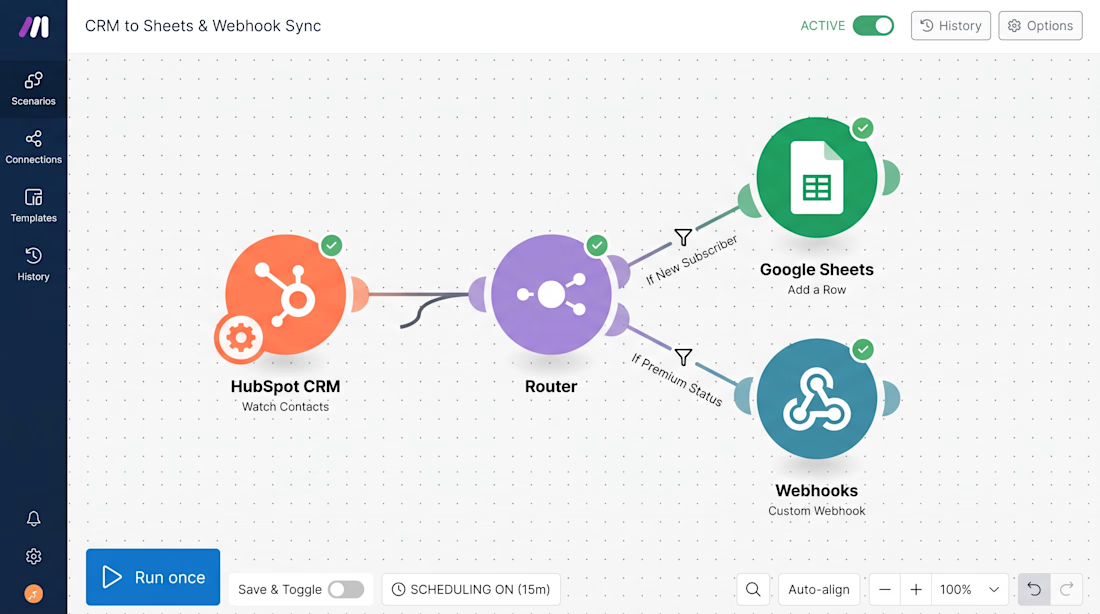
Every time a new lead enters your CRM, your systems should instantly know exactly where to send them. No manual typing. No forgotten follow-ups. No human errors.
This is a live integration setup I built in Make.com:
1️⃣ HubSpot CRM instantly tracks a new contact.
2️⃣ The Router filters them based on their profile.
3️⃣ Google Sheets & Webhooks are instantly updated in real-time.
When your software actually talks to each other, your business scales without you doing the heavy lifting.
Is your software stack running smoothly, or are you losing leads in the gaps? Let’s map out your automation.


The network for creativity
Join 1.25M professional creatives like you
Connect with clients, get discovered, and run your business 100% commission-free
Creatives on Contra have earned over $150M and we are just getting started



Related posts

🚀 Turning Manual E-commerce Order Processing into an Automated Workflow with n8n
Manual order management may seem simple, but copying customer details, checking information, preventing duplicate orders, and sending confirmation emails can quickly become repetitive and error-prone.
I recently built an end-to-end order processing automation using n8n to solve these challenges for a handmade products store.
Here's what I implemented:
🔹 Automated Order Capture: Receive new orders through a webhook.
🔹 Data Validation & Cleaning: Validate required fields, email formats, quantities, and prices before processing.
🔹 Duplicate Prevention: Detect existing Order IDs to prevent duplicate records.
🔹 Google Sheets Integration: Automatically store valid orders and calculate order totals.
🔹 Email Notifications: Send order updates to the store owner and confirmation emails to customers.
🔹 Error Monitoring: Capture failed executions, log error details in a dedicated Google Sheets tab, and send email alerts.
The goal was simple: reduce repetitive administrative work, improve data accuracy, and make order operations more reliable.
This is what I enjoy about building with n8n — turning complex, repetitive business processes into practical automation systems.
Have a repetitive workflow in your business that could be automated? Let's connect!
#n8n #WorkflowAutomation #EcommerceAutomation #BusinessAutomation #NoCode #Automation


Using AI Automation workflow in business , not only save the time ,also increase work Efficiency

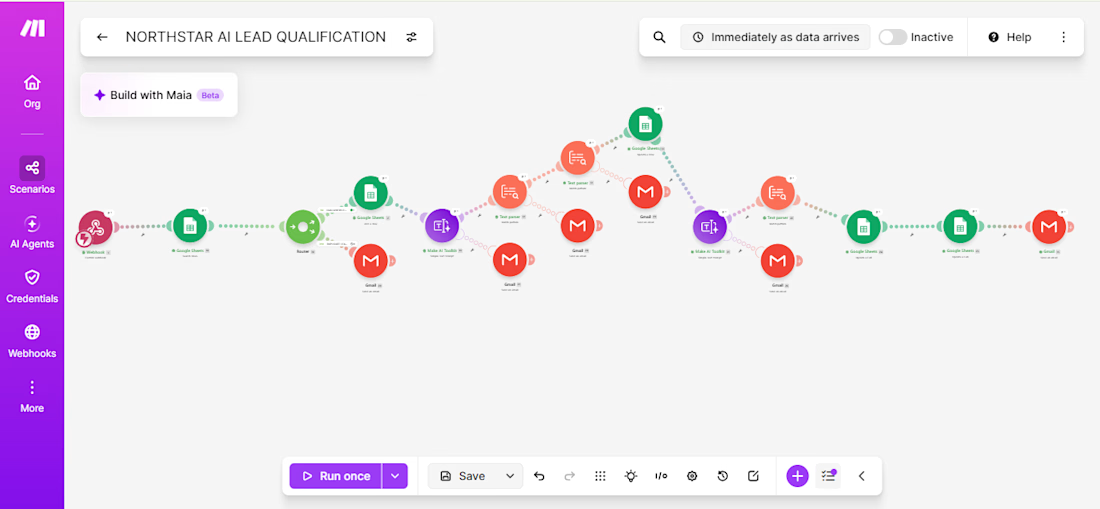
AI-Powered Lead Qualification & CRM Automation
Built an AI-powered lead qualification and CRM automation system using Make.com, Tally Forms, Google Sheets, and Gmail.
The workflow automatically captures business enquiries, analyzes and scores leads based on budget, service fit, timeline, and project details, assigns priority levels, detects duplicate submissions, and sends automated email notifications.
This project demonstrates how AI and automation can simplify lead management, reduce manual work, and help businesses respond to potential clients more efficiently.


Your GoHighLevel automations are running right now.
Do you actually know what's in them?
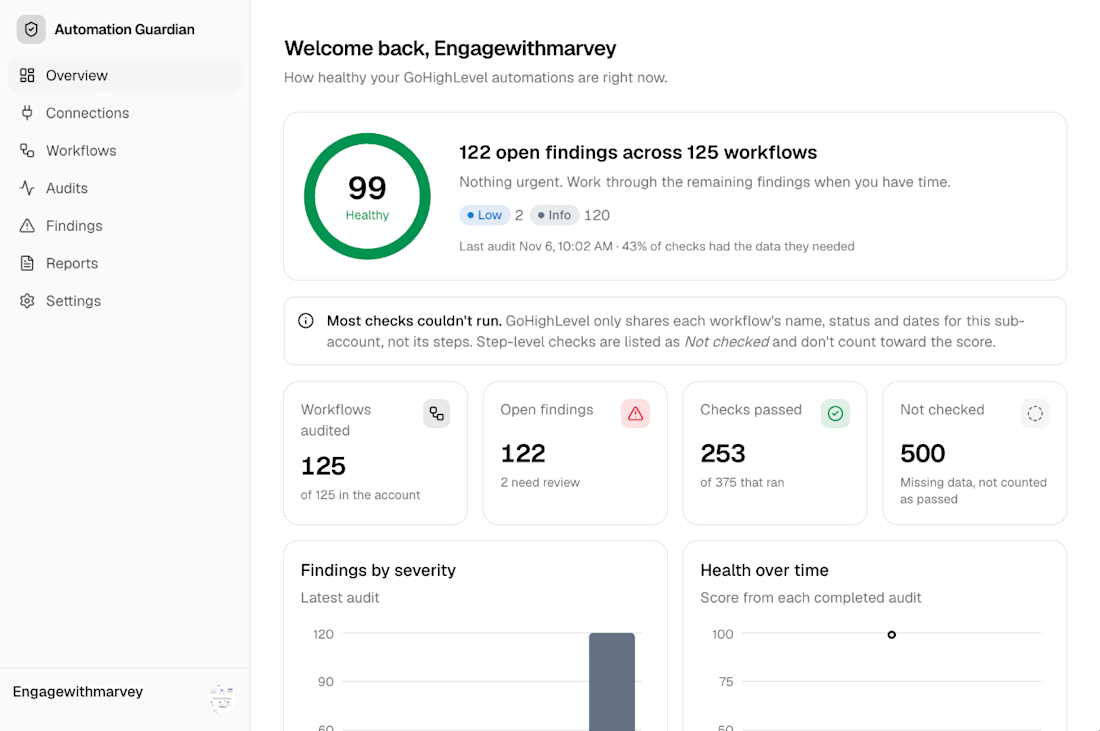
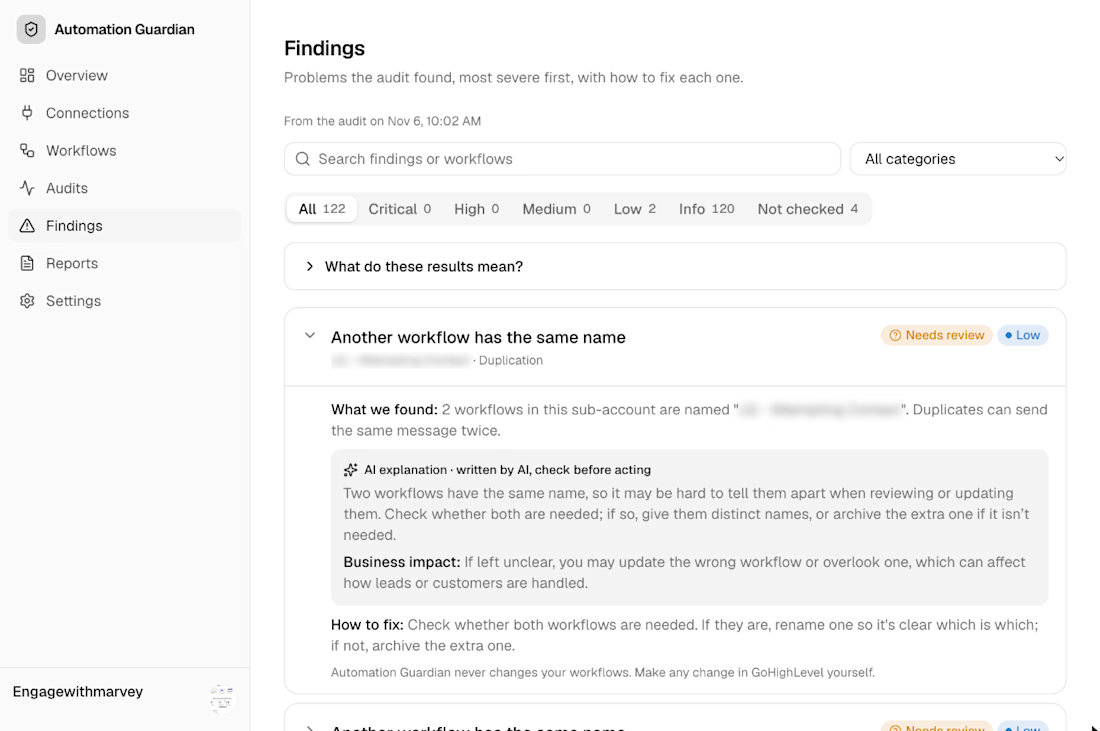
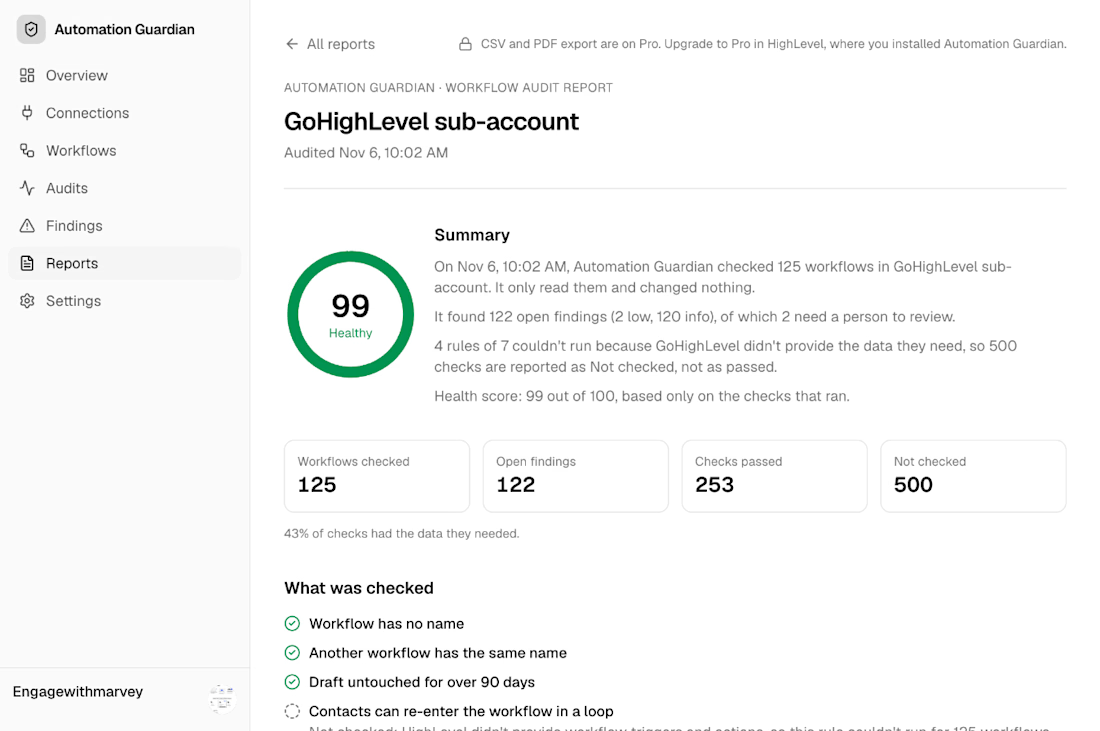
Agencies build workflows fast. A client asks for a follow-up sequence, you duplicate an old one, tweak it, ship it. Six months later there are 125 workflows in the sub-account, half of them drafts nobody remembers, and two with the exact same name, so nobody's sure which one is live.
That's how leads get the same message twice. Or none at all.
So I built Automation Guardian.
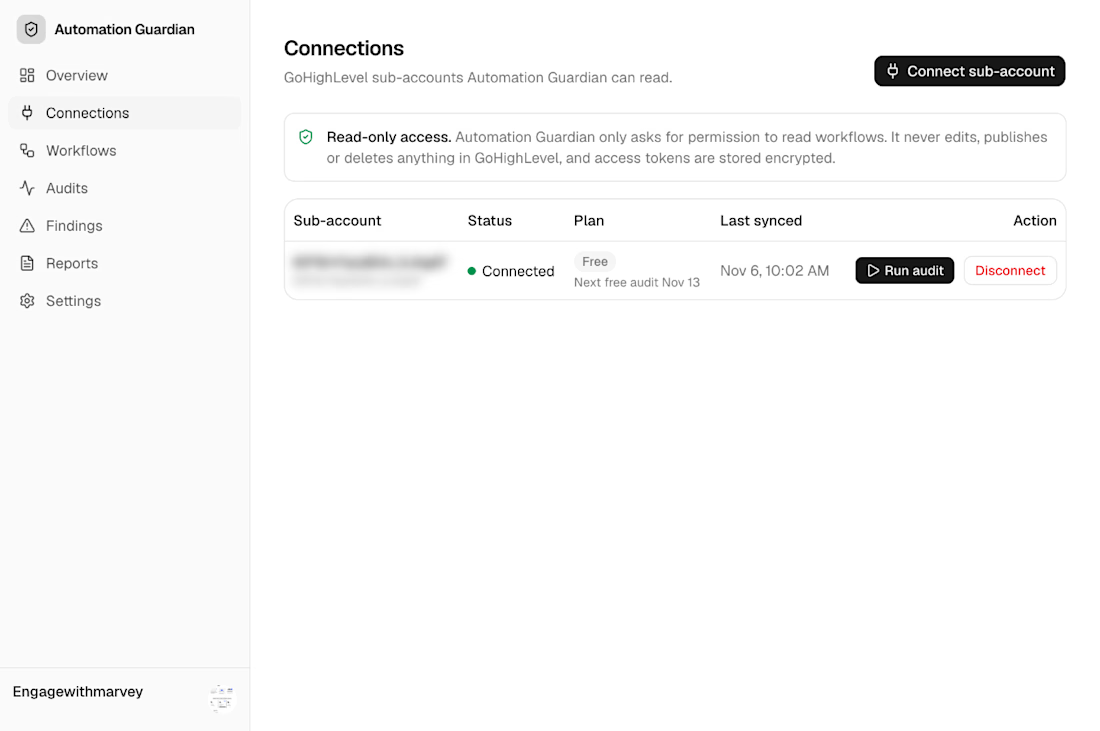
It connects to a HighLevel sub-account, reads every workflow, and gives you:
→ A health score for the whole account
→ Findings ranked by severity, most urgent first
→ A plain-English explanation of each issue, written by AI, plus the business impact and how to fix it
→ A shareable audit report you can hand to a client
On a real test account it audited 125 workflows in under a second.
And the part I care about most: it's read-only. It never edits, publishes or deletes anything in your HighLevel account. Tokens are encrypted. You stay in control and make every change yourself.
I'm also honest about what it can't see. When HighLevel doesn't share the data a check needs, the report says "Not checked" instead of pretending it passed.
It's launching on the HighLevel Marketplace soon, with a free plan.
If you run a GHL agency and want early access, comment "AUDIT" or send me a DM. 👇
#GoHighLevel #HighLevel #MarketingAutomation #AgencyOwners #SaaS #BuildInPublic #AI


Reporting "Not checked" instead of a pass is the detail that would make me trust the score. Two workflows with the same name is exactly how double sends happen in email platforms too. Does it flag workflows that share a trigger, even when the names are different?