The network for creativity
Join 1.25M professional creatives like you
Connect with clients, get discovered, and run your business 100% commission-free
Creatives on Contra have earned over $150M and we are just getting started
Back to feedPost

I’m an HR and operations Admin/ Customer service expert with 7+ years of experience helping fast-moving teams build the systems, processes, and people structures they need to scale.
I’ve built HR operations from scratch from onboarding, offboarding, visa compliance, asset tracking, SOPs, and employee engagement for a multi-market agency in Dubai. I reduced external processing costs by AED 4,000/quarter, cut asset discrepancies by 63%, and kept a 43-person team running smoothly across 11 markets.
Before that, I spent 5 years at Adidas Emerging Markets in store operations, workforce planning, and a regional Store Development assignment.
I work best with founders and growing teams who need a reliable, organized operator in their corner. Someone who gets things done without being chased.
What I can help with:
→ HR admin & people ops setup
→ Onboarding & offboarding systems
→ SOP creation & process documentation
→ Executive & operational support
→ Employee engagement programmes
→ Remote team coordination
📍 Based in Dubai (UTC+4) — available for overlap with US Eastern mornings
✅ UAE freelance visa holder — fully compliant for international contracts
The network for creativity
Join 1.25M professional creatives like you
Connect with clients, get discovered, and run your business 100% commission-free
Creatives on Contra have earned over $150M and we are just getting started



Related posts

Hi Contra 👋 I’m Kentish, a full-stack developer with 10+ years of experience.
I’ve built and shipped four products on my own:
• ZenSkayl, a modular HR and payroll platform with an AI assistant
• MedleyCare, a shared care log so families can coordinate a loved one’s medication
• FridgeFirst, which turns a photo of your fridge into recipes
• ZenWist, a screen time app that explains why you scroll, not just how much
What ties them together: AI features built so they’re genuinely useful without putting anyone’s data at risk.
Now I’m helping founders and teams do the same, by building AI agents, securing AI-built apps, and shipping full products end to end. If you’re building something, say hi!


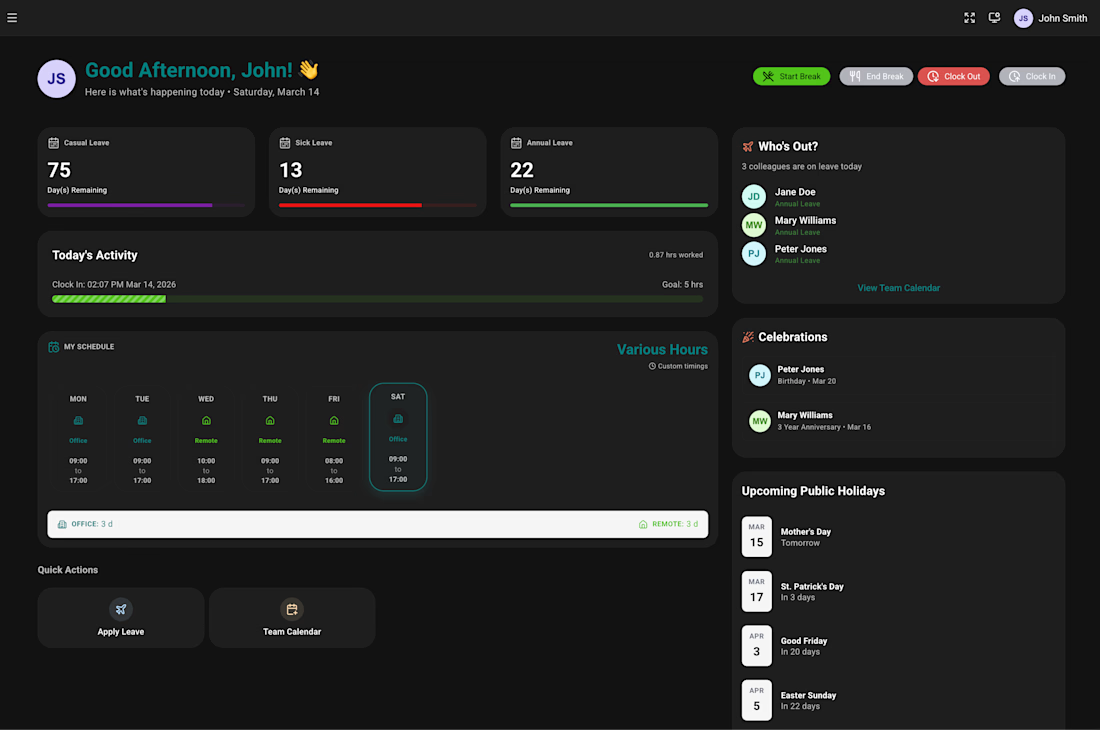
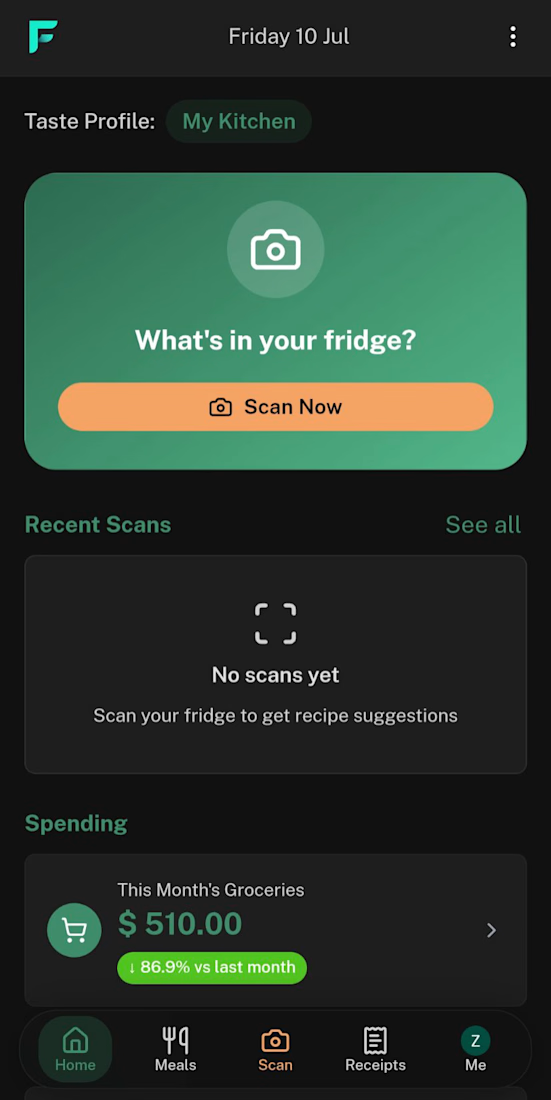
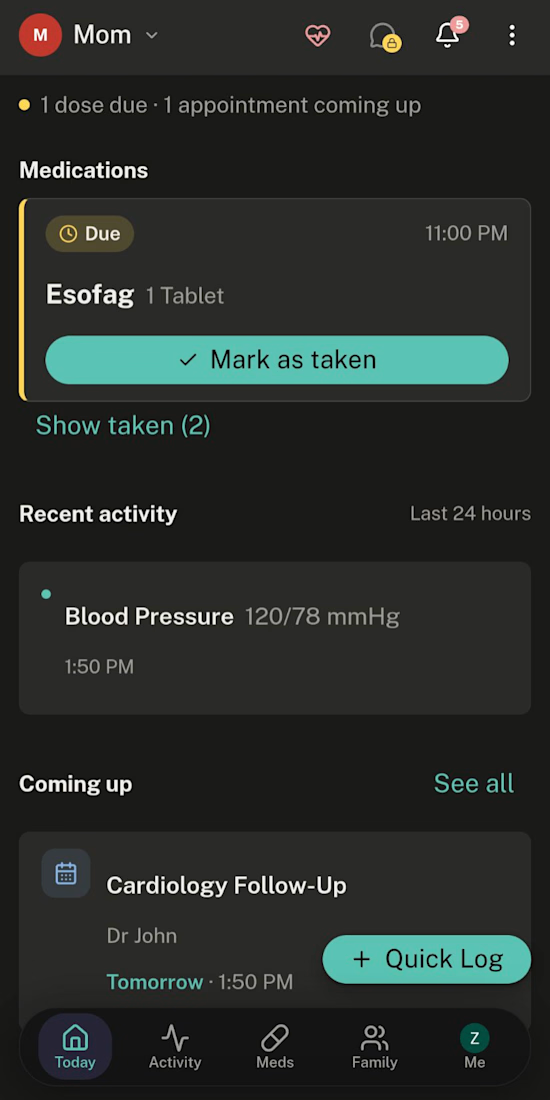
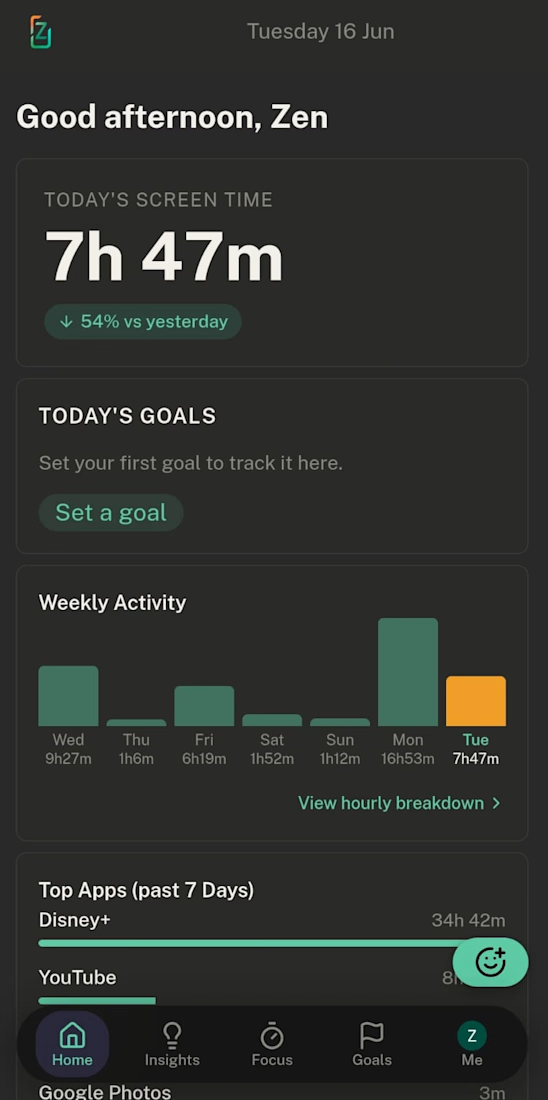

Welcome Kentish! ZenWist explaining why you scroll instead of just how much is such a good angle, most screen time apps just make you feel guilty. How does it work out the why, from time of day and which apps you jump between?

A successful n8n execution can still end with a lead that never reached the CRM.
In a local n8n 2.47.3 demo with a mock CRM, all eight webhook executions finished with status “success”. One of those requests exhausted all three write attempts. The caller received HTTP 503, no event was stored for that request, and one alert reached the local alert sink. The workflow had handled the failure, so the execution itself completed successfully.
For a lead-intake workflow, test these three outcomes separately:
• First delivery: one lead, one event and one review task.
• Same event and business data replayed: HTTP 200, outcome “replayed”, still one of each. Compare the stored values too, not only the counts.
• All write attempts fail: a failure response to the caller, no unintended write, and an alert someone can act on.
Those were the observed results in this demo. The replay preserved the original lead and event rows; the failure case left the existing records unchanged.
Before handing a workflow to an operations team, agree what “delivered” means in the destination system and test the exhausted-retry path. An execution-success count alone can miss failed deliveries that the workflow handles deliberately.
Have one reproducible n8n workflow failure? Send the failing step, expected result and a redacted example through my scoped repair service:
https://contra.com/s/ergMeOOY-repair-one-reproducible-n8n-workflow-failure?r=shivansh_jain_jkup5ikk

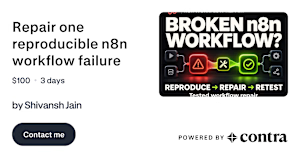
contra.com
Repair one reproducible n8n workflow failure by Shivansh Jain
Read more about Repair one reproducible n8n workflow failure by Shivansh Jain on Contra.

A modern inventory management dashboard designed to bring clarity, efficiency, and better decision-making to everyday warehouse operations.
The Challenge
Inventory management involves a lot of moving parts, from tracking stock levels and purchase orders to monitoring warehouse capacity and fulfillment. The challenge was to bring all these activities into one intuitive workspace without overwhelming users with information.
Our Design Approach
We focused on creating a clean, structured, and data-driven experience that helps users understand what's happening at a glance.
The process started with defining the information hierarchy, prioritizing essential metrics, and organizing complex data into easy-to-scan sections. We then explored a modular card-based layout, balancing operational insights with actionable information.
Key Design Highlights
- At-a-glance insights: Essential KPIs for inventory value, stock availability, low-stock alerts, and purchase orders.
- Data visualization: Clear charts and progress indicators to make inventory trends easier to understand.
- Action-oriented interface: Highlighting critical alerts and pending tasks to help users act faster.
- Modular layout: A consistent card system designed for clarity, scalability, and flexibility.
- Refined visual language: Soft neutral backgrounds, vibrant lime accents, and purposeful typography create a modern yet approachable experience.
The Result
A dashboard that transforms complex inventory data into a simple, organized, and actionable experience, helping warehouse teams stay informed, spot issues early, and make confident decisions.
Designed with simplicity, usability, and scalability in mind.

