The network for creativity
Join 1.25M professional creatives like you
Connect with clients, get discovered, and run your business 100% commission-free
Creatives on Contra have earned over $150M and we are just getting started
Back to feedPost


In case of having the ability to do both do you present yourself to jobs & clients with your personal profile or agency?

Personal profile usually builds more trust for smaller projects, clients like knowing who they will actually work with. The agency profile makes more sense once there's a real team behind the work.
Makes sense! thansk
The network for creativity
Join 1.25M professional creatives like you
Connect with clients, get discovered, and run your business 100% commission-free
Creatives on Contra have earned over $150M and we are just getting started



Related posts

I build landing pages that convert visitors into clients, not just clicks.



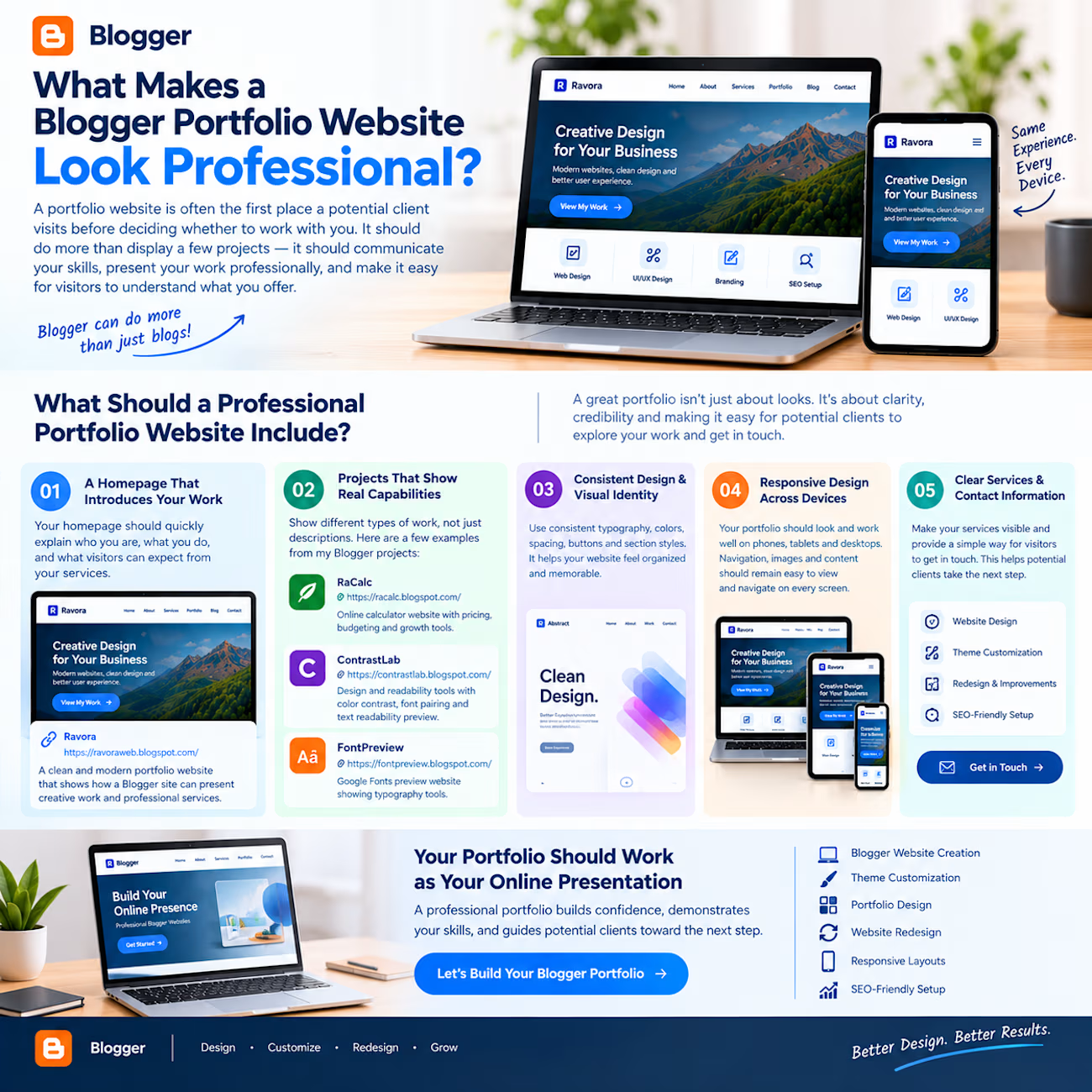
What Makes a Blogger Portfolio Website Look Professional?
A portfolio website is often the first place a potential client visits before deciding whether to work with you.
It should do more than display a few projects. It should communicate your skills, present your work professionally, and make it easy for visitors to understand what you offer.
And yes, Blogger can be used to build a professional portfolio website when its theme, layout, and structure are customized properly.
What should a professional portfolio website include?
1. A homepage that introduces your work
Your homepage should quickly explain who you are, what you do, and what visitors can expect from your services.
A clean introduction, strong visual presentation, and clear navigation make a better first impression.
For example, Ravora is my Blogger-based portfolio project, created to demonstrate how a portfolio can present creative work and professional services.
2. Projects that demonstrate real capabilities
A portfolio becomes more convincing when it shows different types of work rather than relying only on descriptions.
Here are a few examples from my Blogger projects:
RaCalc — an online calculator website featuring pricing, budgeting, and growth tools. It demonstrates tool-based website structure and functional interfaces.
ContrastLab — a design and readability tools website featuring a Color Contrast Checker, Font Pairing Generator, and Text Readability Preview.
FontPreview — a Google Fonts preview website that demonstrates how typography tools can be presented through a focused, user-friendly interface.
Each project serves a different purpose, but together they demonstrate the flexibility of Blogger for building more than traditional blogs.
3. Consistent design and visual identity
A professional portfolio should use consistent typography, colors, spacing, buttons, and section styles.
These details help the website feel organized and make the overall presentation more memorable.
4. Responsive design across devices
Potential clients may explore your portfolio on a phone, tablet, or desktop. Your project cards, images, menus, and content should remain easy to view and navigate on every screen.
5. Clear service and contact information
Visitors should not have to search for what you offer or how to contact you. Make your services visible and provide a clear way to discuss a project.
Your portfolio should work as your online presentation
A professional portfolio is not just about having a beautiful homepage. It should build confidence, demonstrate your capabilities, and guide potential clients toward the next step.
Looking to build or improve your Blogger portfolio website?
I offer Blogger/Blogspot website creation, professional theme customization, portfolio design, website redesign, responsive layouts, and SEO-friendly setup.
Let's turn your Blogger website into a professional online presence.

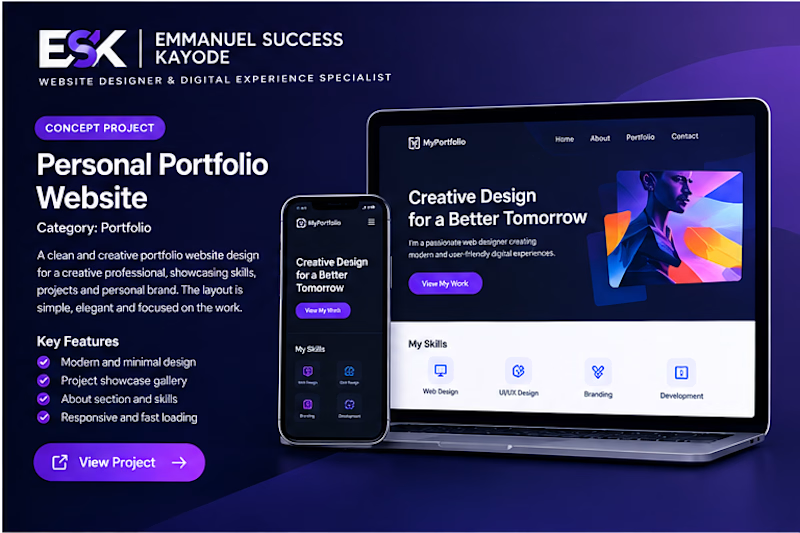
Project Title: Modern Personal Portfolio Website Design
Project Description:
This project showcases a creative portfolio website concept designed for professionals who want to present their skills, projects, and personal brand online.
The design features a modern purple color palette, bold typography, a structured project gallery, a professional introduction, and dedicated sections for skills and expertise.
The goal was to create a memorable online presence that makes it easy for visitors to understand a professional's capabilities, explore their work, and initiate contact.
Services Provided:
Personal Portfolio Website Design
UI/UX Design
Responsive Web Design
Personal Branding
Landing Page Design
Skills:
Portfolio Website Design, Personal Branding, UI Design, UX Design, Responsive Web Design, Visual Design.
Project Type: Self-initiated concept project.