The network for creativity
Join 1.25M professional creatives like you
Connect with clients, get discovered, and run your business 100% commission-free
Creatives on Contra have earned over $150M and we are just getting started
Back to feedPost

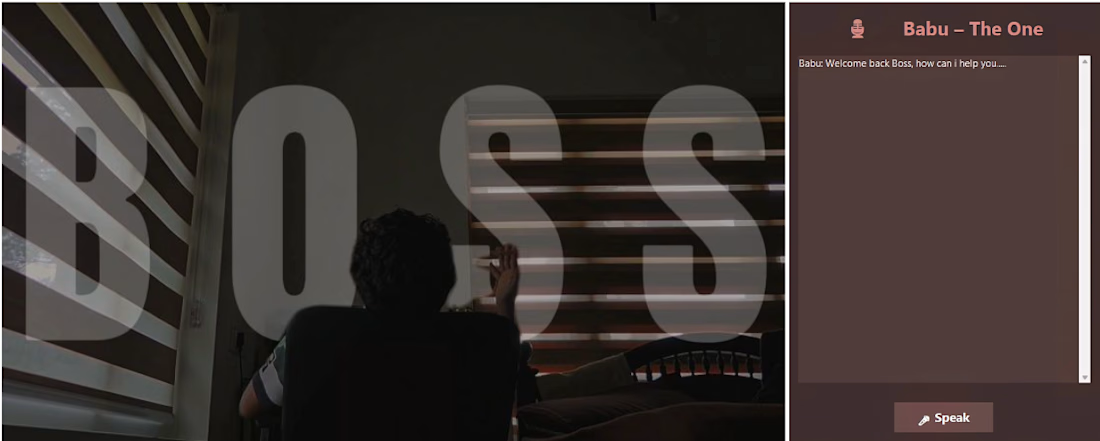
I stopped waiting for Google to understand me , and that’s how Babu was born 👀
You know,
I’ve always used Bixby and Google Assistant on my phone. They’re smart, helpful, and can do so many things with just a voice command. But one day, while working on my laptop, I caught myself thinking:
"Wouldn’t it be great if I could control my laptop the same way?"
I searched online, and sure, there were plenty of tutorials, tools, and ready-made assistants. But none of them really felt like my own. I wanted something I could tweak, experiment with, and truly make my own.
So I decided to build it myself. That’s how Babu was born.
What Babu Can Do
Babu is my personal, offline desktop assistant. He can:
Listen and respond to my voice
Add, show, and manage tasks
Record and save voice notes
Open apps and websites instantly
Play music from my computer
Lock, restart, or shut down the system
Basically, I can now boss my laptop around, and it actually listens!
How I Built Babu
Babu is built entirely in Python using:
Tkinter for the interface
SpeechRecognition for voice input
pyttsx3 for offline text-to-speech
Pygame for playing music
JSON & OS modules for managing tasks and controlling the system
And the best part? Babu works fully offline, so no internet or cloud required. Every day I keep improving him , adding new features, experimenting, and learning along the way.
What I Learned
Building Babu wasn’t just about coding a tool. It was about solving a problem for myself, experimenting with technology, and enjoying the process of creation.
It’s funny how much fun you can have when you build your own assistant , and it’s even cooler when it actually listens to you.
Sometimes the best way to learn is to just start building, no matter how small the project seems.
And trust me, Babu’s story is far from over 👾
if you want it DM meeee............


The network for creativity
Join 1.25M professional creatives like you
Connect with clients, get discovered, and run your business 100% commission-free
Creatives on Contra have earned over $150M and we are just getting started





Related posts


I still prefer doing creatives manually, not that I'm against AI just my preference. But had some time last night, so experimented with a full AI pipeline for the first time, I know I'm quite late to the party and I prefer it that way. But here's something funny I created 😂⬇️

To think you just started, and it's this Good, the wait and experiment is worth it, this is also not the everyday saturated content

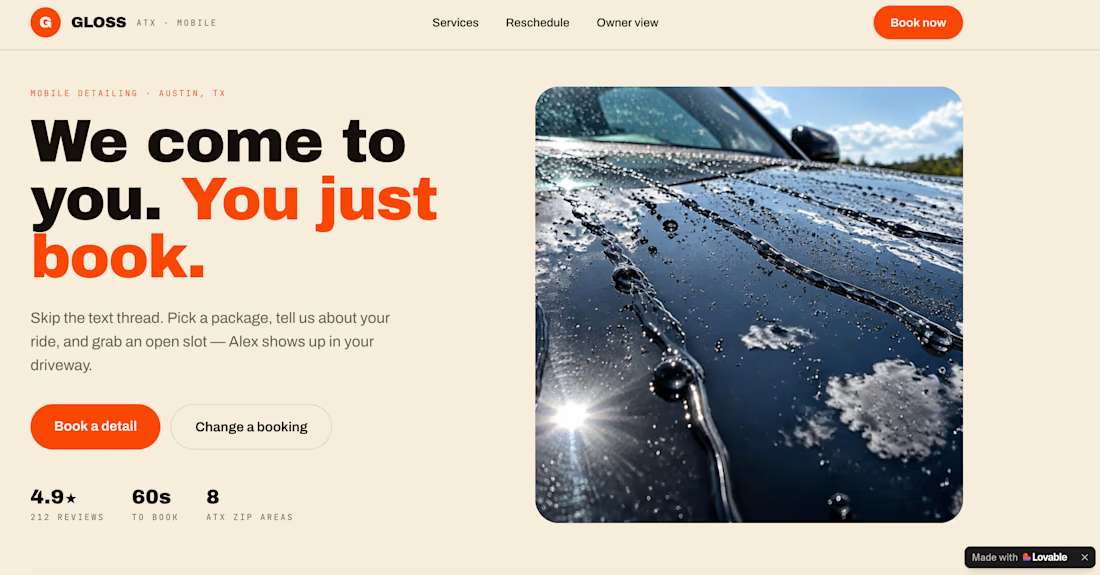
Built Gloss Instant Booking for the #lovablechallenge.
I created a booking experience for a fictional solo automobile detailing business in Austin where the owner was losing time to back-and-forth booking messages.
Instead of:
Inquiry → questions → calendar checking → confirmation → reminder
Gloss turns it into:
Inquiry → availability → confirmed booking → automated follow-up.
Built with @Lovable.
#lovablechallenge


Really like how clearly you've framed the before vs. after workflow here. For a mobile detailing business, did you also account for travel time/location when determining availability?
Feels like that's where scheduling gets especially interesting once bookings start stacking up.

We've been building something for a while, and it's finally time to share it.
Meet Zupa, an AI tool that helps you write LinkedIn and social media posts that actually sound like you.
Most people know they should post more. The hard part is sitting down and turning a rough idea into something worth reading. Zupa takes that idea and shapes it into a post built around what makes people stop scrolling and engage.
It's made for founders, marketers, agencies, and anyone building a personal brand who doesn't have hours to spend writing.
Here's a quick look at what we've built 👇
We're opening early access now, and it's free to try. If you want a look, check out https://www.zupapost.ai/
Honest feedback is welcome too. That's how we'll make it better.

Really like the idea of using psychology to help people rewrite their posts! The UI feels thoughtful and fits the concept really well. It’s a focused tool I could see being useful in everyday writing, especially for making posts more engaging. How long did it take you to go from the initial idea to the finished website?