The network for creativity
Join 1.25M professional creatives like you
Connect with clients, get discovered, and run your business 100% commission-free
Creatives on Contra have earned over $150M and we are just getting started
Back to feedPost

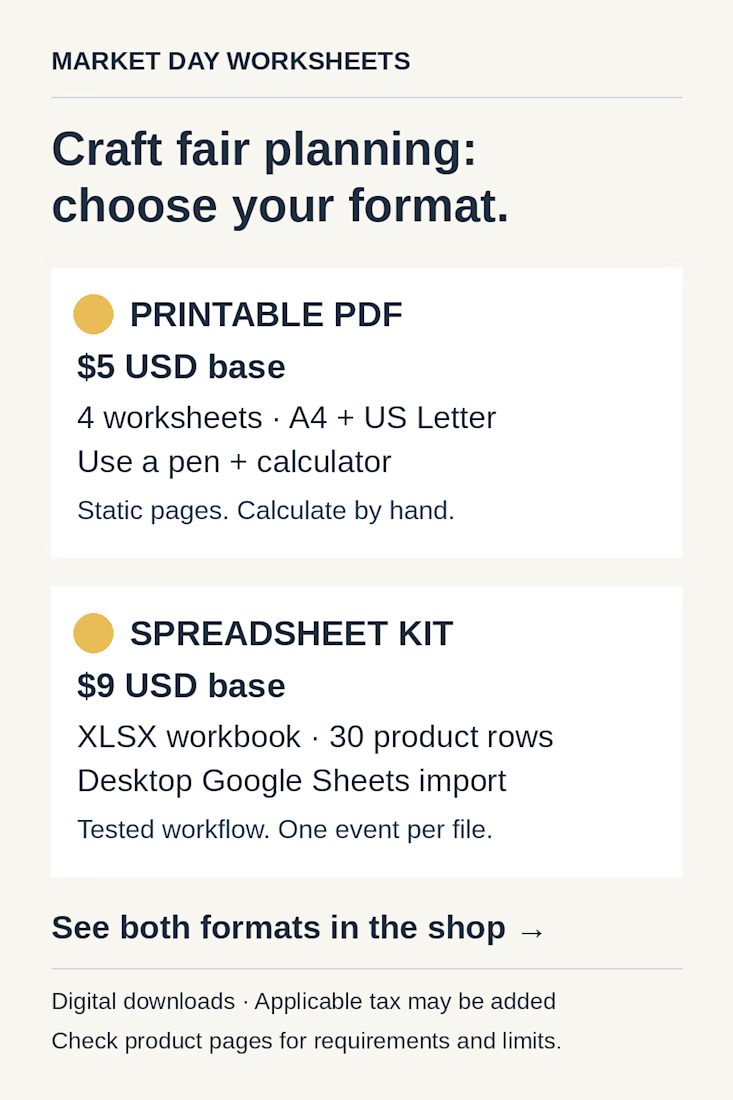
A useful product comparison makes the working method clear before purchase.
At Bright Slate Studios, we made this guide for our own existing Market Day Worksheets products.
The two panels present the same decision points: format, price, contents, workflow and limits.
• Printable PDF: $5 USD base, four static, non-fillable worksheets in A4 and US Letter. Use a pen and calculator.
• Spreadsheet kit: $9 USD base, an XLSX workbook with 30 product rows. Tested for desktop Google Sheets import; one event per file.
Both are digital downloads; applicable tax may be added.
For a client’s product page, clarify the requirement first: will the customer print and calculate by hand, or need calculations in a spreadsheet? Which software and limits must they know before buying?
Put those answers beside the choice so the buyer can compare them.
Example products and full requirements:
https://payhip.com/marketdayworksheets
The network for creativity
Join 1.25M professional creatives like you
Connect with clients, get discovered, and run your business 100% commission-free
Creatives on Contra have earned over $150M and we are just getting started



Related posts

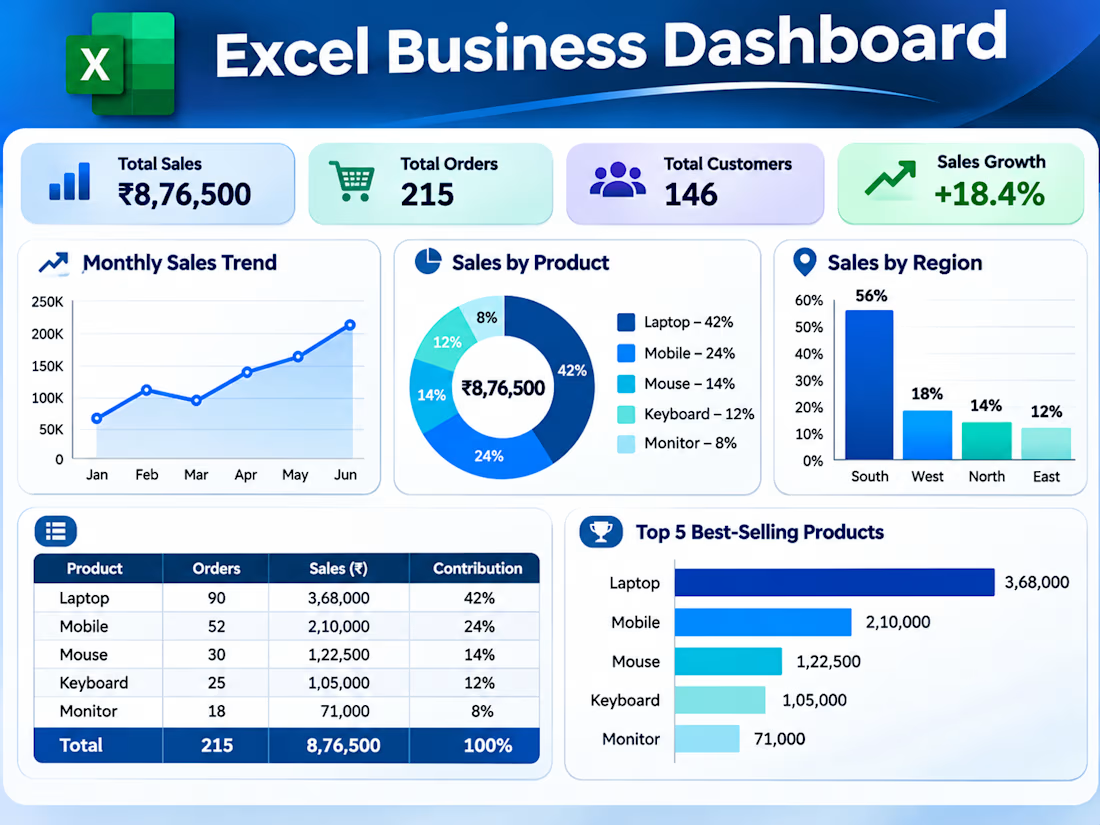
Sample project: a bills tracker I built in Excel and Google Sheets for a fictional business.
Change one date and everything updates: the row colours (green = paid, orange = due within 2 days, red = overdue), the totals, the pie chart and the payment rate.
All data is fictional.
Which would you rather see in a monthly report: the pie chart of what's still owed, or the payment rate bar? I'd love your thoughts.
Microsoft ExcelsmallbusinesssupportaccountspayableGoogle SheetsBusiness AdministrationVirtual Assistance


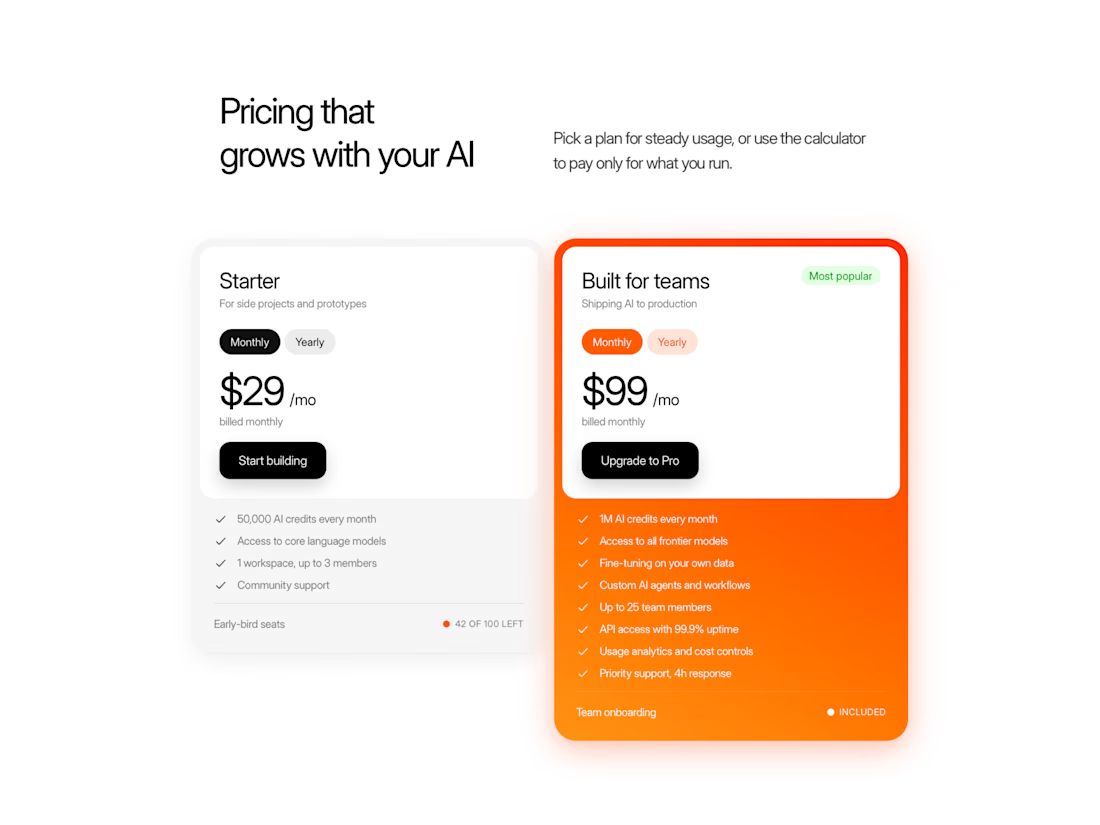
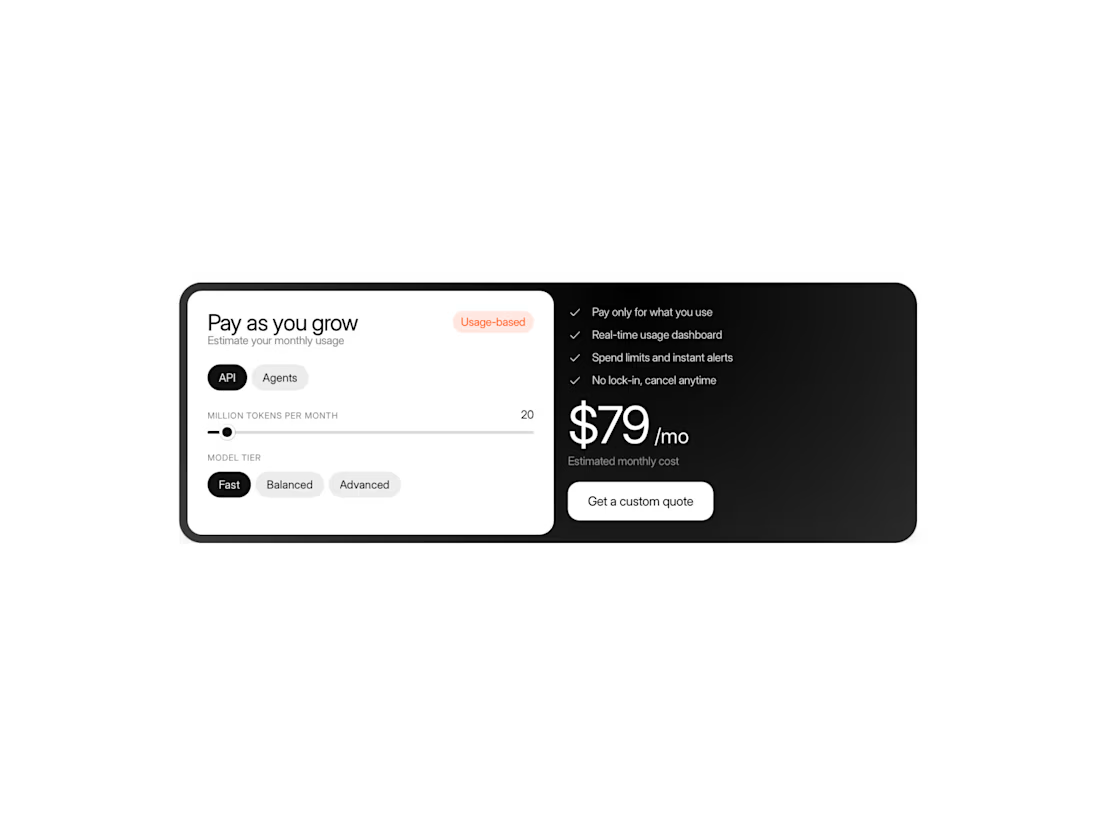
Pricing doesn't have to be just a list of plans and prices.
I wanted to make something more flexible — a pricing card that can adapt to different products and pricing models.
Meet Pricing Card, a Framer component that lets you switch between plans, calculate prices with interactive sliders, and customize almost every visual detail.
You can use it for simple subscription plans or build more advanced pricing calculators. Add up to three cards together to create a complete pricing section.
I focused on making it flexible without making it complicated to use.
A flexible starting point for your next pricing section.