The network for creativity
Join 1.25M professional creatives like you
Connect with clients, get discovered, and run your business 100% commission-free
Creatives on Contra have earned over $150M and we are just getting started
Back to feedPost
My AI assistant runs all day. The expensive model only does the thinking.
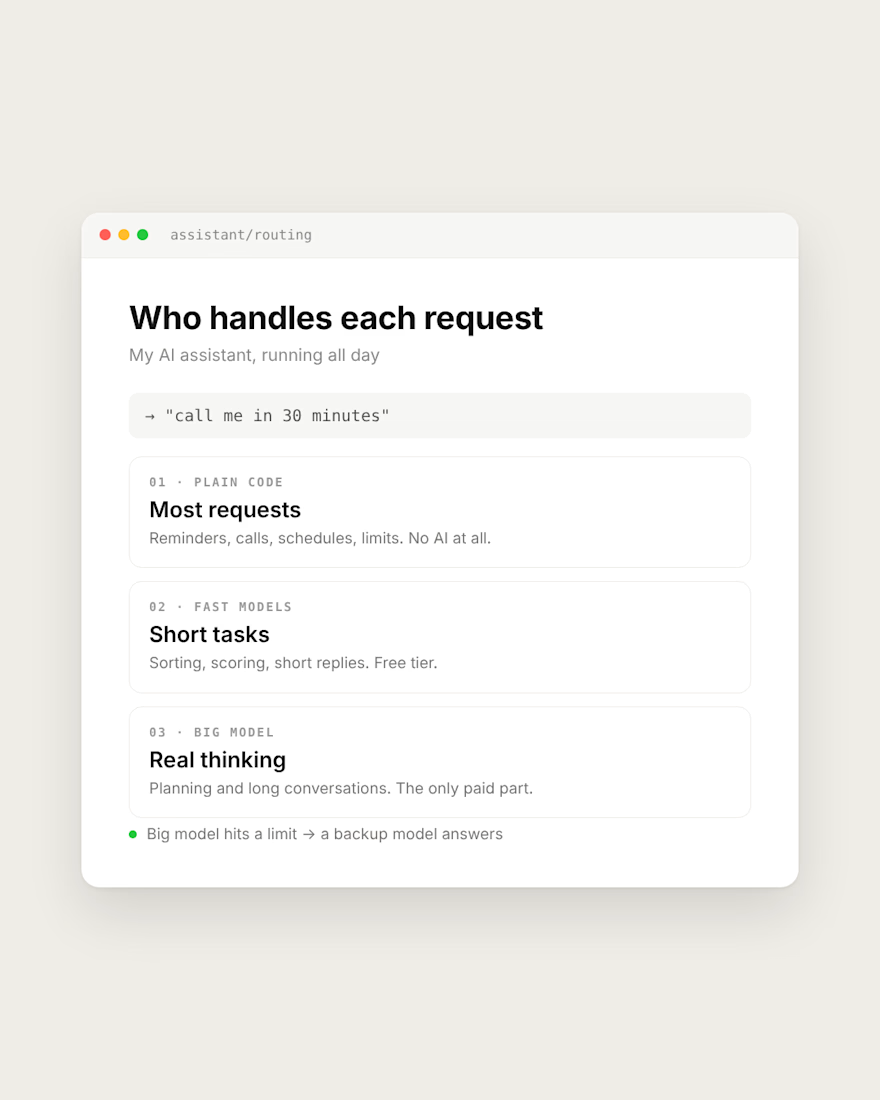
Most requests need no AI at all. "Call me in 30 minutes" is handled by plain code. Reminders, schedules and limits are code too.
Short tasks like sorting and scoring go to fast models on a free tier.
The big model only gets planning and long conversations, where it actually has to think.
If it hits a limit, a backup model answers instead of the app going silent.
If your AI app's bill keeps growing, check what really needs the big model.
What does your app send to the most expensive model?




what are you using for the free tier models?

Groq for most of it, their free tier is fast and handles sorting and short replies fine. When it hits the rate limit, it falls back to Gemini's free tier. The paid model only gets the stuff that actually needs thinking. Have you tried mixing free and paid models like that?

Routing plain reminders to code instead of a model is the most underrated cost cut. Do you log which tier answered so you can spot misroutes?
Yes, I do
Same pattern holds in outbound tooling. Filtering, dedupe and enrichment lookups are plain code. The model only writes the first line once the row is already verified. Cuts cost and the weird outputs.
Thank you for the advice!
The network for creativity
Join 1.25M professional creatives like you
Connect with clients, get discovered, and run your business 100% commission-free
Creatives on Contra have earned over $150M and we are just getting started







Related posts

MAGMA: A Liquid Light Instrument
A single HTML physics-driven lava lamp. Every blob carries heat it soaks it up at the floor plate, rises on buoyancy, sheds it at the cap, stalls, and sinks-the canonical lava-lamp circulation, with nothing keyframed.
Blobs merge by transferring mass through sustained contact; overheated giants pinch off children. Total volume is conserved, so the lamp never empties. The surface is a metaball scalar field shaded through a palette LUT, with marching-squares iso-contours stroked on top as a glass rim and a fresnel crown. Run it hot and champagne micro-bubbles boil off the plate - flip gravity mid-rise and they hang weightless.


Anyone who wants to check this build live can visit my JSFiddle here: https://jsfiddle.net/Saminsami/1rvay2bx/1
jsfiddle.net
MAGMA - SAMIN
SAMIN - a HTML example you can edit and run in your browser on JSFiddle.

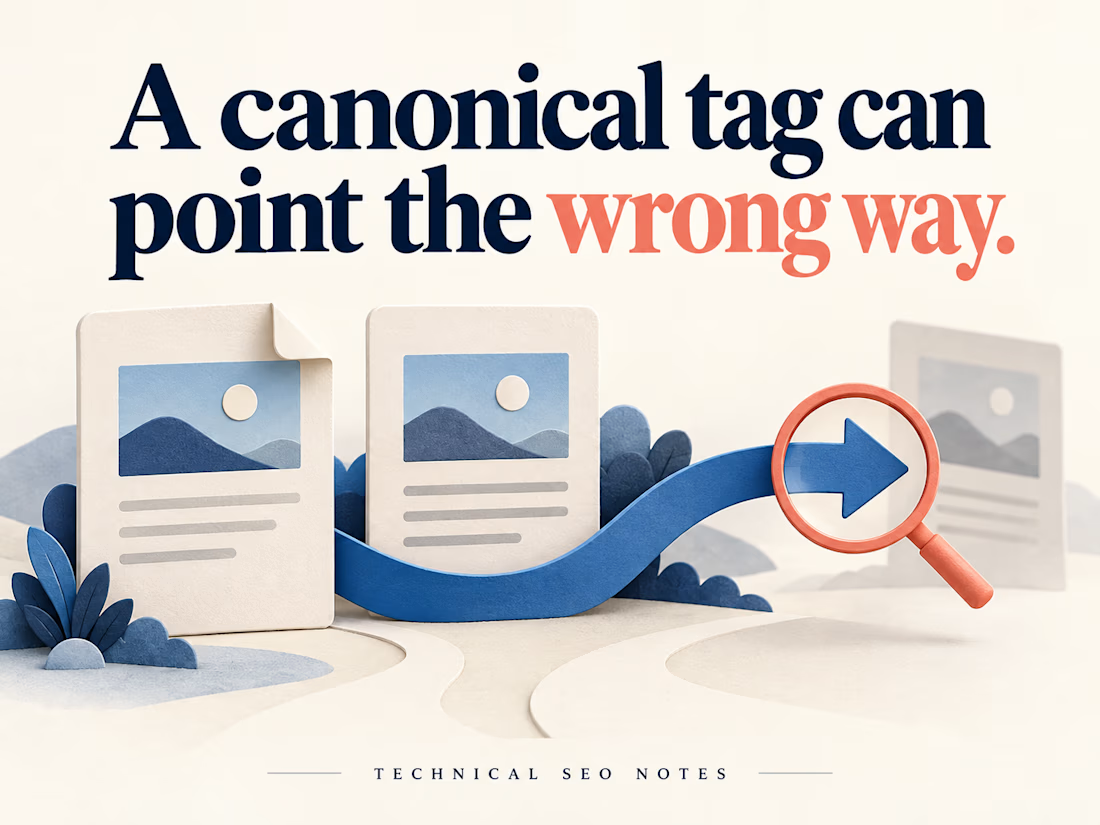
A Canonical Tag Can Be Present and Still Point to the Wrong Page
A redesigned page can look right while its canonical tag points to an old URL. A check that only asks whether the tag exists will miss that mistake.
Before signing off the release, define which URL should represent each page, then check what the deployed website actually declares.
For example, imagine a workshop page available at both its clean address and a newsletter URL with tracking parameters. If they show the same workshop, both should declare the agreed clean URL. A separate workshop with different content needs its own decision.
For each page type, check:
• The expected canonical is written down before testing.
• The declaration in the initial HTML points to that URL, and JavaScript does not replace it with a different one.
• The target opens the intended page, with suitable crawl and indexing settings.
• Internal links, redirects and sitemap entries support the same preferred address.
A correct value in the CMS settings is only part of the evidence. Test the public page, including any alternate URLs that visitors actually use. Include another page built from the same template to see whether the problem repeats.
Keep the handoff short: requested URL, expected canonical, actual declaration, target response and the person responsible for correcting it. That gives a developer enough information to reproduce the problem and QA a specific condition to retest.
Then compare the implementation with Search Console's indexed record. Check the crawl date before using an older result to judge a new deployment. Google's selected canonical is a separate observation; a correct declaration does not guarantee that Google will choose it, and the live test cannot predict that choice.
The release check can establish that the website sends the intended signals. Record Google's later selection separately so the team can distinguish a deployed defect from an indexing decision.
I put together the implementation checks and examples in the full guide on Technical SEO Notes:
https://technicalseonotes.org/canonical-tags-purpose-examples-and-implementation-checks/
Projects and client work: NikoCodes
https://nikocodes.com/



A client came to me with a problem every exhibition team knows.
They collected visitor business cards all day…
then someone had to type up the details and email each lead to the right company.
Slow. Easy to mess up. And leads went cold while they waited.
So I automated it. Here's how it works now 👇
📸 Staff take a photo of the visitor's business card and fill a short form
🏷️ They pick the visitor type (the company this lead belongs to)
💾 They click Save
That's it. In the background, the system:
✅ Creates a clean PDF with all the visitor details
✅ Emails it to the right company automatically
✅ Sends a confirmation to the staff member who added it
🔁 If an email fails, it retries 2 more times on its own
And if an email still fails?
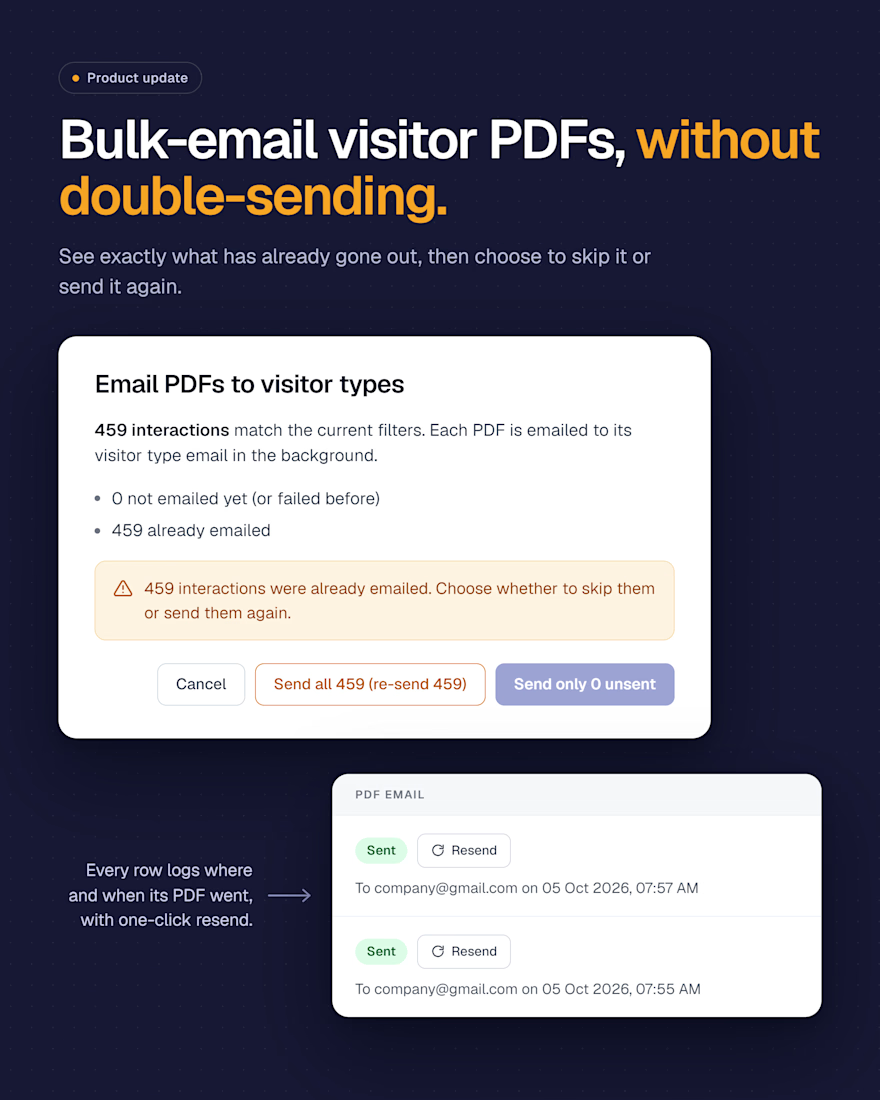
I added a new screen to their admin panel:
→ See every email: Sent ✅ or Failed ❌
→ Resend one with a single click
→ Or resend all failed emails at once
No chasing. No lost leads. No manual follow-ups.
The client loved it, and honestly, that's my favourite part of the job.
The lesson: good automation isn't flashy. It quietly removes boring work so your team can focus on people, not paperwork.
If you run events, exhibitions, or any business where leads get lost between "collected" and "followed up", let's talk. My DMs are open 👋