The network for creativity
Join 1.25M professional creatives like you
Connect with clients, get discovered, and run your business 100% commission-free
Creatives on Contra have earned over $150M and we are just getting started
Back to feedPost

Why your "accessible" component might still be invisible to screen readers ?
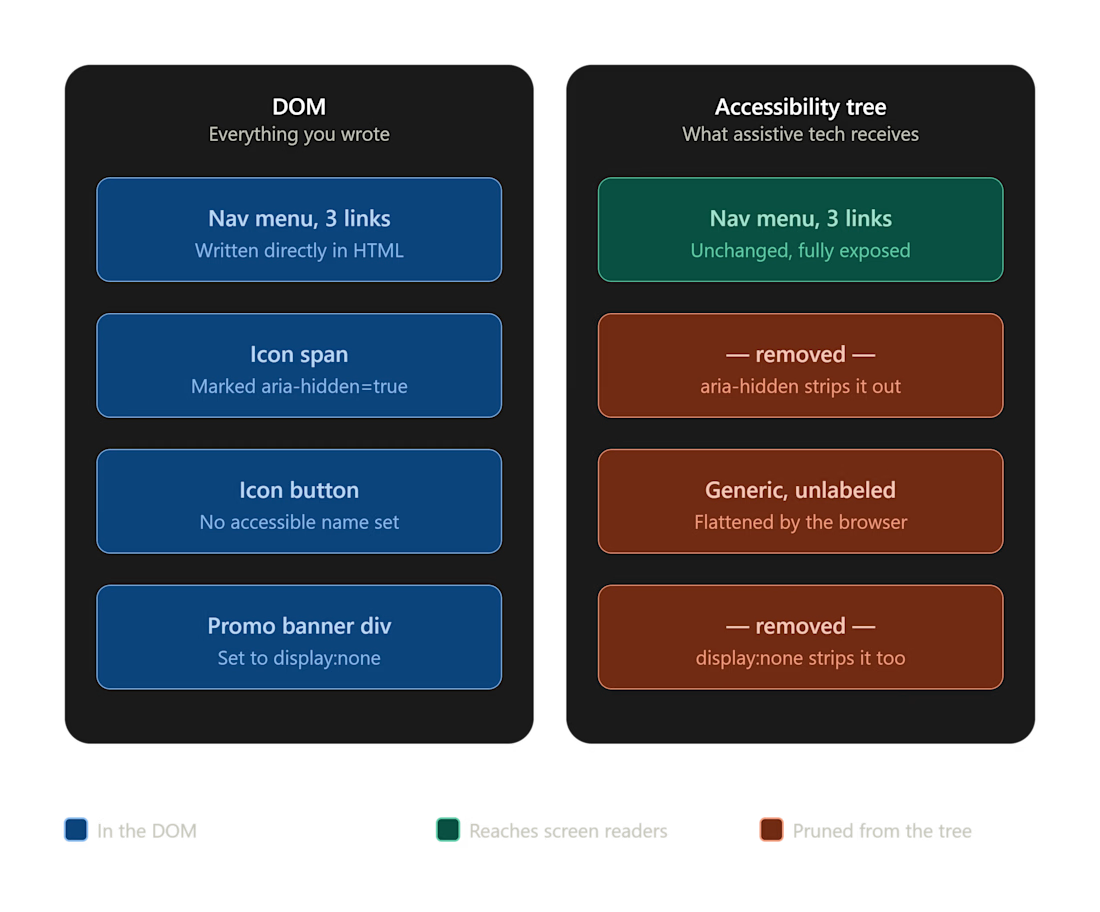
Here's something most developers never learn until a client's audit comes back with failures on code that looks completely clean: DOM presence and accessibility-tree presence are not the same thing.
You can have perfect markup — semantic tags, ARIA attributes, all of it — and the browser will still quietly prune it out of what assistive technology actually sees. A few ways this happens:
display: none and visibility: hidden remove the node from the accessibility tree entirely, not just visually
aria-hidden="true" removes the element and everything nested inside it, no matter how clean that markup is
An element with no accessible name and a "generic" role can get flattened out by the browser's own tree-building algorithm — even though it's sitting right there in your Elements panel, looking fine
That last one trips people up the most. You fix the CSS, you re-test, and the element is still missing for screen reader users — because the CSS was never the problem.
The fastest way to see this for yourself: open Chrome DevTools, and put the Accessibility pane next to the Elements pane. The gap between "what's in the DOM" and "what's in the accessibility tree" becomes visible immediately. It's the single most useful habit I bring into any accessibility audit.
Relevant success criteria: 4.1.2 Name, Role, Value (A) · 1.3.1 Info and Relationships (A)
If you're shipping a product and want someone who actually digs into the accessibility tree instead of just running an automated scanner and calling it done — that's the kind of work I do. Happy to talk through where your app might have gaps like this.
The network for creativity
Join 1.25M professional creatives like you
Connect with clients, get discovered, and run your business 100% commission-free
Creatives on Contra have earned over $150M and we are just getting started
Related posts

I build seamless Framer websites and help fix bugs, layout issues, and responsiveness problems so your site looks clean and works properly on every device.




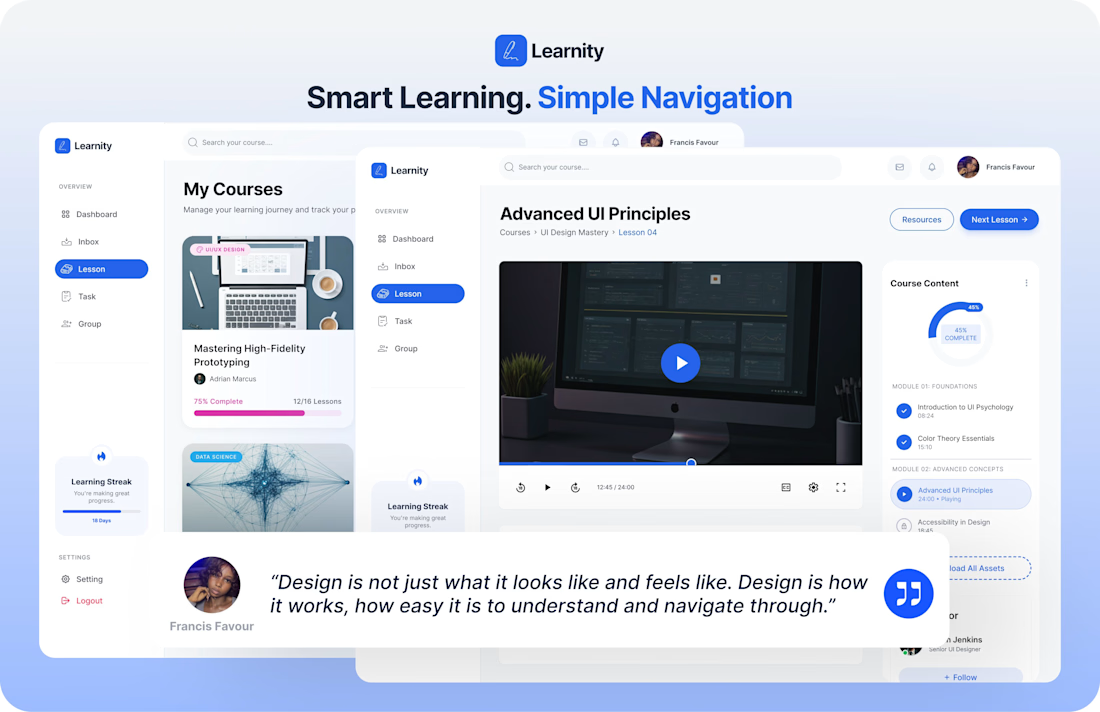
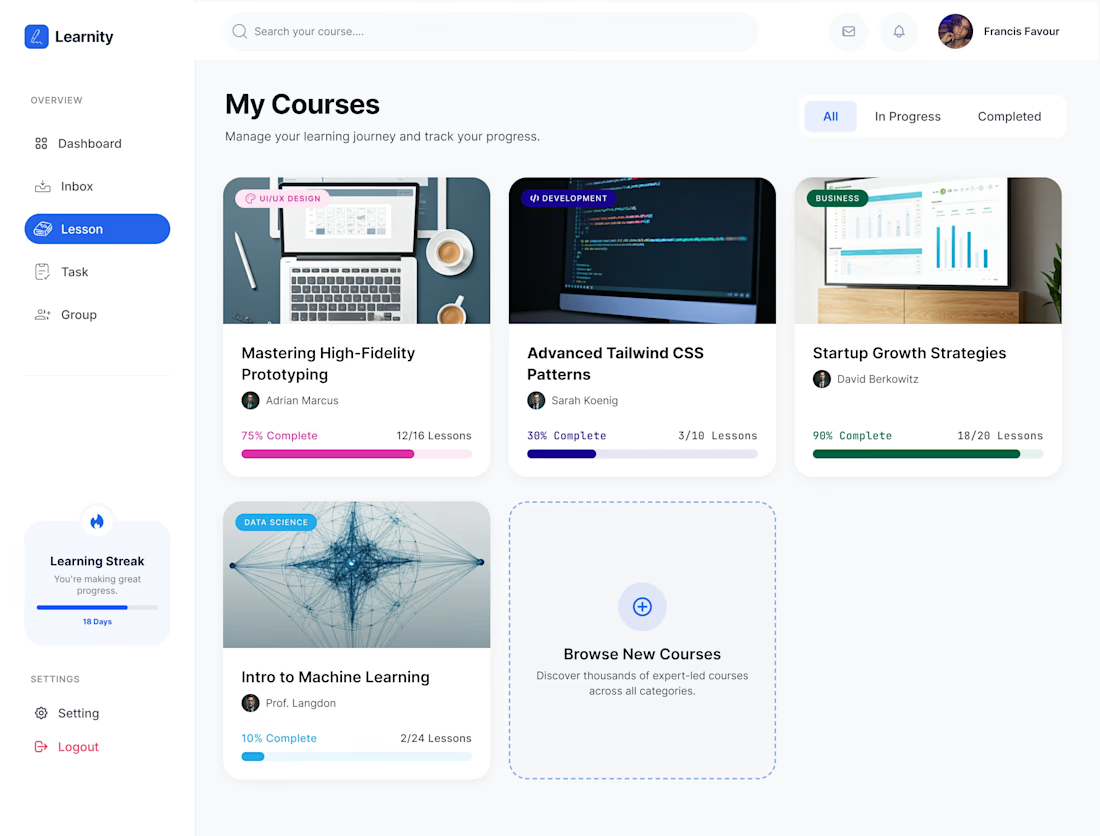
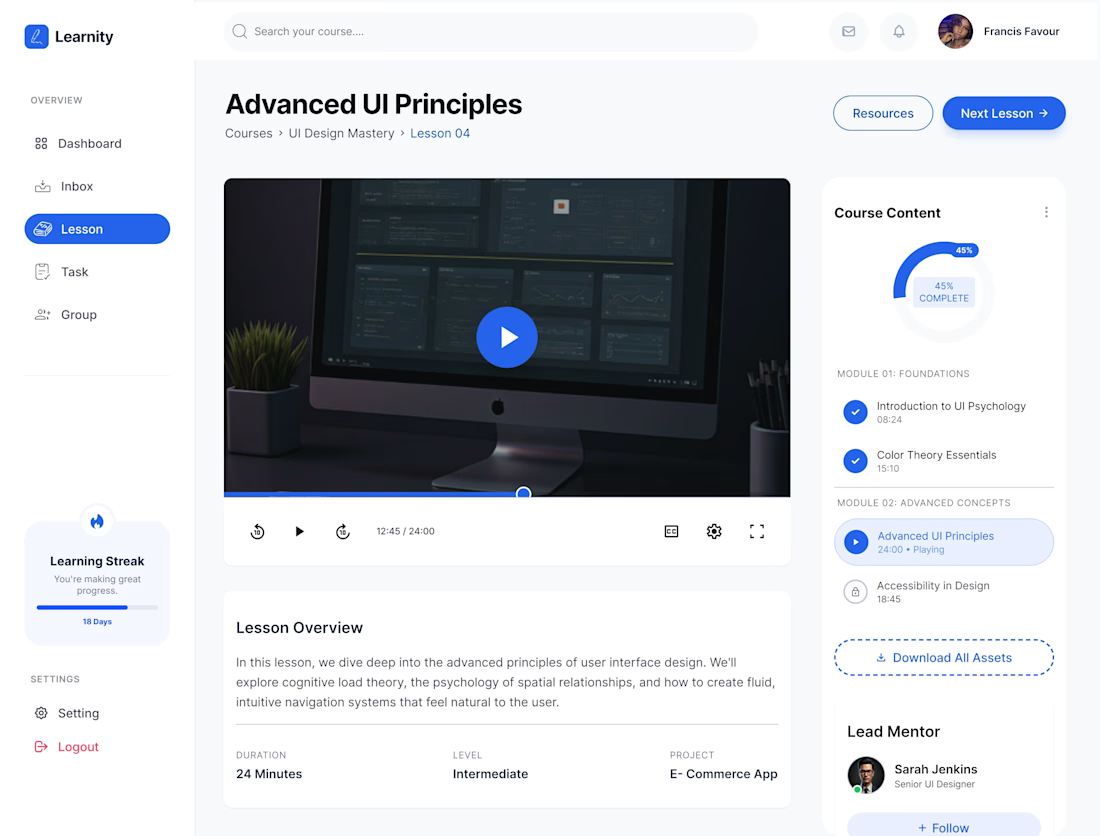
I expanded my Learnity dashboard concept with new screens.
The new screens include:
* My Courses dashboard
* Interactive lesson experience
* Video learning interface
* Progress & completion tracking
* Learning streak system
* Improved navigation flow
One thing I enjoyed most during this process was simplifying the experience without making the interface feel empty.
A lot of attention went into:
* Spacing
* Hierarchy
* Navigation
* Readability
* Progress visibility
* Interface consistency
I also experimented with softer shadows, rounded layouts, and subtle visual to make the experience feel more approachable and modern.
hashtag#UXDesign hashtag#UIDesign hashtag#ProductDesign hashtag#EdTech hashtag#Figma hashtag#UIUX hashtag#DashboardDesign hashtag#CreativeDesign hashtag#FrancisFavour

A scroll through a section on a recently launched site.
The SVG wheel behind the CTA rotates based on scroll direction, and there's a bit of parallax on the image to give the section some depth.










Trending

Claude
Claude has entered the design space. How are you using Claude Design?

Contra University
Learn from expert creatives how to earn more using next-gen AI tools.
fifaworldcup2026
The World Cup is here and the whole world's watching. How are you designing for the world stage?
creativeaiflow
Creative AI workflows are evolving. What tools do you use, and what are their strengths and weaknesses?
freelancerlife
Freelancer life is wins, pivots, and everything in between. What’s yours right now?