The network for creativity
Join 1.25M professional creatives like you
Connect with clients, get discovered, and run your business 100% commission-free
Creatives on Contra have earned over $150M and we are just getting started
Back to feedPost

Midnight Dossier is a cinematic interactive web experience where users investigate a case, connect clues, explore suspects and locations, and make a final accusation.
This project was built through an iterative workflow using Google Stitch as the core creative and prototyping tool. Instead of trying to reach a final result in one pass, each page evolved through multiple rounds of refinement until the full experience felt coherent both visually and narratively.
One of the most valuable features in the process was in-place AI editing. It made it much easier to target specific parts of the interface and improve them without rebuilding the whole page. For example, I used inline editing to remove redundant UI elements like unnecessary footers, simplify sections that were adding visual noise, and quickly adjust content blocks so they stayed consistent with other pages in the experience.
That was especially useful in a multi-page project like this one. Pages such as Briefing, Evidence Board, Suspects, Locations, and Accuse needed to feel distinct, but still clearly belong to the same investigation. Stitch made it possible to refine sections directly and keep story logic, interface tone, and visual language aligned across the entire experience.
I also used Stitch to make the interface feel more alive through motion and interaction. Some of the effects used in the final experience include subtle hover states, cinematic transitions, active card glow, scan sweep effects, animated evidence focus states, and small atmospheric motion details that helped the interface feel more immersive without becoming distracting.
Another important part of the workflow was exporting the code and taking the project live. After refining the experience, I exported the code and deployed the final build to Netlify, which made it easy to move from prototype to a publicly accessible experience.
What stood out most was how naturally Stitch fit into a real workflow. It was not just useful for generating ideas, but for refining them with speed and precision. The ability to edit specific sections, improve coherence across pages, add motion, and then export the project into a live deployment made the process much more practical and efficient.
My main feedback is that Stitch is especially powerful when used as part of an active creative loop: build, inspect, refine, and repeat. That iterative workflow made it much easier to move from concept to a polished interactive prototype.
Project in Stitch:
https://stitch.withgoogle.com/projects/1012188385966799930
Live demo on Netlify:
https://tiny-marzipan-252c09.netlify.app/stitch

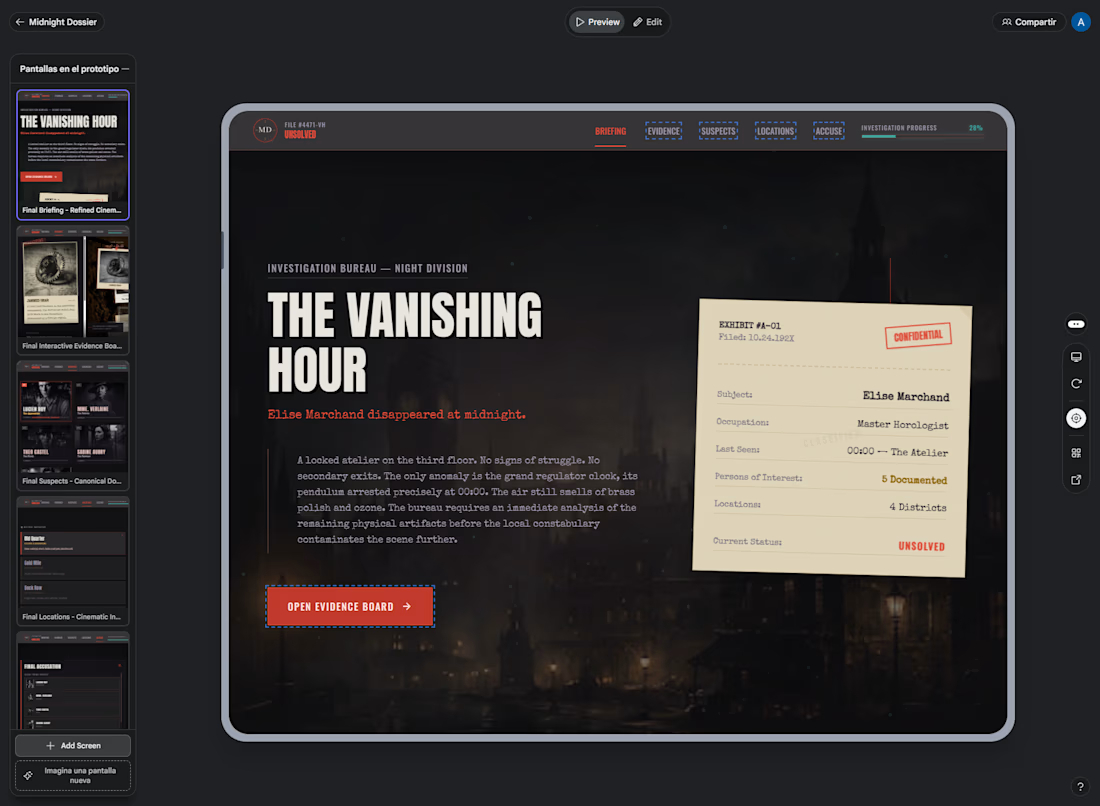
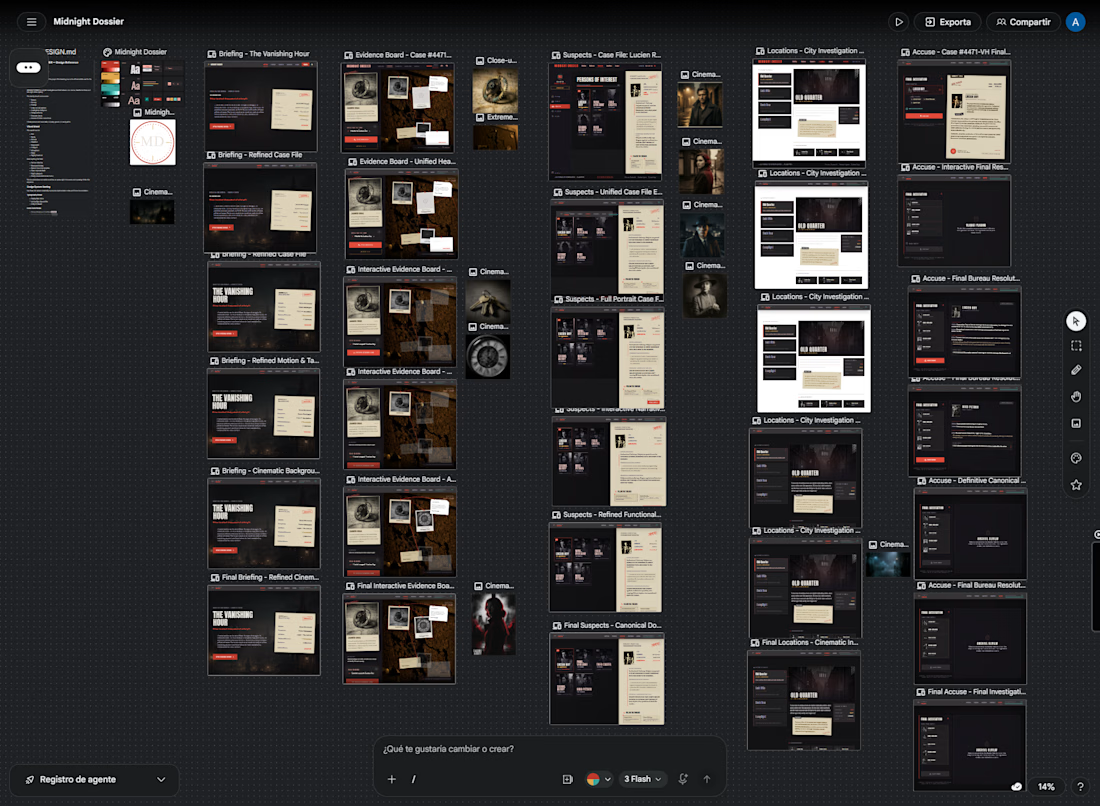

Really like this, the investigative narrative + multi page flow feels very immersive. The Evidence Board + clue system idea is especially strong.
View my entry for this challenge
https://on.contra.com/pnfJBQ
Curious what you think about it.

on.contra.com
Introducing Voya: Revolutionize Your Travel Planning Experience
Connect with next-gen talent and tools to get work underway. Hire more independents. Start more projects. Get more creative.
The network for creativity
Join 1.25M professional creatives like you
Connect with clients, get discovered, and run your business 100% commission-free
Creatives on Contra have earned over $150M and we are just getting started





Related posts

Building a new portfolio in less than two days? Let's go! 🚀
For the Base44 Challenge, I decided to focus on something close to me... my own website. I wanted to make sure it felt fun, fresh and featured automated elements to make potential clients' lives easier and, in turn, mine.
The website features an interactive colour-changing cursor, a 3D project carousel and a personalised questionnaire that tailors the questions I ask to the specific project a client needs help with.
Client enquiries go straight to my inbox and into a private project portal, where I can review the details and keep all the information handy for follow-ups.
On top of that, I set up a project management system where I can create projects, add tasks and keep track of deadlines. It's fully customisable and easy to use.
Less admin, better briefs, and more time to focus on the creative work. 🙌


This is inspiring! Building a full portfolio in 2 days with automated elements is next level. Love the fun & fresh approach. Congrats on the submission!


New project: a film-first website for Portugal Media Productions, an award-winning film and photography team whose work includes David Beckham for Haig Club. Built in Framer on our Nova Quinn template, with headlines over full-screen footage, a moving client logo strip, and a site the team now edits on their own.
The full case study is on my profile.


Build with Framer?


A softer side of Eroglu Studios.
A new portfolio for Alper Mlope, a freelance writer who brings philosophy and human emotion into social media storytelling.
Warm cream, orange and turquoise. Oversized type. Shapes and letters that respond to your cursor. A playful introduction to the person behind the words.
Designed and developed in HTML, CSS and vanilla JavaScript.
Case Study: https://contra.com/p/OE6BFAkP-personal-website-for-alper-mlope?r=eroglustudios
Explore live: https://infomlope.com/

Love the warm colours and playful typography! ✨ Such a creative way to reflect a writer’s personality through web design. 👏

