The network for creativity
Join 1.25M professional creatives like you
Connect with clients, get discovered, and run your business 100% commission-free
Creatives on Contra have earned over $150M and we are just getting started
Back to feedPost

How to Improve Website Performance in Webflow – 5 Quick Tips
Slow websites hurt conversions, frustrate visitors, and impact SEO. These are the key things I focus on to keep sites fast:
1️⃣ Optimize Images
Large images are the most common cause of slow pages.
Use WebP or AVIF
**Webflow automatically serves responsive images for different devices.
2️⃣ Clean Up Unused Classes
Remove unused styles to reduce CSS weight.
**Be careful: classes used inside Embed elements may appear as unused in Webflow.
3️⃣ Limit heavy interactions
Too many Lottie files, scroll effects, or animations can slow the page.
4️⃣ Be Careful With Embeds
Widgets, feeds, and external scripts add load time. Use them sparingly.
5️⃣ Minimize Third-Party Scripts
Only keep essential integrations. Poorly optimized scripts are a common performance issue.
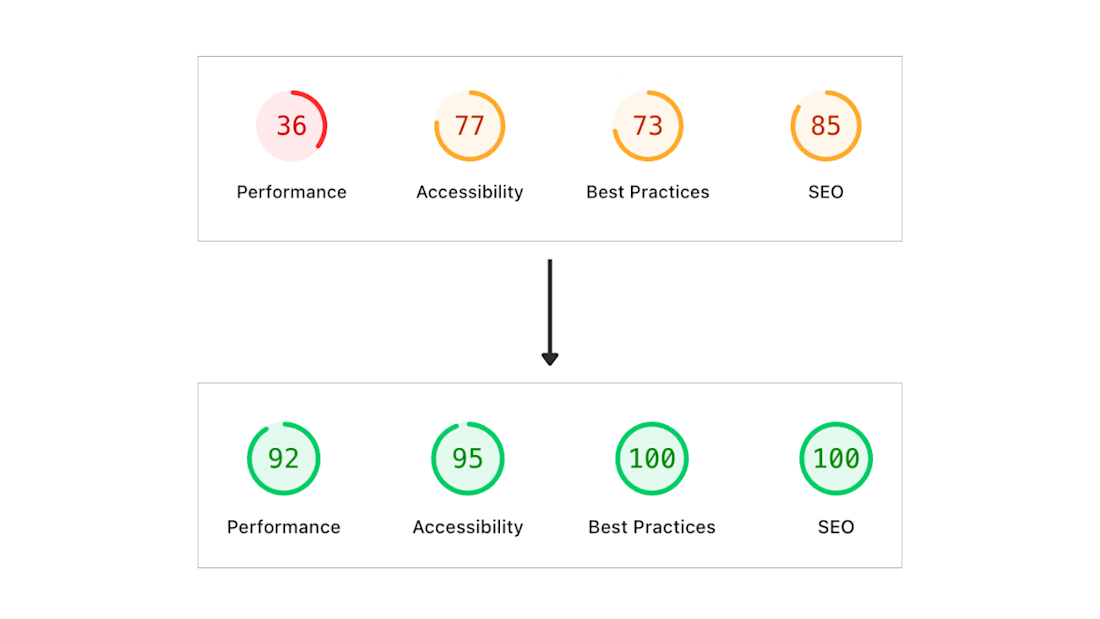
The network for creativity
Join 1.25M professional creatives like you
Connect with clients, get discovered, and run your business 100% commission-free
Creatives on Contra have earned over $150M and we are just getting started








Related posts

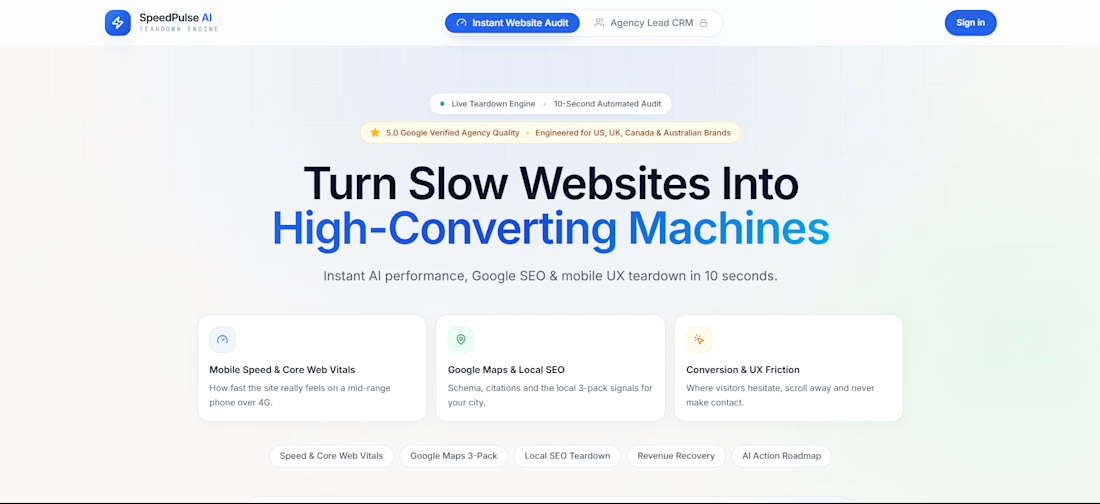
SpeedPulse AI is a high-performance web application engineered to automate website audits, Core Web Vitals diagnostics, and client acquisition for agencies and local businesses.
What I Built:
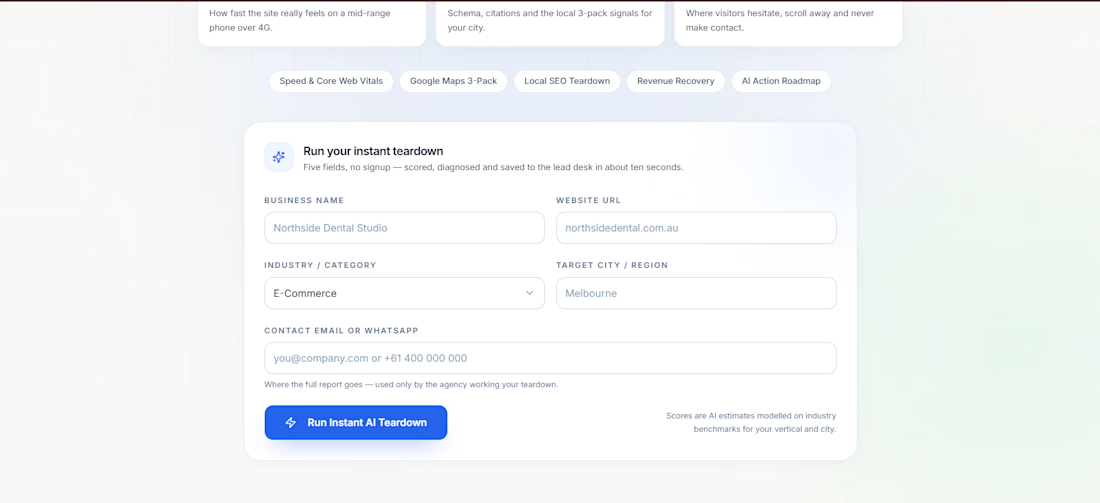
• Instant Teardown Engine: Evaluates mobile speed, Google Maps Local SEO signals, and conversion friction in under 10 seconds.
• Dynamic Sprint Projections: Interactive Before/After toggle that animates score dials from 41 to 98.
• Revenue Leakage Modeling: Real-time calculation of monthly lost revenue based on traffic volume and vertical deal benchmarks.
• Automated Executive PDF Brief: Formats and downloads a comprehensive client teardown report.
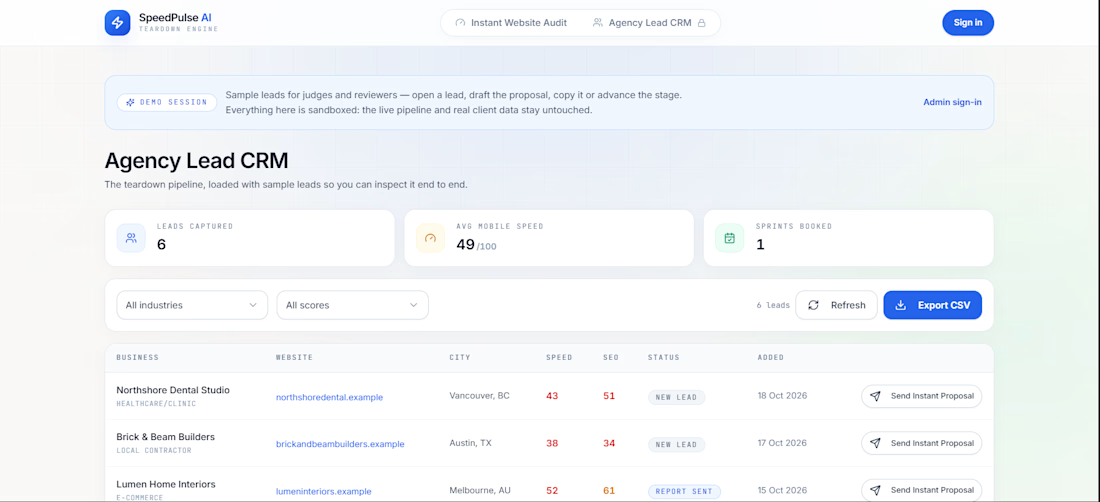
• Agency Lead CRM: Automated backend database storing inbound leads, tracking deal stages, and auto-drafting client proposals with one-click copy.
Outcome: Ranked #2 on the global Contra Base44 Challenge leaderboard within 12 hours of launch.


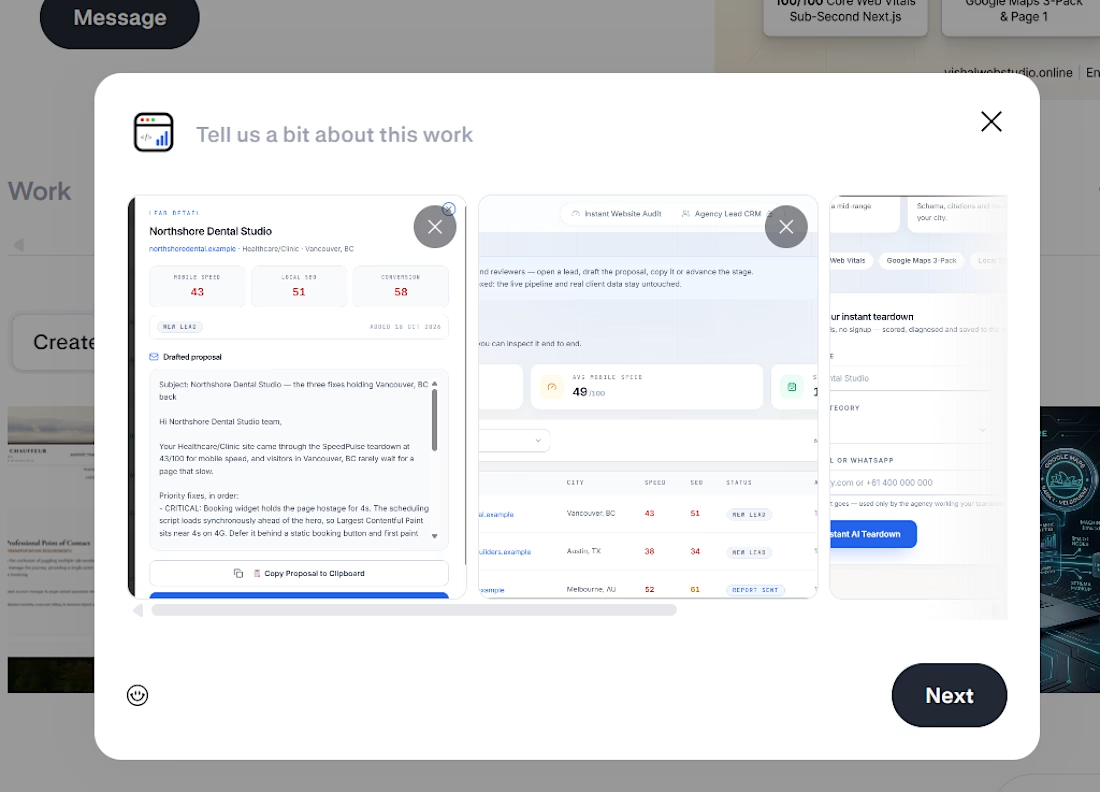

A 41-to-98 score makes a strong demo, but the test conditions matter: device, network and lab versus field data. Do you show that context alongside the score?

Built SpeedPulse AI — an automated website performance teardown and local client acquisition engine.
Most local businesses lose over 35% of their mobile conversions due to slow load times and missing Google SEO schema. Auditing each client manually took hours, so I automated the entire process on Base44:
⚡ Real-time Core Web Vitals, Local SEO & UX friction score dials
🔄 Dynamic Before/After sprint projections (gliding scores from 45 to 91+)
📄 Automated Executive PDF brief generation
🤖 Built-in Agency CRM that captures incoming leads, tracks stages, and auto-drafts client proposals with one-click copy
Live App: https://speedpulse-flow.base44.app

The CRM that drafts proposals is a smart touch. Did you test the audit with real local businesses yet?

Online store pages that took over 4 seconds to load converted 22% worse. That’s stores, so your numbers will differ. But most of us haven’t timed our own site on a phone in months.
3 things I would check first:
✦ Run your main page through Google’s PageSpeed Insights. It’s free. Look at the mobile score.
✦ Check image sizes. A huge hero photo can slow a page a lot.
✦ Count your plugins and scripts. Every chat widget, tracker and pop-up adds weight.
If it feels slow on your phone, it feels slow to your customers. I am Akil. I build websites and webapp.
What’s the slowest page on your site, and have you ever timed it?