The network for creativity
Join 1.25M professional creatives like you
Connect with clients, get discovered, and run your business 100% commission-free
Creatives on Contra have earned over $150M and we are just getting started
Back to feedPost

Sales Data Cleaning & Analysis (Excel)
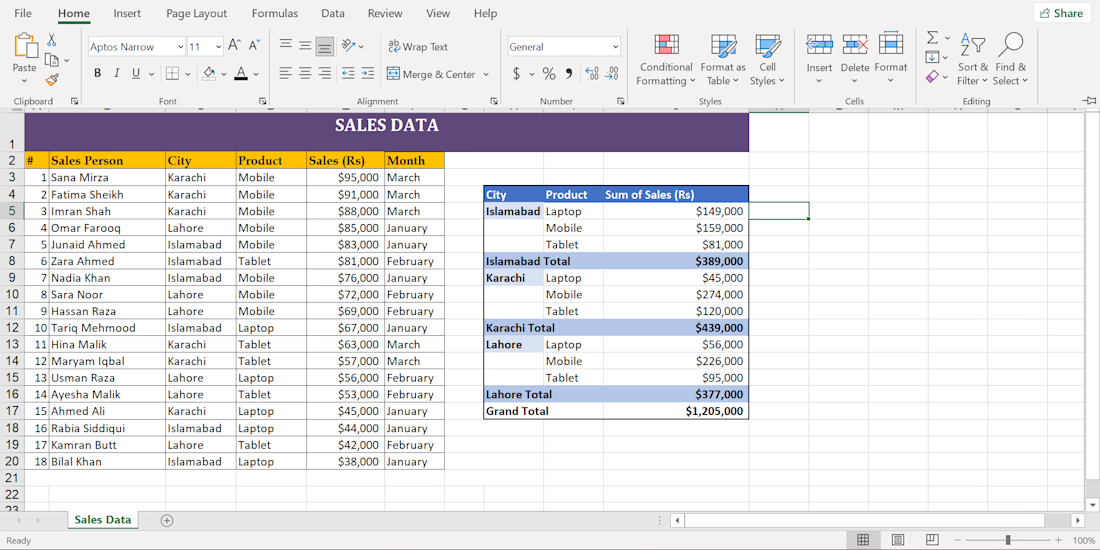
A client came to me with a messy sales dataset — inconsistent formatting, duplicate entries, and no clear structure. Here's how I turned it into a clean, presentation-ready report:
Cleaning & Standardization
Names and month labels were inconsistently capitalized (ALL CAPS, lowercase, mixed). I standardized everything to a consistent, professional format across the entire sheet.
Duplicate Removal
The dataset had repeated entries for the same salespeople, inflating the numbers. I identified and removed every duplicate, keeping only accurate, unique records.
Structure & Sorting
I reorganized the data by month and city so the sheet reads logically from top to bottom — no more hunting for information.
Professional Formatting
Added a styled header, bold column titles, and consistent fonts, giving the sheet a polished look suitable for client delivery or internal reporting.
Pivot Table Insights
Built a Pivot Table summarizing total sales by City and Product Type (Laptop, Mobile, Tablet), with a Grand Total row — so decision-makers can instantly see top-performing cities and products.
Outcome
A messy, unusable spreadsheet became a clean, structured, client-ready sales report — the kind of transformation I bring to any raw dataset I'm handed.

The network for creativity
Join 1.25M professional creatives like you
Connect with clients, get discovered, and run your business 100% commission-free
Creatives on Contra have earned over $150M and we are just getting started
Trending
retrofuturism
Share your favorite designs from the past exploring the distant future. Or your own take on the aesthetic 🚀
halftone
Dots. Texture. Grain. Let's see your designs using the halftone technique.

Midjourney
Creatives are showing off what they're making with Midjourney.
colorgrade
Video editors sound off: How do you enhance the mood of your video in color grading?





Related posts

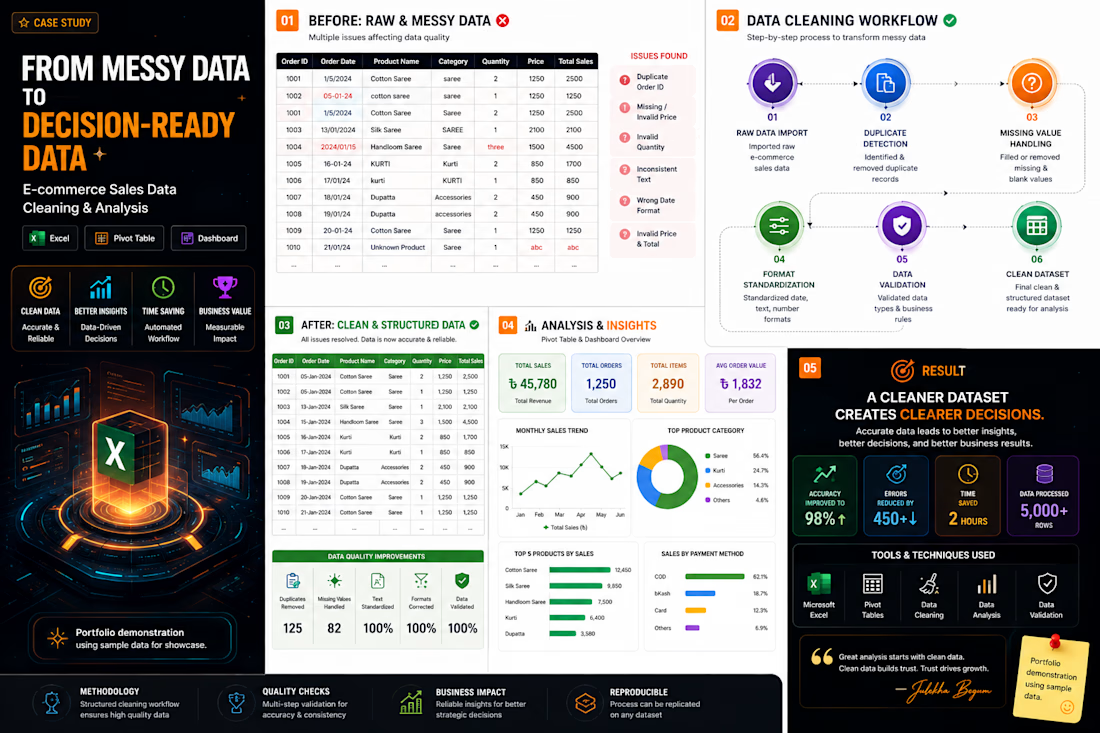
From Messy Data → Decision-Ready Data 📊
Cleaned, validated & analyzed an e-commerce dataset using Excel + Pivot Tables.
Raw data → Clean data → Clear insights.
📌 Portfolio demonstration using sample data.
#DataAnalysis #Excel #DataCleaning #Ecommerce .

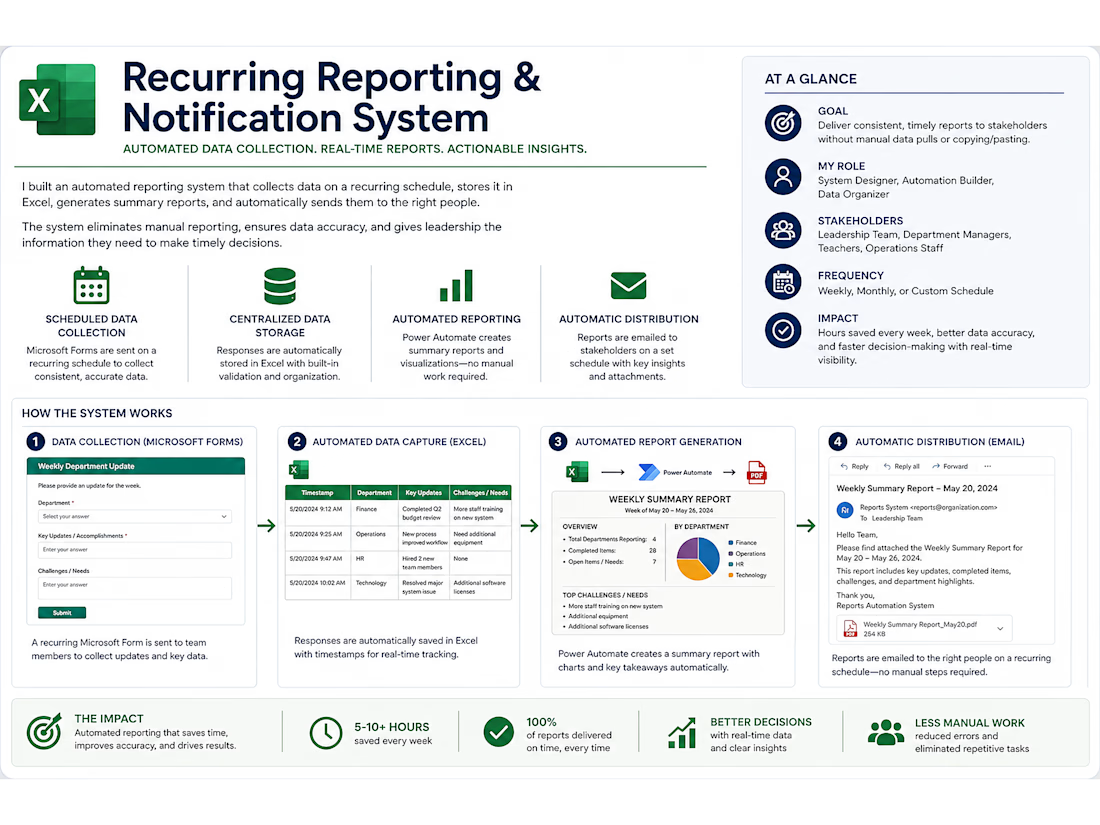
I designed a recurring business reporting and notification system that organizes data in Excel, uses Power Automate to generate consistent reports, and automatically sends updates to the appropriate stakeholders. The system reduces manual reporting, improves accuracy, and helps teams get timely information without relying on repeated copy-and-paste work.
Microsoft ExcelMicrosoft Power AutomateBusiness OperationsBusiness Workflow AutomationData AnalysisMicrosoft Office 365



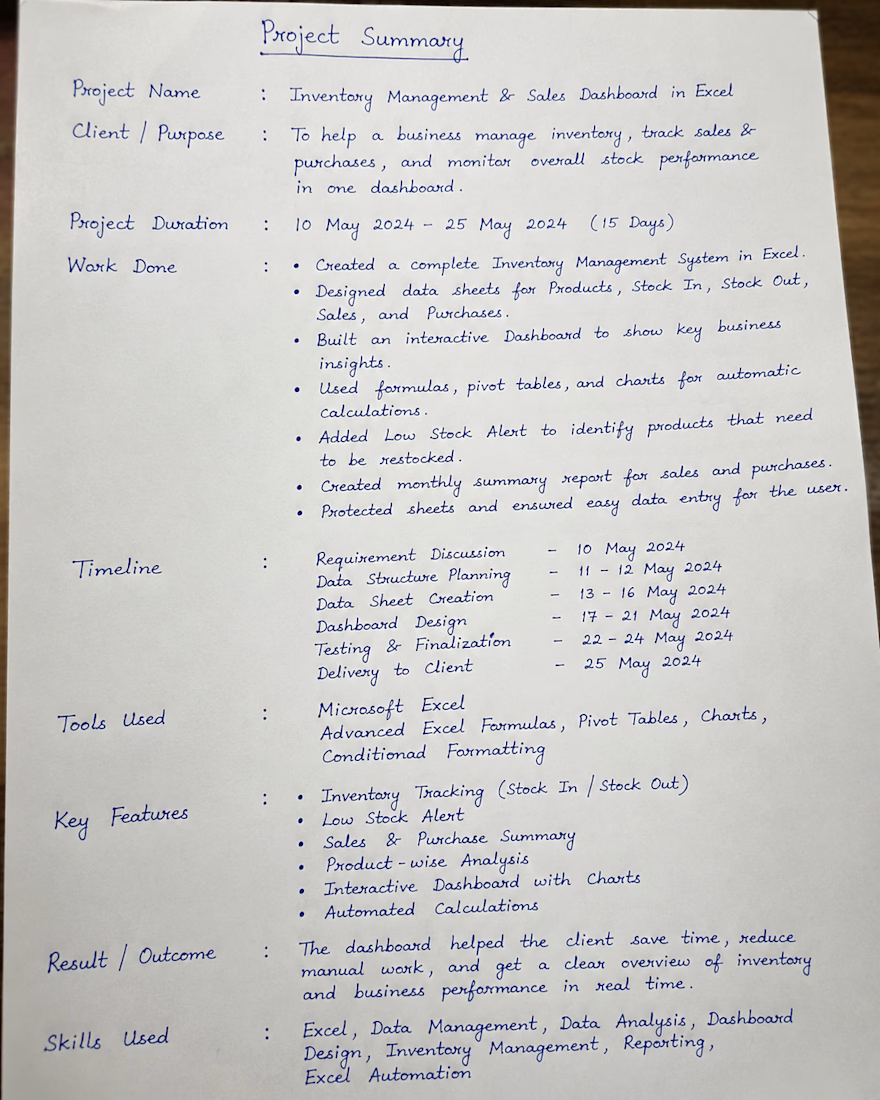
Created an Excel-based Inventory Management & Sales Dashboard to track stock, sales, purchases, and low-stock items. Used formulas, Pivot Tables, charts, and automation to simplify reporting and reduce manual work.