The network for creativity
Join 1.25M professional creatives like you
Connect with clients, get discovered, and run your business 100% commission-free
Creatives on Contra have earned over $150M and we are just getting started
Back to feedPost

From Template to Tailored: Rebuilding My Portfolio in Canva
This weekend, I gave my portfolio website a much-needed refresh and I did it all in Canva.
I've always liked Canva as a design tool because it's genuinely an all-in-one shop. You can start from a blank canvas or lean on a template, and either way you end up with something polished. This time, I wasn't starting from scratch I went back into a portfolio site I'd built previously and reworked it with fresh eyes.
Here's what changed:
Home page — updated to better reflect who I am and what I offer today
Services — refined to clearly outline what clients can expect when they work with me
Reviews — added to build trust and show real results
Contact page — streamlined for easy outreach
One detail I was especially intentional about: functionality, not just visuals. I added a navigation bar linked across all pages, so visitors can move through the site smoothly instead of scrolling endlessly. I also linked my email and phone number directly click either one, and it opens straight into an email or a call, no copying and pasting required.
It's a small thing, but it's the kind of detail that makes a portfolio feel professional rather than just pretty.
Take a look at the final design below and let me know what you think!

The network for creativity
Join 1.25M professional creatives like you
Connect with clients, get discovered, and run your business 100% commission-free
Creatives on Contra have earned over $150M and we are just getting started











Related posts


Gorgeous 😍

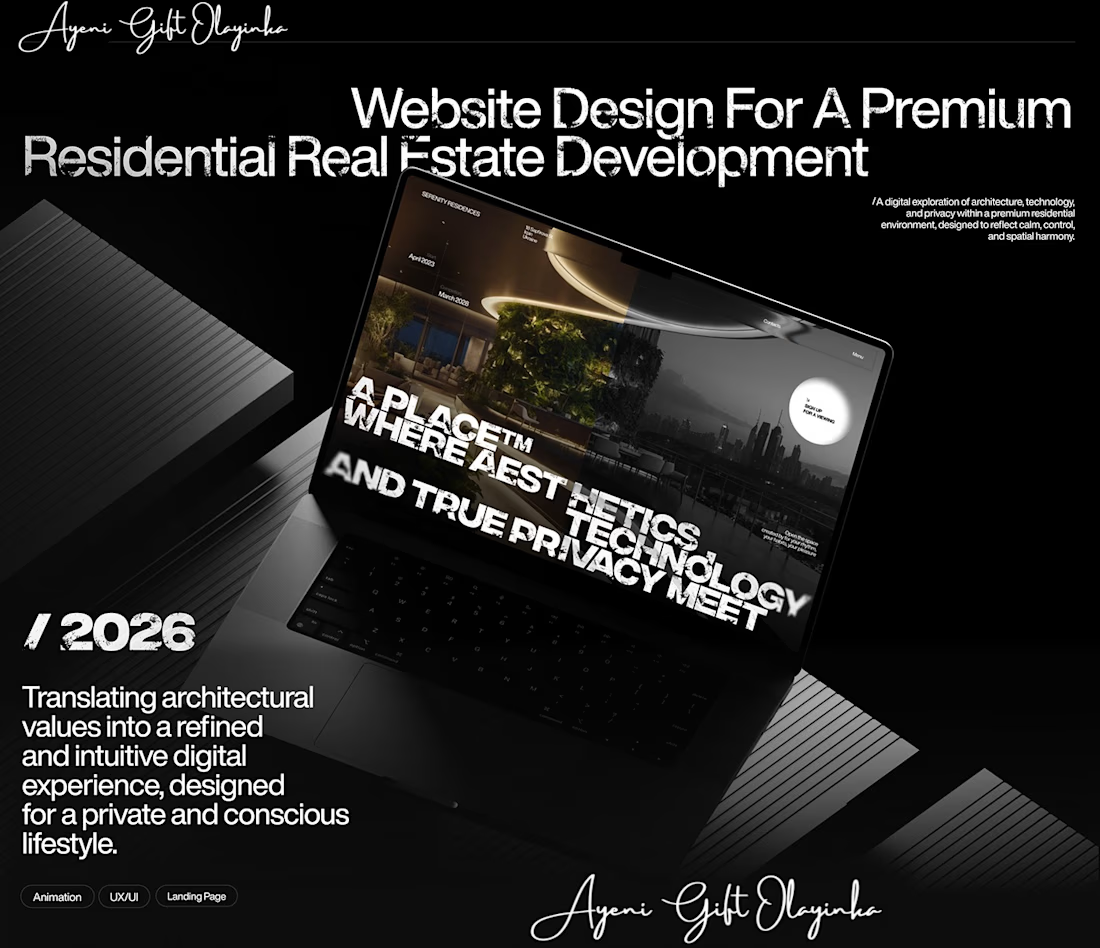
What makes someone stop scrolling and imagine themselves living in a property?
That's something I kept in mind while working on this luxury real estate website concept.
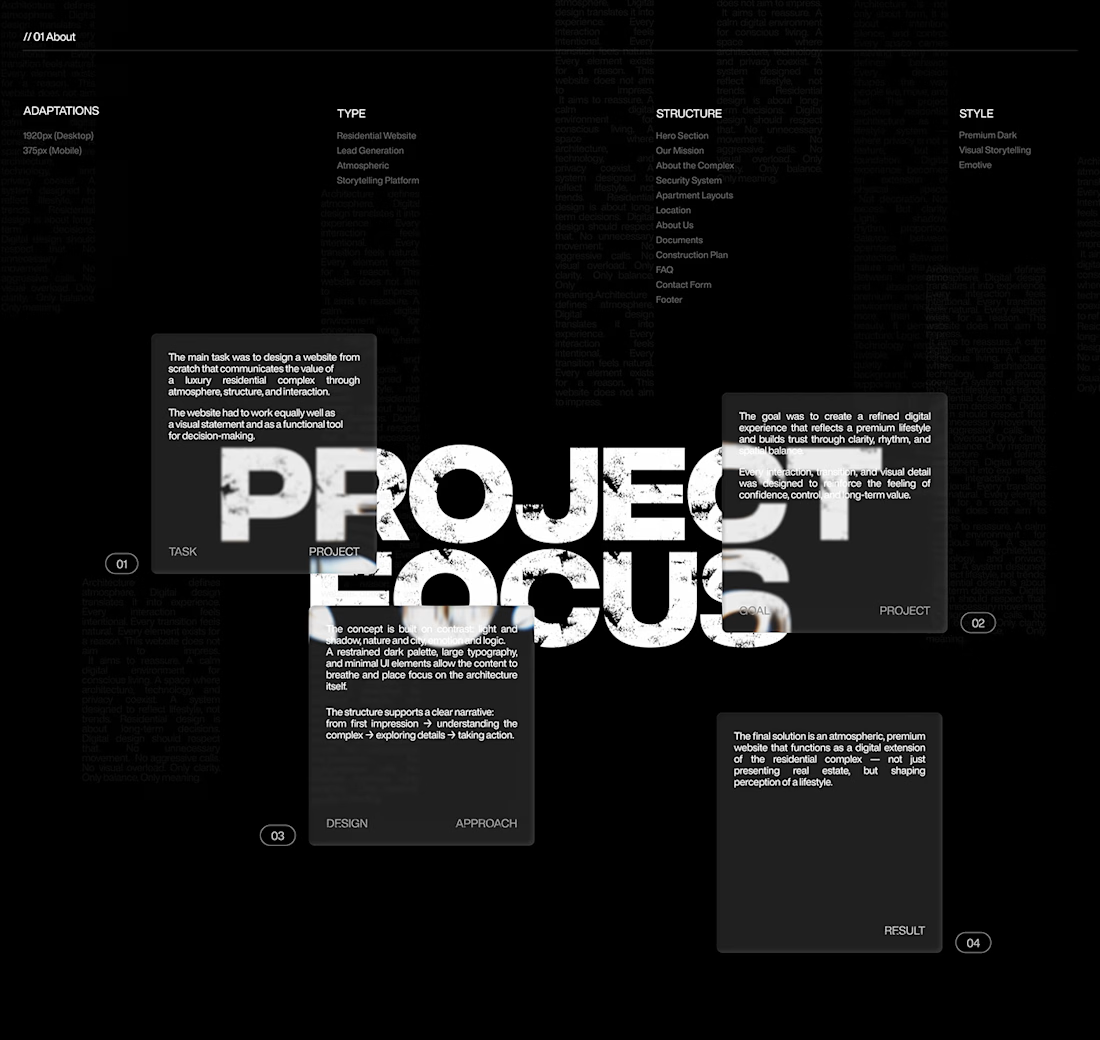
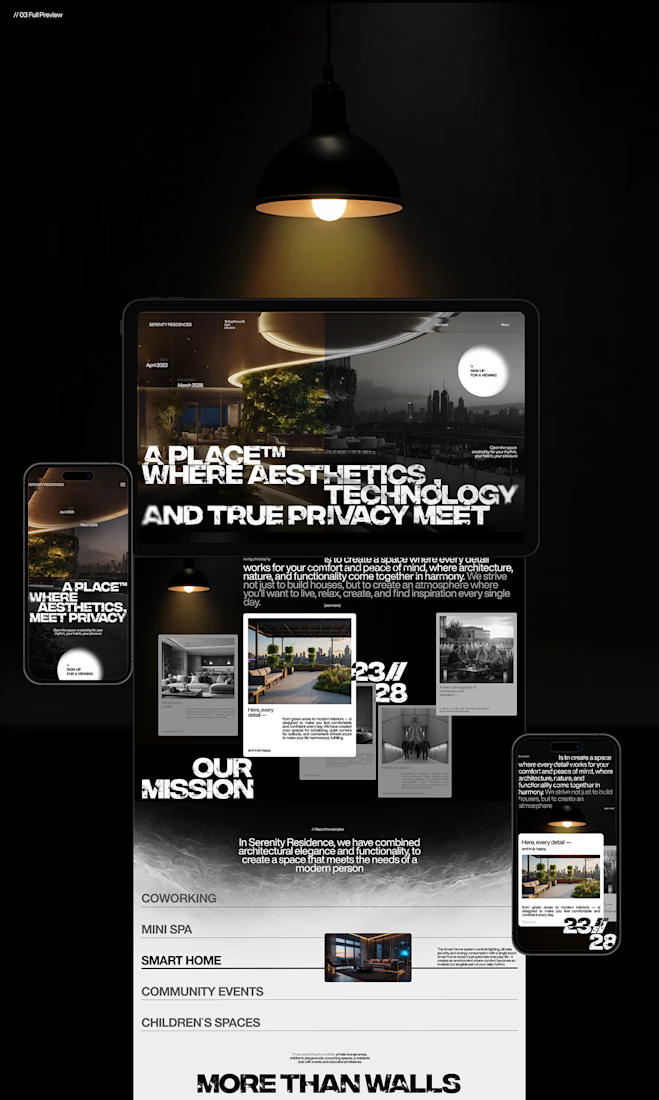
I wanted the design to feel premium without making the experience complicated. The focus was on strong visuals, clean layouts, and a clear structure that lets the properties speak for themselves.
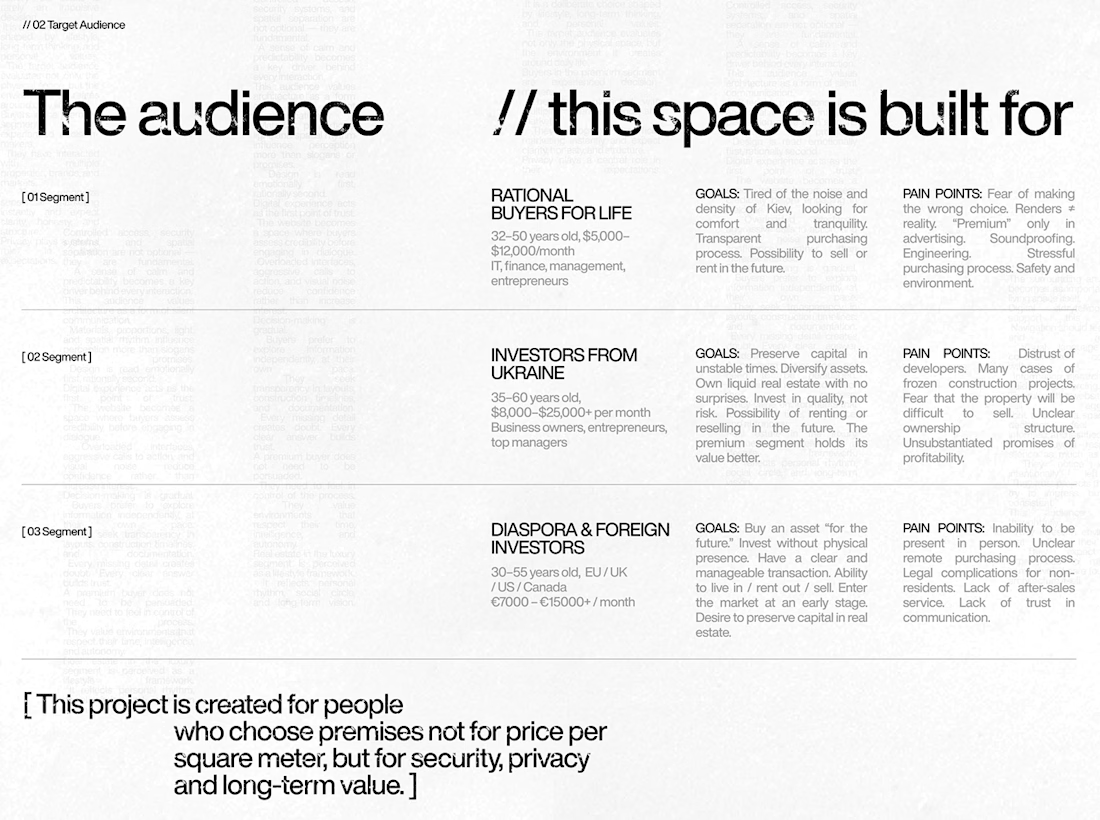
I also paid attention to how visitors move through the website, from their first impression to exploring the properties and taking the next step.
Because when someone is looking for a home, the experience matters just as much as the presentation.
I couldn't fit every screen into this post, so I'll share more of the design in the comments. 👇
I'm curious: when you visit a real estate website, what makes you want to explore further?
#WebDesign #Architecture #LuxuryRealEstate #UIUXDesign #RealEstate #Figma



nice work

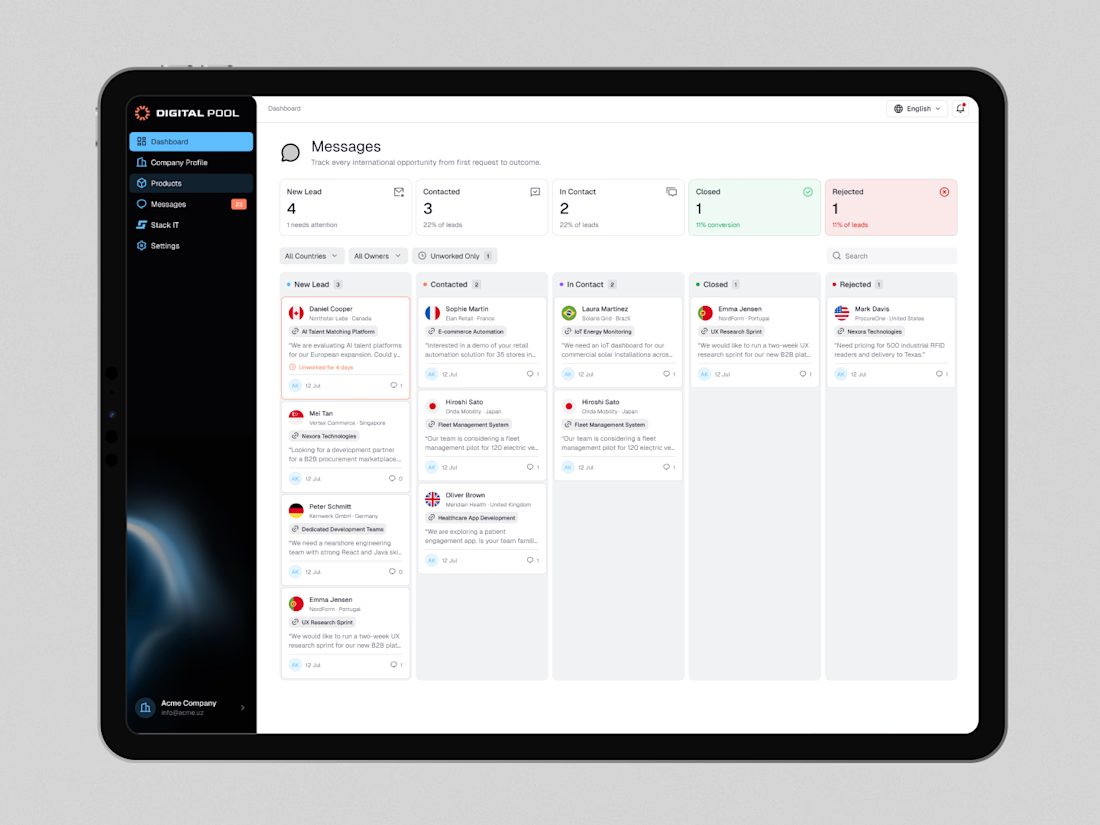
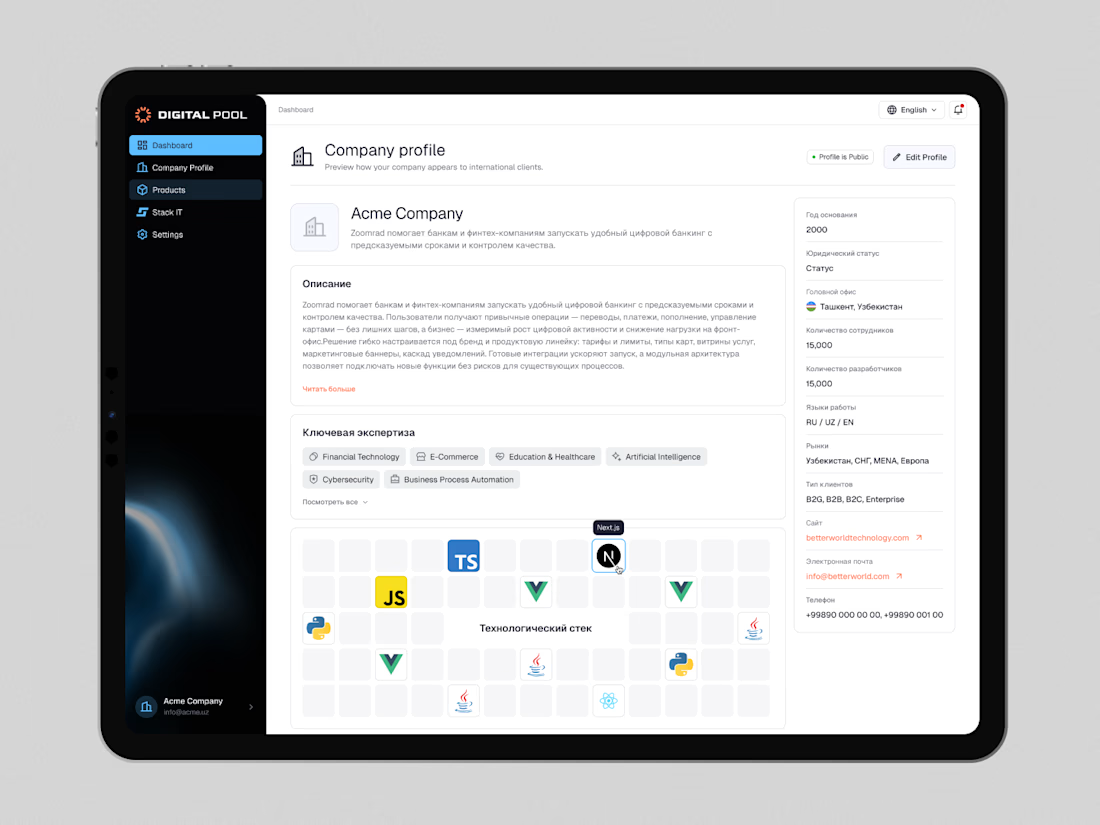
Digital Pool — Website Redesign & Product Dashboard Design
Digital Pool is a digital marketplace connecting businesses with verified software vendors, IT companies, and technology solutions.
The goal was to create a modern, intuitive experience for both businesses looking for technology partners and companies showcasing their products and services.
My work covered the public-facing website and a dedicated company dashboard, including company profiles, product management, application workflows, lead tracking, and account settings.
I focused on simplifying complex workflows, improving information hierarchy, and building a consistent design system across the entire platform.
The result is a cohesive digital ecosystem that makes discovering solutions, managing products, and connecting with potential clients easier.
Live website: https://digitalpool.gov.uz/en


That's really great digitalmarket place dashboard 🎉🎉🎉
Great job 🎉