The network for creativity
Join 1.25M professional creatives like you
Connect with clients, get discovered, and run your business 100% commission-free
Creatives on Contra have earned over $150M and we are just getting started
Back to feedPost


For the past couple years I kept asking the same question: how does Microsoft plan to move everyone to passwordless when a brand new user cannot register a passkey in the first place?
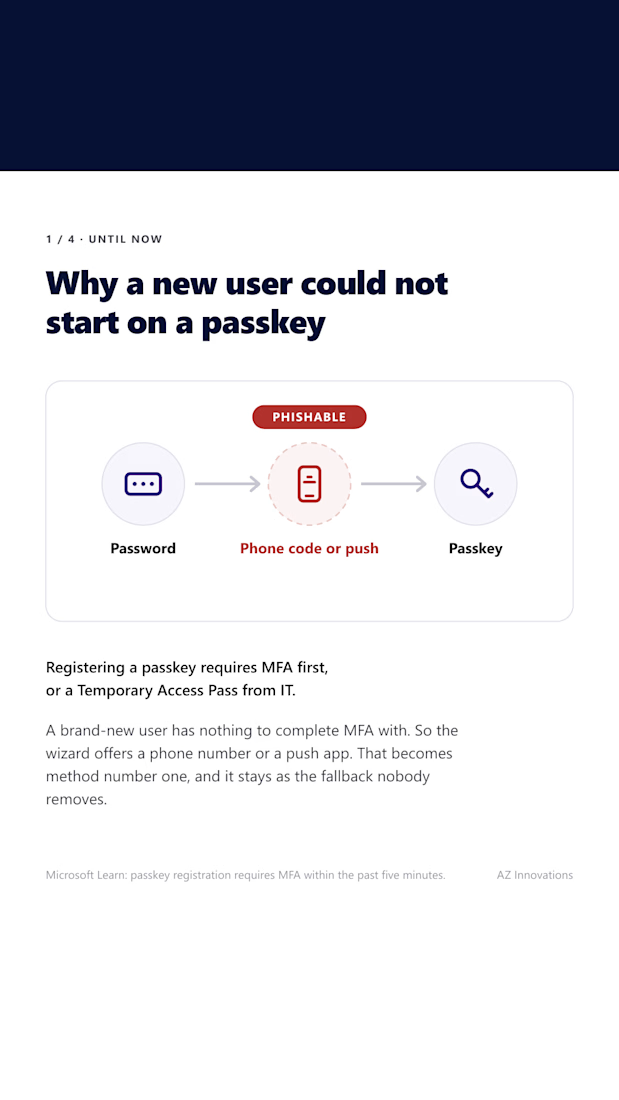
Because that is the catch. Registering a passkey requires MFA, and a brand new user has nothing to complete MFA with. Temporary Access Pass was the way around it. It works, but issuing one per person is exactly the friction that sends organizations back to a phone number.
That is still how it works today. From mid-October 2026 it changes.
Previously, the wizard offers a phone number. That becomes method one, and it stays as the fallback nobody removes.
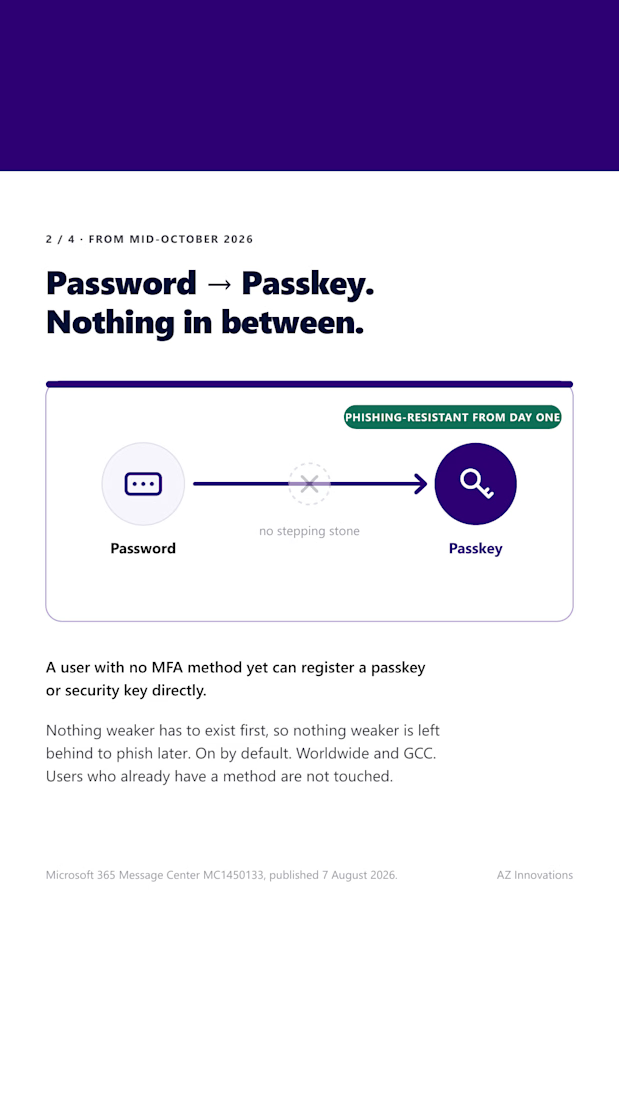
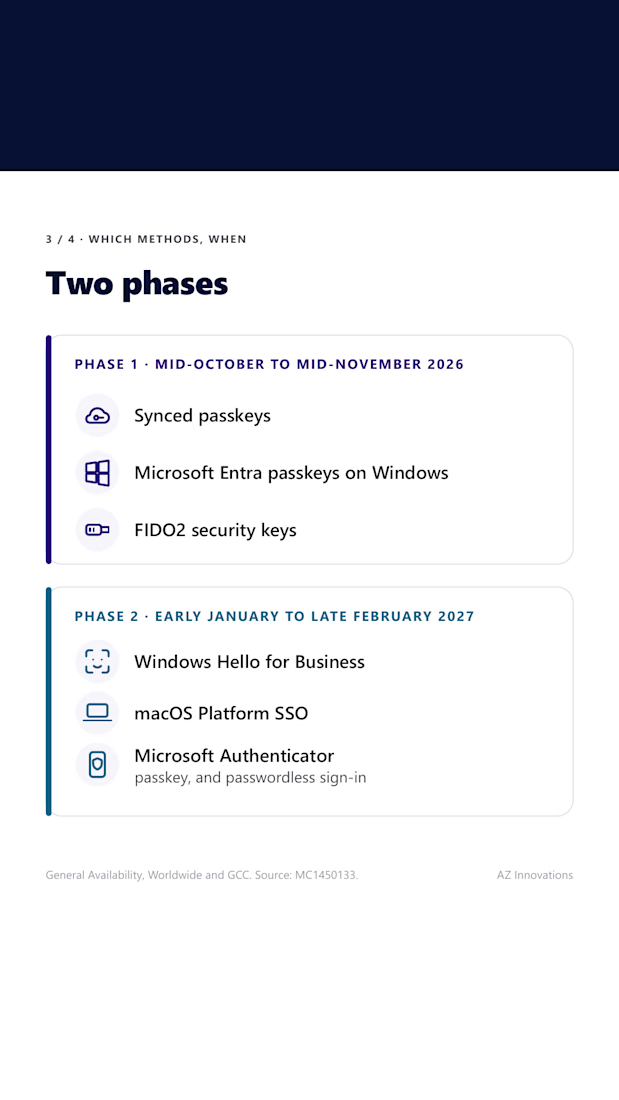
From Mid October-2026, Message Center post MC1450133 confirms a user with no MFA method can register a synced passkey, a Microsoft Entra passkey on Windows, or a FIDO2 security key as their first method. Phase 2 adds Windows Hello for Business, macOS Platform SSO and Microsoft Authenticator between early January and late February 2027.
Nothing weaker has to exist first, so nothing weaker is left behind to phish later.
On by default. Worldwide and GCC. Anyone who already has a method is untouched.
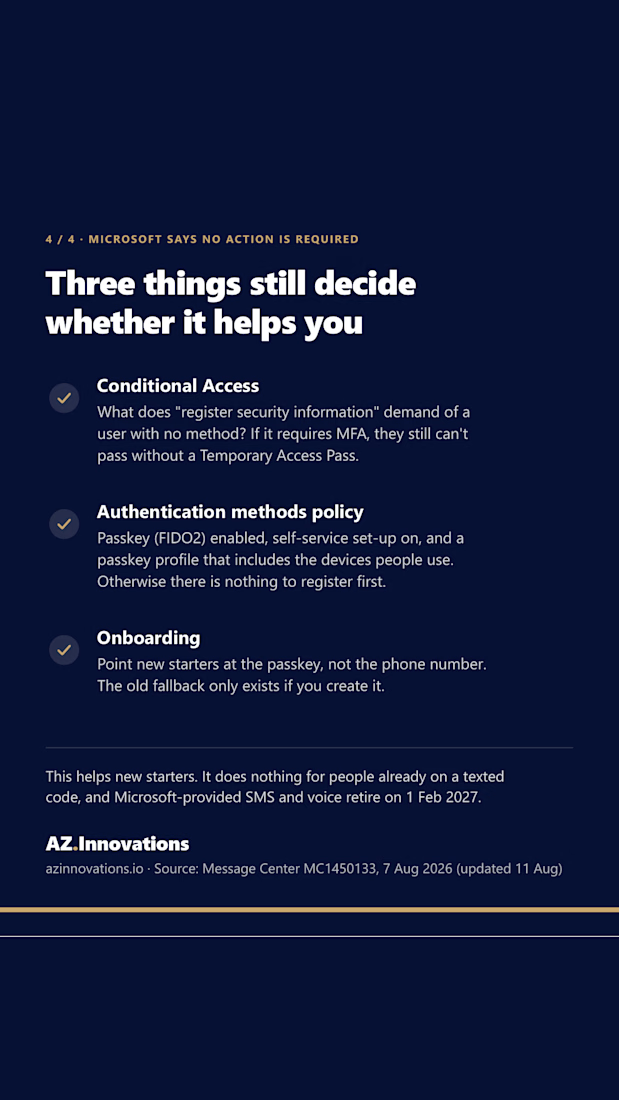
Microsoft says no action is required. Three things still decide whether it helps you:
Conditional Access. If your "Register security information" policy requires MFA, a user with no method still cannot pass it. They need a Temporary Access Pass.
Authentication methods policy. Passkey (FIDO2) enabled, self-service set up on, and a passkey profile that includes the devices your people actually carry.
Onboarding. Point new starters at the passkey, not the phone number. The old fallback only exists if you tell someone to create it.
One caveat worth pointing out to peopl is that this helps new starters. It does nothing for the people already signing in with a texted code, and Microsoft provided SMS and voice retire on 1 February 2027. That population needs finding ASAP.
Source: MC1450133, published 7 August 2026.
#MicrosoftEntra #Passkeys #IdentitySecurity #Microsoft365 #ZeroTrust
The network for creativity
Join 1.25M professional creatives like you
Connect with clients, get discovered, and run your business 100% commission-free
Creatives on Contra have earned over $150M and we are just getting started
Related posts

Why relying on public CAs for internal infrastructure is an operational time bomb: The case for your own private Root and Sub-CA.
How many times has your engineering team been paged at 3:00 AM because an internal TLS certificate expired, taking down database connection pools, internal APIs, or background workers?
When securing internal networks, teams usually fall into one of three traps:
1. The Self-Signed Disaster: Generating ad-hoc self-signed certificates and scattering them across servers. Developers end up adding --insecure or insecure_skip_verify: true to application code, completely gutting transport security.
2. The Public ACME Workaround: Trying to use Let's Encrypt on non-routable internal hostnames (like .internal or RFC 1918 IPs). This requires leaking internal network topology to public DNS or storing sensitive DNS API credentials on every internal host.
3. The Spreadsheet Calendar: Tracking certificate expiration on calendar reminders until an un-tracked intermediate cert inevitably lapses.
Enterprise sovereign infrastructure solves this permanently with a dedicated, multi-tier Private Public Key Infrastructure (PKI):
• Offline Enterprise Root CA: An ultra-secure, isolated trust anchor that signs only subordinate issuing authorities and never touches online network traffic.
• High-Availability Subordinate Issuing CAs (Sub-CAs): Domain-level issuing authorities (Dogtag PKI/FreeIPA) handling day-to-day certificate issuance.
• Zero-Touch Automated Renewal: Using certmonger on Linux hosts to continuously monitor certificate lifecycles, automatically re-requesting certificates 30 days prior to expiration and reloading daemons hitlessly.
• Mutual TLS (mTLS) Enforcement: Cryptographic workload identity verifying both server and client authenticity across internal database listeners, microservices, and admin interfaces.
Stop debugging expired certificates during outages. Deploy an automated private PKI foundation.
Deploy your sovereign PKI with our 2-week Enterprise FreeIPA HA & Centralized PKI/CA Sprint on Contra:
#Security #CyberSecurity #Cryptography #Infrastructure #Linux #DevOps #SRE #Architecture






📥 I BUILT MY OWN PRODUCT - HUSH! because small businesses lose clients in their DMs :)
Here’s the pattern I kept seeing:
→ The admin answers from a personal phone. When they leave, the chat history leaves with them 📱
→ An Instagram message arrives at 9pm, gets noticed the next day, and the client has already gone to a competitor 🌙
→ Nobody knows if a client got a reply, because everyone assumes a colleague did it 🤷
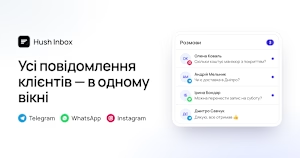
Hush Inbox puts Telegram, WhatsApp, and Instagram into one shared inbox. You assign each chat to someone, leave internal notes the client never sees, and save quick replies for “how much?”, “where are you?”, and “any slots Saturday?” ⚡
It runs in the browser, so there’s nothing to install. The data sits on EU servers, and the conversations belong to the company, not to individual employees. 🇪🇺
I build products for founders, and this one comes from the same rule I give them: solve one painful, boring problem really well. 🎯
If your clients write to you in messengers, tell me where you’re losing them 👇


hushinbox.app
Hush Inbox — усі повідомлення клієнтів в одному вікні
Telegram, WhatsApp та Instagram в одному вікні для всієї команди: жодне повідомлення клієнта не загубиться.