The network for creativity
Join 1.25M professional creatives like you
Connect with clients, get discovered, and run your business 100% commission-free
Creatives on Contra have earned over $150M and we are just getting started
Back to feedPost
What happens after the AI gives you an answer?
I've been spending a lot of time building AI features recently. One question keeps coming up: once the model has produced something, what does the person using the app do with it?
An answer might need to become a saved contact, a follow-up draft, an image someone can reuse, or a document they can edit tomorrow. That's where a lot of the application work sits.
Two of my own projects are good examples.
ReachLog: AI alongside your contacts and email
ReachLog is a self-hosted CRM for one person managing contacts, companies and email. Its AI features help classify replies, identify commitments with supporting quotes, extract leads and draft follow-ups.
In that setting, the useful result is very specific. You're looking at a conversation and want to understand what was agreed, what needs attention and what you could send next. The result belongs alongside the contact and email history, where you can review it.
AI and automatic sending are off by default, so setting up the CRM doesn't immediately turn it into an automatic outreach system.
ThaiGlow: from product photos to usable content
ThaiGlow has a different audience: people creating content to sell products on social media. It takes product photos and helps produce images, short videos and editable Thai sales copy. It's my own product in private use.
Here, the experience includes choosing the input, waiting for generation, finding the result in a saved gallery and using it from a phone. Image and video jobs take time, so there's a background queue. Failed jobs return their internal credits. Previous results stay available in the gallery.
Those details matter when you're trying to finish a piece of work and get on with your day.
Start with one task
For a new AI feature, I like to start with one task that is easy to explain. For example:
Turn this incoming enquiry into a draft contact record and suggested reply.
We can then work out what information it needs, where the result should appear and which parts the user should be able to change.
That gives us something concrete to build and try. It also makes the result easier to judge:
How much editing does the draft need?
Did it miss an important detail?
Can the user find it again?
How much time and model usage did the completed task actually take?
I've been writing about related questions on Applied AI Notes too: choosing an automation approach, measuring time spent getting to a usable result, and understanding the cost of a complete workflow.
This is the AI work I'm most interested in: connecting a model to a task people already need to do, then making the surrounding software straightforward to use.
If you have an existing product and a workflow you'd like to improve, that's a good place to start a conversation.
Related reading


This is something many founders overlook until they need to make a critical update and realize nobody fully understands the existing system. A proper handover, clear documentation, and reliable release process are just as important as building the product in the first place. Great reminder! 👏

Those matter too :) I was getting at the user’s next step after generation: reviewing the result, editing it, saving it and actually using it. That’s where the CRM and content-creation examples come in.
The network for creativity
Join 1.25M professional creatives like you
Connect with clients, get discovered, and run your business 100% commission-free
Creatives on Contra have earned over $150M and we are just getting started





Related posts

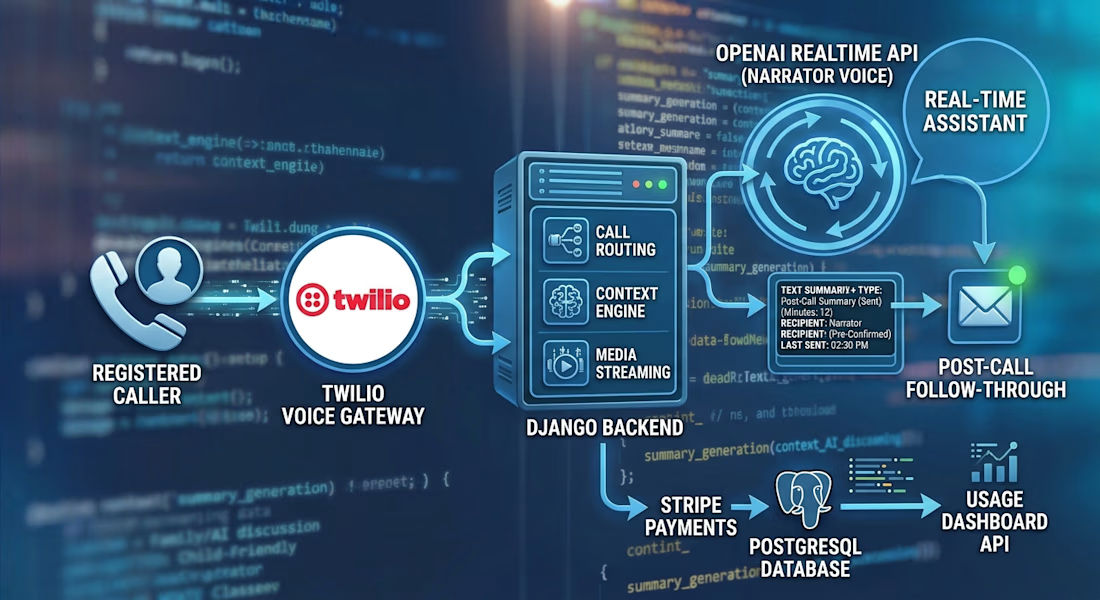
Building a Voice AI Assistant That Turns Phone Calls Into Thoughtful Follow‑Through
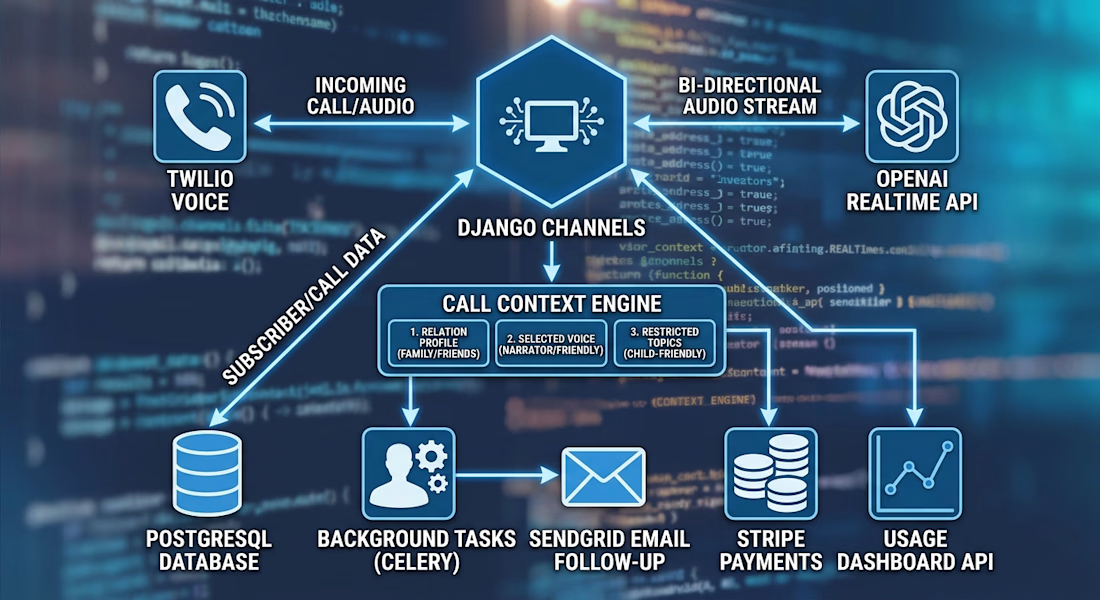
I built a Django backend for a family-focused AI phone assistant. A registered caller connects through Twilio, and Django Channels streams the call to an OpenAI Realtime session for a natural, two-way conversation.
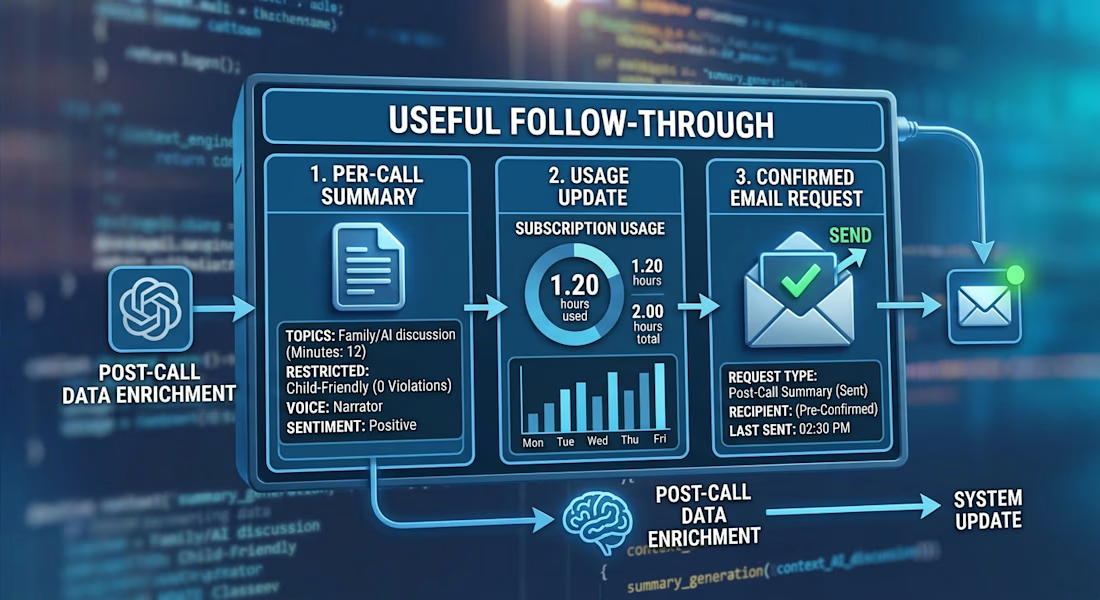
The backend adds caller-specific context, selected voices, subscription minute limits, and interruption handling. After the call, background tasks generate a separate summary. A follow-up email is sent only when requested and the recipient is confirmed.
I also built APIs for managing relations, subscriptions, and dashboard usage data. One of the most interesting parts was connecting the whole lifecycle: incoming call, real-time conversation, usage tracking, and post-call follow-through.
#Django #VoiceAI #RealtimeAI #Twilio #OpenAI #BackendDevelopment




AI startups are in a peculiar position:
1. People need AI products.
2. People are fatigued and skeptical of AI products.
Address the AI skepticism by showing, not making claims:
put one CTA in the hero - a prompt box.
They try the product before creating an account. By the time you ask for a signup, they’re already hooked.
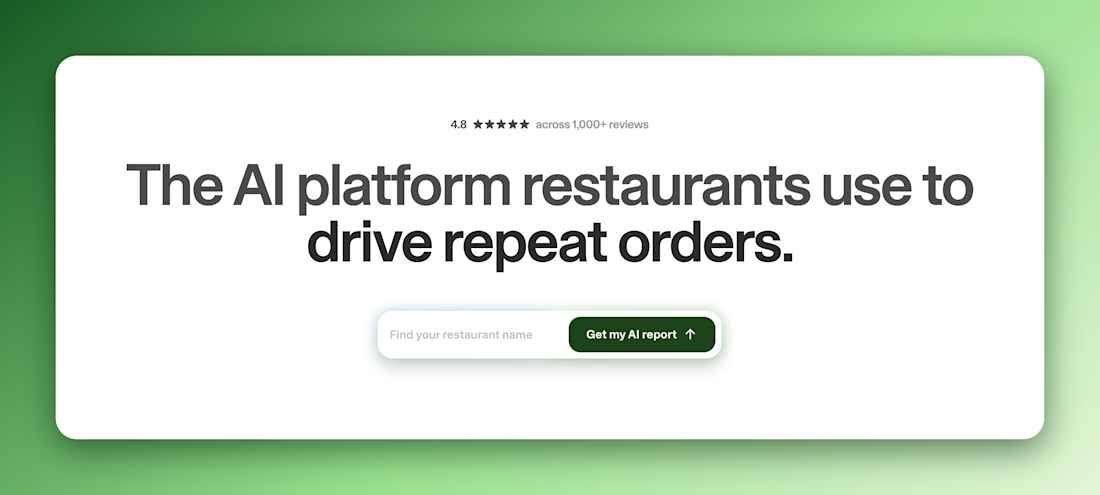

One catch: an empty prompt box leaves people stuck on what to type. A few one-click example prompts fix that.

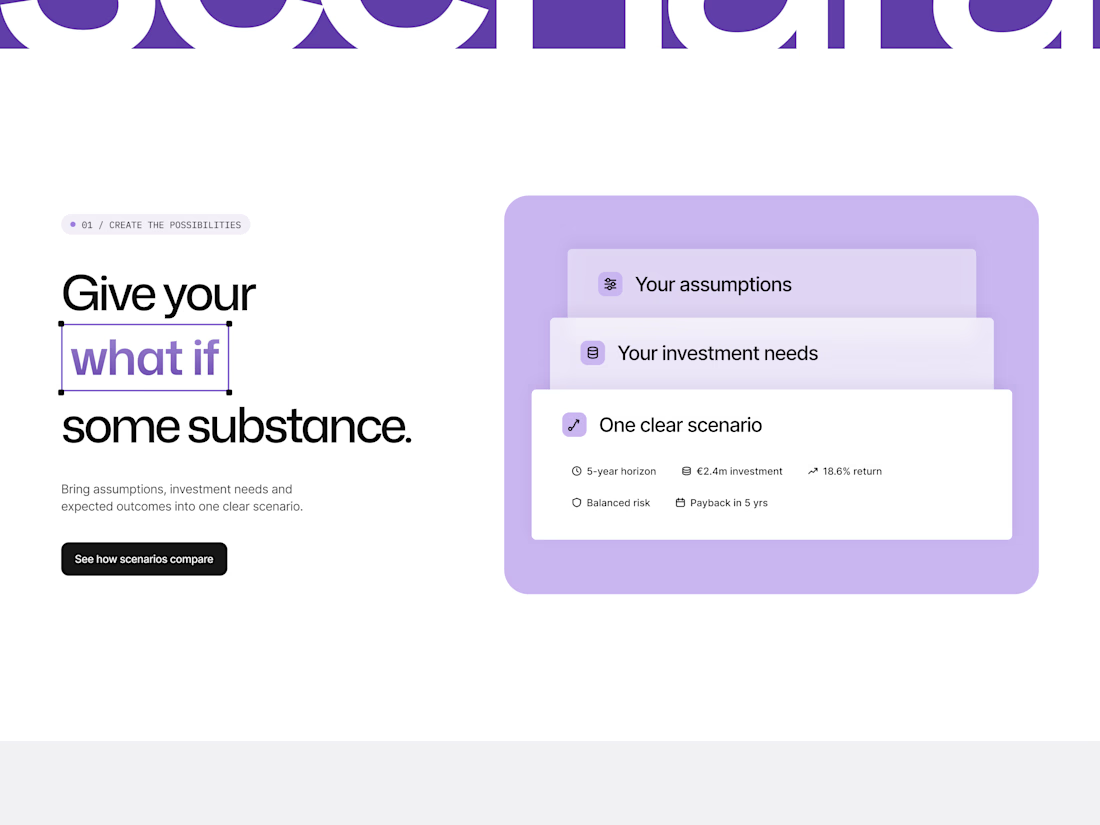
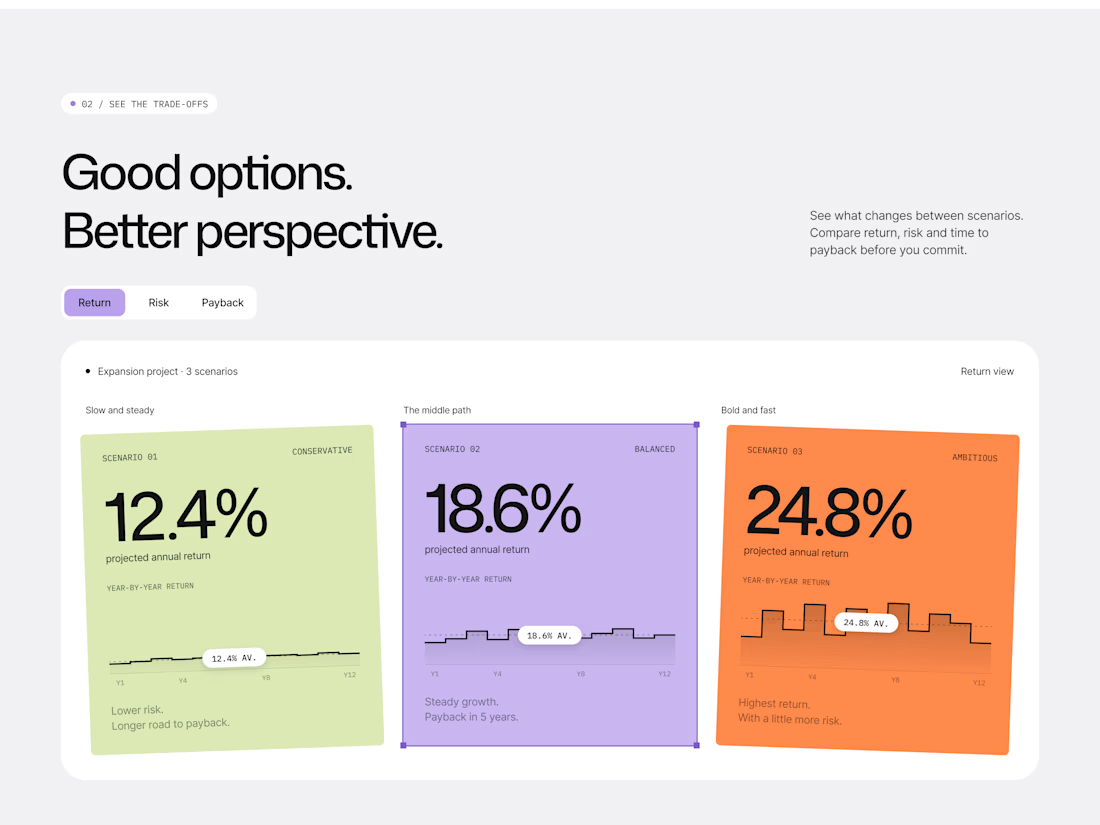
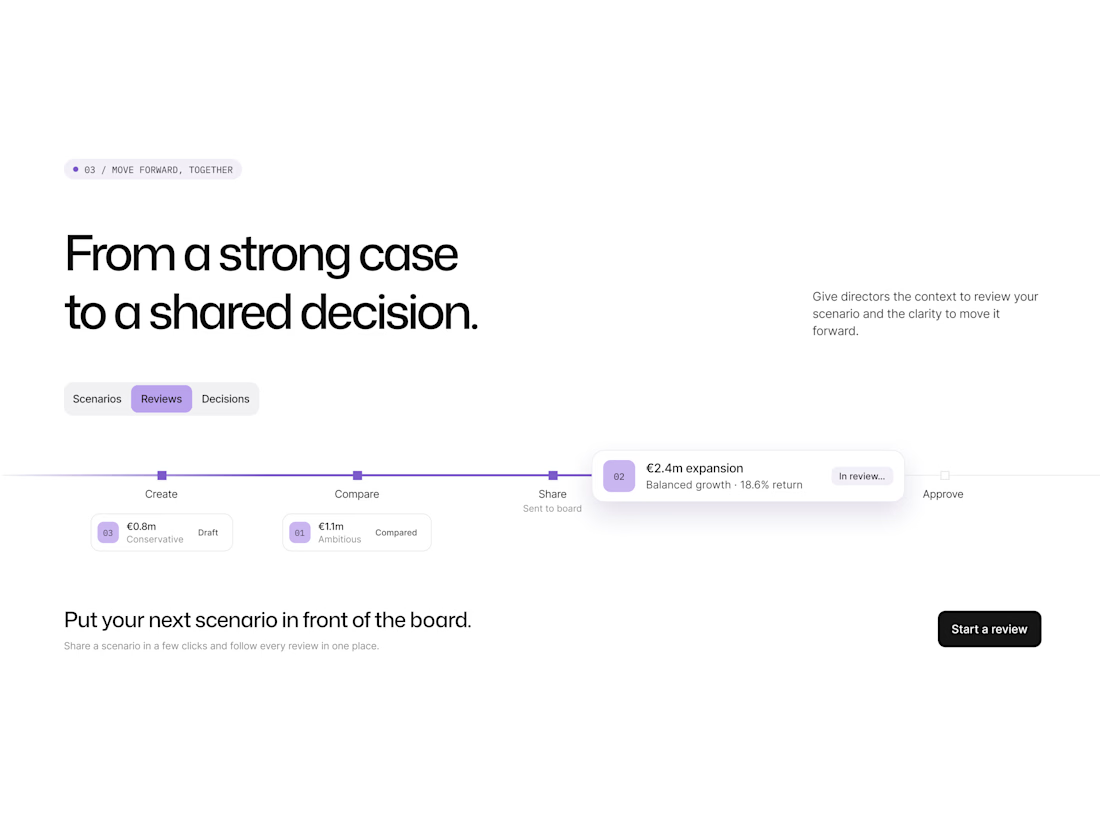
Investment planning often involves complex assumptions, multiple scenarios, and a lengthy approval process. Scenara brings these steps together in one collaborative platform, helping teams create, compare, and approve investment projects.
The landing page presents the product through a clear progression: start with assumptions, explore financial scenarios, and move toward a shared decision. Color-coded cards make it easier to compare possible outcomes, while the platform’s approval flow shows how teams can take a scenario from a strong case to an informed decision.
A clean editorial layout, oversized typography, and vibrant purple accents give the experience a distinctive identity while keeping the product story clear.