The network for creativity
Join 1.25M professional creatives like you
Connect with clients, get discovered, and run your business 100% commission-free
Creatives on Contra have earned over $150M and we are just getting started
Back to feedPost

5 tasks in your business you can automate this week (no coding needed to start)
Most small teams I talk to lose hours every week to work a simple automation can do. These are the five I’d fix first:
Missed calls and messages. Auto-reply with a booking link the moment someone gets no answer.
Lead follow-up. When a form is submitted, send the lead a message right away and add them to a spreadsheet or CRM.
Appointment reminders. Automatic texts or emails reduce no-shows.
Copy-pasting between apps. If you move data from email to a sheet to a CRM by hand, that’s a workflow waiting to be built.
Weekly reports. Pull numbers from your tools into one summary delivered every Monday.
The rule I use: if a task is repetitive, rule-based, and happens more than 5 times a week, automate it.
Tools like n8n make this possible without a big budget, and AI can now handle the messy parts, like reading an email and deciding where it goes.
I’m Bilal, a full-stack developer building AI automations and web apps. If one of these sounds like your business, send me a message and I’ll tell you how I’d approach it.
#AIAutomation
#BusinessAutomation
#WorkflowAutomation
#AIIntegration
#SaaS
#DentalMarketing
#PracticeManagement
#HealthcareAutomation



The network for creativity
Join 1.25M professional creatives like you
Connect with clients, get discovered, and run your business 100% commission-free
Creatives on Contra have earned over $150M and we are just getting started






Related posts

AI WhatsApp Support Assistant, Part 1 (n8n Demo)
Problem: Replying to every WhatsApp message takes time, and urgent messages get lost.
Solution: A full WhatsApp support automation built in n8n. It drafts replies using the business's own information, and the owner approves each reply by email. Nothing is sent without approval.
This video covers text messages:
AI-drafted replies, approved by the owner
Leads saved automatically to Google Sheets
Orders saved with "needs team confirmation" status
Every conversation logged
Instant Discord alerts for complaints and requests for a human
Coming next: how the same assistant handles non-text messages like images and voice messages, and the end-of-day summary.
Tools: n8n, WhatsApp Business Cloud API, Gemini AI, Gmail, Google Sheets, Discord.
Outcome: A working demo built with demo data.
Role: Nisbah Iqbal, AI Automation Builder

Owner approving every reply is a good way to start. Once they trust the drafts they can loosen it up for the simple ones

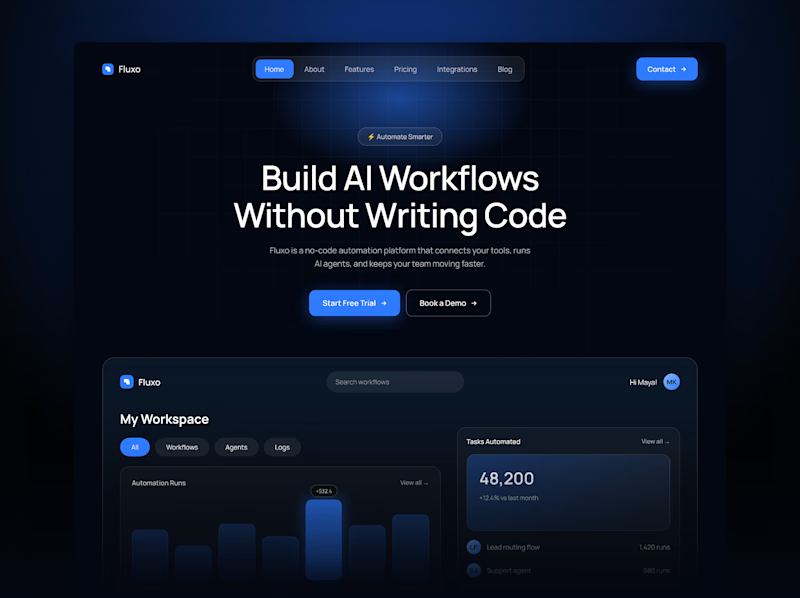
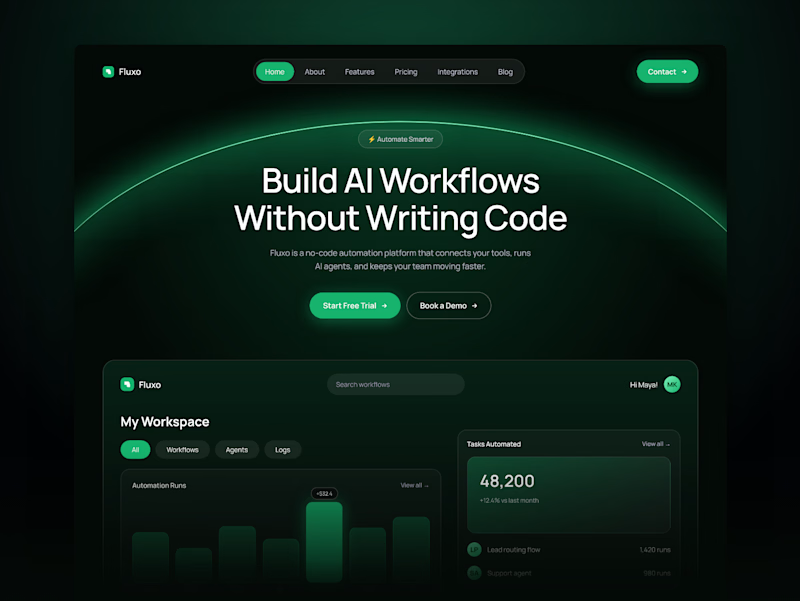
One AI automation hero. Two accent colors.
Blue feels dependable and familiar, the color of tools you trust.
Green feels active and fresh, like a workflow that’s running smoothly.
Vote in the comments: 💙 or 💚


1 voted
33%
2 voted
67%
3 votes
Closed

Deep 🔥

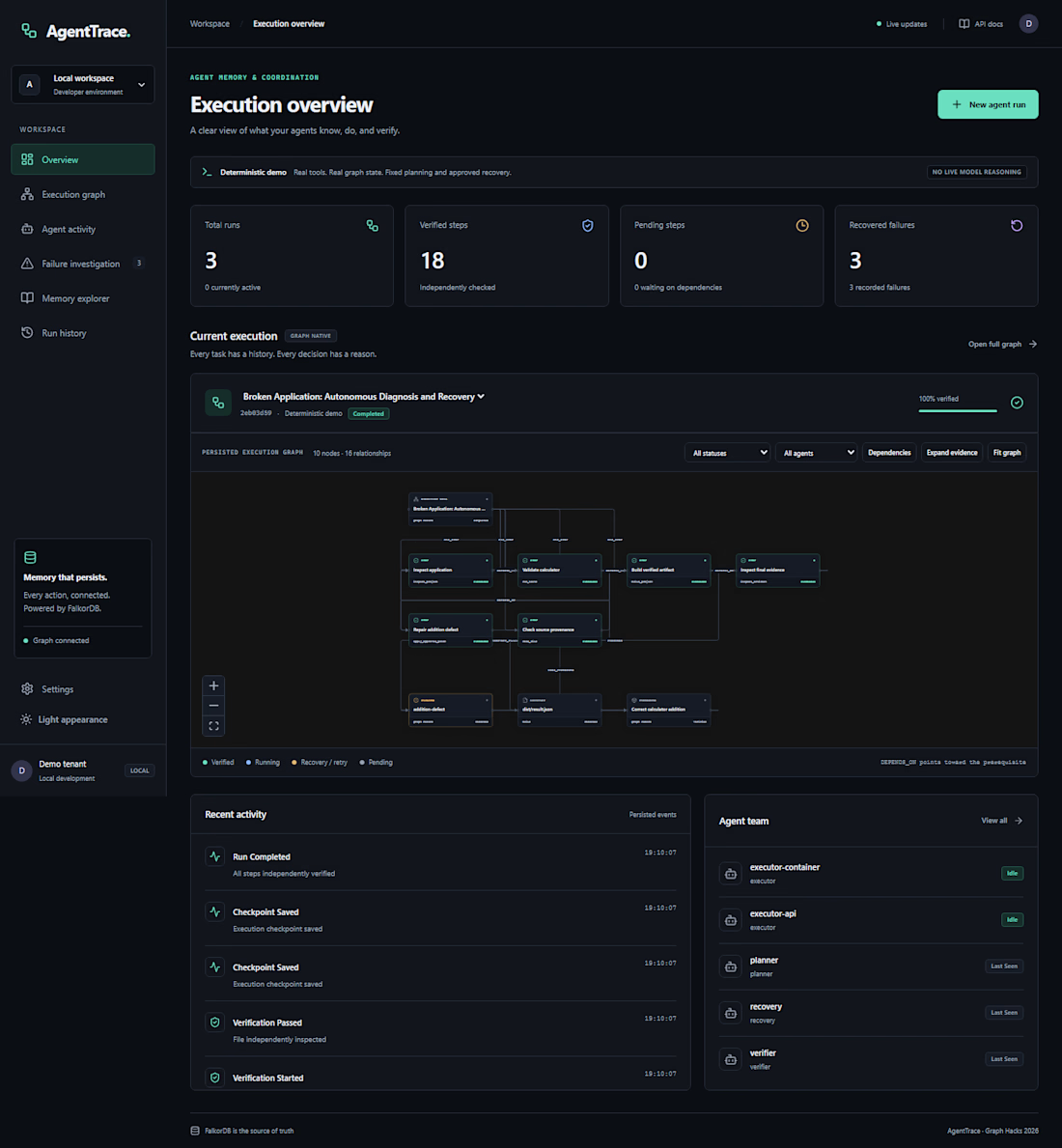
An AI agent fails halfway through a job. What should it remember when it tries again?
That question led me to build AgentTrace, a Python and FalkorDB project for keeping track of agent runs. It records task progress and decisions in a graph so you can inspect what happened and see where a run stopped. That’s especially useful when several agents share a workflow.
When you debug an agent run, what do you look for first: the failed step, the input that caused it, or the decision that sent it down that path?