The network for creativity
Join 1.25M professional creatives like you
Connect with clients, get discovered, and run your business 100% commission-free
Creatives on Contra have earned over $150M and we are just getting started
Back to feedPost


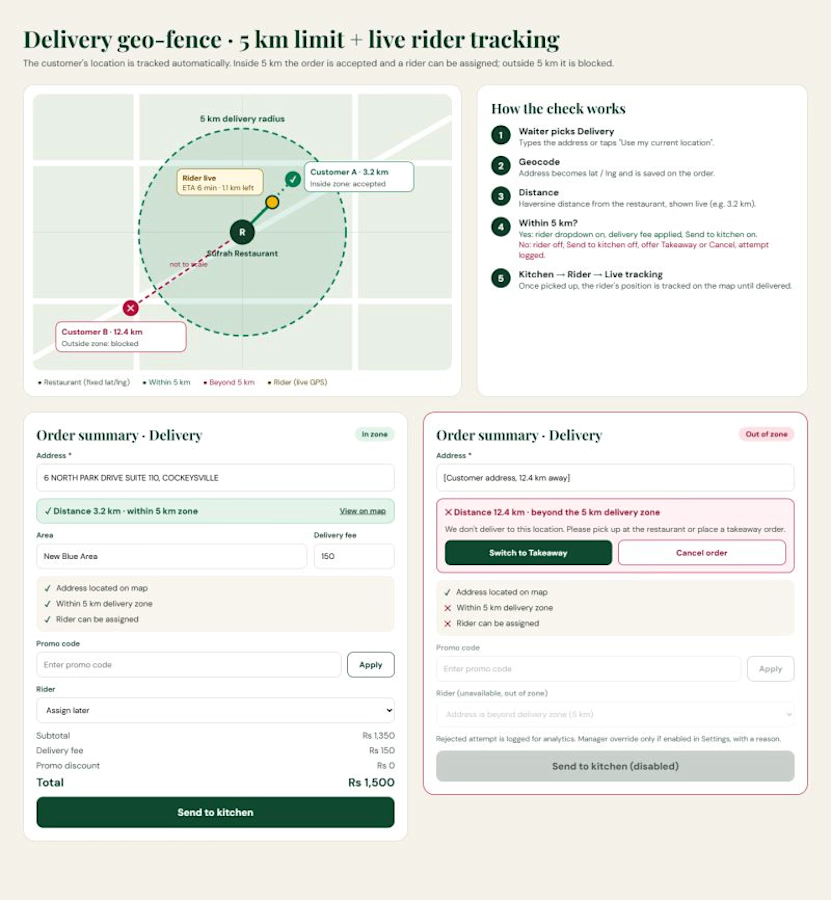
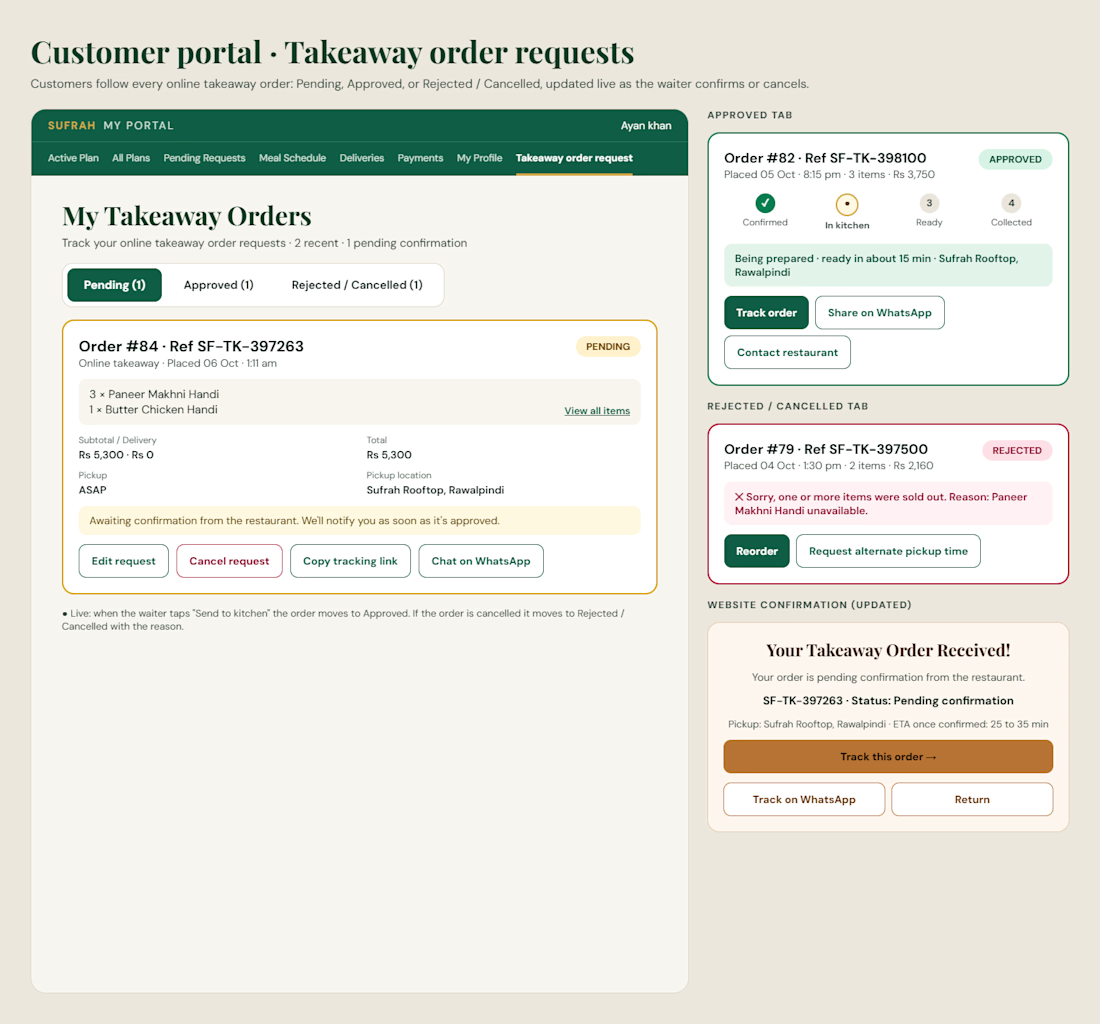
A few days ago I hit a familiar wall on a project. I had the feature ideas (order tracking, request tabs, live timers, a few approval flows), but I needed to see how each one would look and work before writing any code.
Normally that means a designer, a Figma file, and a lot of back and forth. This time I tried something different and sat down with Claude.
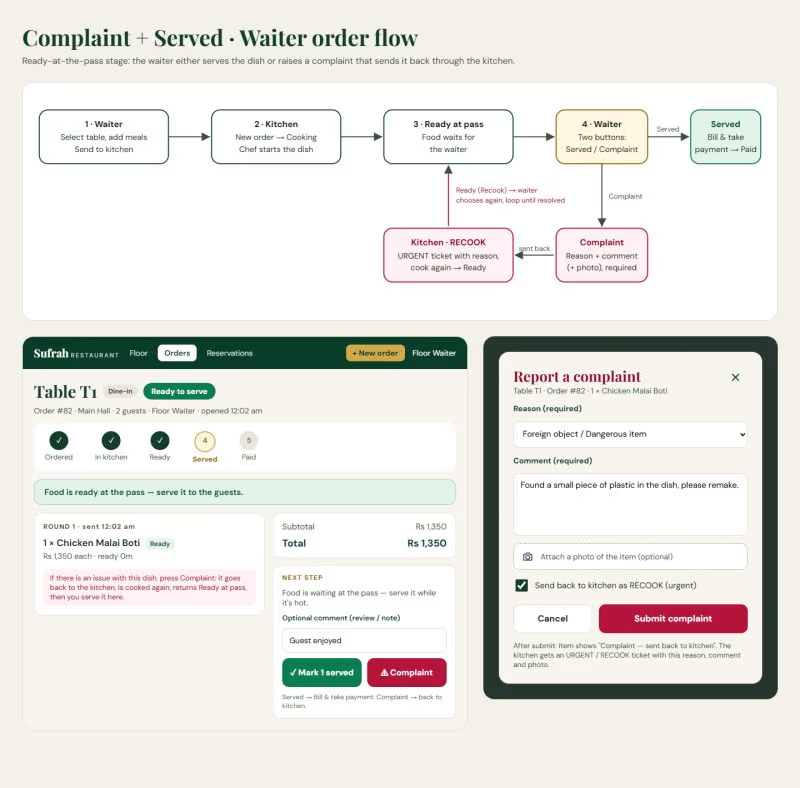
I described the feature, shared a screenshot of the current screen, and asked for the UI. In minutes I had a proper mockup. Then I asked for the other states: pending, approved, rejected, late, empty.
Then the whole flow from the first tap to the final screen.
What surprised me:
→ It follows your existing look, so new screens match what you already have
→ It thinks through the edge cases (what happens when something fails?)
→ It gives you the flow, the screens and the written requirements together
→ I can hand it to the dev side and start building straight away It doesnt replace a designers eye.
But for going from I have an idea to heres exactly what it should look like and how it works, it saved me days.
If youre a developer who gets stuck at the design stage, give it a try. Describe it, iterate on it, ship it.
What are you building right now?
#Claude #ClaudeAI #Anthropic #UIUX #UXDesign #UIDesign #Figma #ProductDesign #Prototyping #AIDesign #SoftwareDevelopment #FullStackDeveloper #WebDevelopment #BuildInPublic #AITools
AI Application DevelopmentDatabase DevelopmentFull Stack DevelopmentDjango REST frameworkPythonReact


The network for creativity
Join 1.25M professional creatives like you
Connect with clients, get discovered, and run your business 100% commission-free
Creatives on Contra have earned over $150M and we are just getting started



Related posts

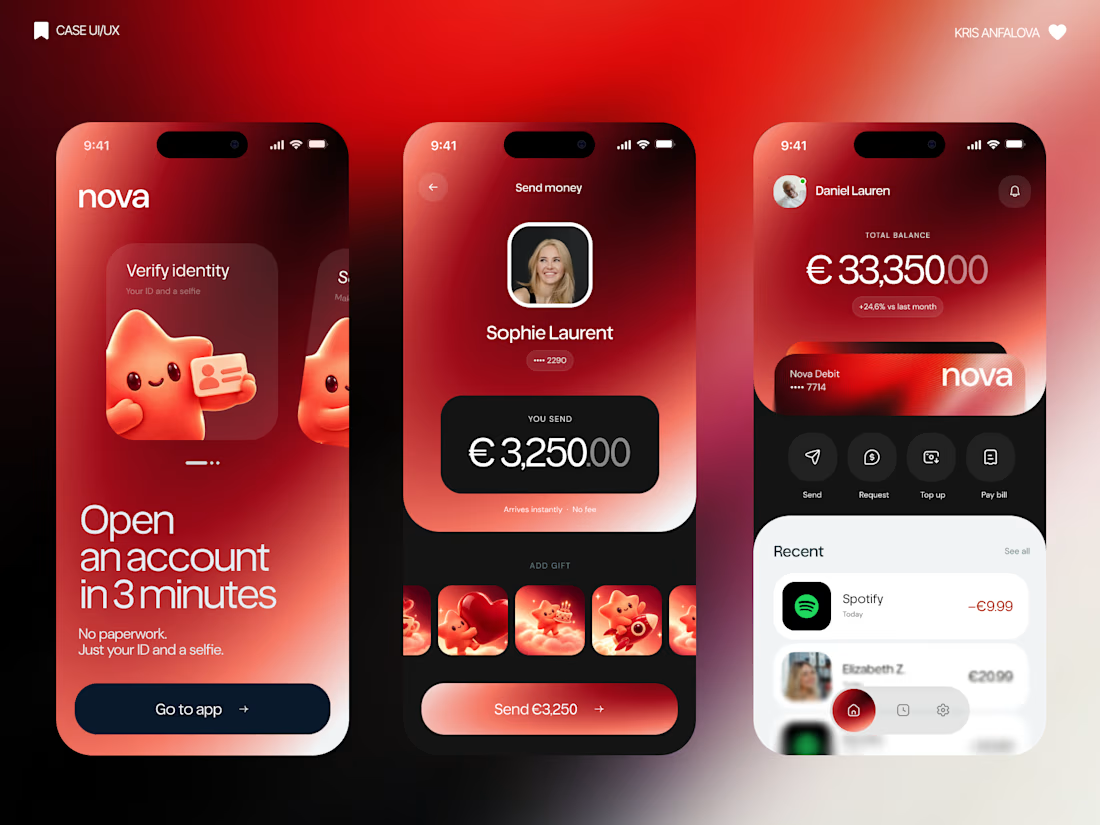
What if sending money felt a little more like giving a gift?
For Nova, I explored a banking app that brings payments, cards, and a bit of personality together. You can check your balance, browse recent transactions, send or request money, top up, and pay bills.
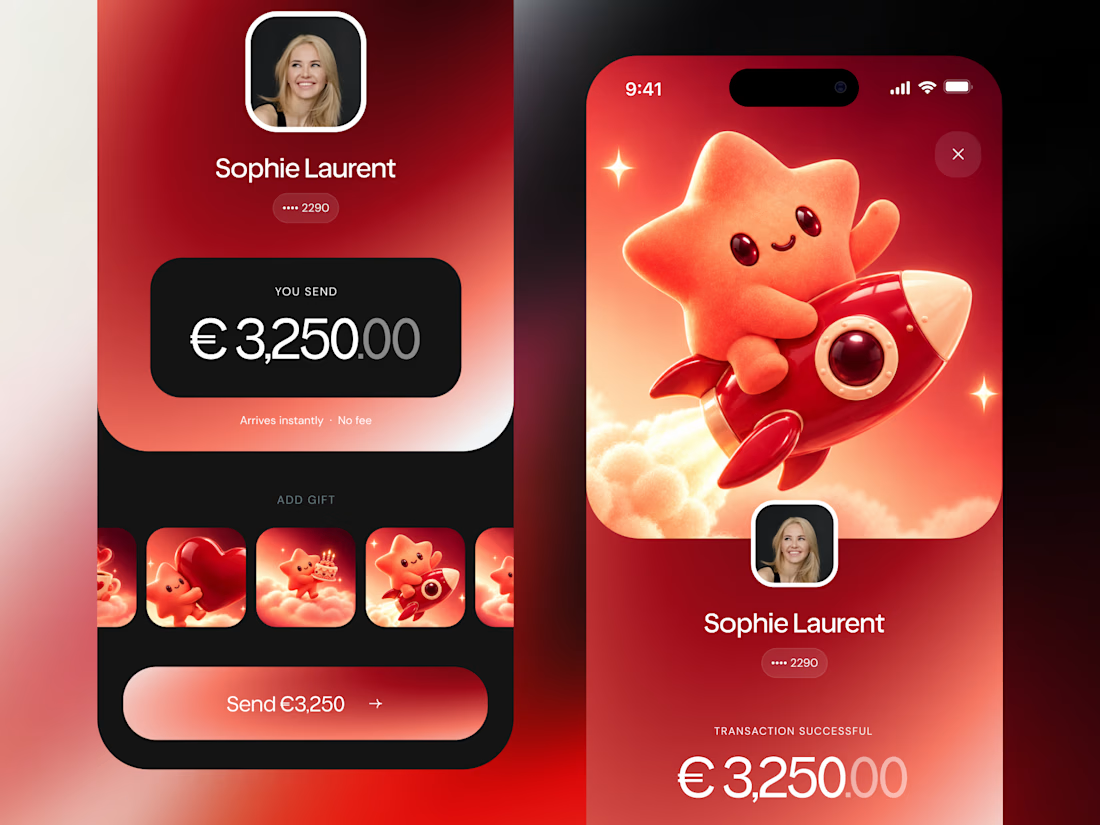
My favorite part is the digital postcard feature. Before sending a transfer, you can add a little illustrated card—a heart, a birthday greeting, or a playful character. A simple way to make birthday money or a thank-you feel more personal.
I carried that same 3D character into onboarding, pairing it with bold red gradients and large, clear payment details. There’s room for play, while the recipient and amount stay easy to check.
Would you add a postcard to a transfer? I’d love to know what occasion you’d use it for.




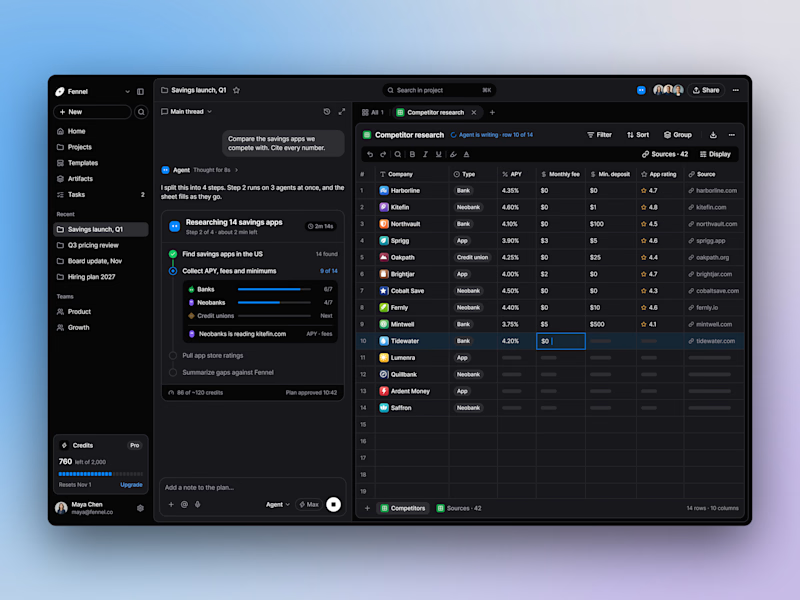
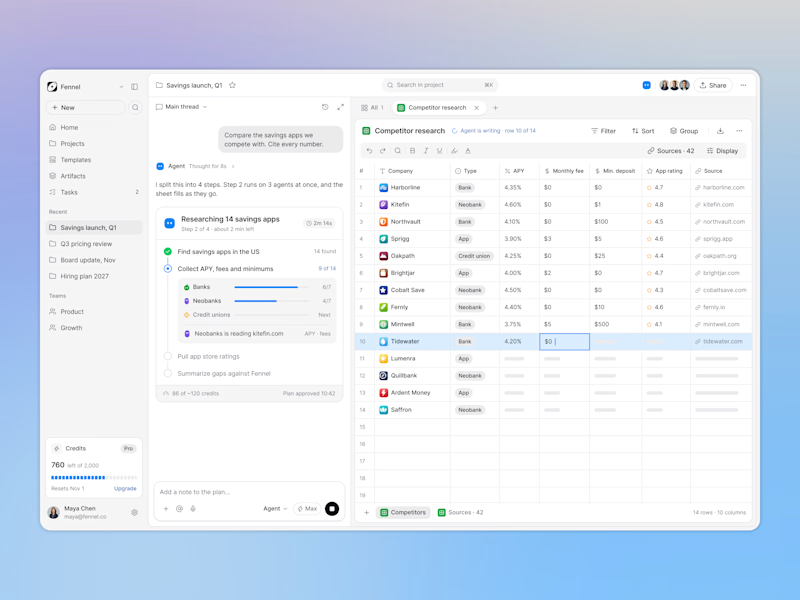
Designed an AI research workspace where the agent plans the work and fills a sheet with cited sources as it goes.
Same screen, two modes. Which one would you work in all day? 👀

13 voted
72%
5 voted
28%
18 votes
Closed

Keeping the research plan and cited results side by side is a useful way to make the agent’s work easier to inspect. I’d lean toward light mode for reading the table in daylight. How do you distinguish a verified source from one that still needs review?

AI-Powered Physiotherapy Clinic Dashboard | Smart Appointment Scheduling
A modern AI-powered dashboard concept designed for physiotherapy clinics to simplify appointment scheduling, therapist management, and daily operations. The interface focuses on improving workflow efficiency with an intuitive calendar, smart booking experience, patient scheduling, and a clean visual system.
The design features an elegant and minimal UI, helping healthcare professionals manage appointments, therapists, and patient availability with ease. Every screen is crafted to deliver a fast, accessible, and user-friendly experience while maintaining a premium SaaS aesthetic.


so nice work