The network for creativity
Join 1.25M professional creatives like you
Connect with clients, get discovered, and run your business 100% commission-free
Creatives on Contra have earned over $150M and we are just getting started
Back to feedPost

Built a Selenium Automation Framework using Java and TestNG for automated web application testing. Implemented Page Object Model (POM), DataProvider-based parallel execution, reusable utility classes, cross-browser support, and automated validations for multiple application modules. Integrated assertions, browser management, and scalable framework design to improve test execution efficiency and maintainability.
github - https://github.com/mrmanojrana431/saucedemo-selenium-java-automation-test


The network for creativity
Join 1.25M professional creatives like you
Connect with clients, get discovered, and run your business 100% commission-free
Creatives on Contra have earned over $150M and we are just getting started











Related posts

𝟭. 𝗪𝗵𝗮𝘁 𝗜𝘀 𝗮𝗻 𝗔𝘀𝘀𝗲𝗿𝘁𝗶𝗼𝗻?
An assertion is the check you make after something happens. In a manual test you do a step, then you look at the screen and compare it with the expected result. If you click Save and the page still says the invoice is not saved, the test fails. The click is not the result.
Playwright Test writes that check with expect(). You give expect a locator, which is a description of an element, and then a matcher. A matcher is the condition you want to be true. toHaveText checks exact text. toBeVisible checks that an element is shown.
These locator checks are web-first assertions. A web-first assertion retries until the condition is true or time runs out. This project sets that limit to five seconds in playwright.config.ts.
You can reverse a matcher with not. expect(status).not.toHaveText('Invoice failed') fails when that wrong sentence is present. Use not when the result you need is the absence of a message.
𝟮. 𝗪𝗵𝘆 𝗗𝗼 𝗪𝗲 𝗡𝗲𝗲𝗱 𝗜𝘁?
Pressing the button on a coffee machine is an action. Looking in the cup to see that coffee is there is the assertion. If you only press the button, you cannot tell a full cup from an empty one.
Clicking Save invoice asks the page to save. It does not prove the save worked. A test that ends on the click can pass while the status still says "Not saved". The expected result has to be its own check.
𝟯. 𝗜𝗺𝗽𝗹𝗲𝗺𝗲𝗻𝘁𝗮𝘁𝗶𝗼𝗻
Start with the check alone. The matcher requires the words "Invoice saved".
getByRole('status') finds the message a person would read after saving. expect and toHaveText form the web-first check. Playwright keeps looking until the text matches or five seconds pass.
The practical test opens the local demo, confirms the starting message, clicks, and checks the new message. goto('/assertions') uses baseURL from the Playwright config.
goto opens the page. The first toHaveText records the start, "Not saved", so a later pass cannot come from text that was already there. click is only the action. The second toHaveText is the result of that action. The script does not also check that the text is not "Invoice failed". The exact success message already answers that question.
𝟰. 𝗘𝘅𝗽𝗲𝗰𝘁𝗲𝗱 𝗥𝗲𝘀𝘂𝗹𝘁
A passing run starts at "Not saved", clicks Save invoice, and ends with "Invoice saved". A failing run means one of those texts did not match before the five-second assertion timeout.
𝟱. 𝗧𝗮𝗸𝗲𝗮𝘄𝗮𝘆𝘀
• click performs an action. expect() checks the result.
• A matcher such as toHaveText states the expected result.
• Web-first assertions retry until they pass or the timeout ends.
• Use not when the result is the absence of a specific message.
𝗜𝗻𝘁𝗲𝗿𝘃𝗶𝗲𝘄 𝗾𝘂𝗲𝘀𝘁𝗶𝗼𝗻: What is the difference between clicking Save and asserting the status text?
𝗔𝗻𝘀𝘄𝗲𝗿: The click performs the action. The assertion checks the expected result. Without that check, a test can pass when the save changed nothing the user can see.
𝟲. 𝗥𝗲𝗳𝗲𝗿𝗲𝗻𝗰𝗲𝘀



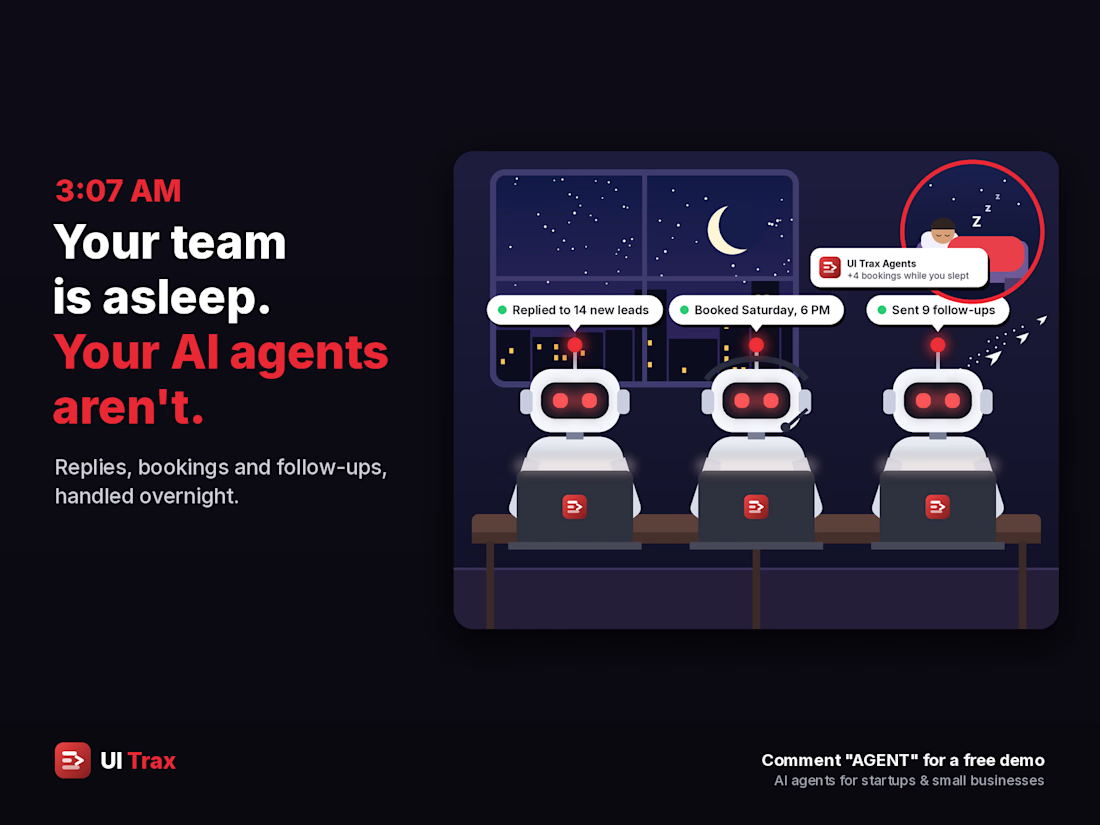
🌙 3:07 AM. Your team is asleep. Your AI agents aren't. 🤖
While you sleep, they:
💬 Reply to every new lead in seconds
📅 Book the slot straight into your calendar
🔔 Follow up before the lead goes cold
📊 Have your morning summary ready
☀️ You wake up to bookings, not missed messages.
🚀 I build AI agents for startups and small businesses.
🎁 Message me for a free of cost demo on your own services and prices 👋

The morning summary is what sells it. Owners want to see what happened overnight before they trust it.

Just built something I'm excited about — a Make.com automation that logs every Gmail email into Google Sheets automatically (subject, sender, date), checked every 15 minutes. No more manual copying, ever.
The part I'm proudest of: the client connects their own accounts with one click each. I never see a password.
Now offering this as a service for small businesses drowning in inbox chaos. What boring repetitive task would YOU automate first? 👇


Great automation! 🙌 I'd automate lead follow-ups first to save time and avoid missing potential clients.