The network for creativity
Join 1.25M professional creatives like you
Connect with clients, get discovered, and run your business 100% commission-free
Creatives on Contra have earned over $150M and we are just getting started
Back to feedPost

Your Team Shouldn't Be Spending Hours in Excel Every Week.
A finance manager recently told us:
"We know our reporting process is inefficient, but nobody on the team knows VBA. We assumed automation wasn't an option."
This is one of the biggest misconceptions we encounter.
Many businesses believe that automating Excel requires hiring a VBA developer, maintaining complex macros, or relying on someone who understands programming.
That is no longer the case.
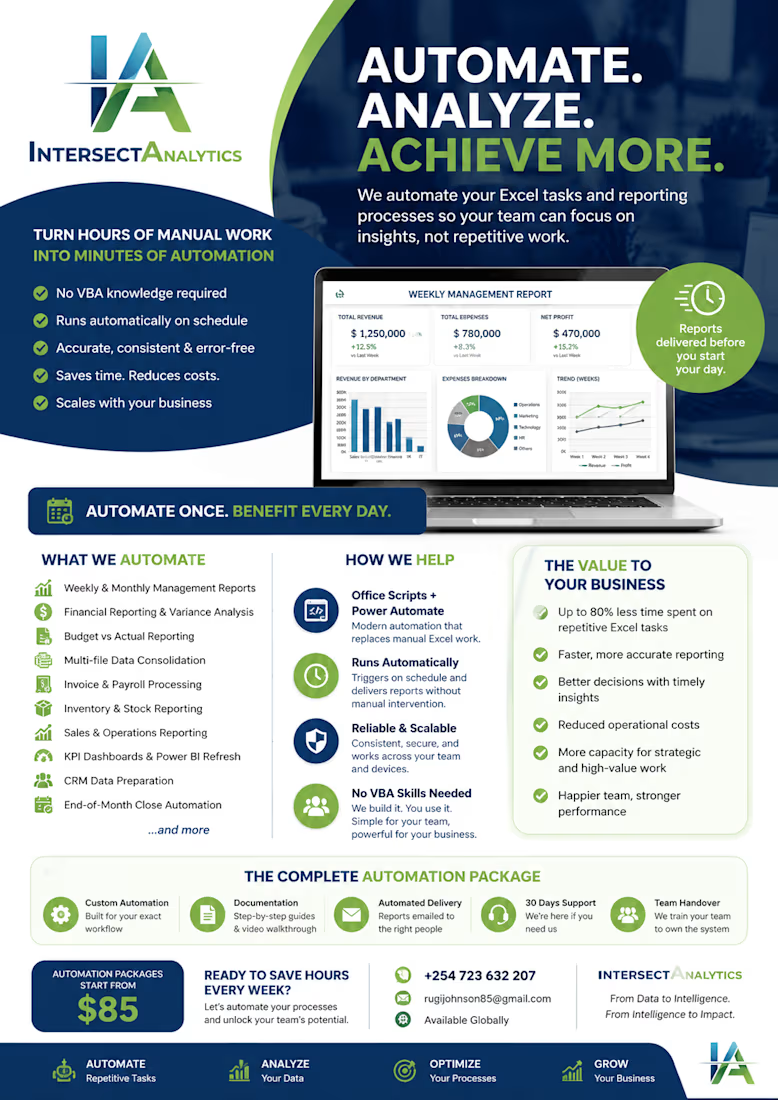
At Intersect Analytics, we've helped finance teams, operations managers, analysts, and business owners automate their Excel workflows without requiring anyone on their team to write or maintain VBA code.
The Challenge
Most organizations have talented professionals who know Excel extremely well.
They understand formulas.
They build Pivot Tables.
They create reports.
Some have even experimented with VBA.
Yet every week they still spend hours:
• Downloading reports from different systems
• Copying and pasting data between spreadsheets
• Removing duplicates
• Standardizing formats
• Refreshing Pivot Tables
• Updating charts
• Sending reports manually
These repetitive activities consume valuable time that should be spent analyzing the business—not preparing reports.
How We Help
Instead of relying on traditional VBA macros, we design modern Excel automation solutions using Microsoft Office Scripts and Power Automate.
These technologies allow businesses to automate entire reporting workflows while remaining simple to maintain and accessible across the Microsoft 365 ecosystem.
For one client, we replaced a reporting process that required over 90 minutes every Monday morning.
Their new workflow now:
✅ Retrieves data automatically
✅ Cleans and validates datasets
✅ Applies business rules consistently
✅ Refreshes dashboards
✅ Generates management reports
✅ Emails completed reports to stakeholders
—all before the first employee logs in for the day.
The process now runs automatically every week with virtually no manual intervention.
Why This Matters
Many professionals tell us:
"I'm not a programmer."
"I don't know VBA."
"If the macro breaks, nobody can fix it."
That's exactly why we moved away from building traditional VBA solutions for most clients.
Office Scripts offer a modern alternative that is:
✔ Easier to maintain
✔ Cloud-based and accessible anywhere
✔ Integrated with Microsoft 365
✔ Compatible with Power Automate
✔ Designed for collaboration
✔ Less dependent on individual developers
Our clients don't need to become programmers.
They simply continue working in Excel while the repetitive tasks happen automatically in the background.
We Don't Just Automate Excel...
We Improve Business Processes.
Every automation project begins with one question:
"Why is your team spending time doing work that software can do?"
Before writing a single script, we map the existing workflow, identify bottlenecks, eliminate unnecessary steps, and redesign the process for efficiency.
Technology is only part of the solution.
Improving the underlying process is what creates lasting business value.
What We Commonly Automate
• Weekly & Monthly Management Reporting
• Financial Reporting & Variance Analysis
• Budget vs Actual Reporting
• Sales Performance Reporting
• Inventory Monitoring
• Payroll Preparation
• Invoice Processing
• Data Cleaning & Transformation
• Multi-file Consolidation
• Power BI Data Refresh
• KPI Reporting
• Executive Dashboards
The Results Our Clients Experience
Organizations typically achieve:
📊 Up to 80% less time spent preparing reports
⚡ Faster access to business insights
✅ Reduced manual errors
📈 More consistent reporting
💼 Better use of skilled employees' time
🎯 Faster, more confident business decisions
Rather than hiring additional staff to manage repetitive reporting, businesses empower their existing teams to focus on analysis, strategy, and growth.
Why Intersect Analytics?
We combine expertise in:
• Microsoft Excel
• Office Scripts
• Power Automate
• Power BI
• SQL
• Python
• Financial Analytics
• Business Intelligence
• Process Improvement
We don't deliver isolated scripts.
We build intelligent reporting systems that save time, improve accuracy, and scale as your business grows.
If your team spends hours every week updating spreadsheets manually, let's change that.
We'll review your current workflow and show you exactly what can be automated—and how much time and money it could save.
📱 WhatsApp: +254 723 632 207
📧 Email: intersectanalytics@gmail.com
Intersect Analytics
Automating Workflows. Improving Processes. Empowering Better Decisions.
The network for creativity
Join 1.25M professional creatives like you
Connect with clients, get discovered, and run your business 100% commission-free
Creatives on Contra have earned over $150M and we are just getting started
Related posts

From smarter systems to seamless experiences, we're turning complexity into opportunity and helping businesses scale, speed up, and move forward.
The future of fulfillment starts with innovation.


This video is really cool!

From packed boxes to a shipment the client can track.
This TechFoundry IMS demo reuses box details, retrieves UPS rates, creates shipping labels, and keeps tracking connected to the client order. A practical example of the AI and automation workflows we build into business software.
Watch the client shipping demo:
https://www.youtube.com/watch?v=8ohniU08JAA
#AI #Automation #SoftwareDevelopment #Shipping

I like that the shipment stays tied to the client order instead of living in a separate carrier tab. When box details get edited after the UPS rate is retrieved, does the system re-quote before creating the label, or lock the original rate? I'd be curious how you handle that mismatch on the tracking side.

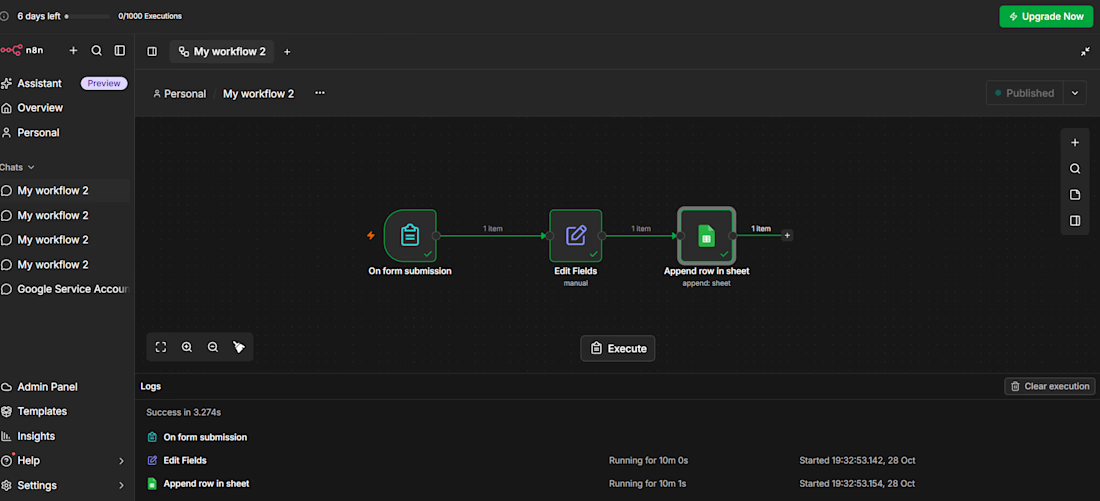
🚀 Automating business processes without writing code is possible! Using n8n, I developed a system that automatically transfers information from forms on my website to Google Sheets. 📊 How does the system work? ✅ The customer fills out the form on the website. ✅ The information is automatically transferred to Google Sheets. ✅ There is no need to manually enter data. ✅ Time is saved and business processes become more efficient. 🤖 I continue to develop automation systems with n8n, learn new things, and create solutions that make daily tasks easier.