The network for creativity
Join 1.25M professional creatives like you
Connect with clients, get discovered, and run your business 100% commission-free
Creatives on Contra have earned over $150M and we are just getting started
Back to feedPost

I used to think being a Virtual Assistant was mostly about staying organized, answering emails, and keeping a calendar under control.
Then I started discovering how much AI could actually change the way I work.
Not to replace the human part of the job — but to make the repetitive parts lighter.
To research faster.
To organize better.
To create without starting from zero every time.
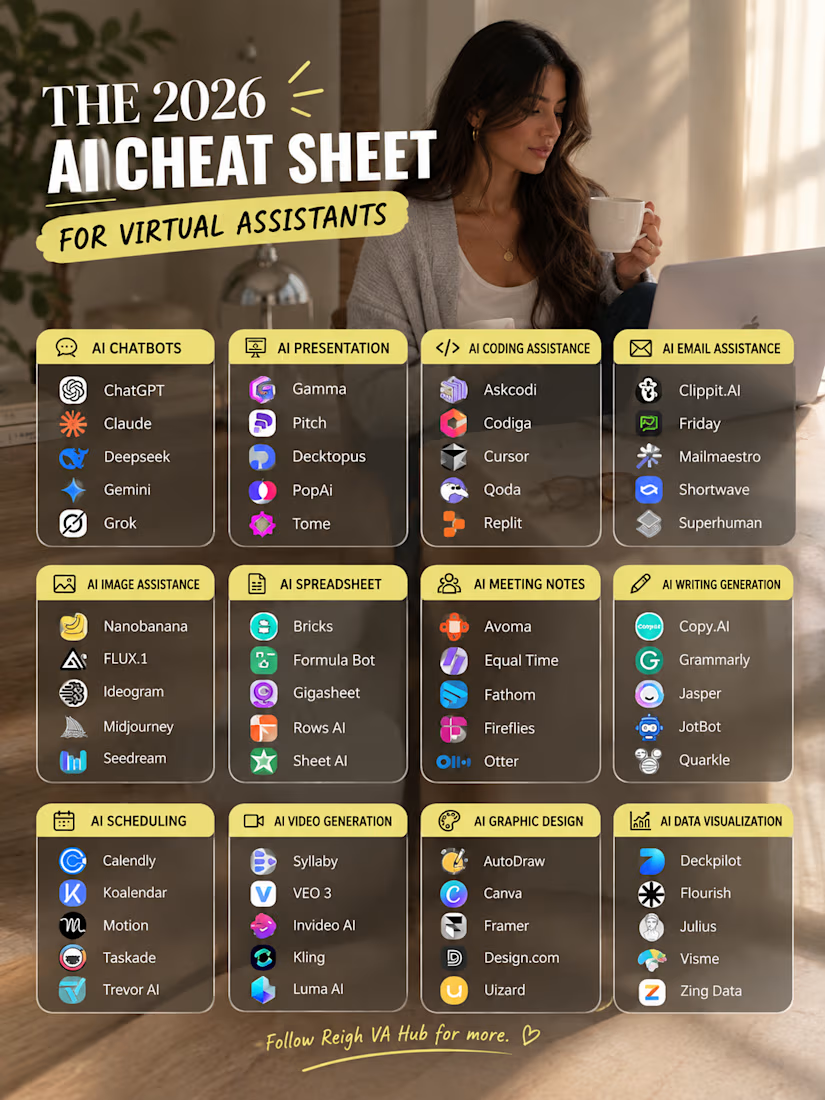
So I made myself this little 2026 AI cheat sheet — a collection of tools for different parts of VA work: research, writing, meetings, scheduling, presentations, design, spreadsheets, and more.
And honestly… I’m still discovering new ones. 😂
The goal isn’t to use every AI tool out there.
It’s to find the few that actually make your workflow easier.
Because working smarter doesn’t always mean doing more.
Sometimes it simply means having the right tool when you need it. ✨
Which AI tool has actually made your work/life easier lately? 👇
#VirtualAssistant #AItools #AIToolsForVAs #VirtualAssistantTips #FutureOfWork #ProductivityTools #RemoteWork #AIforWork #VAlife #DigitalSkills

The network for creativity
Join 1.25M professional creatives like you
Connect with clients, get discovered, and run your business 100% commission-free
Creatives on Contra have earned over $150M and we are just getting started






Related posts

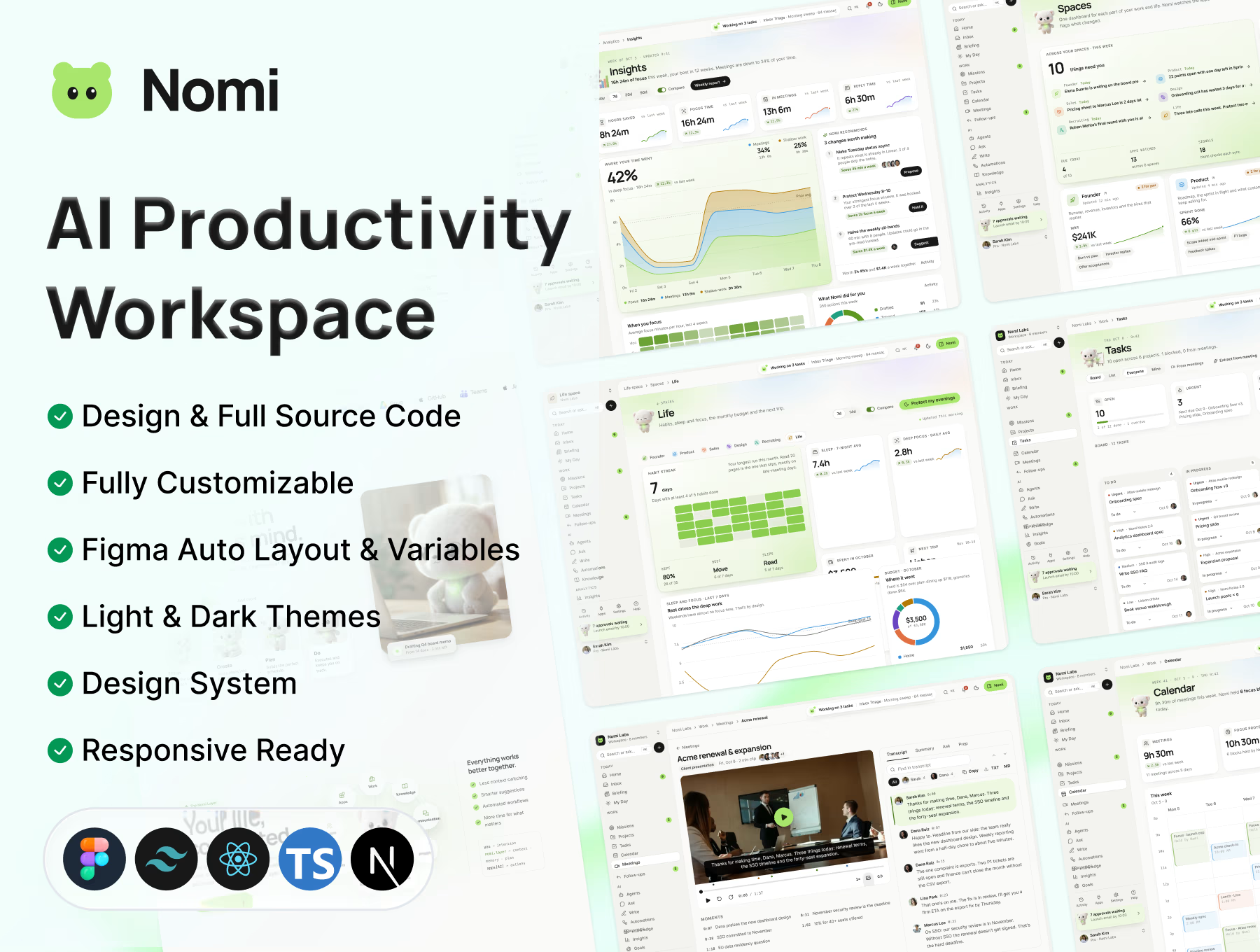
🐻 A little project I've been working on: Meet Nomi!
I've been spending quite some time designing and building Nomi, an AI productivity workspace, and I'm really excited to finally share it with you! ✨
The idea behind Nomi is simple: less busywork, more meaningful work. An AI assistant that helps manage your calendar, inbox, documents, and everyday tasks, while keeping you in control.
I wanted to make this more than just a landing page, so I built out the whole product experience, from the marketing website and onboarding to a fully featured web app.
A little peek at what's inside:
✨ 1,600+ Figma frames across the landing page, 35+ website pages, onboarding, and web app.
🎨 300+ components, 2,400+ variants, responsive layouts, and Light & Dark modes.
🤖 8 AI agents, smart inbox, AI chat, workflow builder, analytics, meetings, and more.
💻 Complete frontend source code built with Next.js 16, React 19, TypeScript, and Tailwind CSS v4.
I had a lot of fun putting all the details together, especially the little interactions and different product states. 🥹
Whether you're a designer looking for inspiration, a founder working on an AI SaaS idea, or a developer who wants a starting point, I hope Nomi can be useful to you!
I've made it available on Contra!
🐻 Check it out here:
https://contra.com/products/99SrqGms-nomi-ai-productivity-landing-page-and-web-app
Live demo: https://nomi-fawn.vercel.app/
Would love to hear what you think! Feel free to reach out if you have any questions, ideas, or just want to connect. Always happy to meet fellow designers and makers. 💛


Nice work!

Just added a new AI SaaS UX & Conversion Copywriting concept to my Contra profile! 🤖✨
Most AI meeting assistants lose users in two spots: landing pages packed with vague "neural intelligence" hype instead of clear time-savings, and in-app setups that trigger instant privacy hesitation or blank-prompt paralysis.
For this self-initiated NotePilot concept, I designed the messaging from first click to automated follow-up:
Outcome-First SEO Copy: Led with tangible value ("Never Take Meeting Notes Again Get Action Items in Seconds") and defused privacy objections upfront ("Never trains AI models on your private calls").
High-Trust Calendar Sync UX: Added clear bot permission toggles and an "Ask Me Before Joining" option so users feel in full control.
One-Click Prompt Chips: Replaced an intimidating empty chat bar with instant action chips ("Draft Follow-Up Email", "Extract Action Items") to speed up first-call activation.
Check out the full case study on my profile. What’s your #1 dealbreaker when trying a new AI tool? 👇

The workflow I refuse to automate — and why that makes my AI builds better.
Problem: Every founder I meet wants to automate everything. But automating a judgment call doesn't save time — it scales bad decisions. The worst agents I've seen weren't underbuilt. They were trusted too far, too fast.
Build: Before I build, I run every workflow through three questions: Is it reversible? Does it look the same every time? What does a mistake cost? If a step fails any of them, it stays human — and the agent is built around it, with a clear handoff and an escalation rule.
Result: The automations I ship in my 5-day n8n x OpenAI sprints survive the first month, because the boundaries were decided on Day 1, not discovered in week 3. The runbook lists what the agent never touches, so the founder keeps control where it matters.
Offer: Tell me the one workflow you're unsure about automating. I'll tell you honestly whether it belongs in a sprint — and what should stay human.