The network for creativity
Join 1.25M professional creatives like you
Connect with clients, get discovered, and run your business 100% commission-free
Creatives on Contra have earned over $150M and we are just getting started
Back to feedPost
This looks like a Three.js animation, but It’s not.
It’s 100% built in Framer, no external libraries, no WebGL, just proper 3D transforms and hierarchy.
Thread below explaining the full setup 👇



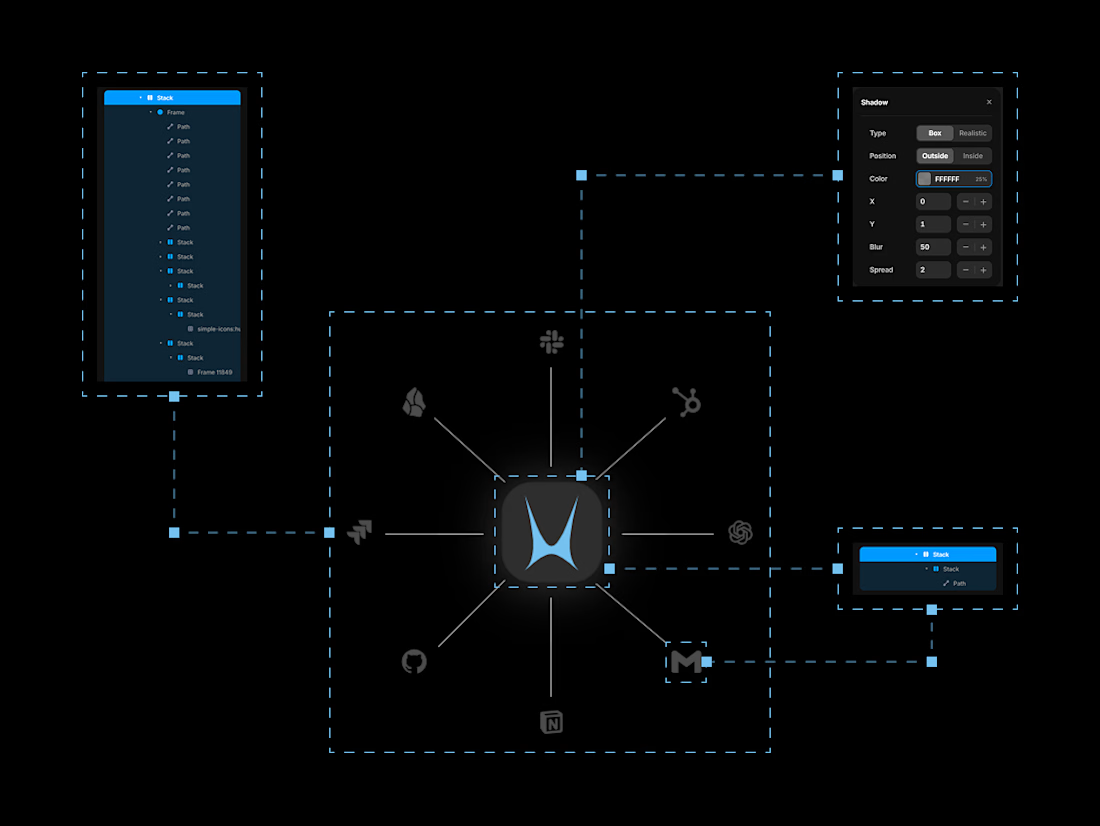
Step 1: Build the hierarchy
Arrange your assets in a circular layout around a center logo.
Structure matters:
Nest all logos (including the center) inside two parent frames
Place all of those inside two parent containers
This setup gives you full control over motion and depth later. Think of it as rigging before animation.
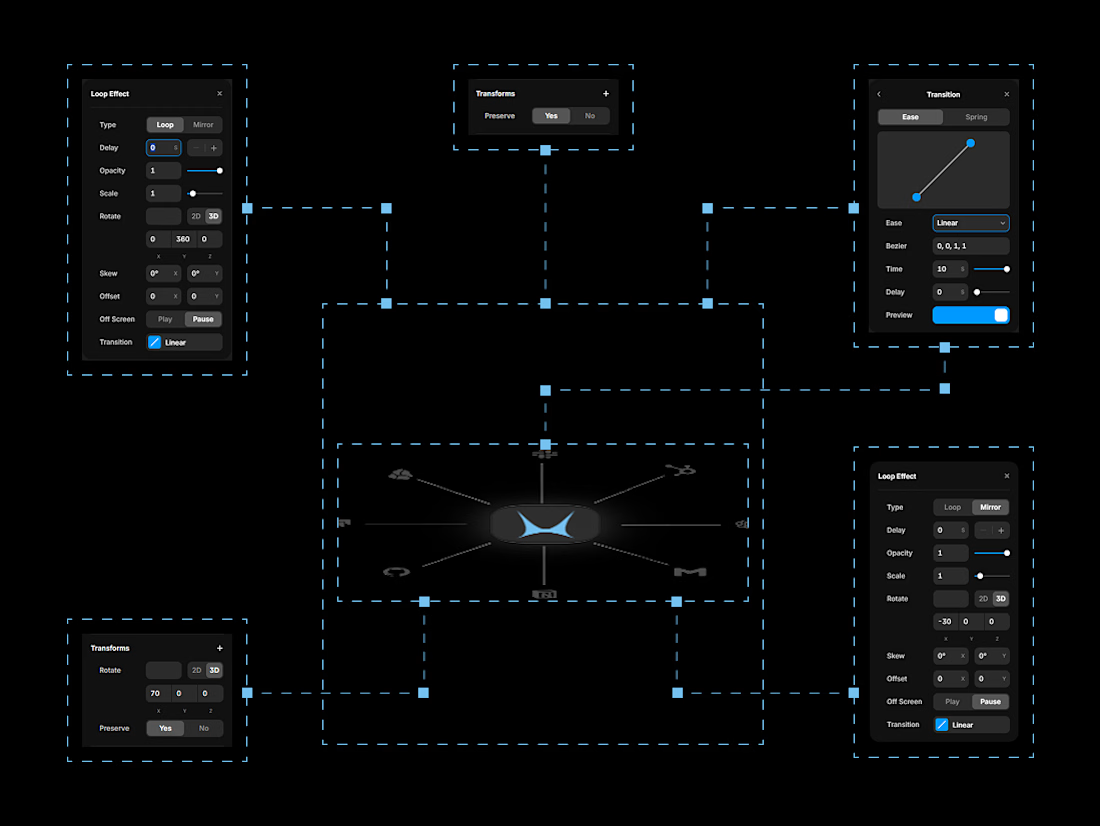
Step 2: Add depth and movement
Enable Preserve 3D on the parent frames
Apply rotation to create the orbital motion
Use Mirror (not Loop) on the secondary frame
Mirror allows the motion to return smoothly to its origin, creating a natural wobble instead of a hard reset.
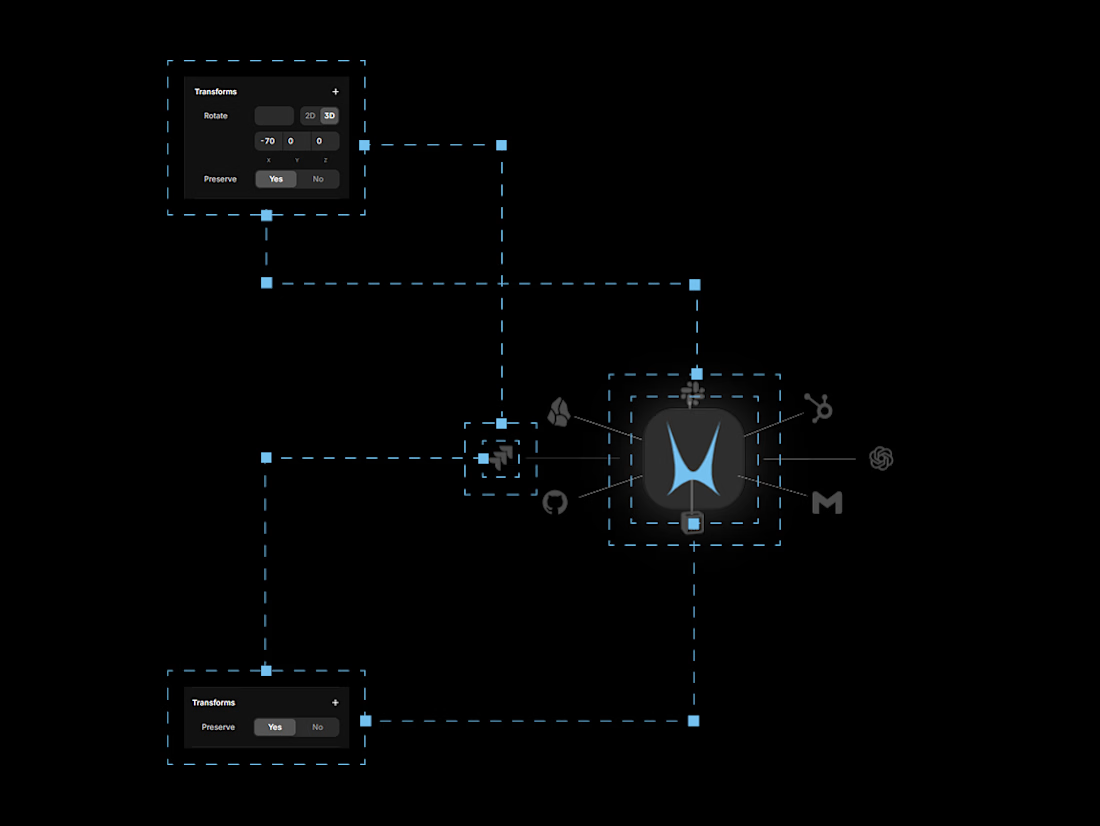
Step 3: Prepare icons to face forward
Before animating anything on the icons themselves:
Enable Preserve 3D on the outer icon frame
Apply a static 3D rotation that reverses the angle of the outer parent container
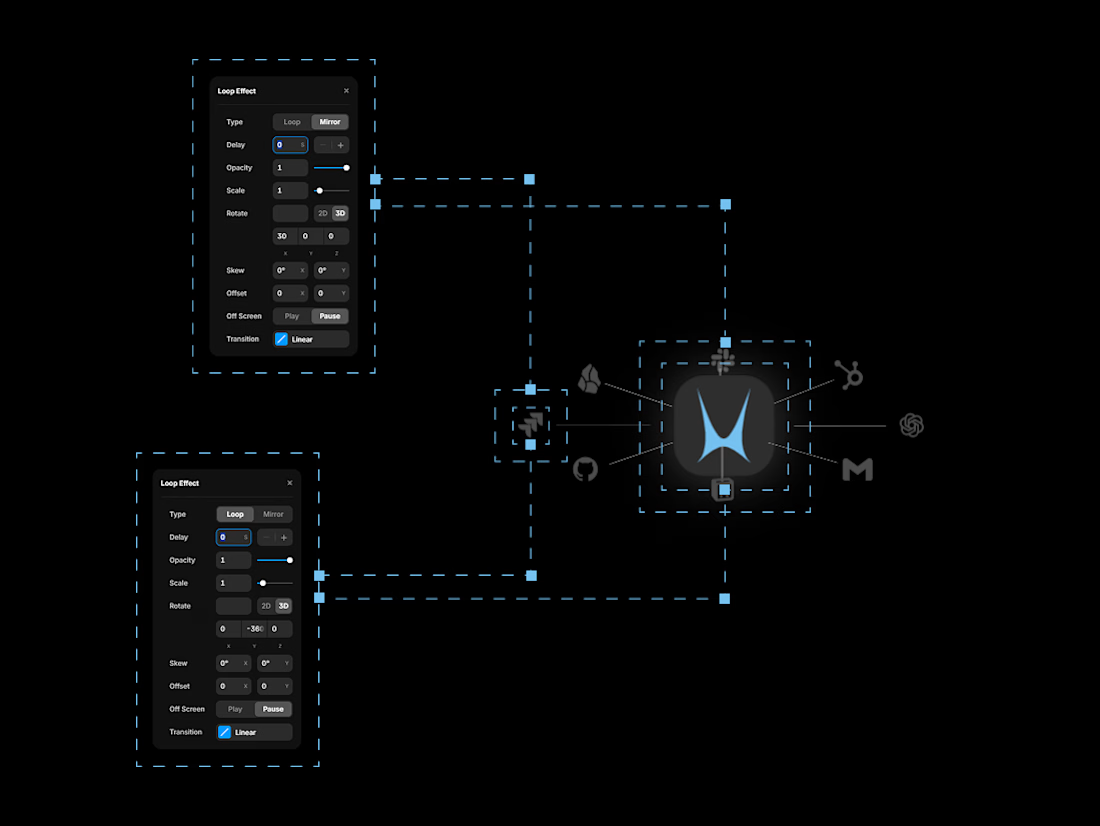
Step 4: Keep icons facing forward
Add reverse animations to the icons so they continuously compensate for parent motion.
Result:
Icons always face the camera
Motion feels stable and intentional
The 3D illusion holds from every angle
The network for creativity
Join 1.25M professional creatives like you
Connect with clients, get discovered, and run your business 100% commission-free
Creatives on Contra have earned over $150M and we are just getting started







Trending

Claude
Claude has entered the design space. How are you using Claude Design?

Contra University
Learn from expert creatives how to earn more using next-gen AI tools.
fifaworldcup2026
The World Cup is here and the whole world's watching. How are you designing for the world stage?
creativeaiflow
Creative AI workflows are evolving. What tools do you use, and what are their strengths and weaknesses?
freelancerlife
Freelancer life is wins, pivots, and everything in between. What’s yours right now?