The network for creativity
Join 1.25M professional creatives like you
Connect with clients, get discovered, and run your business 100% commission-free
Creatives on Contra have earned over $150M and we are just getting started
Back to feedPost

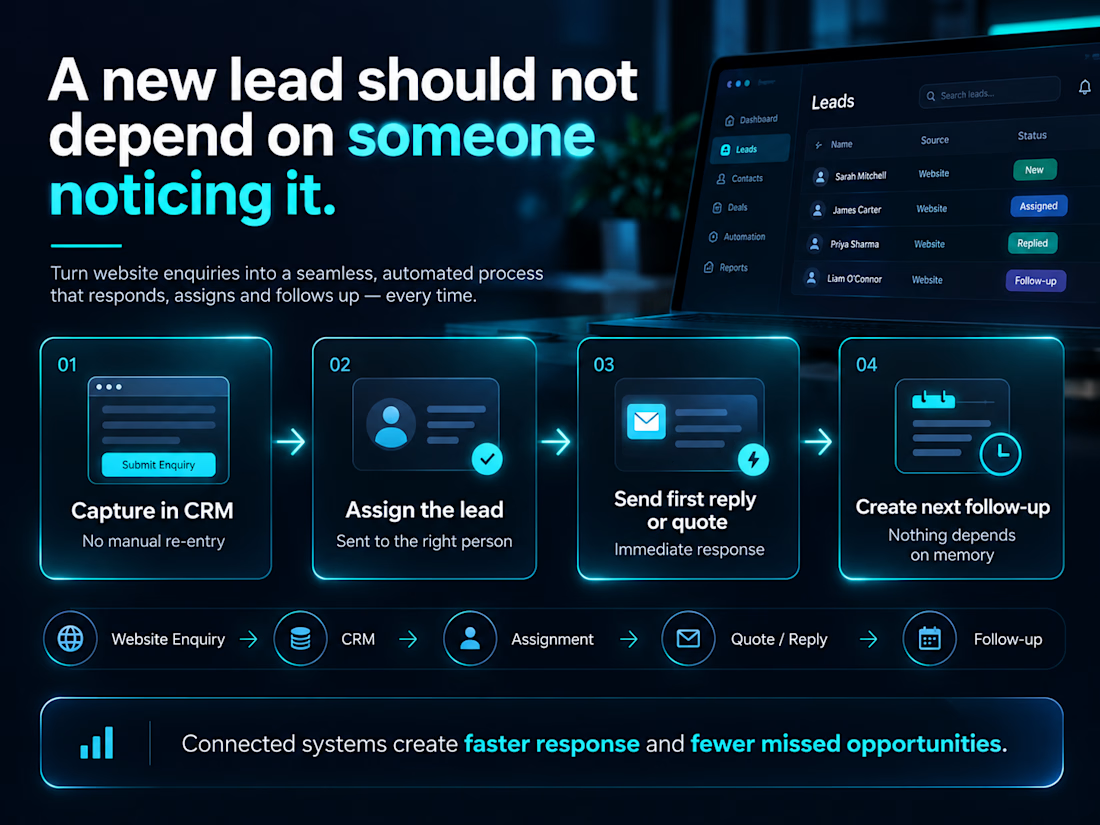
A new lead shouldn’t depend on someone noticing it.
When a lead comes in, a well-built CRM setup should do four things on its own:
Capture the details in the CRM, without anyone retyping them.
Assign the lead to the right person.
Send the first reply or quote.
Create the next follow-up, so nothing waits on someone’s memory.
On one project, a website enquiry created the deal in Pipedrive automatically and started the quotation process from there. On another, a website lead landed in GoHighLevel and triggered the quote workflow, and the pipeline stage moved on its own as the prospect progressed.
None of it is complicated. It just has to be connected.
I build lead-to-CRM systems for service businesses. If you’d like to see how yours could work, send me a message.
What happens to a new lead in your business in the first ten minutes?
The network for creativity
Join 1.25M professional creatives like you
Connect with clients, get discovered, and run your business 100% commission-free
Creatives on Contra have earned over $150M and we are just getting started











Related posts

Project: GoHighLevel Skills & CRM Automation
Created a professional explainer video showcasing GoHighLevel expertise, including CRM management, workflow automation, sales funnel building, lead generation, email and SMS marketing, appointment booking, and pipeline management.
The video communicates how GoHighLevel helps businesses streamline their operations, automate follow-ups, manage leads, and improve customer relationships through an all-in-one platform.
The goal is to present these skills clearly and professionally while demonstrating the value of automation in helping businesses grow.


I built LeadPilot, a lead management and outreach workspace for freelance web designers and small studios.
Finding potential clients is only one part of freelance work. Understanding where you can add value, reaching out with a relevant offer, and keeping track of follow-ups can be just as challenging.
LeadPilot brings these steps into one workflow. It helps freelancers organize prospects, identify potential opportunities, prepare personalized outreach, and manage follow-ups without losing context between tools.
My focus was on building something practical, with a clean interface and a workflow designed around how independent designers actually find and approach clients.
Built with Base44 for the #Base44Challenge.
Live project: https://spicy-pilot-lead-flow.base44.app
#Base44Challenge @Base44


Is a login required to see the LeadPilot project?

Leads that sit in an inbox over the weekend go cold.
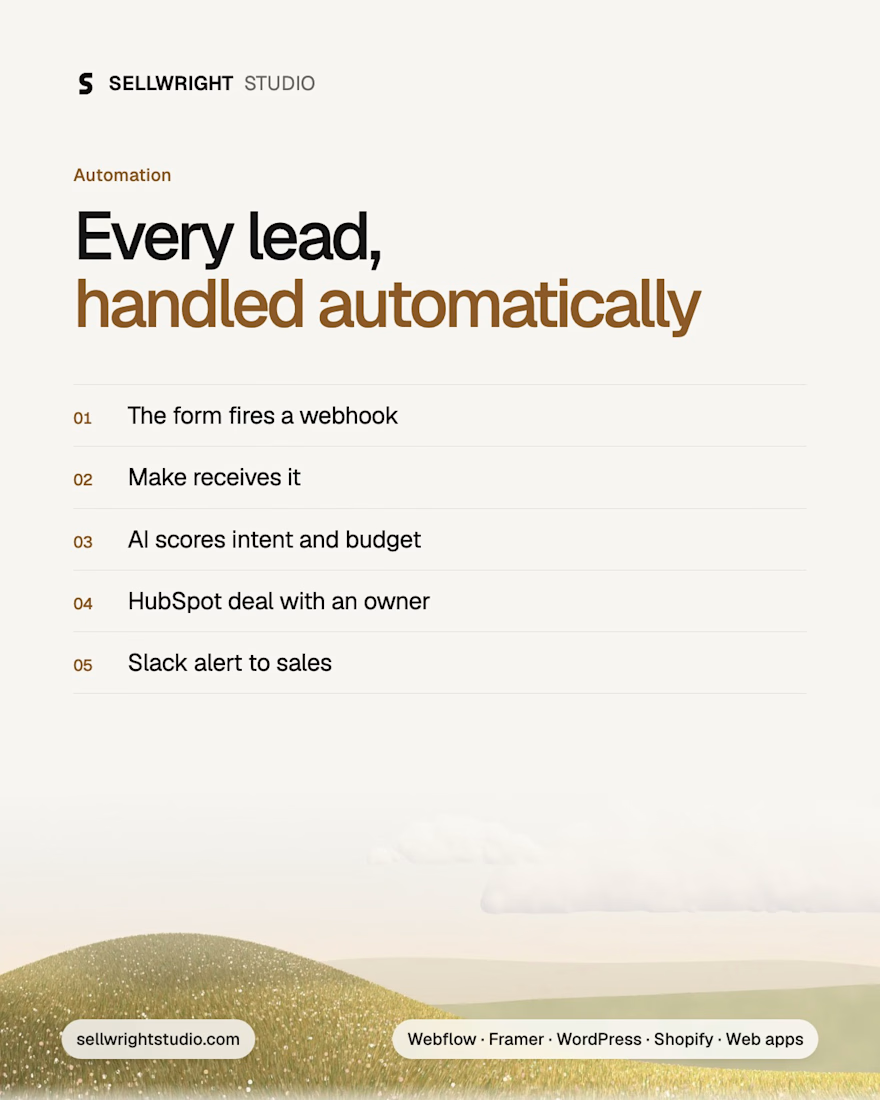
The automation we set up for service businesses:
1. The website form fires a webhook on submit
2. A Make scenario receives it
3. An AI step reads the message and scores intent and budget
4. HubSpot gets a contact and a deal, with an owner assigned
5. Sales gets a Slack alert with a two-line summary
Nobody copies and pastes, nothing waits, and the team calls the hottest leads first. A person still makes every decision. The automation only removes the busywork.
Two things to add on day one: error alerts, so a broken step gets fixed before anyone notices, and a monthly check of the AI score against real outcomes.
How fast does your team reply to a new enquiry today?
Full article: sellwrightstudio.com/insights/every-lead-handled-automatically/


This is a really clean setup, Raja. The AI scoring intent and budget before anything hits HubSpot is the step most automations skip, and it is the one that actually saves the team time. The monthly check of the AI score against real outcomes is smart too. Do you find the scoring...