The network for creativity
Join 1.25M professional creatives like you
Connect with clients, get discovered, and run your business 100% commission-free
Creatives on Contra have earned over $150M and we are just getting started
Back to feedPost

PHP security release scheduled today; top severity is Critical.
Use PHP Orange with an MCP-enabled agent to check your codebase. It flags affected versions, severity and what risks mean -- not fixes.
I can scope and patch findings. Free 15-minute call:

phporange.com
phporange — PHP security fixes, upgrades, and scripts
PHP vulnerability fixes, version upgrades, and general PHP work from Devan Penner-Woelk. Free 15-minute call to scope it.
The network for creativity
Join 1.25M professional creatives like you
Connect with clients, get discovered, and run your business 100% commission-free
Creatives on Contra have earned over $150M and we are just getting started





Related posts


The site’s built, the animations work, and it looks good on mobile. So… we’re ready to launch, right?
Two days later, the client messages you: “Hey, we published a new case study and the layout broke. What happened?”
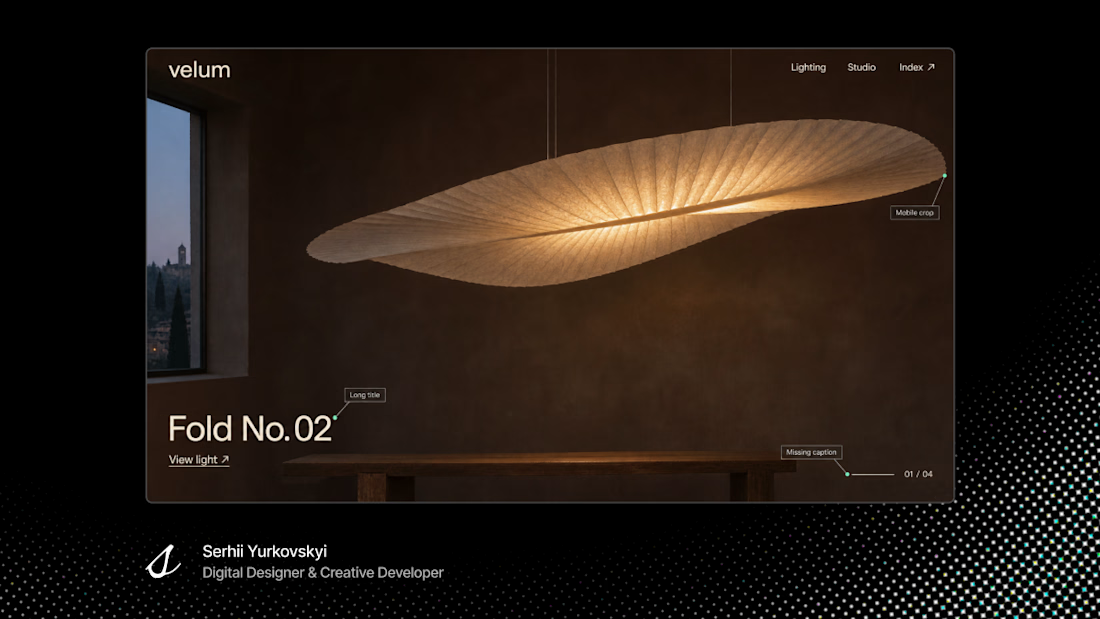
Well, the template worked with the content you built it with. Nobody tried publishing what the client was actually going to put in it. And it’s easy to miss that when everyone’s spent the last week scrolling through the same preview, looking at the same case study.
- That’s where our pre-launch checklist comes in. We put the preview away for a bit and try a few things the way the team and their visitors will:
- Have the client publish a real case study. Try a long title and leave an optional field blank.
- Send a test enquiry. Ask whoever handles leads to hit Reply and see if their email makes it back to you.
- Open the privacy policy from the footer. Try a broken link and see if the 404 page gets you back on track.
- Accept cookies, then try again in a fresh browser session and decline. Check what analytics records each time.
- If it’s a redesign, open a few old URLs. Where would someone with an old bookmark end up?
What I want to know at that point is what can actually wait. If a heading needs a little more space, fine, we can fix that next week. But if the team’s been replying to enquiries all week and none of those replies reached the person who wrote in, “we’ll fix it later” means something else.
That’s why we give QA its own time in the plan, while the case study is still a draft and the enquiry is still ours.
Got a site you’re about to launch? Send me the preview link. I’ll tell you what I’d check first.




PINK WAS THE RIGHT CALL 💗🏆
Our website for PSP Production just got Site of the Day on Awwwards. And we’re a little emotional about it 😄
PSP makes films, so we tried to build a site that feels like one. Lots of late-night “what if the 404 page was a movie too?” Lots of halftones. Even more pink than we’d like to admit.
Thank you to everyone who scrolled, clicked, and stayed till the credits. 🎬
Honestly, we still can’t believe it.

Those late-night “what if” ideas really paid off 🌙🔥 Congrats on the Awwwards win


Something new is taking shape. 👣
Strategy, identity, type, system, and website are done. The last step is loading: 83% 🟦
Designed and shipped as code, the same way I build for clients. 🛠️
Follow along to see the launch first.

Strategy through to a coded site, all by yourself, is a nice way to show clients exactly how you work. Looking forward to seeing that last 17% land!