The network for creativity
Join 1.25M professional creatives like you
Connect with clients, get discovered, and run your business 100% commission-free
Creatives on Contra have earned over $150M and we are just getting started
Back to feedPost

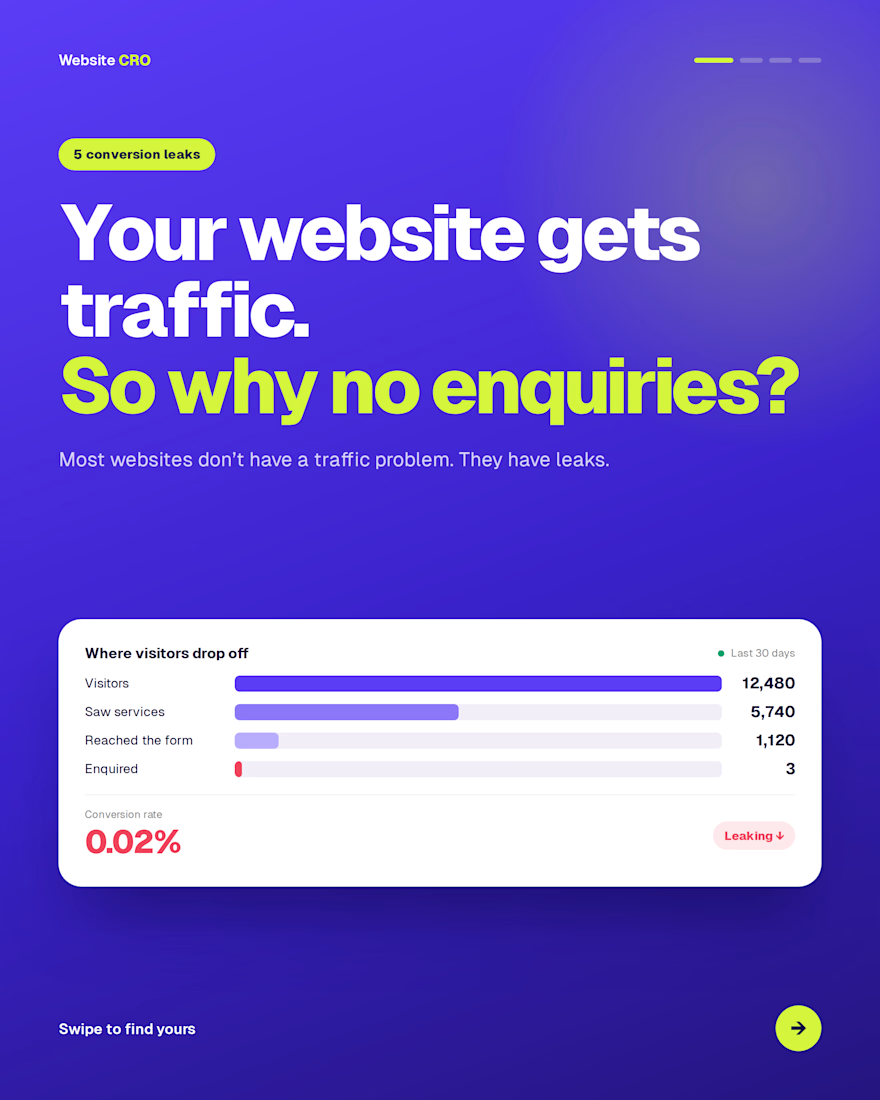
Your website gets traffic. So why no enquiries?
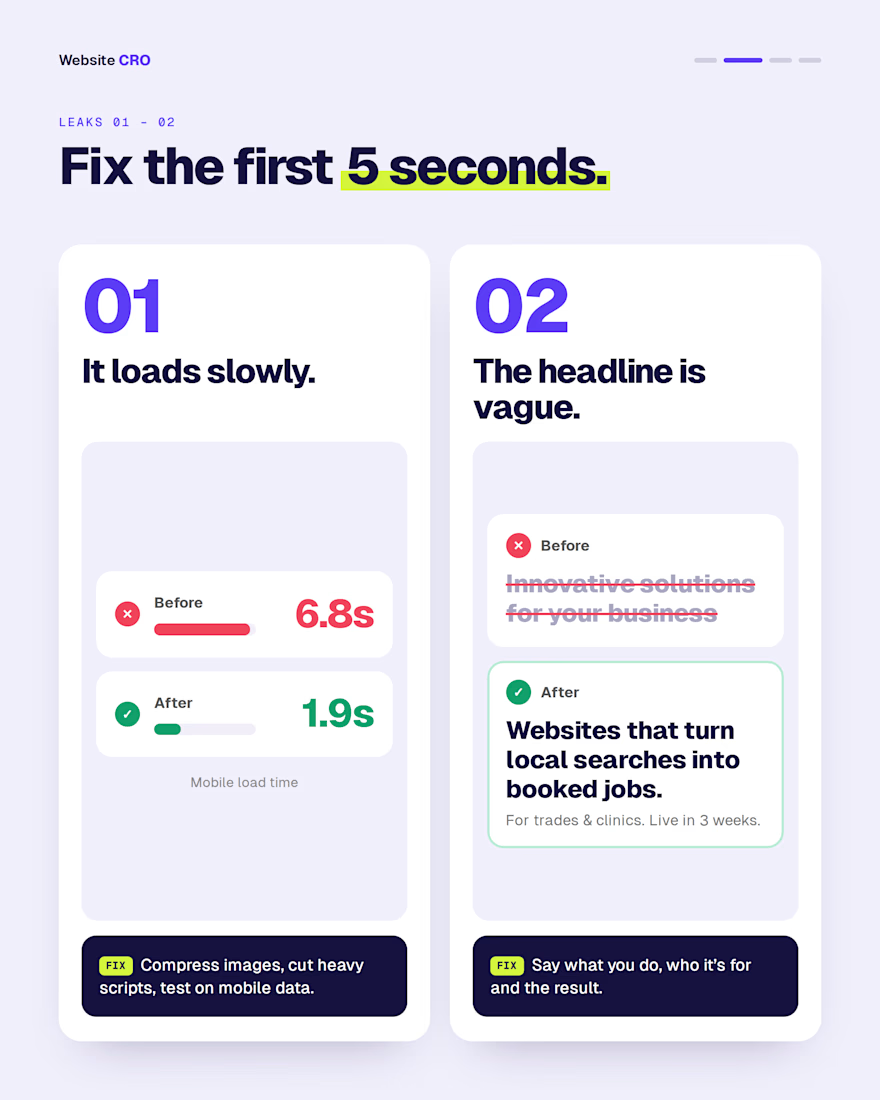
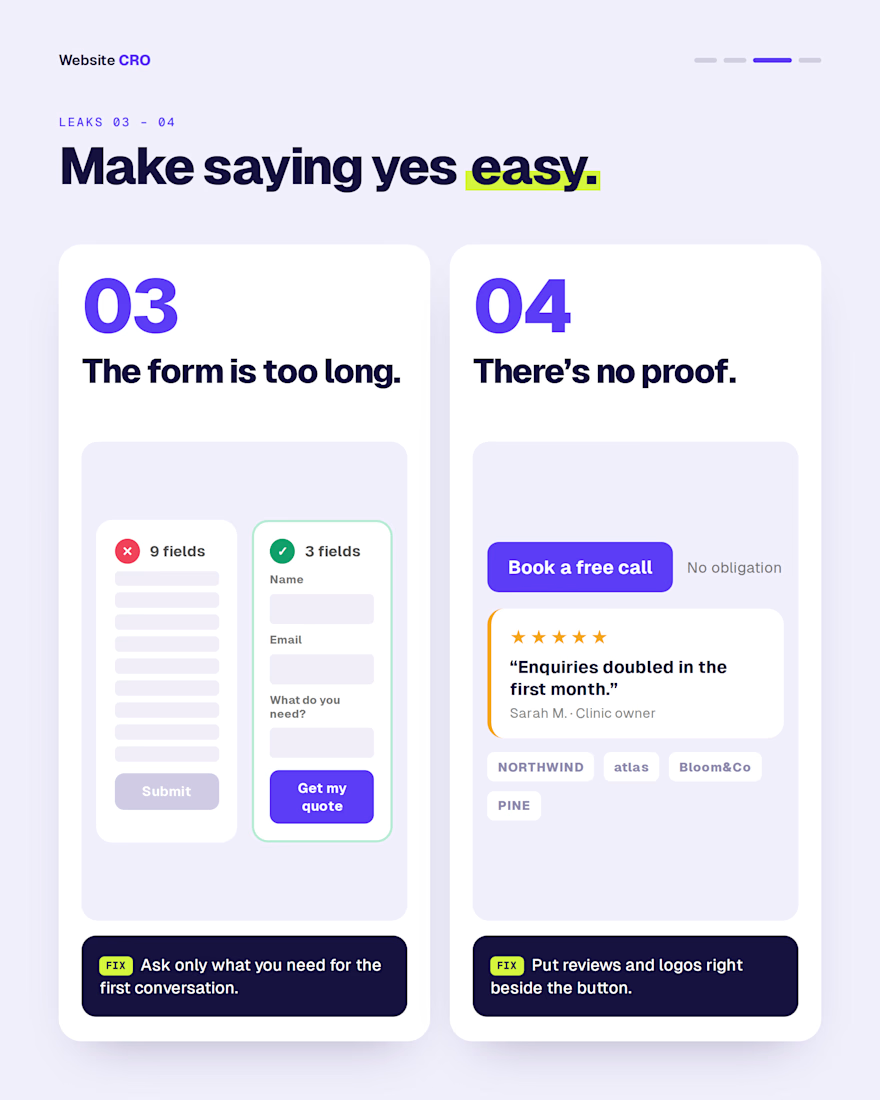
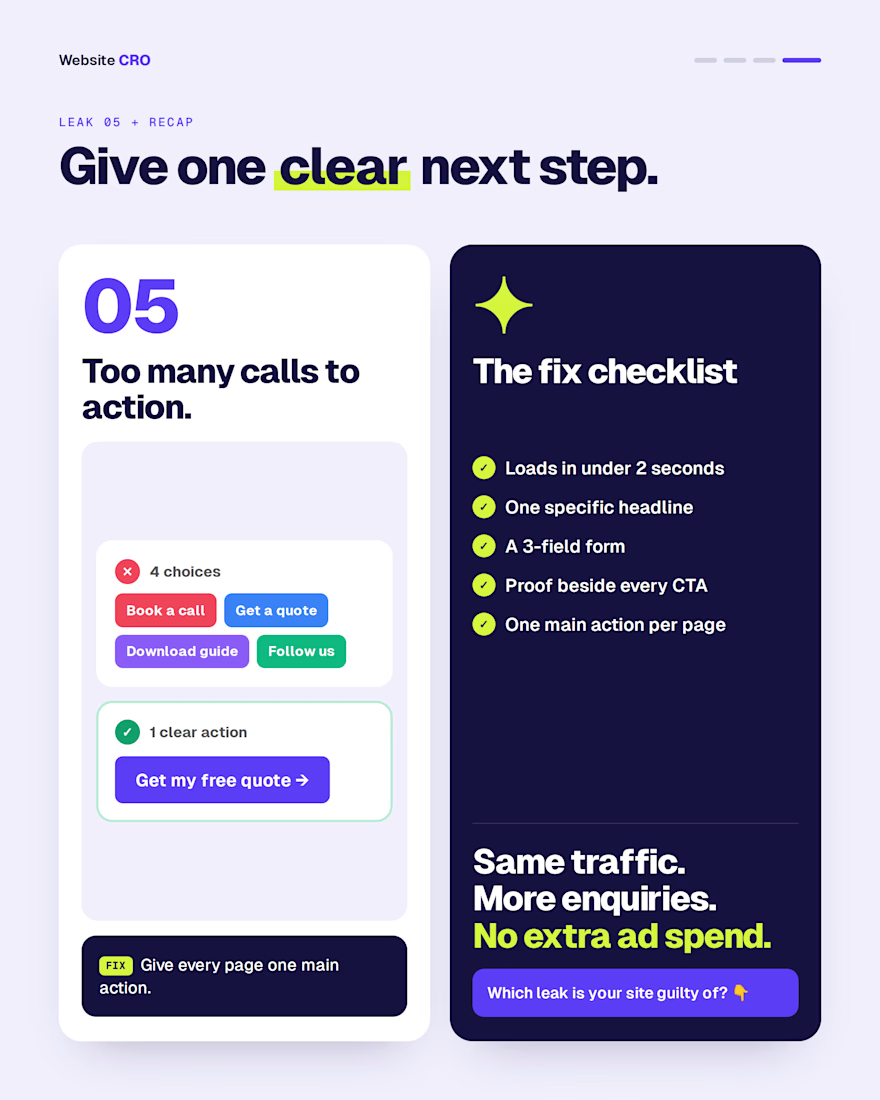
Usually it’s one of these five leaks: a slow load, a vague headline, a long form, no proof, or too many calls to action.
Fix them, and the same traffic starts bringing in enquiries, with no extra ad spend.
Which one is your site guilty of?
The network for creativity
Join 1.25M professional creatives like you
Connect with clients, get discovered, and run your business 100% commission-free
Creatives on Contra have earned over $150M and we are just getting started











Related posts

Think about someone going through your website. Naturally, they’ll want to see what services you offer. Once they find the right service, they’ll want to learn more about it. And if they’re interested, they should be able to book a call or send an inquiry right away.
Make the whole journey simple and seamless, so visitors can move from interest to action without any confusion.


What a Lighthouse audit tells you before a homepage update
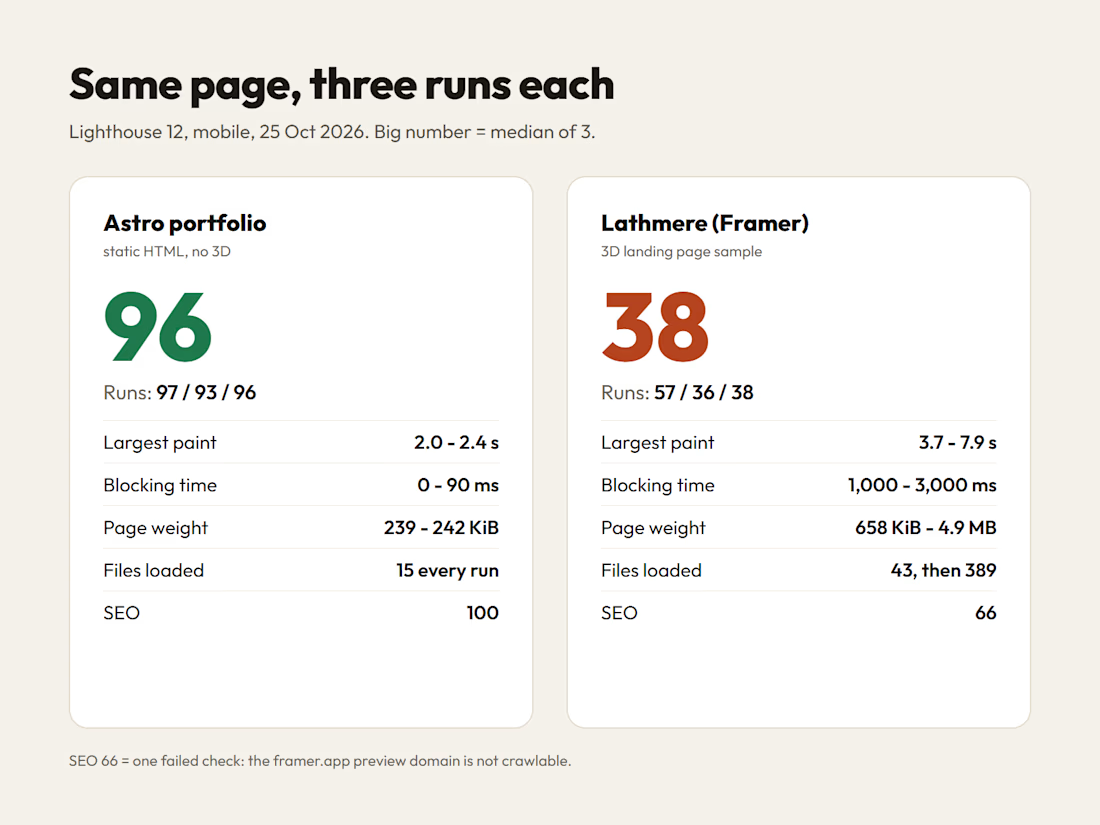
Before I change a homepage, I run Lighthouse on it. On 25 Oct I ran it on two of my own sites, mobile, three times each.
Astro portfolio: Performance 97, 93, 96. Largest paint 2.0 to 2.4 s. About 240 KiB and 15 files on every run.
Lathmere, my Framer 3D landing page sample: Performance 57, 36, 38. Largest paint 3.7 to 7.9 s. The first run loaded 43 files and 658 KiB. The next two loaded 389 files and 3.7 to 4.9 MB.
What I take from it:
1. One run is not a result. The Framer page went from 57 to 36 about a minute later. I quote the median of three runs and say that I did.
2. Look at the file count before the score. A page that loads 43 files on one visit and 389 on the next has a bigger problem than image sizes. The first job of the update is finding out what those extra files are and whether the homepage needs them.
3. SEO 66 on Lathmere is a single failed check: the page sits on a framer.app preview domain, which is not crawlable. Publishing to the real domain fixes it. Rewriting the copy would not.
When I apply for a homepage job, I open with numbers like these from the client's own site: what is slow, how much it moves between runs, and what the update will and will not fix.

Most sites never answer the question the buyer actually asked
Small businesses rarely know which questions their buyers ask that their site doesn't answer, in Google or in AI assistants like ChatGPT.
So I built a free growth scan on poldermarketing.nl. Within minutes it shows which buyer questions your site leaves open and suggests three new headings to add. After that I do a deeper manual audit: technical, content, local and AI-search visibility, delivered as a prioritised fix list.
The point: a business owner gets a concrete to-do list in minutes, not a 40-page report nobody reads.
Try it: https://poldermarketing.nl