The network for creativity
Join 1.25M professional creatives like you
Connect with clients, get discovered, and run your business 100% commission-free
Creatives on Contra have earned over $150M and we are just getting started
Back to feedPost
SIGNAL VIEWPORT: a Video.js v10 skin
SUMMARY
Signal Viewport is a timeline-first skin for Video.js v10. A solid red control panel sits below the video, so nothing covers the picture. The timeline is a ruler: precise ticks, IBM Plex Mono timestamps and a single pin as the playhead. Click the time and type to seek: type 21 and Enter takes you to 0:21. Built for viewers who care about timing.
LINKS
Live demo (Video.js v10 player, video from Mux): https://signal-viewport.pages.dev
Ukrainian version: https://signal-viewport.pages.dev/?lang=uk
Live site using the skin: https://trusovanata.com/blog/signal-viewport-videojs-v10-skin
Mux playback ID: jtoph8ex1ztaAdw02OjWM7tpf8Veqtx38dcp6sJ02nhzo
Source code (Apache 2.0): https://github.com/trusovanaty/signal-viewport
DESIGN
A black title strip (40 px) shows the title, current chapter and status. Below it: the video and a red control panel (play, ruler, time, mute, volume, settings, picture-in-picture, full screen). No control sits on the picture.
The ruler is 56 px high. Ticks and up to 8 labels are chosen from the video length and the ruler width; no label overlap across six tested widths and lengths from 111 seconds to 3.5 hours. Frame previews and chapters appear on the ruler.
Red #E52600, black and white. Sharp corners. Onest for words, IBM Plex Mono for numbers (both open licence). A custom set of 11 icons, including the loading mark. An optional white Mono theme.
REQUIRED CONTROLS AND STATES
Play/pause, seek bar, time, volume and mute, full screen.
One menu: speed 0.5x to 2x, quality (Auto, 270p to 1080p), captions, chapters with frames, colour. A section appears only if the video offers it.
Designed states: start (big play button), buffering (the pin steps along the ticks), error ("Try again" first), ended (replay), keyboard focus, captions on solid plates, restored position for videos longer than 15 seconds.
ACCESSIBILITY
Contrast on the red panel: black 4.61:1, white 4.56:1 (at least 4.5:1 for both). 3 px focus ring with a 2 px gap on every control.
Every control is reachable with Tab. Shortcuts once the player has focus: Space or K play/pause; arrows or J and L seek 10 s; 0-9, Home, End jump; Up/Down volume; M mute; < > speed; C captions; S settings menu; I picture-in-picture; F full screen. Letters follow the physical key, so they also work on a Ukrainian layout.
Choosing a menu option closes the menu; after a keyboard choice focus stays on the settings button, after a mouse choice it goes to the player.
Motion is removed when reduced motion is enabled.
PHONES AND FORMATS
Under 560 px the panel becomes two rows and menus open inside the player. Speed and quality use a 3-column grid with 48 px rows. Buttons are 48 px, the start button 64 px.
A tap pauses and resumes; a double tap on the sides seeks, in the centre it opens full screen.
The skin adapts to the width of the player itself: wide, square and vertical frames.
On an iPhone in Safari, full screen opens Apple's own player (a browser limit).
CODE
Video.js v10 (@videojs/react), React, CSS. Mux streaming (up to 1080p) with an MP4 backup, hosted on Cloudflare Pages. Interface in English and Ukrainian. Licence: Apache 2.0.
DEMO FILM
"Freefall Bloom": 30 seconds, AI-generated; the film and the music are my own work.
Design and code: Natalia Trusova.

FORMATS
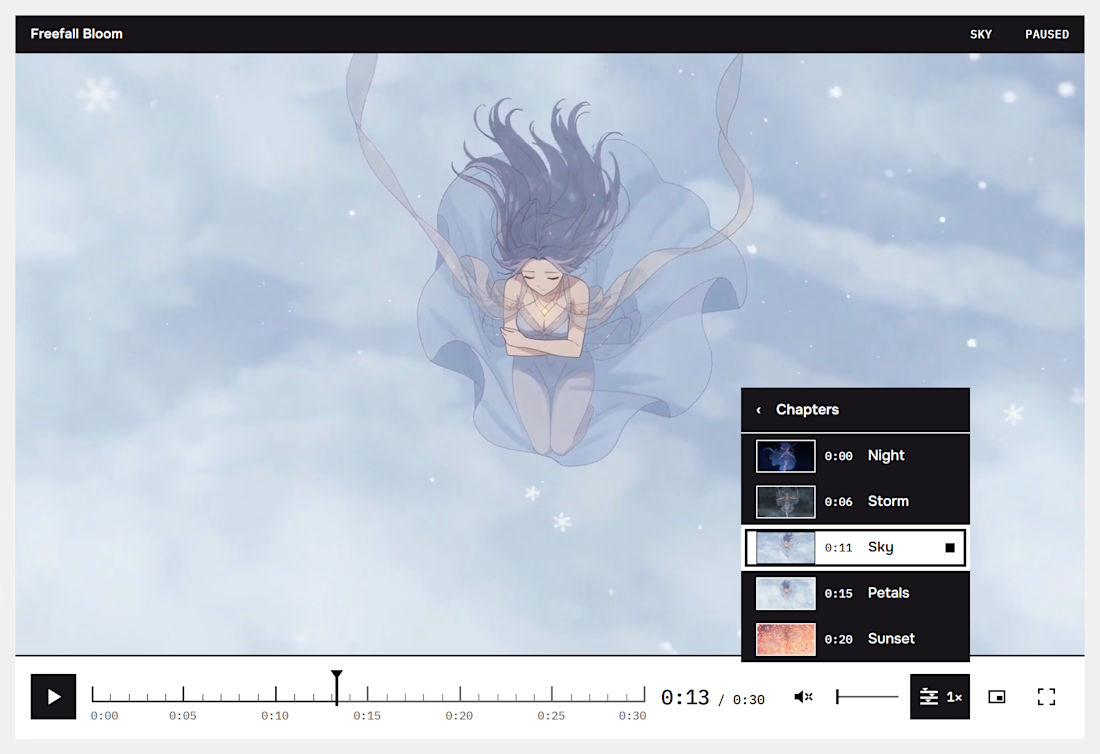
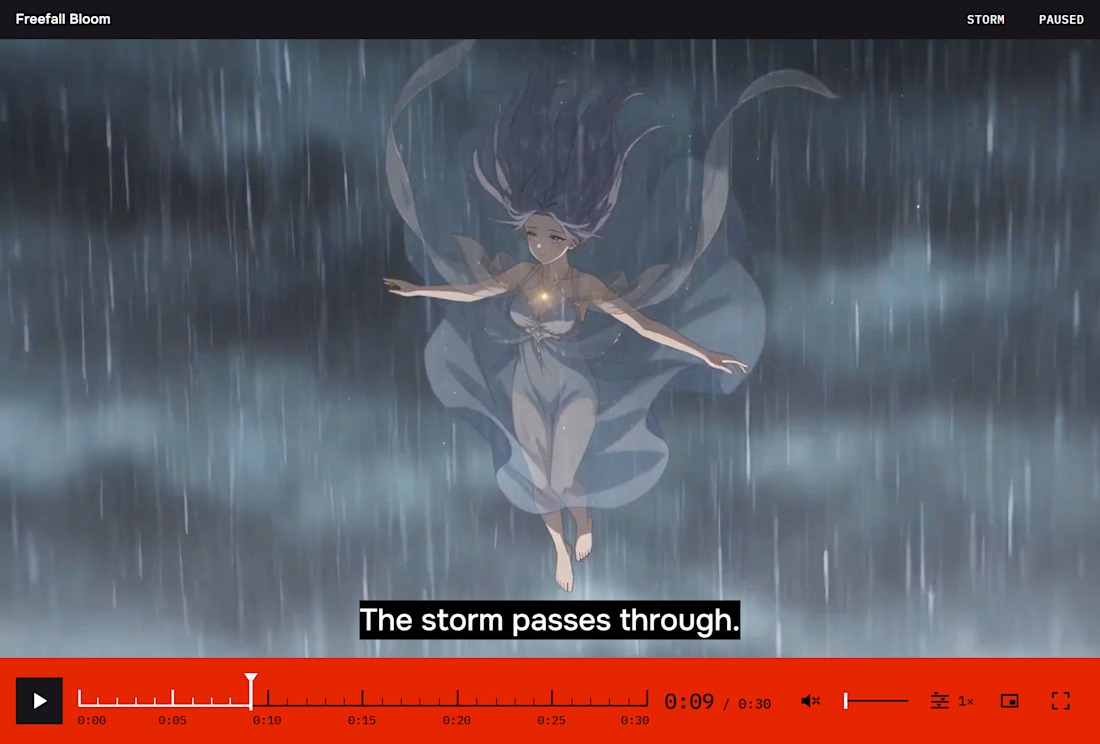
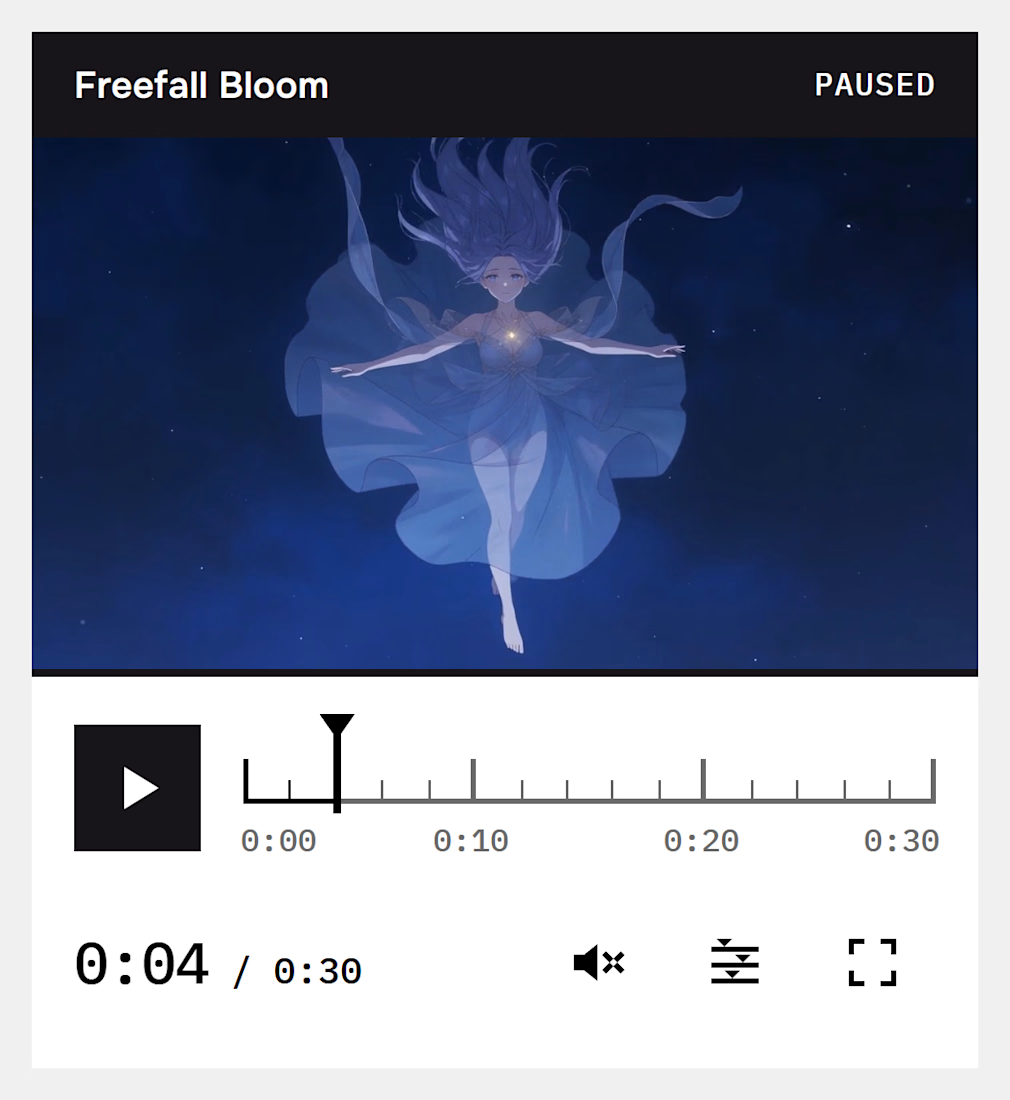
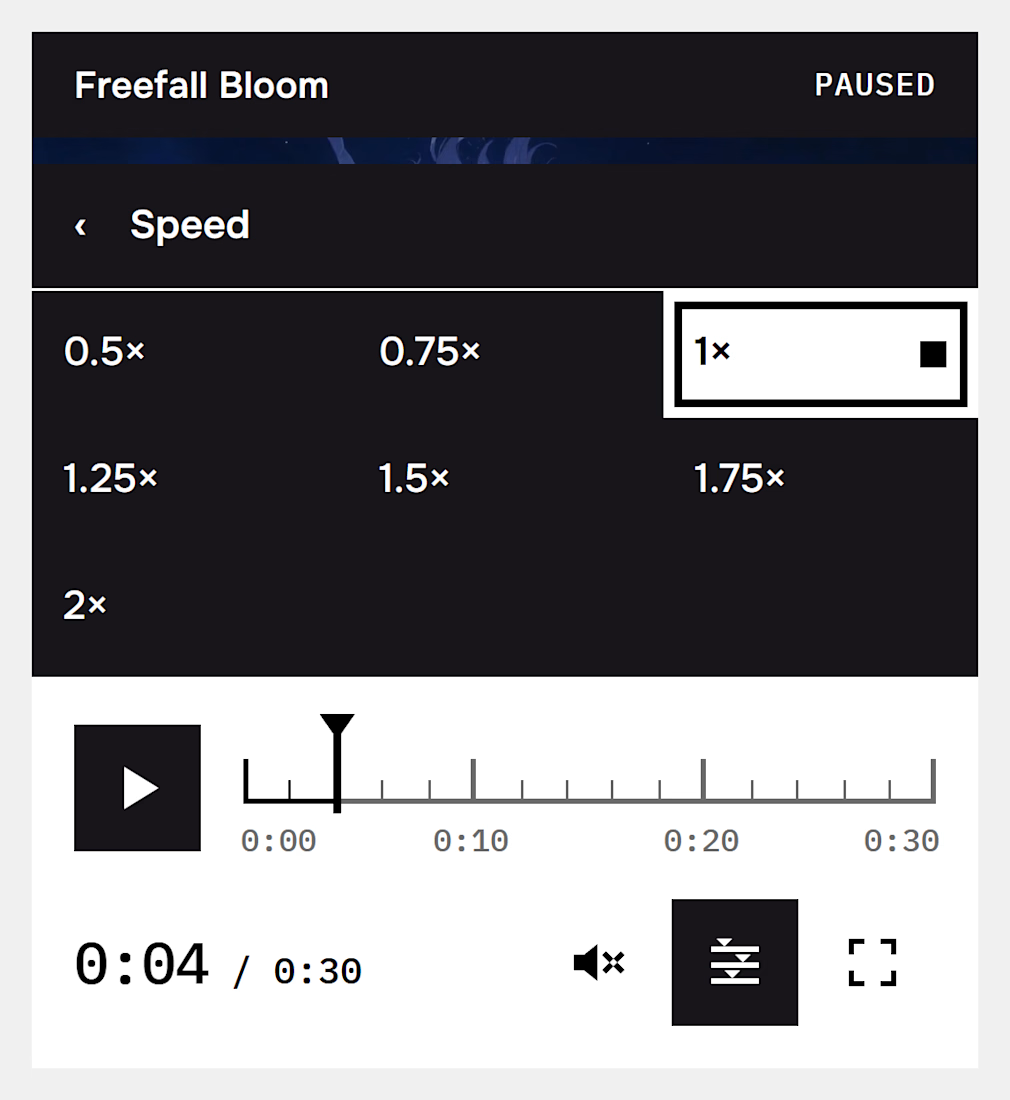

A solid red panel and a ruler timeline with IBM Plex Mono timestamps, very precise look.
Thanks, Denis! That contrast between the bold red panel and the precise timeline was exactly what I was going for.

Nicely done!
Thank you! Glad you like it.

Keeping controls off the picture makes sense.
Thanks, glad you think so!😊
The network for creativity
Join 1.25M professional creatives like you
Connect with clients, get discovered, and run your business 100% commission-free
Creatives on Contra have earned over $150M and we are just getting started


Related posts

All aboard: Night Train, a Video.js v10 skin built as a night railway.
Your seek bar is the track and your playhead is a little lit train. The track glows amber behind it, the chapters are stations, and the time ticks over on a split-flap departure board. Hover the line and a punched platform ticket tells you where you'd land.
Everything else has a railway twin: a pressure-gauge volume dial, a speed timetable (Slow freight to Rapid), a red semaphore when the video buffers, and a tunnel when you skip far ahead. Wheels turn, steam puffs, and every player state has its own sign: Stopped at station, Waiting for signal, End of the line.
Built with Video.js 10, streamed by Mux, Apache 2.0.

Title
Vocapedia: a Video.js 10 skin that turns the player into an open dictionary
Live URL
https://vocapedia-skin.vercel.app
Live site using the skin (bonus)
https://vocapedia.base44.app/watch
Mux public playback ID
fNEeWPY4UUEkfCFd9617w8gvYFEsFOv72rPQj3qKG700
Description
Vocapedia turns the Video.js 10 player into an open book on a scholar's desk. The film plays on the left-hand page. The right-hand page is a live dictionary, written as the film speaks, and an A–Z thumb index runs down its edge. My aim was a player for learning a language from a film that still works as an ordinary player. Behind the book design, every control is a Video.js component with its own label, tooltip and keyboard support.
The desk: each control is an object from a lexicographer's desk.
A cobalt wax seal plays and pauses.
A brass clasp stops and returns to the first page.
Page corners skip ±10 seconds, and repeated presses add up (+20, +30).
Silk line markers jump to the previous or next spoken line.
An inkwell is the volume: its ink level shows the level, and pressing it corks the well to mute.
A magnifier shows or hides the subtitles.
A compass dial opens Settings: translation language, speed and quality.
An open book goes full page.
The timeline: the seek bar is the book's gilt page edge, with a silk ribbon and a brass clip. Each spoken line is a tab on the edge. Dragging the clip makes the edges riffle, tilts the picture, and prints the page number large ("p. 533 · 8:52"). The time also reads as page numbers: "p. 150 of 888", one page a second.
Learning from the film:
Dual subtitles: English above, the reader's language beneath, in eight languages taken from Sintel's own subtitle files.
When a word is first spoken, its A–Z tab pulls out with embers, and the word is written into the dictionary page with its pronunciation, definition and translation.
Study focus can pause after new words, repeat each line, or slow speech to 0.75×.
A review of collected words uses Again, Hard, Good and Easy.
Put to work: on vocapedia.base44.app/watch, the player is part of a real language encyclopedia. Each word you meet is saved to your own review queue on the site and earns XP towards your streak. Every word in the film's word index links back to its line in the film and to its full article.
Accessibility:
One visible gold focus ring on every control.
The focus order matches the visual order.
Keyboard shortcuts for everything (Space, ←/→, Shift+←/→ for lines, M, F, ? for a built-in guide), and Esc closes every menu.
Labels and tooltips on all controls, and a status announcer reads out each change.
Subtitle text stays readable over bright and dark scenes.
The layout adapts down to phone width: secondary controls drop out in steps, so nothing overflows.
With reduced motion on, every animation becomes a simple fade.
Forced-colours mode is supported.
Mux: the film is Sintel (© Blender Foundation, CC BY 3.0), streamed from Mux.

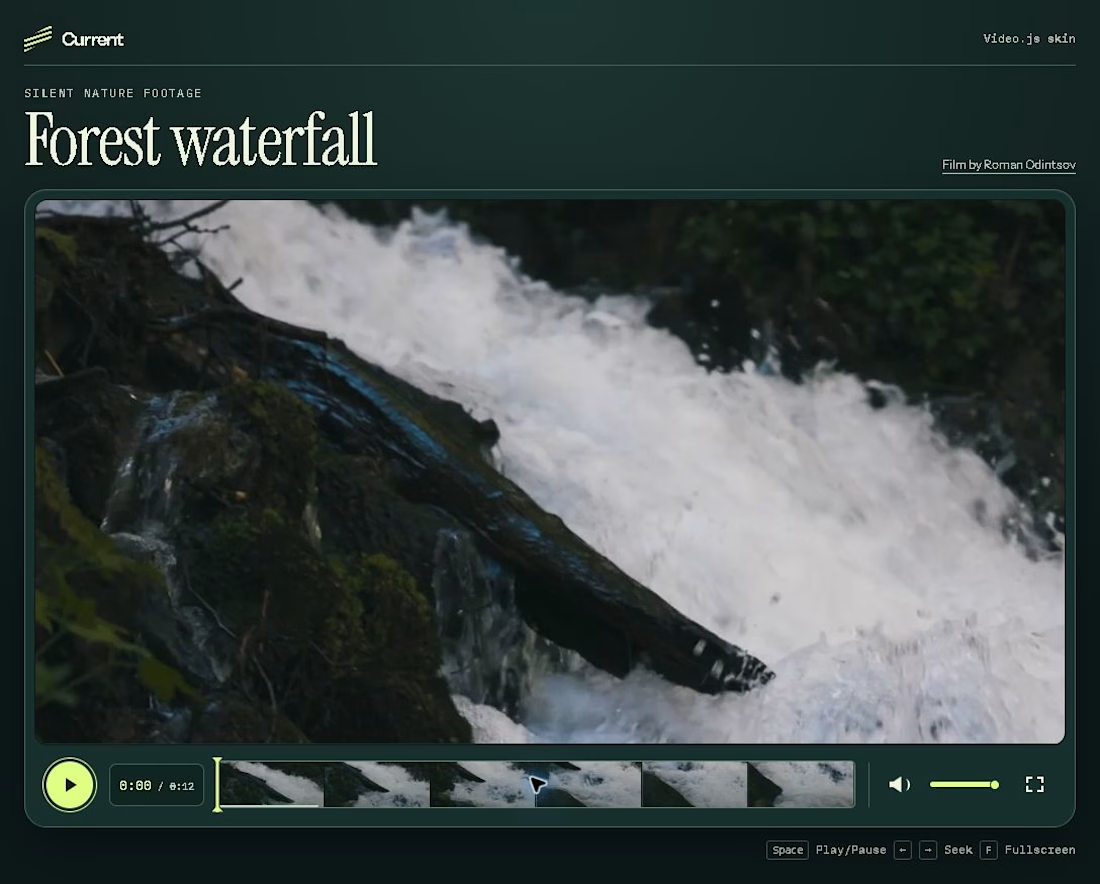
Current is a Video.js v10 skin built around a silent, 12-second waterfall clip. Six frames from the footage form the seek bar, and a lime playhead lets viewers see where they are as they scrub or use the arrow keys. The controls sit below the picture so they stay readable against both bright whitewater and dark rocks.