The network for creativity
Join 1.25M professional creatives like you
Connect with clients, get discovered, and run your business 100% commission-free
Creatives on Contra have earned over $150M and we are just getting started
Back to feedPost

Adding AI to your app? Define these 3 things first.
I see a lot of founders rushing to plug AI into their products. But as a backend developer, I can tell you that throwing an API key at a Python backend without a plan usually leads to messy code and unpredictable features.
Before you start building, define these three things:
The Exact Input: What specific context is the AI receiving from your database or user?
The Exact Output: Does your backend need a strictly formatted JSON response to update the UI, or just raw text?
The Fallback: What happens to the user experience if the AI model times out or hallucinates?
Nailing these down turns a fragile "AI experiment" into a reliable, production-ready feature. If you have a Flask or FastAPI app and need help building out a stable AI integration or automated workflow, take a look at my profile; I just launched a dedicated service for this.
The network for creativity
Join 1.25M professional creatives like you
Connect with clients, get discovered, and run your business 100% commission-free
Creatives on Contra have earned over $150M and we are just getting started




Related posts

Testing two hero directions for Orbyn, an AI agent orchestration platform.
Which direction would you pick for an AI product?

1 voted
50%
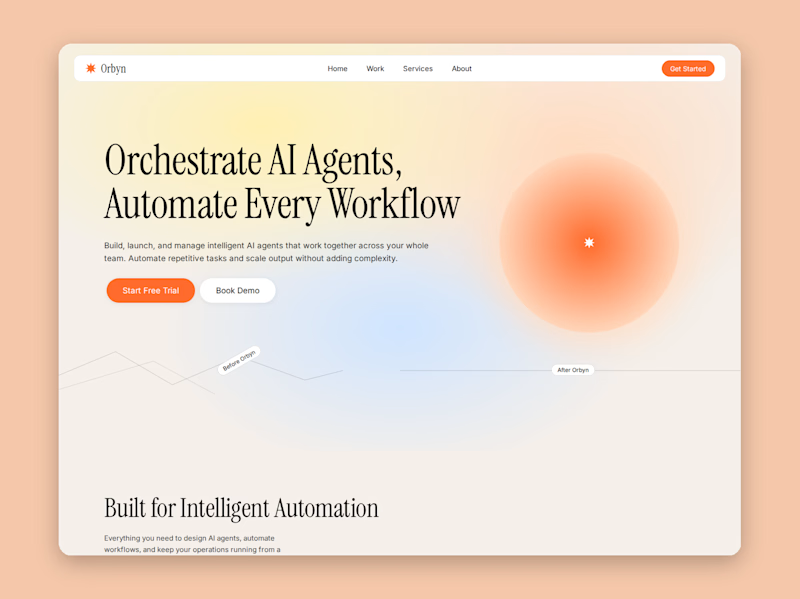
1 voted
50%
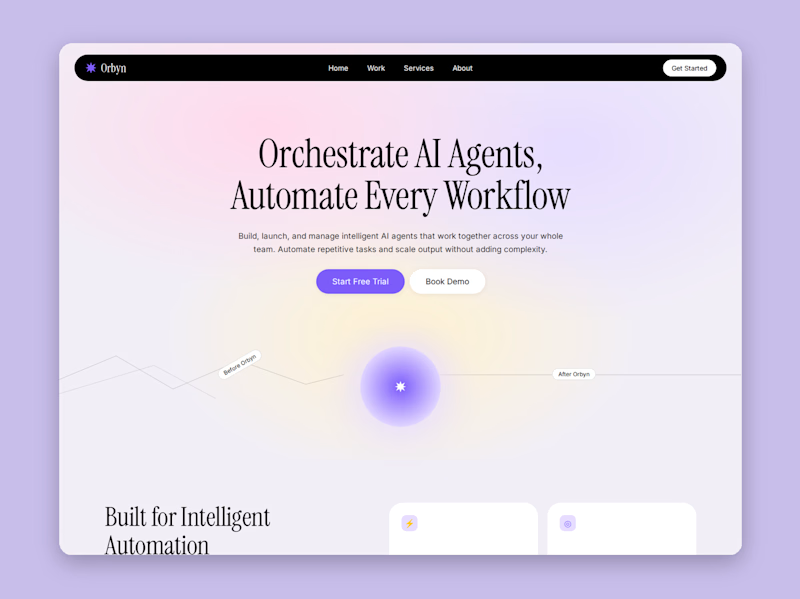
2 votes
Closed

Lilac Orbit — purple glow reads more AI

Building a Voice AI Assistant That Turns Phone Calls Into Thoughtful Follow‑Through
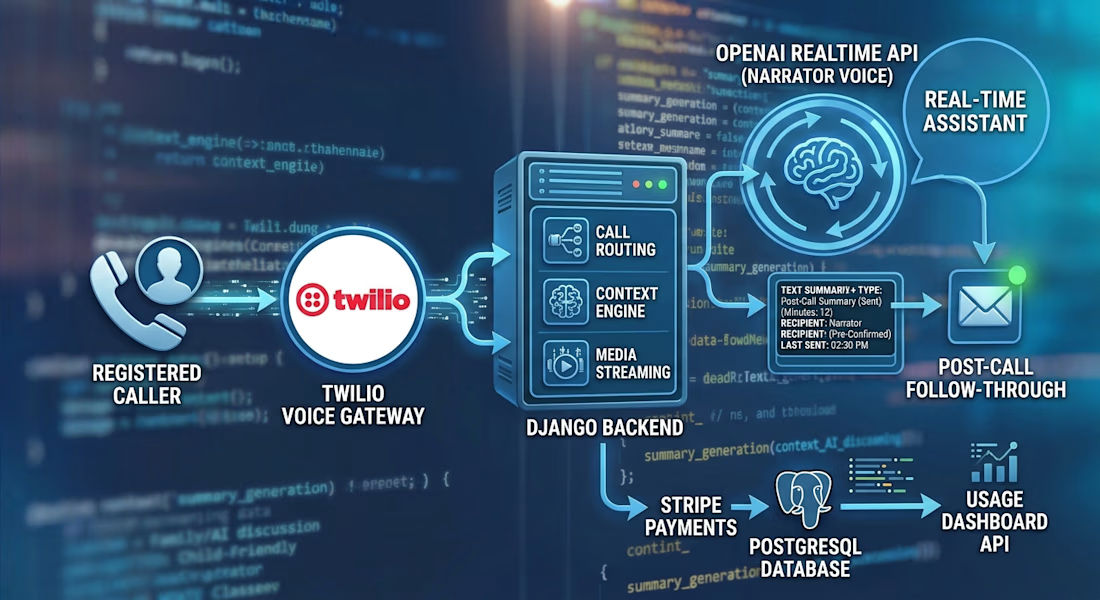
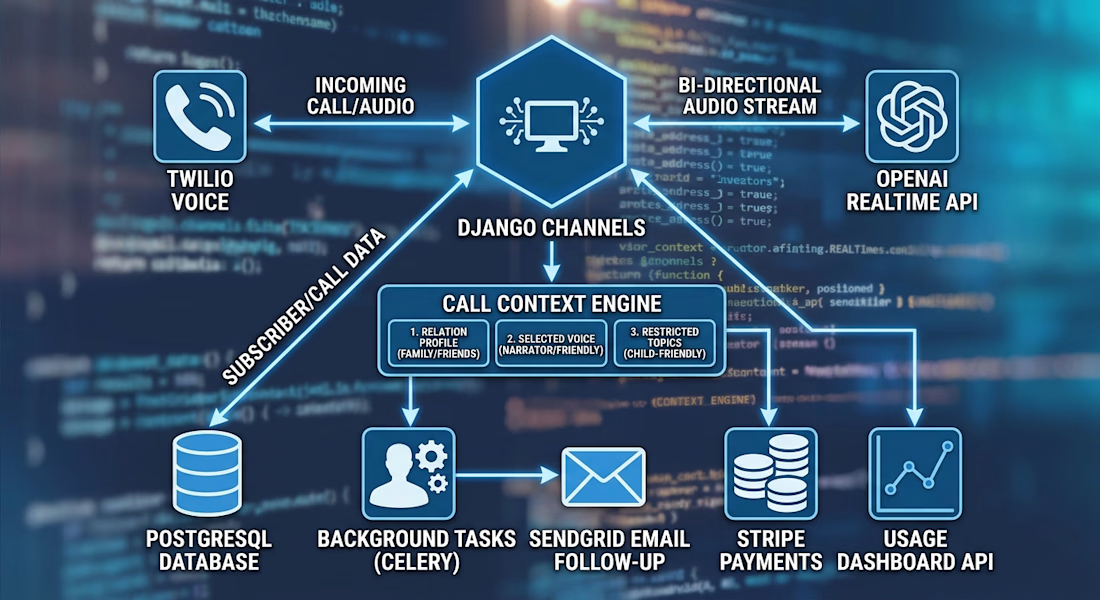
I built a Django backend for a family-focused AI phone assistant. A registered caller connects through Twilio, and Django Channels streams the call to an OpenAI Realtime session for a natural, two-way conversation.
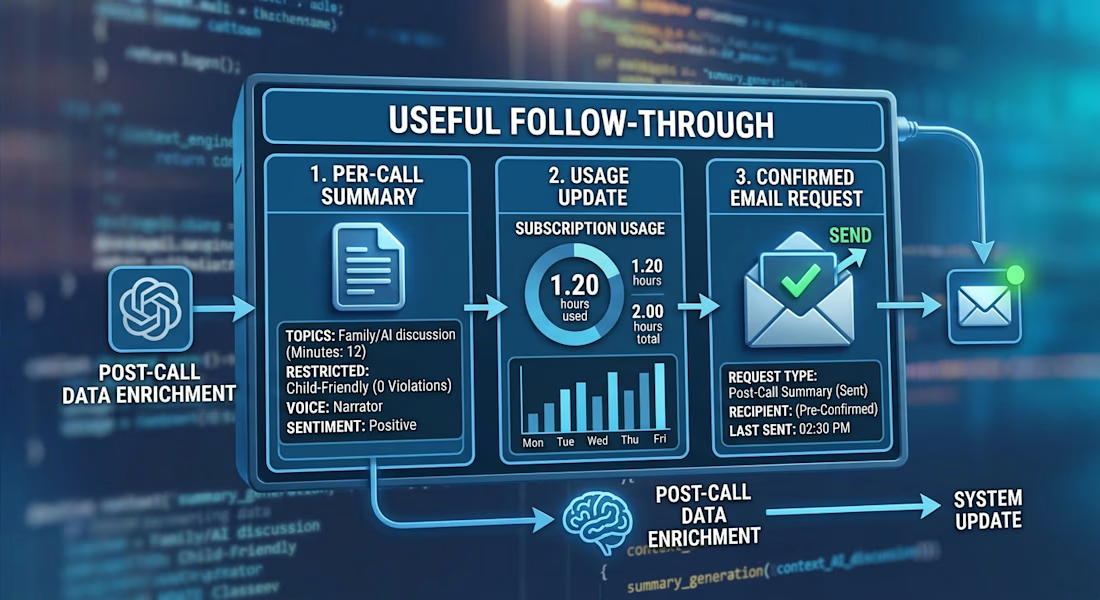
The backend adds caller-specific context, selected voices, subscription minute limits, and interruption handling. After the call, background tasks generate a separate summary. A follow-up email is sent only when requested and the recipient is confirmed.
I also built APIs for managing relations, subscriptions, and dashboard usage data. One of the most interesting parts was connecting the whole lifecycle: incoming call, real-time conversation, usage tracking, and post-call follow-through.
#Django #VoiceAI #RealtimeAI #Twilio #OpenAI #BackendDevelopment




AI can generate a website. But can it understand your vision? 👀
Every brand is different. Your website should be too.
Whether it's Shopify, Replo, or WordPress, I turn ideas into custom digital experiences that match your goals.
AI is a great tool, but understanding the vision makes the difference.
Have an idea? Let's bring it to life! 🚀
#Shopify #Replo #WordPress #WebDevelopment #WebsiteDevelopment #WebDesign #Ecommerce #CustomDevelopment




agree on the AI sites bit. they get you close fast but the last stretch is where it actually starts looking like the client