The network for creativity
Join 1.25M professional creatives like you
Connect with clients, get discovered, and run your business 100% commission-free
Creatives on Contra have earned over $150M and we are just getting started
Back to feedPost
Works section made for my portfolio, if you want to play with it yourself : shaahid.in


The hover preview is a nice way to keep the canvas compact, but touch screens have no hover state. Does tapping a tile open the same preview, or go straight into the project?

unfortunately this is desktop only because the scrolling animations wouldn't work on touch screens. For touch screens I have the normal card type layout image title description and on click goes to the project page.
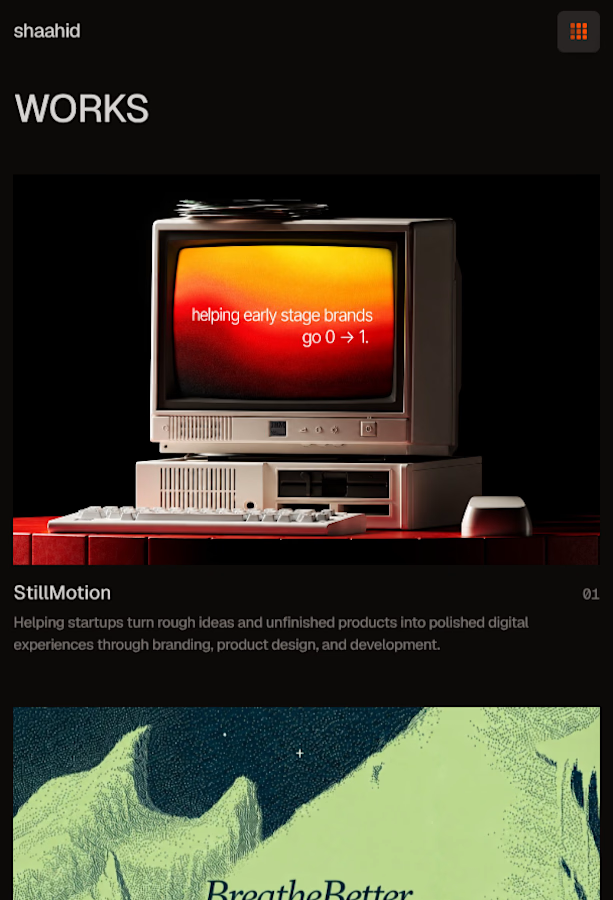
That makes sense: desktop gets the extra preview, and touch goes straight to the project page. Quick question: on mobile, does the card show the project's main image, or just the title?
there are 4 total projects on the desktop the component shows 12 images (3 for each project) on the mobile it shows 1 main image followed by the title then the description and follows this pattern for all 4 projects.
The network for creativity
Join 1.25M professional creatives like you
Connect with clients, get discovered, and run your business 100% commission-free
Creatives on Contra have earned over $150M and we are just getting started








Related posts

Astergrid — a landing page for an engineering firm that takes solar, wind and storage projects from permit to first power. Here is how it scrolls.
The hero comes in softly, services open on click, projects sit in big photographs, the statement lights up word by word, numbers count up with their bars, and the process photo changes with each step. It ends on a glass contact form over an aerial shot.
Designed and built by web.raw/studio. Live site: webraw.studio/work/astergrid

Soooo nice


A few pieces of the website we recently created for Kodilion. Com check the complete website at https://kodilion.hr/


This is a website for my Italian client that I meet on upwork which includes a separate menu page with QR code


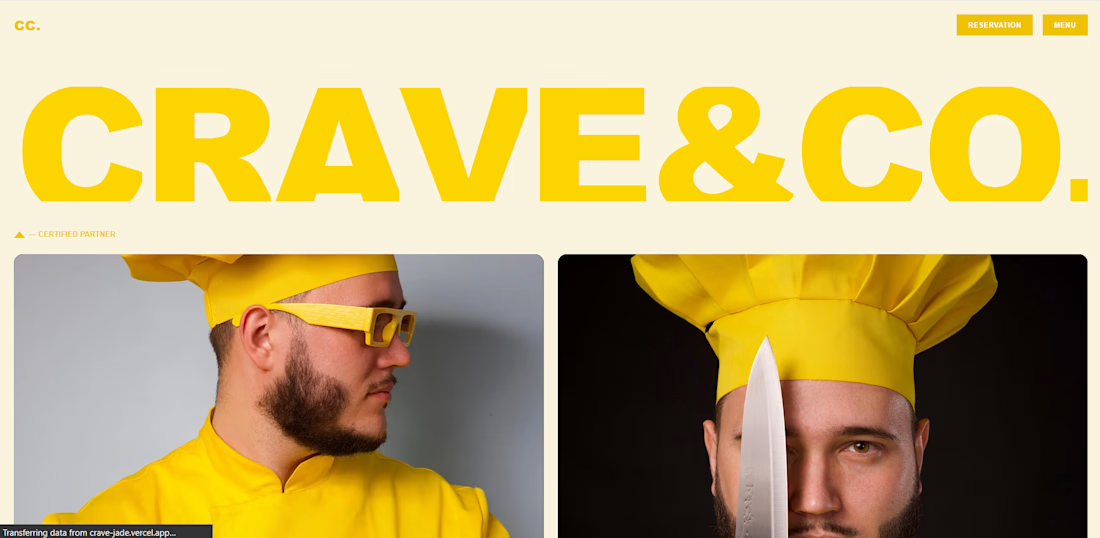

The oversized CRAVE&CO type does all the heavy lifting, Kalid. Pairing that with the chef portraits gives the brand real character. And answering the QR update question with an authenticated admin page shows you are thinking about the client long after launch. Solid work.