The network for creativity
Join 1.25M professional creatives like you
Connect with clients, get discovered, and run your business 100% commission-free
Creatives on Contra have earned over $150M and we are just getting started
Back to feedPost

Everyone has something they could teach and something they're dying to learn but most "learning platforms" turn that into a paid course catalog. Barter throws out money entirely: you list what you can teach (Rubik's Cube, coffee art, coding, guitar, whatever) and what you want to learn, and the app matches you with someone whose "teach" lines up with your "learn" and vice versa. It's less LinkedIn Learning, more a well-designed community bulletin board human-to-human trade, not a course marketplace.
What it does:
1.} Discover : swipe through people nearby based on skill overlap, not just profile photos
2.} Match :when two people's teach/learn lists cross, you get paired instantly
3.} Messages : chat stays anchored to the actual trade (what you're teaching, what you're learning) so it never turns into a generic DM thread
4.} Calendar :propose and confirm real time slots for sessions, Google-Calendar-style
5.} Live Session : a dedicated space for the actual exchange, with shared notes and progress tracking
6.} Profile & Dashboard : track skills you're teaching, skills you're learning, hours logged, and your exchange streak
The design idea: every skill category has its own visual language terminal/monospace touches for coding, waveform and album layouts for music, recipe-card warmth for cooking, flashcards for languages but it all lives inside one consistent design system, so switching between what you're learning never feels like switching apps.
How I built it: Prototyped in Flowstep, wired into Claude Desktop via MCP so I could design, iterate, and refine screens conversationally rather than jumping between tools went screen by screen (Discover → Skill Details → Match → Success → Messages → Calendar → Live Session → Dashboard → Profile), anchoring exact colors, typography, and interaction rules in each prompt, then wired the navigation between them on the canvas.
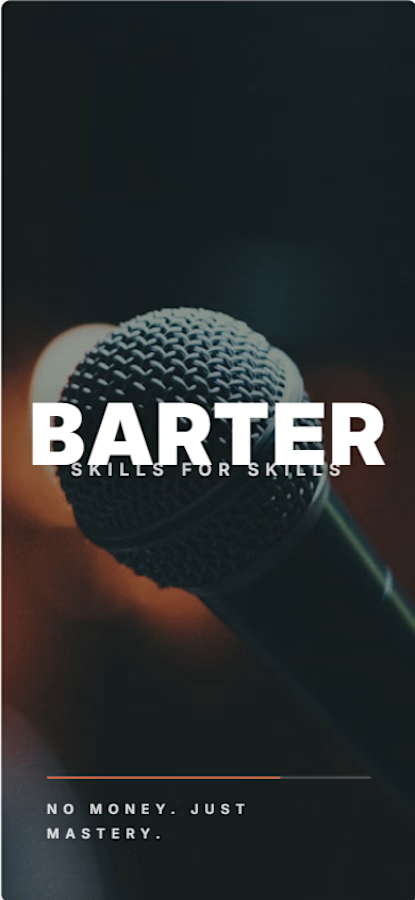


Looking good!
The network for creativity
Join 1.25M professional creatives like you
Connect with clients, get discovered, and run your business 100% commission-free
Creatives on Contra have earned over $150M and we are just getting started
Trending

Claude
Claude has entered the design space. How are you using Claude Design?

Contra University
Learn from expert creatives how to earn more using next-gen AI tools.
creativeaiflow
Creative AI workflows are evolving. What tools do you use, and what are their strengths and weaknesses?
freelancerlife
Freelancer life is wins, pivots, and everything in between. What’s yours right now?







Related posts

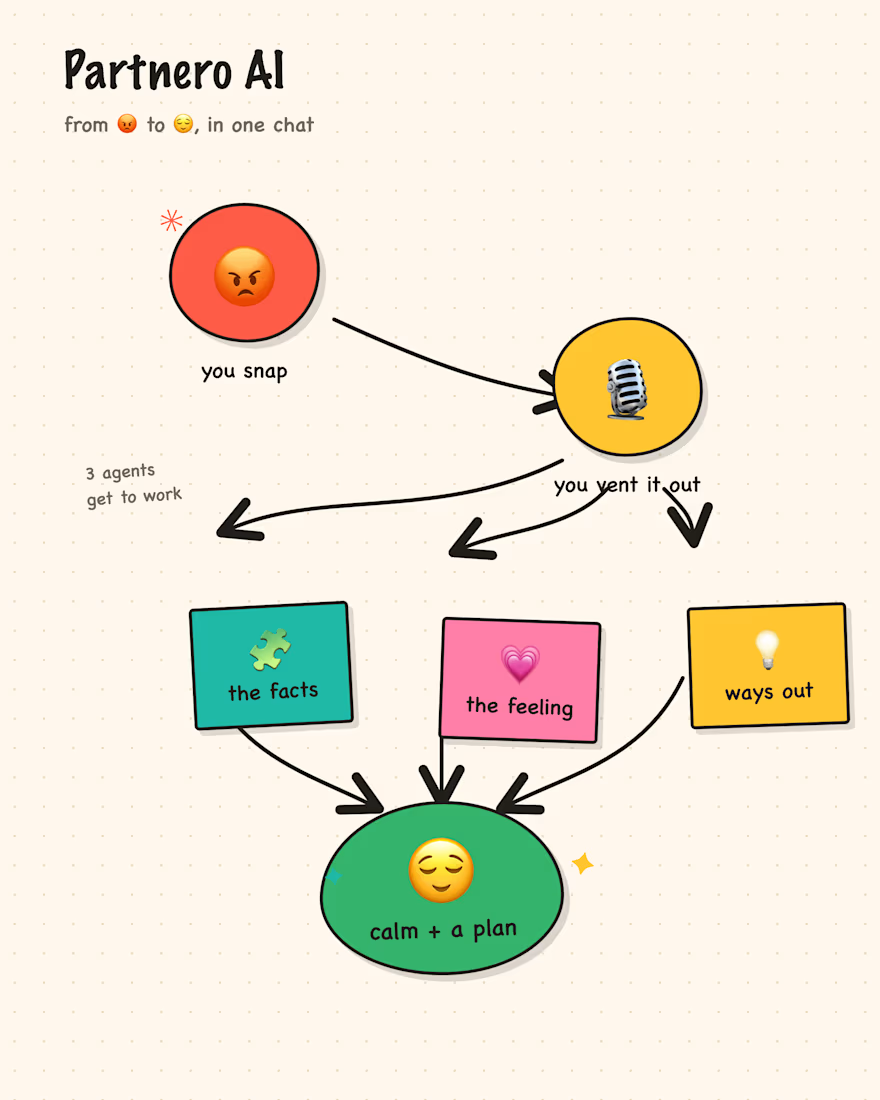
Hi! I joined the Flowstep Challenge to build Partnero AI 👫
To move fast, I’m combining Claude Code Extension in Visual Studio Code with Flowstep MCP✨
The mission of Partnero AI is to help people cope with emotions and find creative ways to resolve difficulties.
😭 😱 😡 --> ☺️ 🥰 🥳
P.S. I'm new to Contra. Let's connect! ☺️


can't wait to see your build

I have created 3D animation of this product, this is my submission for competition and if you like it rate it out of 10
🚀 Excited to jump into the @Flowstep challenge!
I've had a product idea sitting in my head for a while, and this feels like the perfect opportunity to finally bring it to life. Looking forward to exploring, iterating, and turning an idea into a polished, clickable prototype.
Time to build something I'd genuinely love to use. Let's go! 💡✨