Get eye-catching prints for your BrandShreya Saini
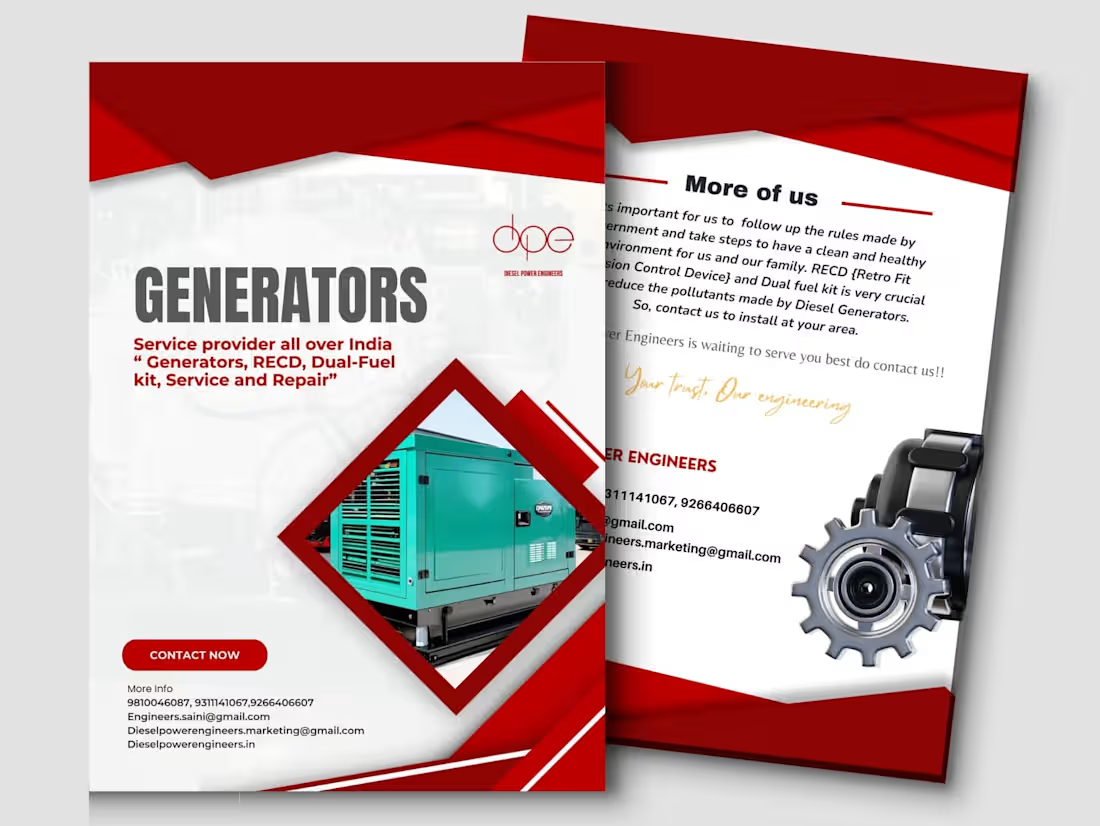
Print design remains a crucial element of visual communication, even in the digital age. It serves various purposes across industries, from marketing and branding to education and entertainment. So choose me for your print designer
What's included
Final Print-Ready Files
These are the main files prepared for printing with specific settings for resolution, color modes, and bleed.
File Format: PDF (preferred for most printers), AI, EPS, or PSD (if editable layers are required).
Specifications:
~CMYK color mode.
~High resolution (300 DPI or higher).
Editable Source Files
Editable versions of the design in case the client needs modifications in the future.
Examples: AI, PSD, INDD, or CorelDRAW files.
Ensure all layers are organized and named properly.
Include any smart objects or vector shapes.
Mockups or Proofs
~Visual mockups showing how the final product will look when printed (e.g., business cards, brochures, flyers).
Printing Instructions
Include details such as:
~Paper type (e.g., matte, gloss, textured).
~Fold type (for brochures or flyers).
~Binding method (for booklets).
~Special finishes (e.g., embossing, UV coating, foiling).
Shreya's other services
Contact for pricing
Tags
Adobe Illustrator

Adobe InDesign

Adobe Photoshop

Canva

Advertisement Designer
Graphic Designer
Print Designer
Service provided by
Shreya Saini Delhi, India
Get eye-catching prints for your BrandShreya Saini
Contact for pricing
Tags
Adobe Illustrator
Adobe InDesign
Adobe Photoshop
Canva
Advertisement Designer
Graphic Designer
Print Designer
Print design remains a crucial element of visual communication, even in the digital age. It serves various purposes across industries, from marketing and branding to education and entertainment. So choose me for your print designer
What's included
Final Print-Ready Files
These are the main files prepared for printing with specific settings for resolution, color modes, and bleed.
File Format: PDF (preferred for most printers), AI, EPS, or PSD (if editable layers are required).
Specifications:
~CMYK color mode.
~High resolution (300 DPI or higher).
Editable Source Files
Editable versions of the design in case the client needs modifications in the future.
Examples: AI, PSD, INDD, or CorelDRAW files.
Ensure all layers are organized and named properly.
Include any smart objects or vector shapes.
Mockups or Proofs
~Visual mockups showing how the final product will look when printed (e.g., business cards, brochures, flyers).
Printing Instructions
Include details such as:
~Paper type (e.g., matte, gloss, textured).
~Fold type (for brochures or flyers).
~Binding method (for booklets).
~Special finishes (e.g., embossing, UV coating, foiling).
Shreya's other services
Contact for pricing