
Mobile App DesignRaymond Betereh
Summary
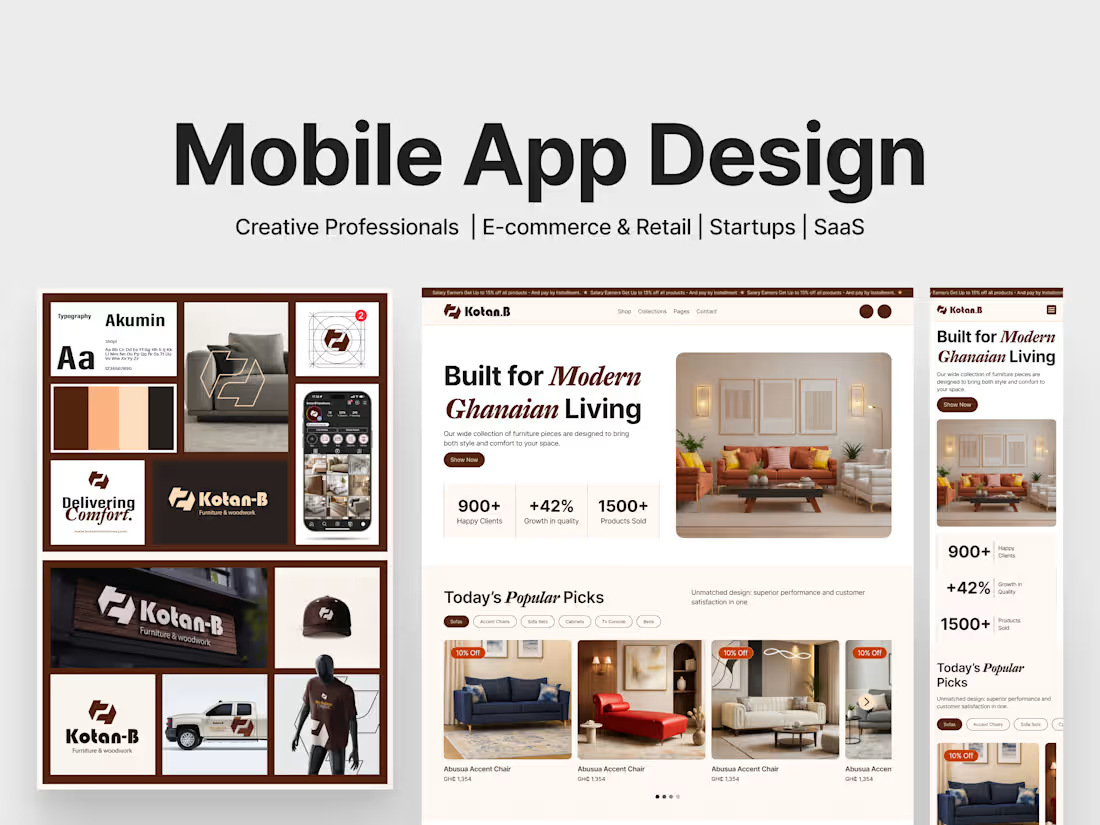
I create beautiful, user-friendly mobile app designs that are intuitive, visually appealing, and ready for development.
As a product designer, I focus on understanding your users and crafting screens that feel natural while meeting your business goals.
You’ll receive a complete, developer-ready Figma package with interactive prototypes and a reusable design system, everything needed to bring your app to life.
What's included
Discovery & Research
Kickoff session and user research to define app goals, target audience, and key user flows.
Information Architecture
Clear app structure with site map (or app map), navigation patterns, and wireframes to outline screens and interactions.
UX Design
User flows and low-fidelity wireframes to plan intuitive journeys, key actions, and content hierarchy.
UI Design
High-fidelity, on-brand screen designs for all key app screens (up to the agreed scope), including typography, color systems, and visual hierarchy.
Interactive Prototype
Clickable Figma prototype showcasing transitions, animations, and micro-interactions for user testing or stakeholder demos.
Design System & Components
Reusable component library: buttons, icons, input fields, cards, navigation elements, built with smart variants and styles for easy scaling.
Responsive/Device Adaptation
Designs optimised for multiple screen sizes (iOS, Android, tablets) to ensure consistent user experiences.
Developer Handoff
Organized Figma file with clean layer naming, annotations, and usage guidelines for a smooth build process.
FAQs
Raymond's other services
Contact for pricing
Tags
Figma

Miro

Mobile Designer
Product Designer
UX Designer
Service provided by
Raymond Betereh Accra, Ghana
- 4
- Followers
Mobile App DesignRaymond Betereh
Summary
I create beautiful, user-friendly mobile app designs that are intuitive, visually appealing, and ready for development.
As a product designer, I focus on understanding your users and crafting screens that feel natural while meeting your business goals.
You’ll receive a complete, developer-ready Figma package with interactive prototypes and a reusable design system, everything needed to bring your app to life.
What's included
Discovery & Research
Kickoff session and user research to define app goals, target audience, and key user flows.
Information Architecture
Clear app structure with site map (or app map), navigation patterns, and wireframes to outline screens and interactions.
UX Design
User flows and low-fidelity wireframes to plan intuitive journeys, key actions, and content hierarchy.
UI Design
High-fidelity, on-brand screen designs for all key app screens (up to the agreed scope), including typography, color systems, and visual hierarchy.
Interactive Prototype
Clickable Figma prototype showcasing transitions, animations, and micro-interactions for user testing or stakeholder demos.
Design System & Components
Reusable component library: buttons, icons, input fields, cards, navigation elements, built with smart variants and styles for easy scaling.
Responsive/Device Adaptation
Designs optimised for multiple screen sizes (iOS, Android, tablets) to ensure consistent user experiences.
Developer Handoff
Organized Figma file with clean layer naming, annotations, and usage guidelines for a smooth build process.
FAQs
Raymond's other services
Contact for pricing