
SaaS Dashboard UI Design, Ready for Your DevelopersMuhammad Taha
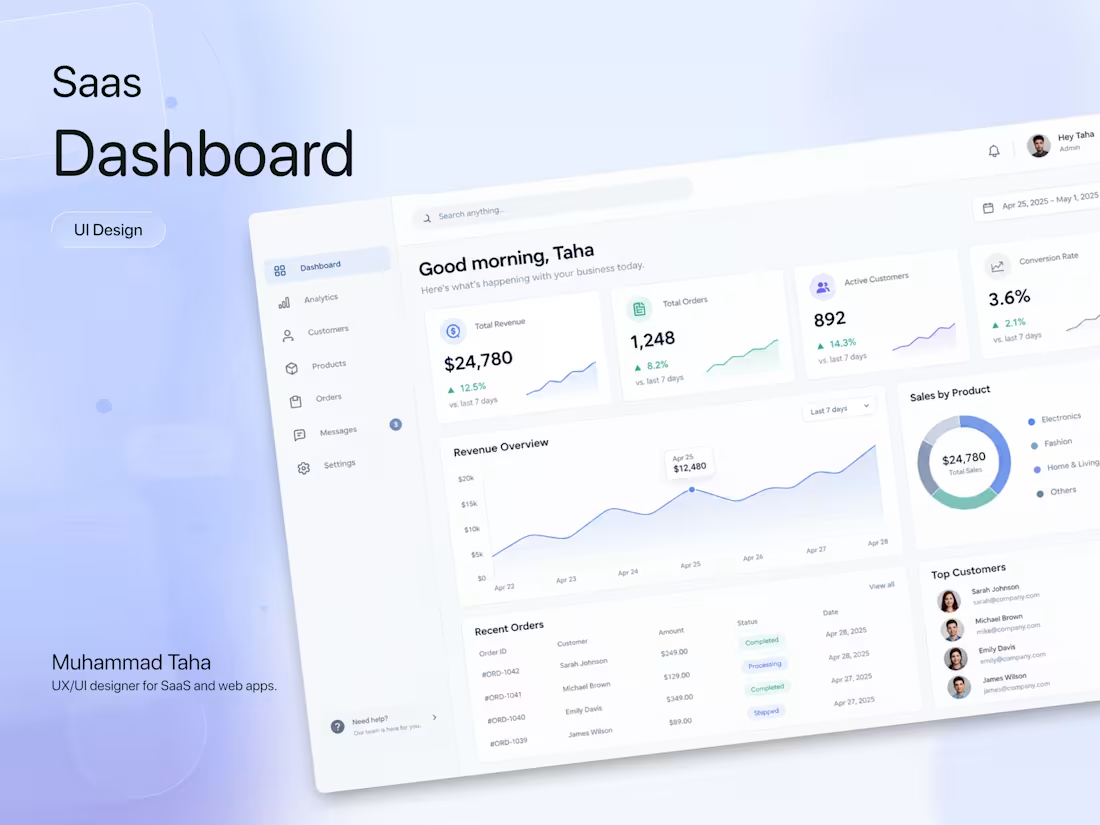
Most dashboards show everything and help with nothing. I design SaaS dashboards around the few things your users actually open the app to check, so they find it fast and get on with their day.
What you get
Up to 10 screens designed in Figma.
Clear layouts for tables, charts, filters and data heavy views.
Empty, loading and error states, because real data is messy.
Desktop and tablet layouts.
Reusable components so your developers aren't rebuilding the same card 12 times.
Handoff notes with spacing, states and behavior spelled out.
How it works
Up to 10 screens designed in Figma.
Clear layouts for tables, charts, filters and data heavy views.
Empty, loading and error states, because real data is messy.
Desktop and tablet layouts.
Reusable components so your developers aren't rebuilding the same card 12 times.
Handoff notes with spacing, states and behavior spelled out.
Week 1: Kickoff, review of your product or specs, wireframes for key screens.
Week 2: Visual design and first full review.
Week 3: Revisions, remaining screens and handoff 2 rounds of revisions included. Works for new dashboards or for redesigning one that got messy over time.
FAQs
Muhammad 's other services
Starting at$2,200
Duration3 weeks
Tags
Figma

Saas
Dashboard
Data Visualizer
Product Designer
UI Designer
UX Designer
Web Designer
Design
Service provided by
Muhammad Taha Lahore, Pakistan
- 2
- Followers
SaaS Dashboard UI Design, Ready for Your DevelopersMuhammad Taha
Starting at$2,200
Duration3 weeks
Tags
Figma
Saas
Dashboard
Data Visualizer
Product Designer
UI Designer
UX Designer
Web Designer
Design
Most dashboards show everything and help with nothing. I design SaaS dashboards around the few things your users actually open the app to check, so they find it fast and get on with their day.
What you get
Up to 10 screens designed in Figma.
Clear layouts for tables, charts, filters and data heavy views.
Empty, loading and error states, because real data is messy.
Desktop and tablet layouts.
Reusable components so your developers aren't rebuilding the same card 12 times.
Handoff notes with spacing, states and behavior spelled out.
How it works
Up to 10 screens designed in Figma.
Clear layouts for tables, charts, filters and data heavy views.
Empty, loading and error states, because real data is messy.
Desktop and tablet layouts.
Reusable components so your developers aren't rebuilding the same card 12 times.
Handoff notes with spacing, states and behavior spelled out.
Week 1: Kickoff, review of your product or specs, wireframes for key screens.
Week 2: Visual design and first full review.
Week 3: Revisions, remaining screens and handoff 2 rounds of revisions included. Works for new dashboards or for redesigning one that got messy over time.
FAQs
Muhammad 's other services
$2,200