
Figma Marketing Website UI/UX DesignLeon Chike
Summary
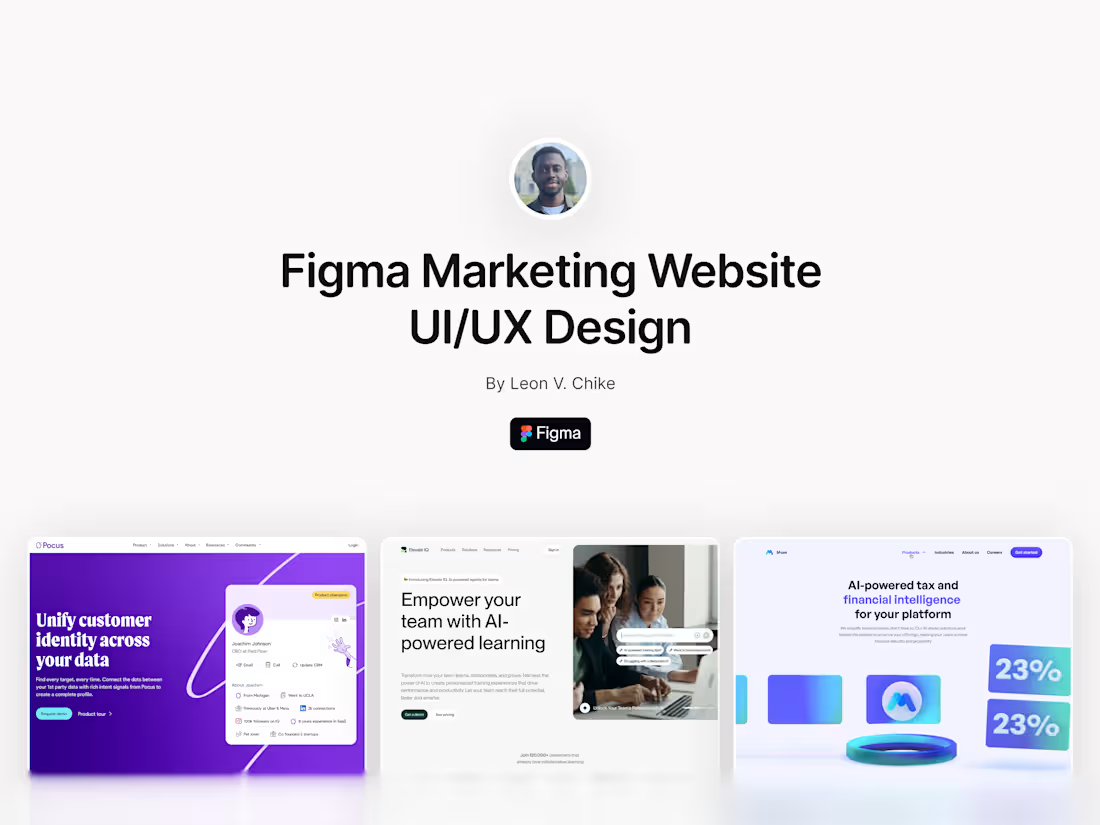
I specialize in crafting high-performing, visually stunning marketing websites using Figma. By blending modern design principles with strategic insights, I create websites that captivate your audience and drive conversions. Each design is meticulously tailored to reflect your brand’s identity while delivering a seamless user experience across devices.
From responsive layouts to interactive prototypes, my service ensures every detail is optimized for engagement and scalability. You’ll receive pixel-perfect designs, a reusable component library, and a detailed style guide, making collaboration with developers effortless and your site ready for future growth. Let’s create a marketing website that’s not only visually compelling but also a powerful driver of your business goals.
Process:
Kickoff Call
Gather your project goals, brand assets, and user insights.
Research & Inspiration
Competitor analysis and mood board creation for visual direction.
Wireframing
Build low-fidelity drafts to define layout and content structure.
High-Fidelity UI Design
Develop detailed, responsive, and pixel-perfect designs in Figma.
Prototyping & Feedback
Share interactive prototypes for feedback and iterate as needed.
Final Delivery
Package all deliverables and assist in the developer handoff process.
FAQs
How many pages are included?
The base package includes up to 5 pages (e.g., Home, About, Services, Blog, Contact). Additional pages can be added upon request.
How long does it take to design a website?
Website design projects typically take 3-6 weeks, depending on the size and complexity. I’ll keep you updated at every stage so you know exactly where we are in the process.
Do you offer website development, or is this just design?
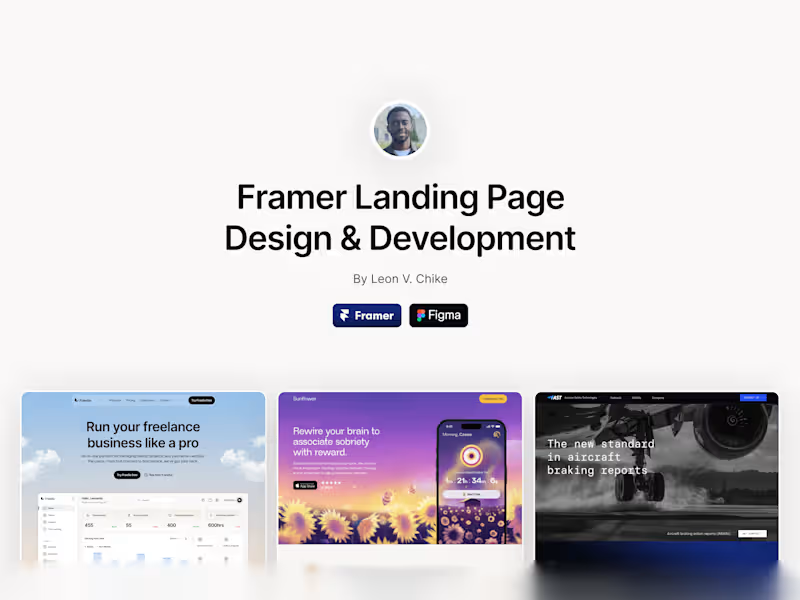
I offer both design and development services. If you need your website built in Framer, I can handle the entire process - from concept to launch. If you prefer a different platforms, I’m happy to collaborate with developers to ensure your design is perfectly implemented.
What’s the difference between a landing page and a website?
A landing page is a single, focused page designed to drive a specific action - like capturing leads or promoting a product. A website is typically a multi-page experience that provides more detailed information about your brand, services, and products.
Will my website be SEO-optimized?
Yes! I’ll ensure your website is structured for SEO best practices, so search engines can find and rank your site. If you need more advanced SEO services, I can recommend trusted specialists.
What happens after the website is launched?
I offer a two-week post-launch support period, during which I’ll fix any bugs or make tweaks to ensure everything runs smoothly. If you’d like ongoing support, we can discuss a retainer package to keep your site fresh and updated.
What's included
Figma Source Files
Fully Organized Layers: Clean, structured, and named layers for easy navigation. Component-Based Design: Reusable components (buttons, forms, headers, etc.) for scalability. Auto Layouts: Flexible design elements for responsiveness and future adjustments.
Interactive Prototypes
Clickable Prototypes: Fully interactive designs to simulate the user experience. Usability Testing Ready: Prototypes that can be tested with stakeholders or target users. Device-Specific Previews: Separate views for desktop, tablet, and mobile layouts.
Styleguide / Design System
Typography Scale: Fonts, sizes, and weights for consistent text styling. Color Palette: Primary, secondary, and neutral colors with accessible contrast ratios. UI Elements: Buttons, input fields, cards, and other key components. Spacing Guidelines: Padding, margins, and grid systems for alignment and consistency.
Developer Handoff Package
Figma Developer Mode Enabled: Makes inspecting and exporting assets seamless. Design Annotations: Notes for interactions, transitions, and functionality. Exportable Assets: Optimized images, icons, and illustrations in necessary formats (SVG, PNG, etc.). Responsive Guidelines: Breakpoints and scaling instructions for adaptive design.
Example work

Contact for pricing
Tags
Figma

Framer

Notion

Slack

UI Designer
UX Designer
Web Designer
Service provided by
Leon Chike proToronto, Canada
- 5
- Paid projects
- 5.00
- Rating
- 109
- Followers
Figma Marketing Website UI/UX DesignLeon Chike
Summary
I specialize in crafting high-performing, visually stunning marketing websites using Figma. By blending modern design principles with strategic insights, I create websites that captivate your audience and drive conversions. Each design is meticulously tailored to reflect your brand’s identity while delivering a seamless user experience across devices.
From responsive layouts to interactive prototypes, my service ensures every detail is optimized for engagement and scalability. You’ll receive pixel-perfect designs, a reusable component library, and a detailed style guide, making collaboration with developers effortless and your site ready for future growth. Let’s create a marketing website that’s not only visually compelling but also a powerful driver of your business goals.
Process:
Kickoff Call
Gather your project goals, brand assets, and user insights.
Research & Inspiration
Competitor analysis and mood board creation for visual direction.
Wireframing
Build low-fidelity drafts to define layout and content structure.
High-Fidelity UI Design
Develop detailed, responsive, and pixel-perfect designs in Figma.
Prototyping & Feedback
Share interactive prototypes for feedback and iterate as needed.
Final Delivery
Package all deliverables and assist in the developer handoff process.
FAQs
How many pages are included?
The base package includes up to 5 pages (e.g., Home, About, Services, Blog, Contact). Additional pages can be added upon request.
How long does it take to design a website?
Website design projects typically take 3-6 weeks, depending on the size and complexity. I’ll keep you updated at every stage so you know exactly where we are in the process.
Do you offer website development, or is this just design?
I offer both design and development services. If you need your website built in Framer, I can handle the entire process - from concept to launch. If you prefer a different platforms, I’m happy to collaborate with developers to ensure your design is perfectly implemented.
What’s the difference between a landing page and a website?
A landing page is a single, focused page designed to drive a specific action - like capturing leads or promoting a product. A website is typically a multi-page experience that provides more detailed information about your brand, services, and products.
Will my website be SEO-optimized?
Yes! I’ll ensure your website is structured for SEO best practices, so search engines can find and rank your site. If you need more advanced SEO services, I can recommend trusted specialists.
What happens after the website is launched?
I offer a two-week post-launch support period, during which I’ll fix any bugs or make tweaks to ensure everything runs smoothly. If you’d like ongoing support, we can discuss a retainer package to keep your site fresh and updated.
What's included
Figma Source Files
Fully Organized Layers: Clean, structured, and named layers for easy navigation. Component-Based Design: Reusable components (buttons, forms, headers, etc.) for scalability. Auto Layouts: Flexible design elements for responsiveness and future adjustments.
Interactive Prototypes
Clickable Prototypes: Fully interactive designs to simulate the user experience. Usability Testing Ready: Prototypes that can be tested with stakeholders or target users. Device-Specific Previews: Separate views for desktop, tablet, and mobile layouts.
Styleguide / Design System
Typography Scale: Fonts, sizes, and weights for consistent text styling. Color Palette: Primary, secondary, and neutral colors with accessible contrast ratios. UI Elements: Buttons, input fields, cards, and other key components. Spacing Guidelines: Padding, margins, and grid systems for alignment and consistency.
Developer Handoff Package
Figma Developer Mode Enabled: Makes inspecting and exporting assets seamless. Design Annotations: Notes for interactions, transitions, and functionality. Exportable Assets: Optimized images, icons, and illustrations in necessary formats (SVG, PNG, etc.). Responsive Guidelines: Breakpoints and scaling instructions for adaptive design.
Example work
Contact for pricing