
Mobile App DesignTyler Andersen
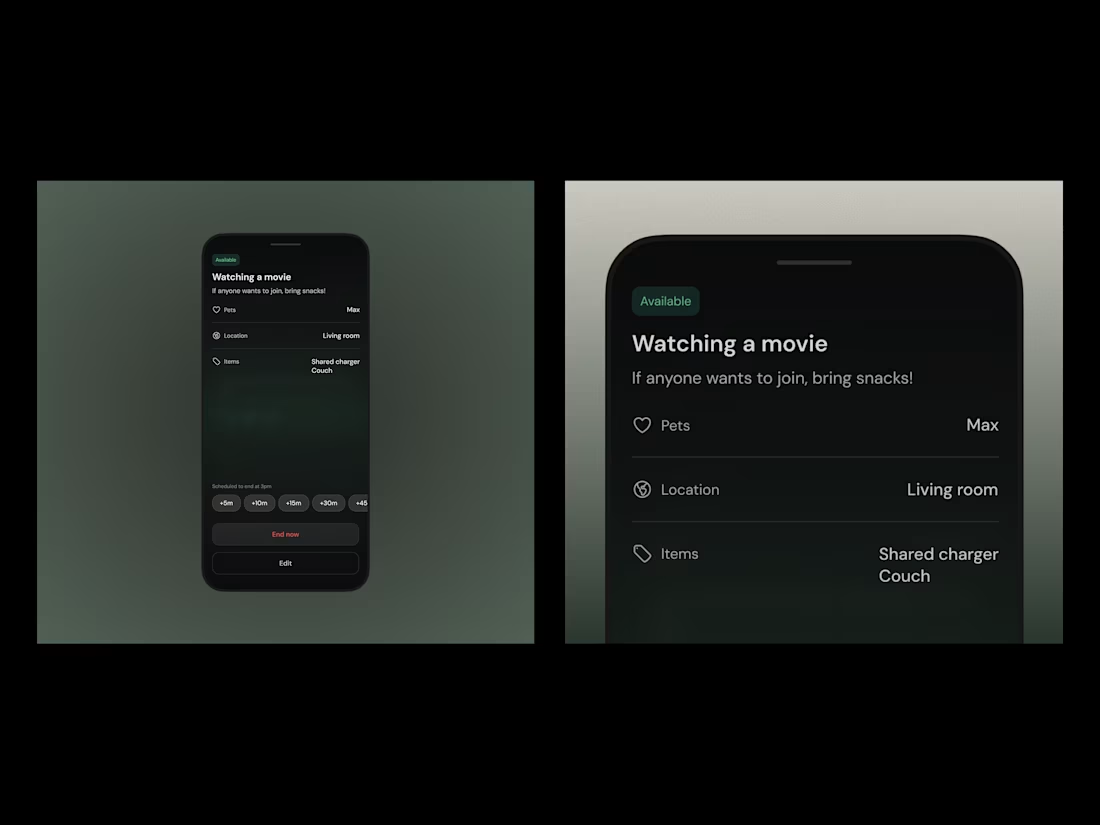
I design mobile apps that feel intuitive, intentional, and aligned with how people actually use technology. My focus is on reducing complexity, shaping clear user flows, and crafting calm, modern interfaces that hold up in the real world—not just in a Figma file.
My base package includes a full mobile app design in Figma — from UX flow mapping to final UI and a clickable prototype, plus branding. For teams looking to scale or launch with more polish, optional add-ons like a design system or developer guide are available upon request.
What's included
Mobile UI Design (Included in Base Package)
Clean, modern UI for your mobile app’s key screens (scope to be defined together). Built with real-world usability in mind.
Full Figma Prototype (Included in Base Package)
A fully clickable prototype in Figma—ready for developer handoff, usability testing, and stakeholder feedback.
Core UX Flows (Included in Base Package)
Clear, high-level flow diagrams or user journey maps that define how key actions work in the product—great for aligning early and saving engineering time later.
Branding Set (Included in Base Package)
Includes a curated moodboard, color palette, and font system to ensure visual consistency across your product.
Product Strategy Alignment (Add-on)
A collaborative session + diagram to define your app’s core jobs-to-be-done, user flows, and feature priorities—ensures design choices support real goals.
Design System Starter Kit (Add-on)
Reusable UI components, base styles, and documentation in Figma—built for consistency, speed, and easier scaling as your app grows.
Dev Handoff Guide (Add-on)
A walkthrough of key screens, UI patterns, and logic (via Loom or annotations) to make handoff smoother and reduce back-and-forth with engineering.
App Store Polish Package (Add-on)
Launch-ready assets like app icons, store screenshots, and guidance on positioning your app visually for the App Store or Play Store.
Contact for pricing
Tags
Figma

Webflow

Mobile Designer
Product Designer
User Researcher
Service provided by
Tyler Andersen Portland, USA
- 23
- Followers
Mobile App DesignTyler Andersen
I design mobile apps that feel intuitive, intentional, and aligned with how people actually use technology. My focus is on reducing complexity, shaping clear user flows, and crafting calm, modern interfaces that hold up in the real world—not just in a Figma file.
My base package includes a full mobile app design in Figma — from UX flow mapping to final UI and a clickable prototype, plus branding. For teams looking to scale or launch with more polish, optional add-ons like a design system or developer guide are available upon request.
What's included
Mobile UI Design (Included in Base Package)
Clean, modern UI for your mobile app’s key screens (scope to be defined together). Built with real-world usability in mind.
Full Figma Prototype (Included in Base Package)
A fully clickable prototype in Figma—ready for developer handoff, usability testing, and stakeholder feedback.
Core UX Flows (Included in Base Package)
Clear, high-level flow diagrams or user journey maps that define how key actions work in the product—great for aligning early and saving engineering time later.
Branding Set (Included in Base Package)
Includes a curated moodboard, color palette, and font system to ensure visual consistency across your product.
Product Strategy Alignment (Add-on)
A collaborative session + diagram to define your app’s core jobs-to-be-done, user flows, and feature priorities—ensures design choices support real goals.
Design System Starter Kit (Add-on)
Reusable UI components, base styles, and documentation in Figma—built for consistency, speed, and easier scaling as your app grows.
Dev Handoff Guide (Add-on)
A walkthrough of key screens, UI patterns, and logic (via Loom or annotations) to make handoff smoother and reduce back-and-forth with engineering.
App Store Polish Package (Add-on)
Launch-ready assets like app icons, store screenshots, and guidance on positioning your app visually for the App Store or Play Store.
Contact for pricing