
Equipment Design with 3D Technology | Project |Abeel Fazal
Easy-to-use interface: SketchUp has a simple and intuitive interface that allows users to easily navigate and create models.
3D modeling tools: SketchUp provides a wide range of 3D modeling tools, including drawing and editing tools, 3D modeling templates, and 3D warehouse, a library of pre-made models that can be used in projects.
3D visualization: SketchUp allows users to view their models in 3D, which makes it easier to visualize the final product and make adjustments as needed.
Collaboration: SketchUp allows users to collaborate on projects with others, making it easier to share ideas and work together on designs.
Integration: SketchUp can be integrated with other software tools such as AutoCAD, Revit, and 3D printing software.
What's included
Commercial Restaurant kitchen Designer | Skilled Architect | CAD/CAM SOLIDWORK | Revolutionising Equipment Design with 3D Technology |
Hello. I'm Abeel Fazal , from Pakistan . I'm a graduate of architectural engineering. I have experience in Commercial Restaurant kitchen Designer | Skilled Architect | CAD/CAM SOLIDWORK Revolutionising Equipment Design with 3D Technology in Sketchup, solidwork and other software. And I interested in architecture and digital art.
have a nice day.
sketchup
Easy-to-use interface: SketchUp has a simple and intuitive interface that allows users to easily navigate and create models.
3D modeling tools: SketchUp provides a wide range of 3D modeling tools, including drawing and editing tools, 3D modeling templates, and 3D warehouse, a library of pre-made models that can be used in projects.
3D visualization: SketchUp allows users to view their models in 3D, which makes it easier to visualize the final product and make adjustments as needed.
Collaboration: SketchUp allows users to collaborate on projects with others, making it easier to share ideas and work together on designs.
Integration: SketchUp can be integrated with other software tools such as AutoCAD, Revit, and 3D printing software.
Example work
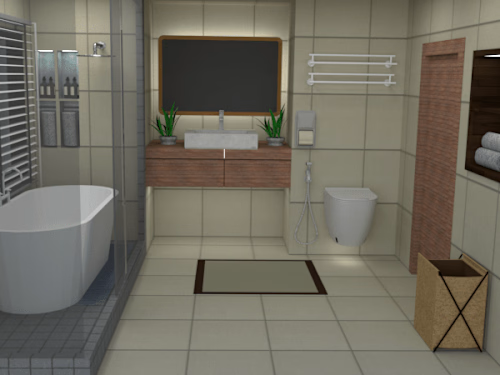
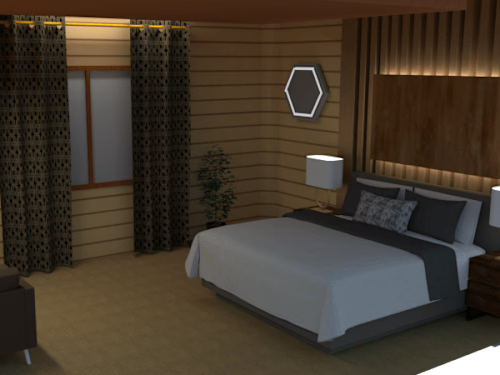
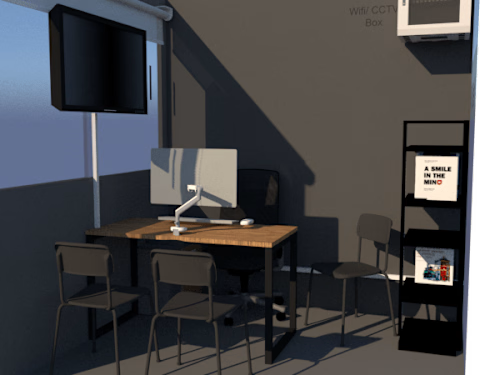
Abeel's other services

Contact for pricing
Tags
CorelDraw

Lumion

Microsoft Office 365

SketchUp

SolidWorks

3D Designer
3D Renderer
Render Artist
Service provided by
Abeel Fazal Pakistan
Equipment Design with 3D Technology | Project |Abeel Fazal
Contact for pricing
Tags
CorelDraw
Lumion
Microsoft Office 365
SketchUp
SolidWorks
3D Designer
3D Renderer
Render Artist
Easy-to-use interface: SketchUp has a simple and intuitive interface that allows users to easily navigate and create models.
3D modeling tools: SketchUp provides a wide range of 3D modeling tools, including drawing and editing tools, 3D modeling templates, and 3D warehouse, a library of pre-made models that can be used in projects.
3D visualization: SketchUp allows users to view their models in 3D, which makes it easier to visualize the final product and make adjustments as needed.
Collaboration: SketchUp allows users to collaborate on projects with others, making it easier to share ideas and work together on designs.
Integration: SketchUp can be integrated with other software tools such as AutoCAD, Revit, and 3D printing software.
What's included
Commercial Restaurant kitchen Designer | Skilled Architect | CAD/CAM SOLIDWORK | Revolutionising Equipment Design with 3D Technology |
Hello. I'm Abeel Fazal , from Pakistan . I'm a graduate of architectural engineering. I have experience in Commercial Restaurant kitchen Designer | Skilled Architect | CAD/CAM SOLIDWORK Revolutionising Equipment Design with 3D Technology in Sketchup, solidwork and other software. And I interested in architecture and digital art.
have a nice day.
sketchup
Easy-to-use interface: SketchUp has a simple and intuitive interface that allows users to easily navigate and create models.
3D modeling tools: SketchUp provides a wide range of 3D modeling tools, including drawing and editing tools, 3D modeling templates, and 3D warehouse, a library of pre-made models that can be used in projects.
3D visualization: SketchUp allows users to view their models in 3D, which makes it easier to visualize the final product and make adjustments as needed.
Collaboration: SketchUp allows users to collaborate on projects with others, making it easier to share ideas and work together on designs.
Integration: SketchUp can be integrated with other software tools such as AutoCAD, Revit, and 3D printing software.
Example work
Abeel's other services
Contact for pricing