
CRM & Client Portal Notion DashboardPeter Okiti
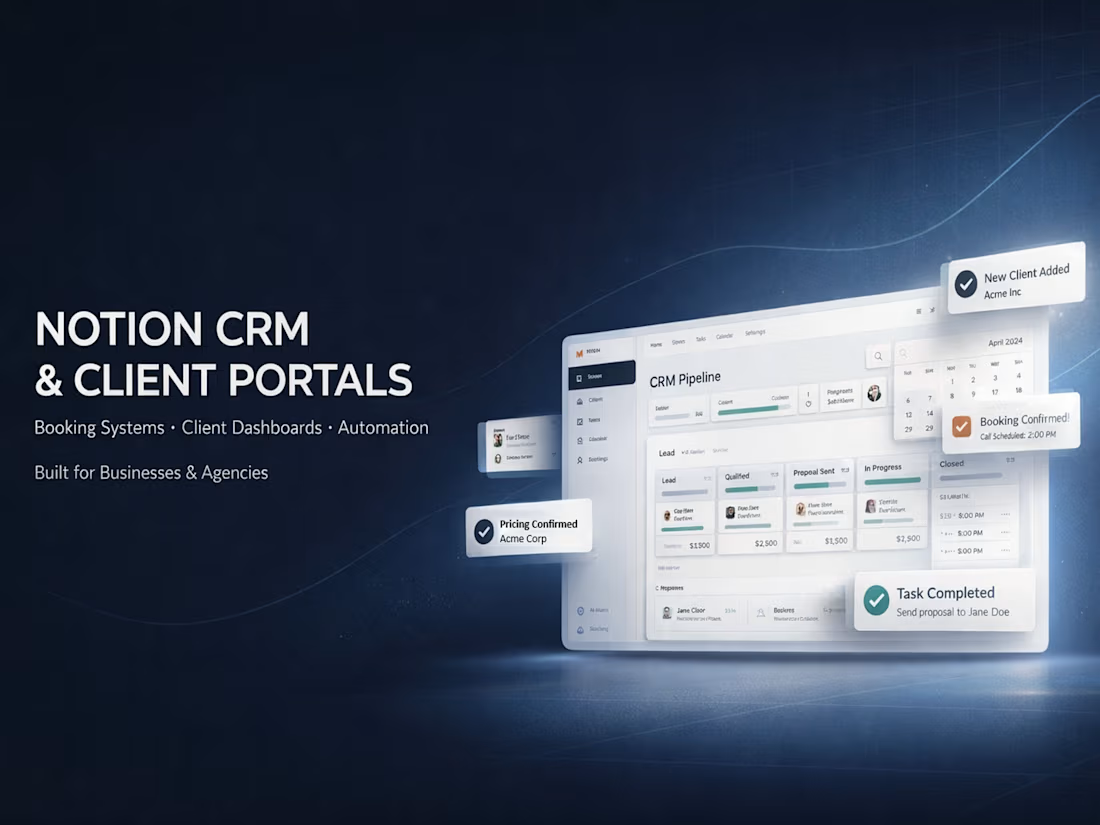
A complete Notion-based CRM and client portal system designed for freelancers, agencies, consultants, and solopreneurs managing multiple clients. It eliminates scattered emails, Google Docs, and forgotten follow-ups by centralizing everything in one clean, automated workspace.
Key Features Built
Central Clients CRM database with pipeline stages (Lead → Proposal → Active → Archived), deal value tracking, contact details, tags, notes, and attachments.
Projects, Tasks, Meetings & Notes, and Files & Resources master databases with two-way relations for zero data duplication.
Personalized Client Portals created via a custom template: each client gets their own secure page showing only their related projects, active tasks, upcoming meetings, shared files, and notes — filtered automatically using self-referential relations.
Seamless workflow: Add tasks, projects, or files directly in the portal view → they auto-link to the correct client and appear in master databases.
Premium, minimal design: full-width layout, navy blue/gray aesthetic, subtle icons, clear headings, and guest access (view/comment only) for professional client experience.
Live updates, calendar views, progress tracking placeholders, and easy onboarding instructions.
Business Impact
Saves 5–15 hours per week on admin and client communication
Improves client satisfaction with a branded, organized portal
Scales effortlessly as you add more clients
Looks polished and professional — positions you as a high-value provider
Tech Highlights
Two-way relations + self-referential filters for dynamic, context-aware views
No-code setup using Notion databases, linked views, rollups, and templates
Mobile-friendly and easy to maintain
This is a ready-to-deploy system I built and refined for real freelance/agency use. Custom versions available — perfect for freelancers juggling 5+ clients or agencies needing white-label client ops.
Let me build or customize one for your workflow.
FAQs
This is a fully self-contained Notion template once duplicated and customized, it runs on autopilot with live updates. No coding or external tools required. I offer optional maintenance packages if your business grows and you need new features or tweaks.
Portals use Notion’s built-in guest access (view/comment only). Clients see only their own filtered data via relations and self-referential views they cannot access your full workspace, master databases, or other clients’ information. You control sharing and can revoke access anytime.
The core system works on a free Notion account (unlimited pages/databases for individuals). For guest invites to multiple clients or team collaboration, Notion Plus (€8/user/month) or higher is recommended. Most freelancers start on free and upgrade only when needed.
Yes, the template is flexible. You can add custom properties (e.g., industry-specific tags), change statuses, add buttons, or integrate new databases (invoices, contracts, etc.). I offer customization services to match your exact needs just share your workflow details.
Yes, thanks to two-way relations and context-aware creation. Add a task directly in a client’s portal view → it auto-links to that client and instantly appears in your master Tasks database (and vice versa). No manual tagging or duplication required.
Contact for pricing
Duration1 week
Tags
Jira


Miro

Notion

NotionAI

Trello

Project Manager
Service provided by
Peter Okiti Ondo, Nigeria
CRM & Client Portal Notion DashboardPeter Okiti
Contact for pricing
Duration1 week
Tags
Jira
Miro
Notion
NotionAI
Trello
Project Manager
A complete Notion-based CRM and client portal system designed for freelancers, agencies, consultants, and solopreneurs managing multiple clients. It eliminates scattered emails, Google Docs, and forgotten follow-ups by centralizing everything in one clean, automated workspace.
Key Features Built
Central Clients CRM database with pipeline stages (Lead → Proposal → Active → Archived), deal value tracking, contact details, tags, notes, and attachments.
Projects, Tasks, Meetings & Notes, and Files & Resources master databases with two-way relations for zero data duplication.
Personalized Client Portals created via a custom template: each client gets their own secure page showing only their related projects, active tasks, upcoming meetings, shared files, and notes — filtered automatically using self-referential relations.
Seamless workflow: Add tasks, projects, or files directly in the portal view → they auto-link to the correct client and appear in master databases.
Premium, minimal design: full-width layout, navy blue/gray aesthetic, subtle icons, clear headings, and guest access (view/comment only) for professional client experience.
Live updates, calendar views, progress tracking placeholders, and easy onboarding instructions.
Business Impact
Saves 5–15 hours per week on admin and client communication
Improves client satisfaction with a branded, organized portal
Scales effortlessly as you add more clients
Looks polished and professional — positions you as a high-value provider
Tech Highlights
Two-way relations + self-referential filters for dynamic, context-aware views
No-code setup using Notion databases, linked views, rollups, and templates
Mobile-friendly and easy to maintain
This is a ready-to-deploy system I built and refined for real freelance/agency use. Custom versions available — perfect for freelancers juggling 5+ clients or agencies needing white-label client ops.
Let me build or customize one for your workflow.
FAQs
This is a fully self-contained Notion template once duplicated and customized, it runs on autopilot with live updates. No coding or external tools required. I offer optional maintenance packages if your business grows and you need new features or tweaks.
Portals use Notion’s built-in guest access (view/comment only). Clients see only their own filtered data via relations and self-referential views they cannot access your full workspace, master databases, or other clients’ information. You control sharing and can revoke access anytime.
The core system works on a free Notion account (unlimited pages/databases for individuals). For guest invites to multiple clients or team collaboration, Notion Plus (€8/user/month) or higher is recommended. Most freelancers start on free and upgrade only when needed.
Yes, the template is flexible. You can add custom properties (e.g., industry-specific tags), change statuses, add buttons, or integrate new databases (invoices, contracts, etc.). I offer customization services to match your exact needs just share your workflow details.
Yes, thanks to two-way relations and context-aware creation. Add a task directly in a client’s portal view → it auto-links to that client and instantly appears in your master Tasks database (and vice versa). No manual tagging or duplication required.
Contact for pricing