
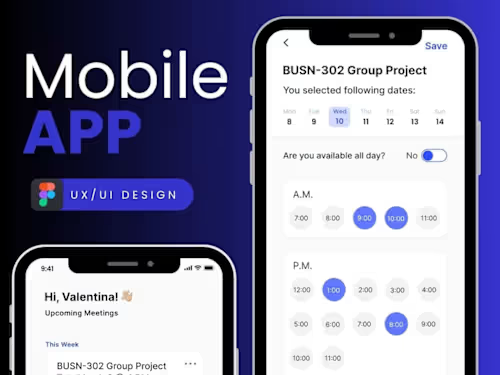
Crafting Exceptional App Designs

Contact for pricing
About this service
Summary
FAQs
1. How long does the app design process take?
The app design process typically takes between 2 to 8 weeks, depending on the complexity of the app, the number of screens, and the level of detail required. This includes research, design iterations, and client feedback. Timelines can vary, but I ensure regular updates and check-ins throughout the process.
What is the difference between wireframes and mockups?
Wireframes are basic, low-fidelity sketches of your app that outline its structure and layout, focusing on functionality rather than design. Mockups, on the other hand, are high-fidelity visual representations of your app, showcasing colors, typography, and branding, giving you a clear idea of the app's final look.
Will you provide ongoing support after the design is finished?
Yes, I can offer post-launch support to ensure the app performs well and to address any issues or changes that may arise after launch. This can include making design adjustments, providing assets for updates, and collaborating with developers to ensure everything runs smoothly.
What's included
Wireframes
These are basic blueprints for your app, outlining the layout, structure, and flow of each screen. They serve as a visual guide for functionality and navigation. Format: PDF, PNG, or Figma links (depending on preference). Quantity: 1 set per platform (iOS/Android, or both if applicable). Revisions: Up to 2 rounds of revisions based on feedback. Additional Details: Includes low-fidelity wireframes for key screens and user flows.
High-Fidelity Mockups
Detailed, polished designs that reflect the final look and feel of the app. These mockups will include color schemes, typography, and iconography. Format: PNG, JPG, or Figma files for review. Quantity: 1 version for each key screen. Revisions: Up to 3 rounds of revisions based on feedback. Additional Details: Includes mobile, tablet, and/or desktop versions, depending on the scope.
Interactive Prototypes
A clickable, interactive prototype showcasing the app’s user interface and experience. This will help stakeholders visualize the user journey and interaction flow. Format: Figma Quantity: 1 interactive prototype representing the main user flow. Revisions: 1 round of revisions. Additional Details: Includes interactions like taps, swipes, transitions, and navigation between screens.
Design System
A comprehensive set of design guidelines, including fonts, colors, components, spacing, and reusable assets that ensure consistency across your app and future updates. Format: Figma file, PDF documentation. Quantity: 1 complete design system. Revisions: 1 round of revisions. Additional Details: Provides all elements for developers to maintain design consistency during development.
Skills and tools


Industries
More services