
Build Sleek UX/UI for SaaS MVP with design system ✦Kino Wong
✦Develop comprehensive design assets grounded in established design systems, ensuring seamless collaboration with engineers for rapid iteration.
✦Focus on creating an accessible and responsive SaaS product MVP, emphasizing efficiency and user-centric design principles.
What's included
Design System
✦Core visuals: colors, text styles, and more, perfectly aligned with your brand ✦Atomic components: tailored design system components (e.g., MUI, AntDesign, Atom Kit) ✦ Blocks & pages: build blocks and template pages using atomic components
Product Design
✦Responsive layouts for HD, desktop, tablet, and mobile ✦Light and dark mode ✦Interactive prototypes ✦Icons, charts, illustrations, and other assets used in the design ✦WCAG 2.1 compliance
Design Handoff
✦Customization instructions for the Design System (for engineers) ✦Descriptions of various states of Blocks ✦Tracking and resolving design issues during development
FAQs
Example work
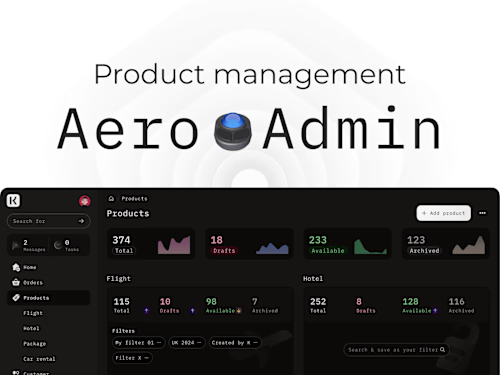
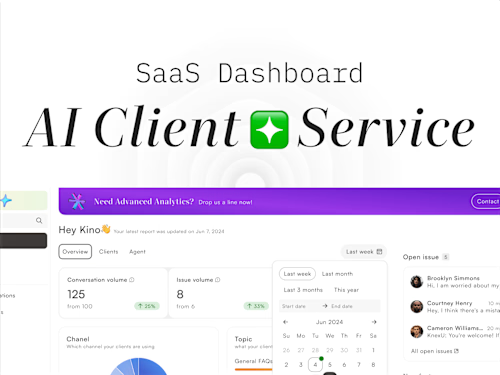
Kino's other services
Starting at$40 /hr
Tags
Figma

Design Systems Specialist
Product Designer
UX Designer
Service provided by
Kino Wong China
- 5.00
- Rating
- 2
- Followers
Build Sleek UX/UI for SaaS MVP with design system ✦Kino Wong
✦Develop comprehensive design assets grounded in established design systems, ensuring seamless collaboration with engineers for rapid iteration.
✦Focus on creating an accessible and responsive SaaS product MVP, emphasizing efficiency and user-centric design principles.
What's included
Design System
✦Core visuals: colors, text styles, and more, perfectly aligned with your brand ✦Atomic components: tailored design system components (e.g., MUI, AntDesign, Atom Kit) ✦ Blocks & pages: build blocks and template pages using atomic components
Product Design
✦Responsive layouts for HD, desktop, tablet, and mobile ✦Light and dark mode ✦Interactive prototypes ✦Icons, charts, illustrations, and other assets used in the design ✦WCAG 2.1 compliance
Design Handoff
✦Customization instructions for the Design System (for engineers) ✦Descriptions of various states of Blocks ✦Tracking and resolving design issues during development
FAQs
Example work
Kino's other services
$40 /hr