
Brochure/Flyer Designs Paytech IT Services Pvt Ltd.
Purpose and Audience
Define the Purpose: What is the brochure meant to achieve? (e.g., promote a product, provide information, advertise an event)
Know Your Audience: Tailor the content and design to the preferences and needs of your target audience.
2. Content Planning
Headline: Grab attention with a compelling headline.
Body Text: Provide clear, concise, and relevant information. Use bullet points for easy reading.
Call to Action (CTA): Include a strong CTA to guide readers on what to do next (e.g., call, visit a website, register).
Contact Information: Ensure it’s easy for readers to reach out or find more information.
3. Design Elements
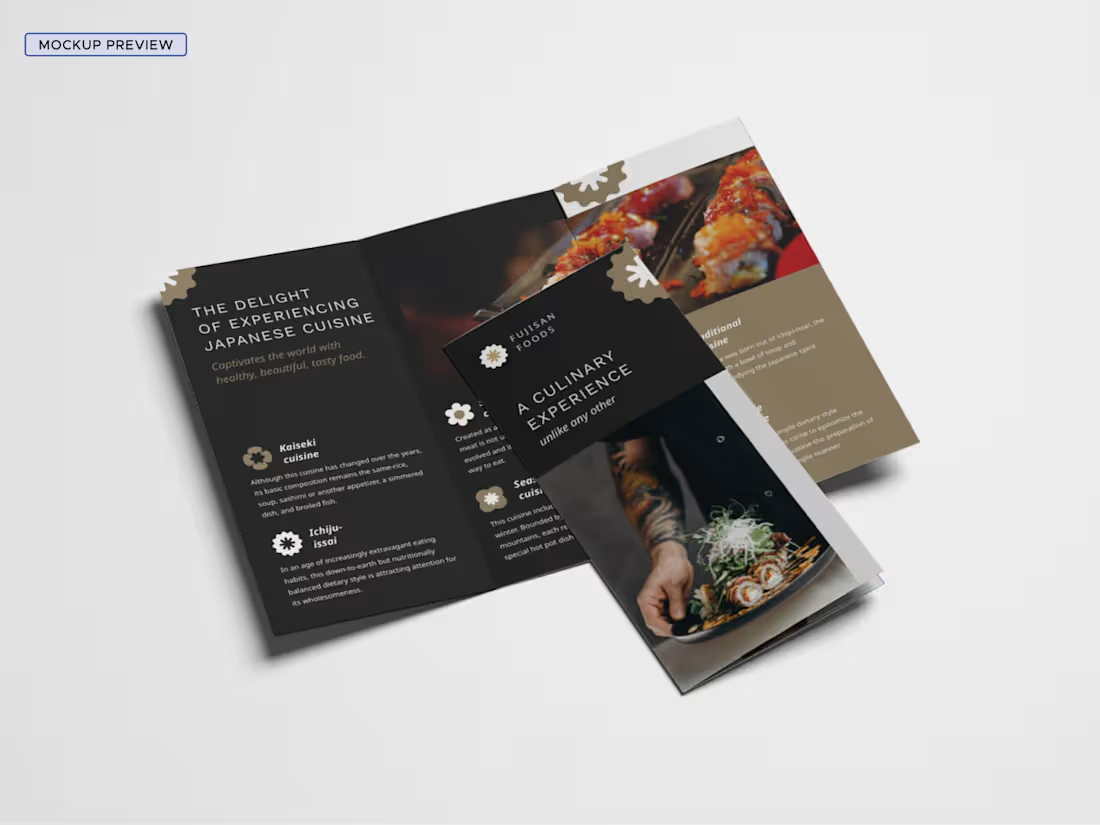
Layout: Choose a layout that suits the content (e.g., tri-fold, bi-fold). Ensure it’s easy to navigate.
Typography: Select fonts that are readable and align with the brochure’s tone.
Images and Graphics: Use high-quality images and graphics that complement the content and enhance visual appeal.
Color Scheme: Choose colors that match your brand and are visually appealing.
4. Printing and Distribution
Paper Quality: Select appropriate paper stock (e.g., glossy, matte) for durability and presentation.
Size and Fold: Decide on the size and type of fold (e.g., tri-fold, z-fold) based on the content.
Distribution: Plan how the brochures will be distributed (e.g., mail, handouts, in-store).
5. Review and Proofing
Proofread: Check for spelling, grammar, and factual errors.
Test Print: Review a test print to ensure colors, layout, and images look as expected.
What's included
Full support and Engaging Content Creation with Unlimited Revisions
JPEG, PNG, PDF, CDR, PSD, AI,
Paytech IT's other services
Starting at$15
Duration1 week
Tags
Adobe Illustrator

Adobe Photoshop

CorelDraw

Advertisement Designer
Copywriter
Graphic Designer
Service provided by

Brochure/Flyer Designs Paytech IT Services Pvt Ltd.
Starting at$15
Duration1 week
Tags
Adobe Illustrator
Adobe Photoshop
CorelDraw
Advertisement Designer
Copywriter
Graphic Designer
Purpose and Audience
Define the Purpose: What is the brochure meant to achieve? (e.g., promote a product, provide information, advertise an event)
Know Your Audience: Tailor the content and design to the preferences and needs of your target audience.
2. Content Planning
Headline: Grab attention with a compelling headline.
Body Text: Provide clear, concise, and relevant information. Use bullet points for easy reading.
Call to Action (CTA): Include a strong CTA to guide readers on what to do next (e.g., call, visit a website, register).
Contact Information: Ensure it’s easy for readers to reach out or find more information.
3. Design Elements
Layout: Choose a layout that suits the content (e.g., tri-fold, bi-fold). Ensure it’s easy to navigate.
Typography: Select fonts that are readable and align with the brochure’s tone.
Images and Graphics: Use high-quality images and graphics that complement the content and enhance visual appeal.
Color Scheme: Choose colors that match your brand and are visually appealing.
4. Printing and Distribution
Paper Quality: Select appropriate paper stock (e.g., glossy, matte) for durability and presentation.
Size and Fold: Decide on the size and type of fold (e.g., tri-fold, z-fold) based on the content.
Distribution: Plan how the brochures will be distributed (e.g., mail, handouts, in-store).
5. Review and Proofing
Proofread: Check for spelling, grammar, and factual errors.
Test Print: Review a test print to ensure colors, layout, and images look as expected.
What's included
Full support and Engaging Content Creation with Unlimited Revisions
JPEG, PNG, PDF, CDR, PSD, AI,
Paytech IT's other services
$15