
Online Course Setup & CoordinationFatima Almas

I will set up and manage your online course from start to finish, ensuring a smooth launch for you and your learners. This includes creating your LMS course space, uploading and organizing materials, setting up schedules, onboarding students, and providing live Zoom support for the first session.
Ongoing Support Available: Course maintenance, updates, and student support at $15/hour.
What's included
Online Course Setup & Coordination
1. LMS Course Space Setup
Create and organize a complete course area in Moodle (or client’s LMS) with modules, lessons, and navigation structure ready for use.
2. Content Upload & Organization
Upload course materials (documents, presentations, videos) into the correct sections, ensuring logical flow and easy access for learners.
3. Course Schedule & Calendar Integration
Set up class schedules, assignment deadlines, and calendar reminders inside the LMS and/or shared tools.
4. Student Onboarding Support
Provide instructions, welcome emails, or orientation material so students can access and navigate the course easily from day one.
5. Live Session Technical Support (Zoom)
Host or co-host first live session(s) to ensure smooth tech setup, manage breakout rooms, and record the session.
6. Pre-Launch Quality Check
Test links, review uploaded content, and check all settings to ensure the course is error-free before launch.
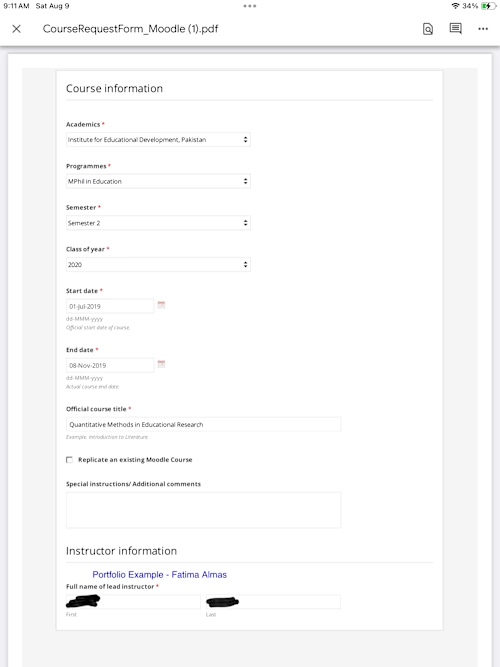
Example work
Fatima's other services


Starting at$250
Duration1 week
Tags
Canvas

Gmail

Google Calendar

Moodle

Zoom

Database Administrator
Technical Support Specialist
Virtual Assistant
Service provided by
Fatima Almas Islamabad, Pakistan
- 5.00
- Rating
- 1
- Followers
Online Course Setup & CoordinationFatima Almas
Starting at$250
Duration1 week
Tags
Canvas
Gmail
Google Calendar
Moodle
Zoom
Database Administrator
Technical Support Specialist
Virtual Assistant
I will set up and manage your online course from start to finish, ensuring a smooth launch for you and your learners. This includes creating your LMS course space, uploading and organizing materials, setting up schedules, onboarding students, and providing live Zoom support for the first session.
Ongoing Support Available: Course maintenance, updates, and student support at $15/hour.
What's included
Online Course Setup & Coordination
1. LMS Course Space Setup
Create and organize a complete course area in Moodle (or client’s LMS) with modules, lessons, and navigation structure ready for use.
2. Content Upload & Organization
Upload course materials (documents, presentations, videos) into the correct sections, ensuring logical flow and easy access for learners.
3. Course Schedule & Calendar Integration
Set up class schedules, assignment deadlines, and calendar reminders inside the LMS and/or shared tools.
4. Student Onboarding Support
Provide instructions, welcome emails, or orientation material so students can access and navigate the course easily from day one.
5. Live Session Technical Support (Zoom)
Host or co-host first live session(s) to ensure smooth tech setup, manage breakout rooms, and record the session.
6. Pre-Launch Quality Check
Test links, review uploaded content, and check all settings to ensure the course is error-free before launch.
Example work
Fatima's other services
$250