
Mobile App Design (iOS & Android, Figma)Emmanuel Daniel
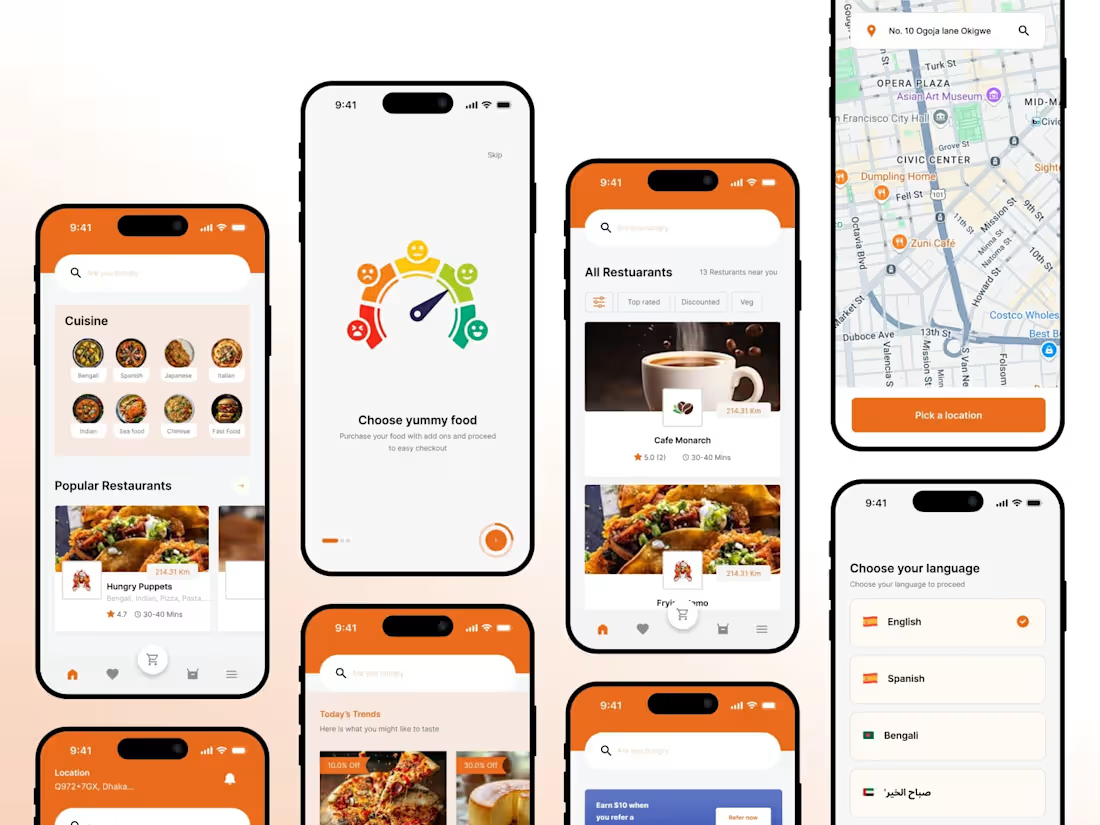
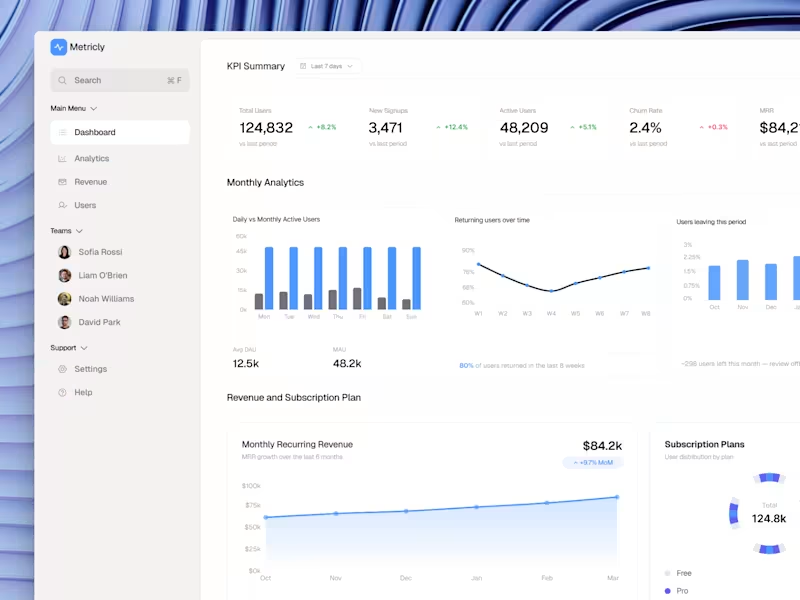
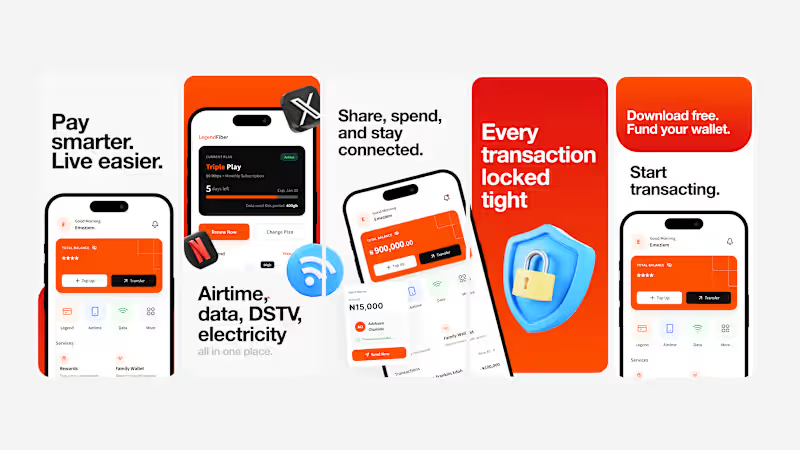
I provide mobile app UI design and UX design services for iOS and Android, helping startups, SaaS founders expanding to mobile, and app businesses turn ideas into clean, user-friendly, and visually engaging mobile experiences. My service covers research, user flows, wireframes, high-fidelity UI design, interactive prototyping, and developer-ready handoff all in Figma.
Research & competitor app audit Analysis of similar apps in your category navigation patterns, onboarding flows, interaction models, and visual design to identify opportunities for differentiation and usability improvements.
User personas & use-case definition Definition of target users, their needs, pain points, and key app use cases to ensure every design decision is user-centered and goal-driven.
Information architecture & app flow A clear structure showing how screens are organized and connected onboarding, core features, and user journeys mapped before any design begins.
Low-fidelity wireframes Early-stage layouts focusing on content placement, hierarchy, and core interactions without visual styling. Fast iteration and stakeholder alignment before final design.
High-fidelity mobile app UI design Visually polished screens defining the final look and feel of the app colors, typography, spacing, icons, and mobile-optimized components for iOS and Android.
Light & dark mode designs Fully designed light and dark themes supporting accessibility, platform standards, and user preferences while maintaining visual consistency across the app.
Interactive prototype (app-level) A clickable Figma prototype demonstrating key flows, gestures, and transitions simulating the real app experience for stakeholder reviews or investor presentations.
Accessibility & usability considerations Readable text sizes, WCAG-compliant contrast ratios, touch-friendly tap targets, and clear feedback states built into every screen.
Component library / mini design system Reusable UI components and styles to maintain consistency across the app and support future scalability as the product grows.
Design annotations & developer handoff Detailed specs for spacing, typography, colors, components, and interaction behavior everything needed for accurate development implementation.
Final design files & asset export Well-organized Figma files with named layers, export-ready icons, and assets prepared for development.
FAQs
Starting at$1,500
Duration2 weeks
Tags
Figma

Google Gemini

UX Pilot AI

Mobile Designer
UI Designer
UX Designer
Service provided by
Emmanuel Daniel Nigeria
- 3
- Followers
Mobile App Design (iOS & Android, Figma)Emmanuel Daniel
Starting at$1,500
Duration2 weeks
Tags
Figma
Google Gemini
UX Pilot AI
Mobile Designer
UI Designer
UX Designer
I provide mobile app UI design and UX design services for iOS and Android, helping startups, SaaS founders expanding to mobile, and app businesses turn ideas into clean, user-friendly, and visually engaging mobile experiences. My service covers research, user flows, wireframes, high-fidelity UI design, interactive prototyping, and developer-ready handoff all in Figma.
Research & competitor app audit Analysis of similar apps in your category navigation patterns, onboarding flows, interaction models, and visual design to identify opportunities for differentiation and usability improvements.
User personas & use-case definition Definition of target users, their needs, pain points, and key app use cases to ensure every design decision is user-centered and goal-driven.
Information architecture & app flow A clear structure showing how screens are organized and connected onboarding, core features, and user journeys mapped before any design begins.
Low-fidelity wireframes Early-stage layouts focusing on content placement, hierarchy, and core interactions without visual styling. Fast iteration and stakeholder alignment before final design.
High-fidelity mobile app UI design Visually polished screens defining the final look and feel of the app colors, typography, spacing, icons, and mobile-optimized components for iOS and Android.
Light & dark mode designs Fully designed light and dark themes supporting accessibility, platform standards, and user preferences while maintaining visual consistency across the app.
Interactive prototype (app-level) A clickable Figma prototype demonstrating key flows, gestures, and transitions simulating the real app experience for stakeholder reviews or investor presentations.
Accessibility & usability considerations Readable text sizes, WCAG-compliant contrast ratios, touch-friendly tap targets, and clear feedback states built into every screen.
Component library / mini design system Reusable UI components and styles to maintain consistency across the app and support future scalability as the product grows.
Design annotations & developer handoff Detailed specs for spacing, typography, colors, components, and interaction behavior everything needed for accurate development implementation.
Final design files & asset export Well-organized Figma files with named layers, export-ready icons, and assets prepared for development.
FAQs
$1,500