
ClickUp setup for a sales teamEsi Carr Hanson
Using ClickUp as the single source of truth for your business shouldn’t be difficult if you start with a simple build or workflow then advance as the business scales. The goal is to have a setup that meets your business needs at the moment.
I did a setup for a small sales team, and here’s how I did it.
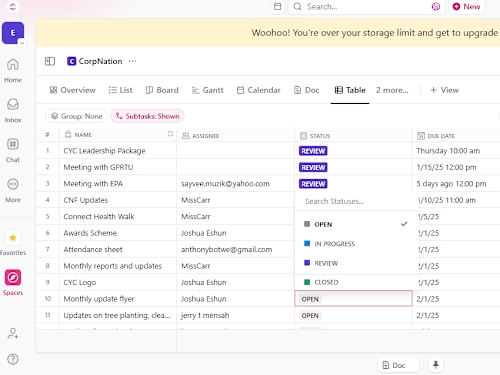
One Space dedicated to Sales, less than 5 lists that managed the core activities of the team;
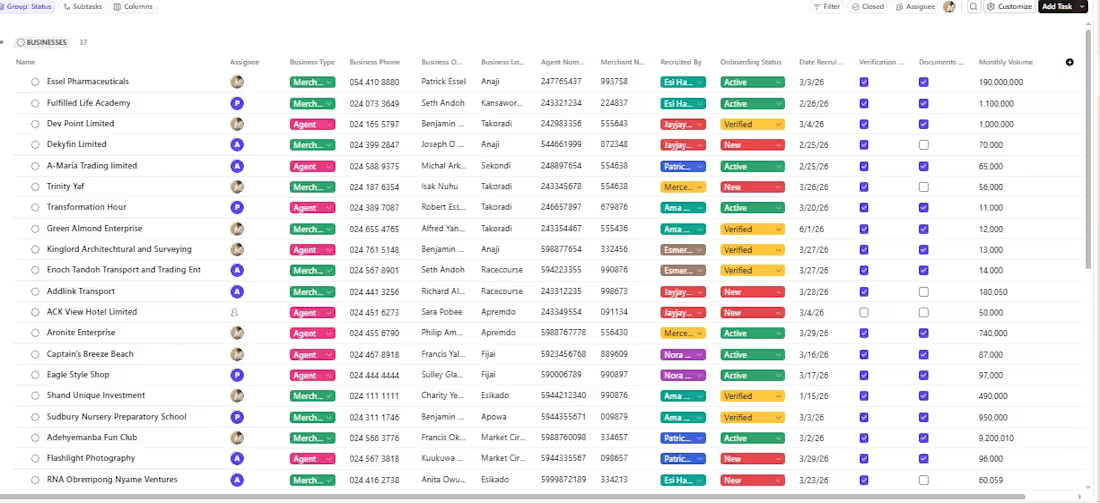
Account Management. This tracks accounts being recruited, onboarded, and managed by the sales team.
Field Activities & Client Issues. Records field visits, tracks activities, and follow ups on client issues until they’re resolved.
Account Managers: Keep track of account managers and the accounts assigned to each of them.
I also created a
A dedicated channel for team discussions and updates. A team Wiki so they could easily find resources to understand the internal processes, guidelines, and standard operating procedures. A functional Knowledge Base.
Exactly what’s needed by the team, a simple structure that solves the business’ needs. Easy to understand and use. Not at all overwhelming.
Example work
Esi Carr's other services
Contact for pricing
Duration1 week
Tags
ClickUp

Google Docs

Google Sheets

Google Workspace Studio

Service provided by
Esi Carr Hanson Kumasi, Ghana
- 25
- Followers
ClickUp setup for a sales teamEsi Carr Hanson
Contact for pricing
Duration1 week
Tags
ClickUp
Google Docs
Google Sheets
Google Workspace Studio
Using ClickUp as the single source of truth for your business shouldn’t be difficult if you start with a simple build or workflow then advance as the business scales. The goal is to have a setup that meets your business needs at the moment.
I did a setup for a small sales team, and here’s how I did it.
One Space dedicated to Sales, less than 5 lists that managed the core activities of the team;
Account Management. This tracks accounts being recruited, onboarded, and managed by the sales team.
Field Activities & Client Issues. Records field visits, tracks activities, and follow ups on client issues until they’re resolved.
Account Managers: Keep track of account managers and the accounts assigned to each of them.
I also created a
A dedicated channel for team discussions and updates. A team Wiki so they could easily find resources to understand the internal processes, guidelines, and standard operating procedures. A functional Knowledge Base.
Exactly what’s needed by the team, a simple structure that solves the business’ needs. Easy to understand and use. Not at all overwhelming.
Example work
Esi Carr's other services
Contact for pricing