
Investor-Ready Pitch Decks for Fundraising RoundsOyegoke Praise
I work with you to:
Define the narrative and structure so your story is clear and compelling to investors
Decide which data, metrics, or visuals actually support your fundraising goals
Build slides that guide the conversation instead of overwhelming it
Deliver a system you can reuse, update, and adapt across multiple meetings or audiences
Optional motion and transitions are included where they help highlight key points or control pacing during presentations, so your deck works as a tool, not just a document.
What's included
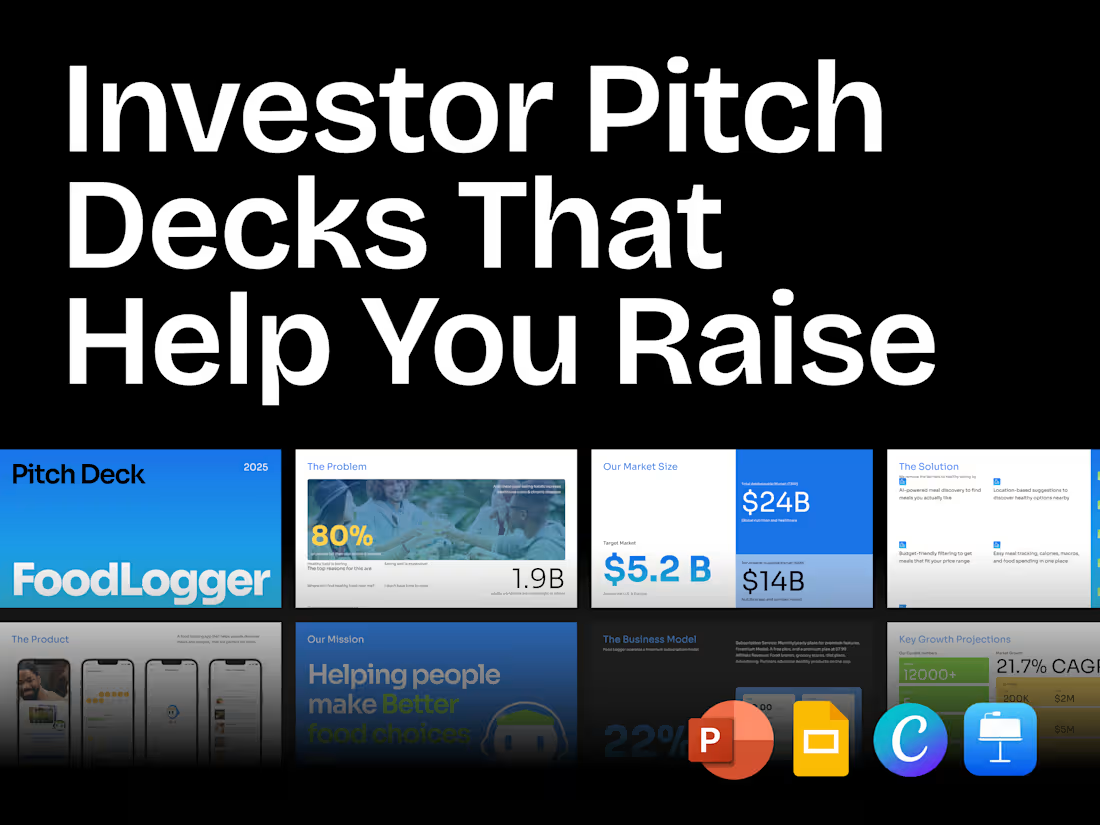
Up to 20 Strategically Structured Slides
Each slide is designed with fundraising in mind: clear problem, solution, traction, and opportunity. Every slide has a purpose and supports your investor conversation.
Editable Files in Your Preferred Tool
Figma, PowerPoint, Google Slides, Keynote, or Canva. You can update, adapt, or forward your deck without losing the structure or clarity.
High-Resolution PDF
Optimized for sharing with investors, emailing, or printing, keeping visuals and text crisp.
Optional Motion & Transitions in Jitter and Presentation Tool of your choice
Slides with subtle motion where it helps guide attention and pacing during live presentations.
FAQs

Oyegoke's other services
Starting at$900
Duration2 weeks
Tags
Canva

Google Slides

Keynote

Microsoft PowerPoint

Pitch

Graphic Designer
Pitch Deck Designer
Presentation Designer
Service provided by
Oyegoke Praise Nigeria
- 5.00
- Rating
- 16
- Followers
Investor-Ready Pitch Decks for Fundraising RoundsOyegoke Praise
Starting at$900
Duration2 weeks
Tags
Canva
Google Slides
Keynote
Microsoft PowerPoint
Pitch
Graphic Designer
Pitch Deck Designer
Presentation Designer
I work with you to:
Define the narrative and structure so your story is clear and compelling to investors
Decide which data, metrics, or visuals actually support your fundraising goals
Build slides that guide the conversation instead of overwhelming it
Deliver a system you can reuse, update, and adapt across multiple meetings or audiences
Optional motion and transitions are included where they help highlight key points or control pacing during presentations, so your deck works as a tool, not just a document.
What's included
Up to 20 Strategically Structured Slides
Each slide is designed with fundraising in mind: clear problem, solution, traction, and opportunity. Every slide has a purpose and supports your investor conversation.
Editable Files in Your Preferred Tool
Figma, PowerPoint, Google Slides, Keynote, or Canva. You can update, adapt, or forward your deck without losing the structure or clarity.
High-Resolution PDF
Optimized for sharing with investors, emailing, or printing, keeping visuals and text crisp.
Optional Motion & Transitions in Jitter and Presentation Tool of your choice
Slides with subtle motion where it helps guide attention and pacing during live presentations.
FAQs
Oyegoke's other services
$900