
UX/UI Design for Web & Mobile AppsQasim Amin
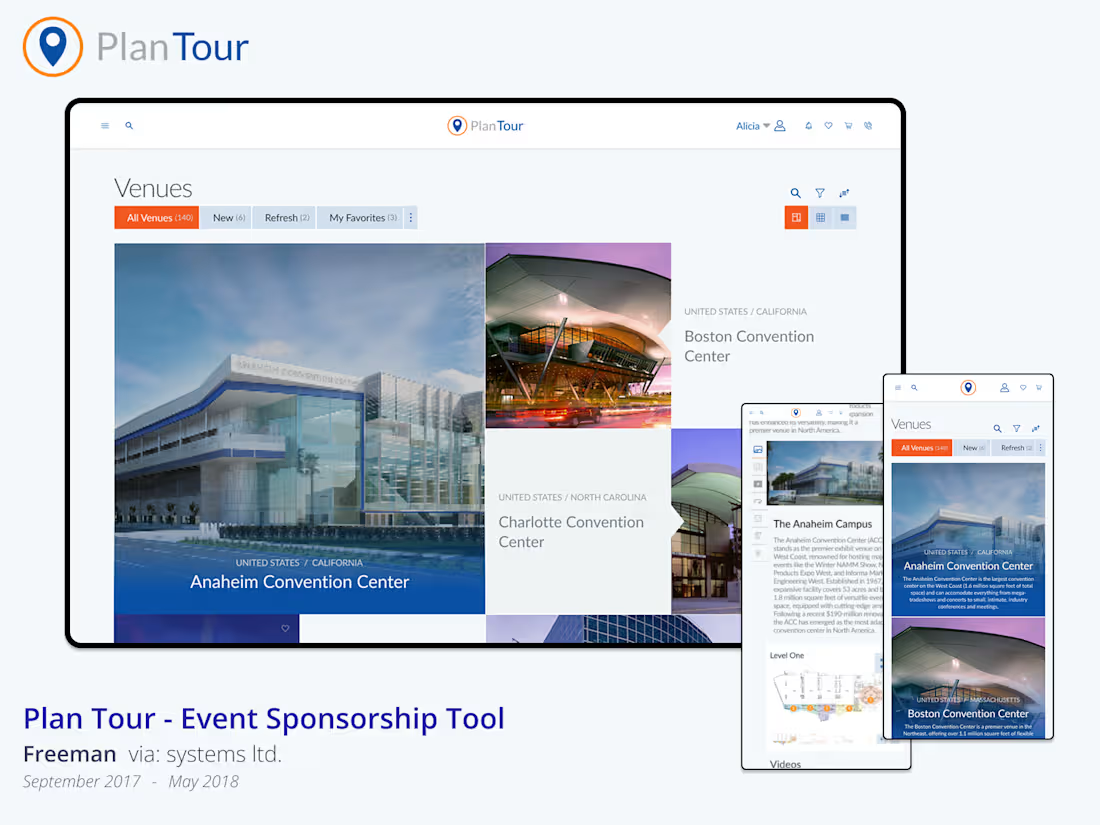
I design intuitive, responsive user interfaces for web and mobile applications using Figma, FigJam, and Miro. My focus is on usability, accessibility, and clean design systems that scale with your product. With 15+ years of experience, I bring a strategic approach to UI that goes beyond visuals — every screen is crafted to improve flow, clarity, and user engagement.
What's included
High-fidelity screen designs (desktop, tablet, mobile in Figma)
Final visual designs of each screen at multiple breakpoints (desktop, tablet, and mobile), created in Figma. These are fully designed with layout, color, typography, spacing, and UI components applied — ready for client or stakeholder review.
Responsive layout structure using auto layout
All screens are built using Figma’s Auto Layout and constraints so they adapt cleanly across screen sizes. This ensures a scalable UI foundation that mirrors real-life responsive behavior.
Interactive prototypes for testing and handoff
Clickable prototypes built in Figma to demonstrate how the interface works. These allow for stakeholder walkthroughs, usability testing, and smooth developer handoff — no extra tools or plugins required.
Clickable user flows using FigJam or Miro
Mapped-out, clickable diagrams of the full user journey or task flow using FigJam or Miro. Includes labeled decision points, screen connections, and behavioral logic to explain how users move through the product.
Visual assets aligned with your branding
The complete Figma source file, organized, layered, and labeled for developer use. Includes component usage, spacing, color variables, and text styles — formatted for clean handoff without confusion.
FAQs
Contact for pricing
Tags
FigJam

Figma
Miro

Interaction Designer
UI Designer
UX Designer
Service provided by
Qasim Amin Pakistan
- 1
- Followers
UX/UI Design for Web & Mobile AppsQasim Amin
I design intuitive, responsive user interfaces for web and mobile applications using Figma, FigJam, and Miro. My focus is on usability, accessibility, and clean design systems that scale with your product. With 15+ years of experience, I bring a strategic approach to UI that goes beyond visuals — every screen is crafted to improve flow, clarity, and user engagement.
What's included
High-fidelity screen designs (desktop, tablet, mobile in Figma)
Final visual designs of each screen at multiple breakpoints (desktop, tablet, and mobile), created in Figma. These are fully designed with layout, color, typography, spacing, and UI components applied — ready for client or stakeholder review.
Responsive layout structure using auto layout
All screens are built using Figma’s Auto Layout and constraints so they adapt cleanly across screen sizes. This ensures a scalable UI foundation that mirrors real-life responsive behavior.
Interactive prototypes for testing and handoff
Clickable prototypes built in Figma to demonstrate how the interface works. These allow for stakeholder walkthroughs, usability testing, and smooth developer handoff — no extra tools or plugins required.
Clickable user flows using FigJam or Miro
Mapped-out, clickable diagrams of the full user journey or task flow using FigJam or Miro. Includes labeled decision points, screen connections, and behavioral logic to explain how users move through the product.
Visual assets aligned with your branding
The complete Figma source file, organized, layered, and labeled for developer use. Includes component usage, spacing, color variables, and text styles — formatted for clean handoff without confusion.
FAQs
Contact for pricing