
Web App Design Chibueze Umechukwu
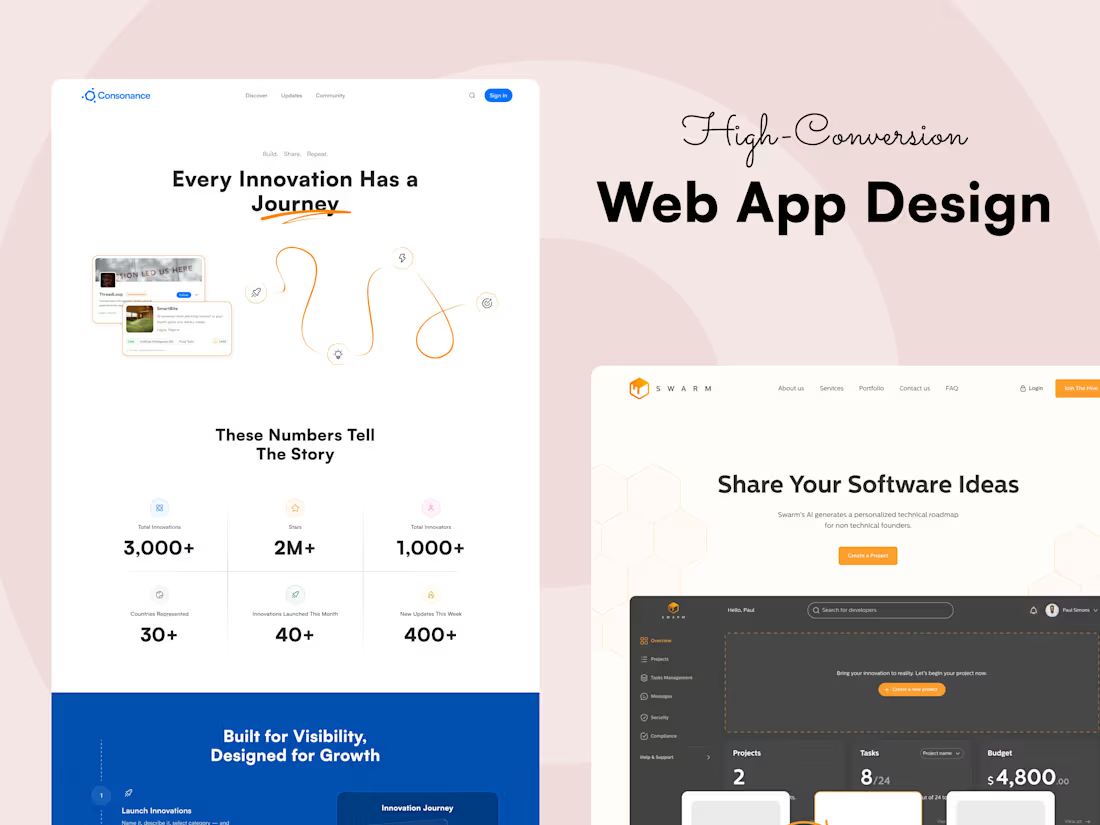
I design modern, scalable web app experiences that make complex tasks feel simple and intuitive. By combining UX strategy, clean information hierarchy, and polished interface design, I help teams ship products that are functional, fast to navigate, and visually consistent.
If you need a web app that’s built to grow, stay usable, and look sharp doing it, I’m your person.
What's included
High-Fidelity Web App Screens
Pixel-perfect visual designs for key web app interfaces with structured layouts, clean typography, and scalable UI patterns.
Format: Figma file + exportable PNG/JPEG assets
Quantity: Based on project scope & agreement
Revisions: Client satisfaction
Responsive Website Layouts
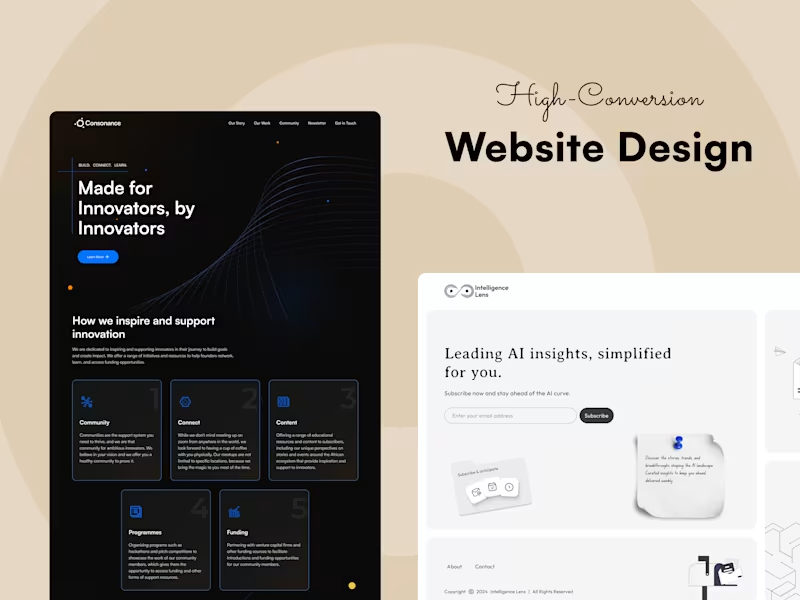
Desktop and mobile variants of key screens to ensure great usability across devices. In some cases, tablet variants as well. Format: Figma file + exportable PNG/JPEG/PDF assets Quantity: 1 page in 2 or 3 breakpoints Revisions: Client satifaction
Interactive Clickable Prototype
A prototype simulating navigation, interactions, and user flows for stakeholder review and usability testing.
Format: Figma prototype link Quantity: Full primary flow Revisions: Client satisfaction
Component-Based Design System
Reusable components and style guidelines to ensure consistency across the app experience.
Format: Figma component library Quantity: Core UI elements (buttons, inputs, cards, nav bars, etc.) Revisions: 1 round included
Dashboard & Data Visualization Layouts
Intuitive layouts for data-heavy experiences with thoughtful hierarchy and accessibility.
Format: Figma file
Quantity: Based on project scope & agreement
Revisions: Client satisfaction
Developer-Ready Handoff Package
Organized layers, spacing notes, component states, annotations, and downloadable assets for clean handoff.
Format: Figma file
Quantity: All scoped screens
Revisions: 1 round included
FAQs
Chibueze's other services
Starting at$30 /hr
Tags
Figma

LottieFiles

Miro

Product Designer
UX Designer
Web Designer
Service provided by
Chibueze Umechukwu Lagos, Nigeria
- 32
- Followers
Web App Design Chibueze Umechukwu
I design modern, scalable web app experiences that make complex tasks feel simple and intuitive. By combining UX strategy, clean information hierarchy, and polished interface design, I help teams ship products that are functional, fast to navigate, and visually consistent.
If you need a web app that’s built to grow, stay usable, and look sharp doing it, I’m your person.
What's included
High-Fidelity Web App Screens
Pixel-perfect visual designs for key web app interfaces with structured layouts, clean typography, and scalable UI patterns.
Format: Figma file + exportable PNG/JPEG assets
Quantity: Based on project scope & agreement
Revisions: Client satisfaction
Responsive Website Layouts
Desktop and mobile variants of key screens to ensure great usability across devices. In some cases, tablet variants as well. Format: Figma file + exportable PNG/JPEG/PDF assets Quantity: 1 page in 2 or 3 breakpoints Revisions: Client satifaction
Interactive Clickable Prototype
A prototype simulating navigation, interactions, and user flows for stakeholder review and usability testing.
Format: Figma prototype link Quantity: Full primary flow Revisions: Client satisfaction
Component-Based Design System
Reusable components and style guidelines to ensure consistency across the app experience.
Format: Figma component library Quantity: Core UI elements (buttons, inputs, cards, nav bars, etc.) Revisions: 1 round included
Dashboard & Data Visualization Layouts
Intuitive layouts for data-heavy experiences with thoughtful hierarchy and accessibility.
Format: Figma file
Quantity: Based on project scope & agreement
Revisions: Client satisfaction
Developer-Ready Handoff Package
Organized layers, spacing notes, component states, annotations, and downloadable assets for clean handoff.
Format: Figma file
Quantity: All scoped screens
Revisions: 1 round included
FAQs
Chibueze's other services
$30 /hr