
Web App DesignNick Zaitsev
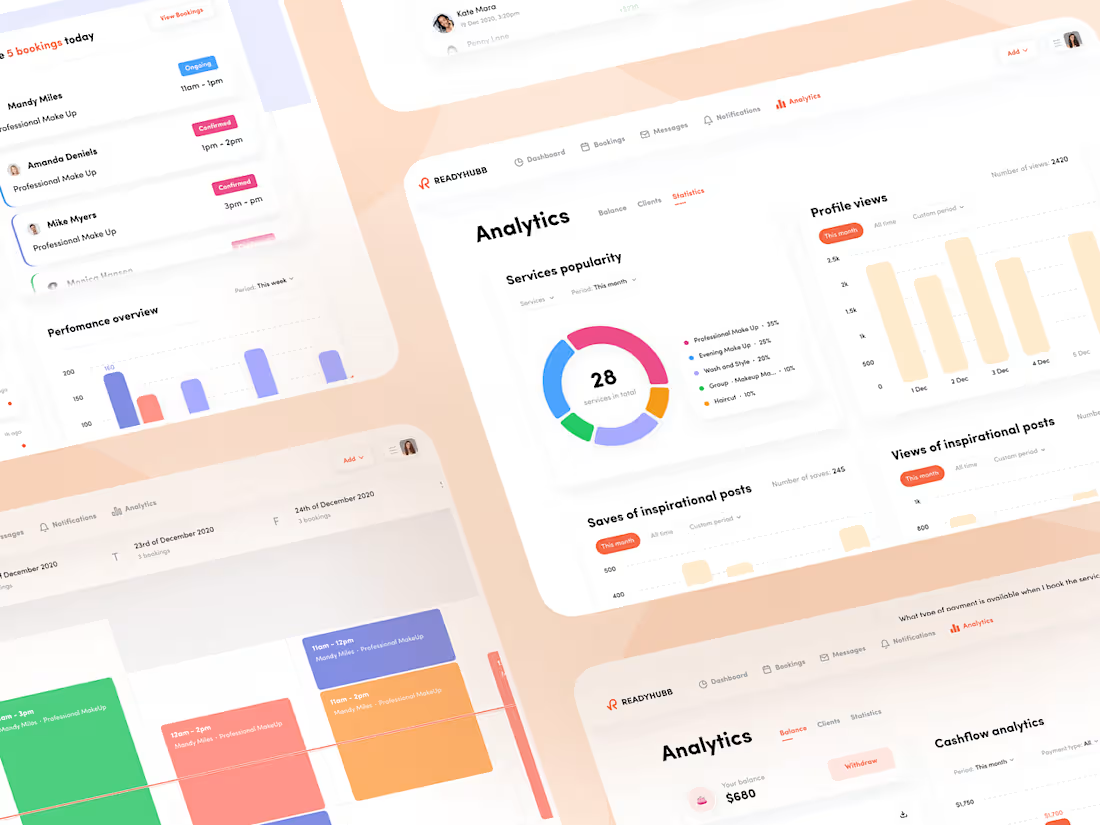
Our team specializes in creating custom web applications tailored for enterprises (B2B) to optimize daily operations and streamline business processes. We also create user-focused web applications (B2C) designed to meet both business needs and everyday user demands.
Our design process covers everything from analyzing your requirements or existing solution to researching competitors, conducting user research, structuring information architecture, and crafting intuitive UI designs, animations, and interactive prototypes.
Beyond design, we support your app’s market launch by connecting you with trusted development partners and providing essential assets like branding, promo websites, pitch decks, and more.
What's included
Discovery stage
The main goal of this stage is to create a set in stone and finalized design requirements for your project.
This stage is custom and the final workflow will be defined by our CDO.
Based on the type of the project and score of complexity discovery stage could be implemented in form of several Q&A sessions or deep analysis.
The final results is a finished design requirements in the most convenient form for your specific project (user flows, text document, shems, etc.)
Moodboard
Collection of references, best market solutions and another examples that will help us to define the styles, fonts and general visual direction.
Figma Design source files
Pixel perfect design files made in Figma including all additional states and basic prototype (desktop and mobile version).
Prototype (basic or advanced)
Interactive version of the designs that represents interactions, behavior of different elements, user flows and more
UI-kit
•Typography guideline
•Color Guideline
•Icons
•UI elements (Inputs, buttons, checkboxes, etc), with the component system
•Navigation elements such as headers, tab bars, footers
• Guidelines on specific interface elements (for example, we have an interactive map)
•Modular grids and how they are used (for websites)
•Vertical and horizontal rhythm
•Color transformation for dark theme (if required)
•Animation guidelines (if required)
•Comments and tips for developers (if required)
FAQs
Nick's other services
Contact for pricing
Tags
Figma

UI Designer
UX Designer
Web Designer
Service provided by
Nick Zaitsev Kyiv, 02000
- 1
- Paid projects
- 5.00
- Rating
- 50
- Followers
Web App DesignNick Zaitsev
Our team specializes in creating custom web applications tailored for enterprises (B2B) to optimize daily operations and streamline business processes. We also create user-focused web applications (B2C) designed to meet both business needs and everyday user demands.
Our design process covers everything from analyzing your requirements or existing solution to researching competitors, conducting user research, structuring information architecture, and crafting intuitive UI designs, animations, and interactive prototypes.
Beyond design, we support your app’s market launch by connecting you with trusted development partners and providing essential assets like branding, promo websites, pitch decks, and more.
What's included
Discovery stage
The main goal of this stage is to create a set in stone and finalized design requirements for your project.
This stage is custom and the final workflow will be defined by our CDO.
Based on the type of the project and score of complexity discovery stage could be implemented in form of several Q&A sessions or deep analysis.
The final results is a finished design requirements in the most convenient form for your specific project (user flows, text document, shems, etc.)
Moodboard
Collection of references, best market solutions and another examples that will help us to define the styles, fonts and general visual direction.
Figma Design source files
Pixel perfect design files made in Figma including all additional states and basic prototype (desktop and mobile version).
Prototype (basic or advanced)
Interactive version of the designs that represents interactions, behavior of different elements, user flows and more
UI-kit
•Typography guideline
•Color Guideline
•Icons
•UI elements (Inputs, buttons, checkboxes, etc), with the component system
•Navigation elements such as headers, tab bars, footers
• Guidelines on specific interface elements (for example, we have an interactive map)
•Modular grids and how they are used (for websites)
•Vertical and horizontal rhythm
•Color transformation for dark theme (if required)
•Animation guidelines (if required)
•Comments and tips for developers (if required)
FAQs
Nick's other services
Contact for pricing