
I Will Give Google Ads Report in Data Studio TemplateNeha K
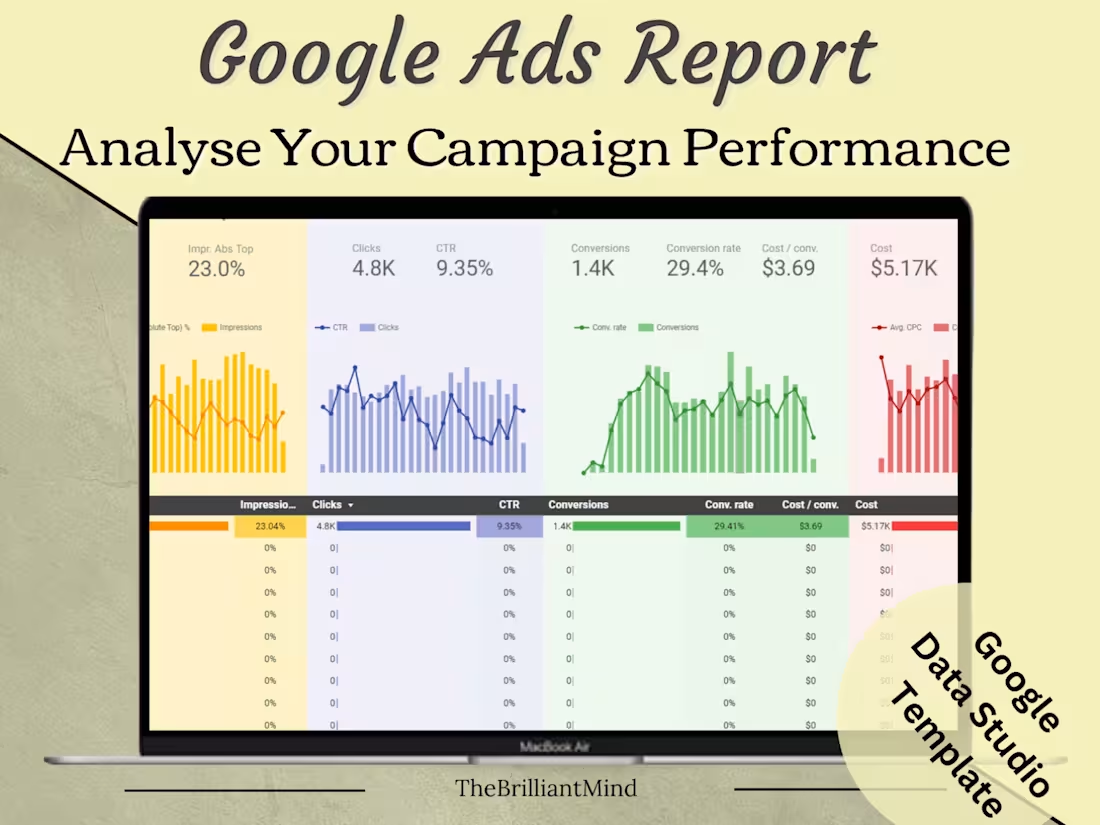
Google Ads Google Data Studio Report Template, Monthly Reports, Small Business Client Reports, Google Sheets, Instant Download, Dashboard
Watch my video for better understanding on How To Use This Google Ads Data Studio Sheet: https://youtu.be/lRtn123A8aE
✨ One Template can be used for multiple clients. ✨
When it comes to generating Google Ads reports, it can be challenging to determine the right information to present to clients and efficiently organize the data. However, I have come across a helpful template that simplifies the process. With this template, you can effortlessly create monthly reports for clients in a matter of seconds, ensuring that you showcase the most relevant and valuable information. This streamlines the reporting process, allowing you to effectively communicate campaign performance to clients with ease.
🔵WHAT YOU WILL GET? 🔵
👉What You will Get Total 13 Reports
👉Youtube Guide on How To Use the templates
👉Report 1 : Campaign Performance Report
👉Report 2 : Monthly Report
👉Report 3 : Monthly Conversions Report
👉Report 4 : Monthly Revenue Report
👉Report 5 : Keyword Report
👉Report 6 : Device Report
👉Report 7 : Device Conversions Report
👉Report 8 : Device Revenue Report
👉Report 9 : Hourly Report
👉Report 10 : Individual Day Report
👉Report 11 : Days of The Week Report
👉Report 12 : Age Report
👉Report 13 : Gender Report
🔵 HOW YOU CAN BUY THIS TEMPLATE? 🔵
Upon purchasing the product, you will receive a link to the template as well as a YouTube video link providing instructions on how to effectively utilize the template.
What's included
Report 1 : Campaign Performance Report
Detailed overview of campaign performance metrics.
Report 2 : Monthly Report
Summary of monthly activities and results.
Report 3 : Monthly Conversions Report
Analysis of monthly conversion metrics.
Report 4 : Monthly Revenue Report
Breakdown of monthly revenue generated.
Report 5 : Keyword Report
Analysis of keyword performance and effectiveness.
Report 6 : Device Report
Insights into device usage trends and performance.
Report 7 : Device Conversions Report
Conversion data based on device types.
Report 8 : Device Revenue Report
Revenue data categorized by device types.
Report 9 : Hourly Report
Performance metrics analyzed on an hourly basis.
Report 10 : Individual Day Report
Data breakdown for each day of the reporting period.
Report 11 : Days of The Week Report
Analysis of performance trends based on days of the week.
Report 12 : Age Report
Overview of performance metrics segmented by age groups.
Report 13 : Gender Report
Analysis of campaign performance based on gender demographics.


Starting at$50
Duration1 day
Tags
Google Ads

Google Analytics

Digital Marketer
Digital Marketing Specialist
Search Engine Marketer
Service provided by
Neha K India
- 5.00
- Rating
- 3
- Followers
I Will Give Google Ads Report in Data Studio TemplateNeha K
Starting at$50
Duration1 day
Tags
Google Ads
Google Analytics
Digital Marketer
Digital Marketing Specialist
Search Engine Marketer
Google Ads Google Data Studio Report Template, Monthly Reports, Small Business Client Reports, Google Sheets, Instant Download, Dashboard
Watch my video for better understanding on How To Use This Google Ads Data Studio Sheet: https://youtu.be/lRtn123A8aE
✨ One Template can be used for multiple clients. ✨
When it comes to generating Google Ads reports, it can be challenging to determine the right information to present to clients and efficiently organize the data. However, I have come across a helpful template that simplifies the process. With this template, you can effortlessly create monthly reports for clients in a matter of seconds, ensuring that you showcase the most relevant and valuable information. This streamlines the reporting process, allowing you to effectively communicate campaign performance to clients with ease.
🔵WHAT YOU WILL GET? 🔵
👉What You will Get Total 13 Reports
👉Youtube Guide on How To Use the templates
👉Report 1 : Campaign Performance Report
👉Report 2 : Monthly Report
👉Report 3 : Monthly Conversions Report
👉Report 4 : Monthly Revenue Report
👉Report 5 : Keyword Report
👉Report 6 : Device Report
👉Report 7 : Device Conversions Report
👉Report 8 : Device Revenue Report
👉Report 9 : Hourly Report
👉Report 10 : Individual Day Report
👉Report 11 : Days of The Week Report
👉Report 12 : Age Report
👉Report 13 : Gender Report
🔵 HOW YOU CAN BUY THIS TEMPLATE? 🔵
Upon purchasing the product, you will receive a link to the template as well as a YouTube video link providing instructions on how to effectively utilize the template.
What's included
Report 1 : Campaign Performance Report
Detailed overview of campaign performance metrics.
Report 2 : Monthly Report
Summary of monthly activities and results.
Report 3 : Monthly Conversions Report
Analysis of monthly conversion metrics.
Report 4 : Monthly Revenue Report
Breakdown of monthly revenue generated.
Report 5 : Keyword Report
Analysis of keyword performance and effectiveness.
Report 6 : Device Report
Insights into device usage trends and performance.
Report 7 : Device Conversions Report
Conversion data based on device types.
Report 8 : Device Revenue Report
Revenue data categorized by device types.
Report 9 : Hourly Report
Performance metrics analyzed on an hourly basis.
Report 10 : Individual Day Report
Data breakdown for each day of the reporting period.
Report 11 : Days of The Week Report
Analysis of performance trends based on days of the week.
Report 12 : Age Report
Overview of performance metrics segmented by age groups.
Report 13 : Gender Report
Analysis of campaign performance based on gender demographics.
$50