
Mobile App Design in FigmaJacqueline Asare
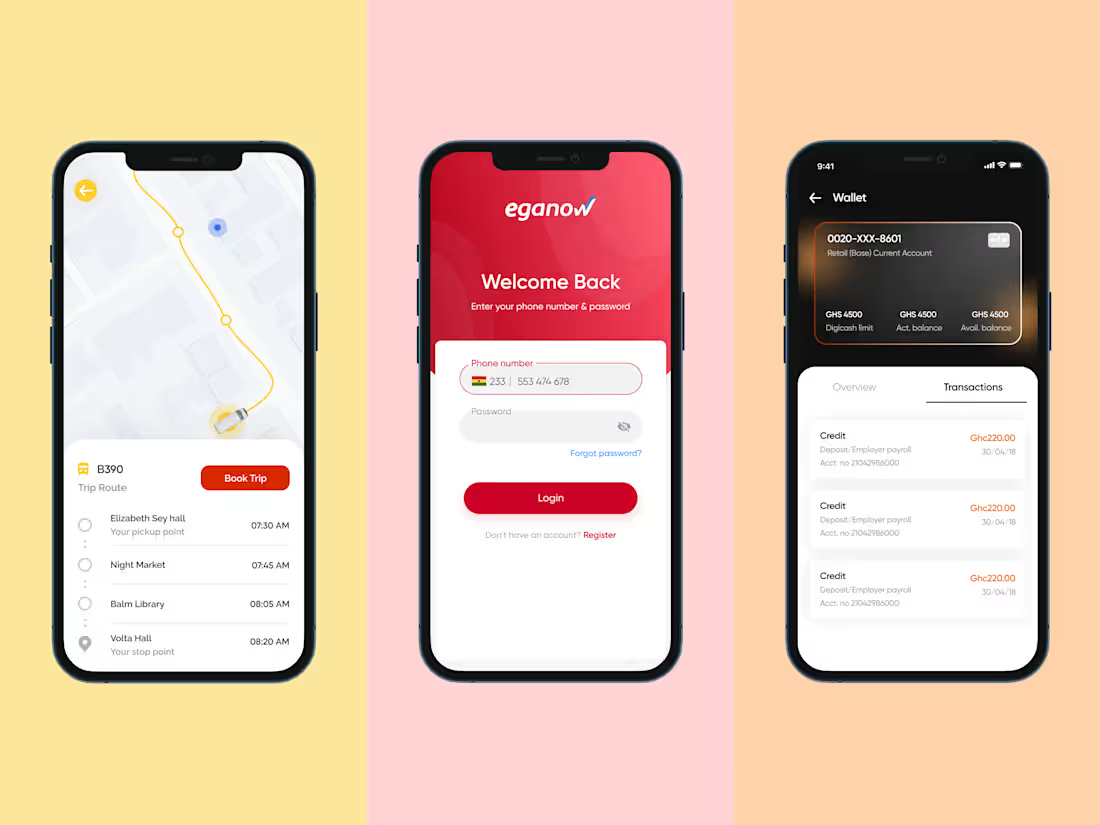
This comprehensive package delivers a strategic and well-structured design process to craft an intuitive and visually compelling app. It begins with thorough research and three distinct moodboards, each presenting unique design directions. Through a collaborative approach, the final aesthetic is selected to align with the product vision. Next, low-fidelity wireframes establish the app’s architecture and user flows, ensuring a seamless experience. The process concludes with meticulously designed, high-fidelity UI mockups and prototypes in Figma.
What's included
Design Research & Visual Direction
Three unique moodboards showcasing distinct visual styles, including typography, color palettes, and UI inspiration. One final direction is selected for the design phase.
Wireframes
Low-fidelity wireframes outlining the app’s structure, navigation, and key user interactions.
High-Fidelity UI Designs
Pixel-perfect, visually polished UI designs created in Figma, optimized for both iOS and Android platforms.
Interactive Prototypes
Clickable prototypes simulating real user interactions, allowing for usability testing and stakeholder feedback before development begins.
Example work
Jacqueline's other services
Contact for pricing
Tags
Figma

Rive

Mobile Designer
Product Designer
UX Designer
Service provided by
Jacqueline Asare Ghana
- 44
- Followers
Mobile App Design in FigmaJacqueline Asare
This comprehensive package delivers a strategic and well-structured design process to craft an intuitive and visually compelling app. It begins with thorough research and three distinct moodboards, each presenting unique design directions. Through a collaborative approach, the final aesthetic is selected to align with the product vision. Next, low-fidelity wireframes establish the app’s architecture and user flows, ensuring a seamless experience. The process concludes with meticulously designed, high-fidelity UI mockups and prototypes in Figma.
What's included
Design Research & Visual Direction
Three unique moodboards showcasing distinct visual styles, including typography, color palettes, and UI inspiration. One final direction is selected for the design phase.
Wireframes
Low-fidelity wireframes outlining the app’s structure, navigation, and key user interactions.
High-Fidelity UI Designs
Pixel-perfect, visually polished UI designs created in Figma, optimized for both iOS and Android platforms.
Interactive Prototypes
Clickable prototypes simulating real user interactions, allowing for usability testing and stakeholder feedback before development begins.
Example work
Jacqueline's other services
Contact for pricing