
AI Web ApplicationChristine Straub
Services Offered:
Development of SEO-friendly, high-performance web applications with server-side rendering.
Building interactive, dynamic user interfaces with React.
Implementing features such as automatic code splitting, optimized prefetching, and more for enhanced performance.
Creating static websites or web applications that require dynamic data fetching.
MEAN Stack (MongoDB, Express.js, Angular, Node.js) / MERN Stack (MongoDB, Express.js, React, Node.js) / MERV Stack (MongoDB, Express.js, React, Vue.js)
MongoDB: A NoSQL database designed for scalability and flexibility.
Express.js: A back-end web application framework for Node.js, designed for building web applications and APIs.
Angular: A platform and framework for building single-page client applications using HTML and TypeScript.
Node.js: A JavaScript runtime built on Chrome's V8 JavaScript engine, used for building fast, scalable network applications.
Services Offered:
Full-stack JavaScript development, enabling seamless work across both client and server sides.
Development of robust, scalable web applications with real-time capabilities.
Building dynamic single-page applications (SPAs) with Angular on the frontend.
Implementing RESTful API services with Express.js and Node.js on the backend.
What's included
Web Application / Website
A fully functional, responsive web application or website tailored to meet your business requirements.
Codebase
Source Code: Complete, well-documented, and commented source code for all developed features, ensuring ease of future maintenance and development.
Version Control: Access to the version control repository (e.g., GitHub, Bitbucket) that hosts the project's source code, including all development history.
Documentation
Technical Documentation: Detailed documentation covering the architecture, technologies used, codebase structure, deployment process, and third-party integrations.
API Documentation: If APIs are developed or integrated, comprehensive API documentation outlining endpoints, request/response formats, and use cases.
Testing Reports
Unit Testing: Reports from unit tests covering critical components of the application.
Integration Testing: Documentation of integration tests performed to ensure different parts of the application work together seamlessly.
Deployment and Configuration Files
Deployment Guide: A step-by-step guide for deploying the application in various environments.
Configuration Files: Necessary configuration files for different environments (development, testing, production), including any environment-specific settings.
Example work
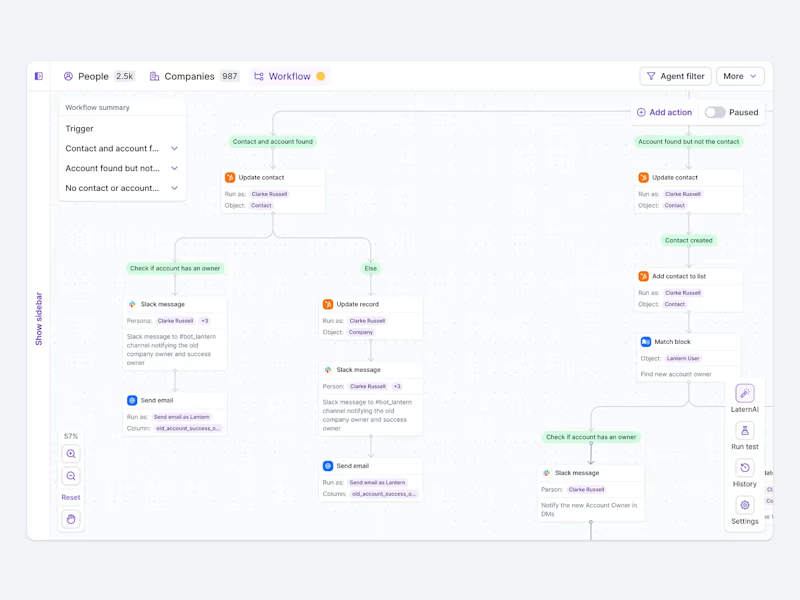
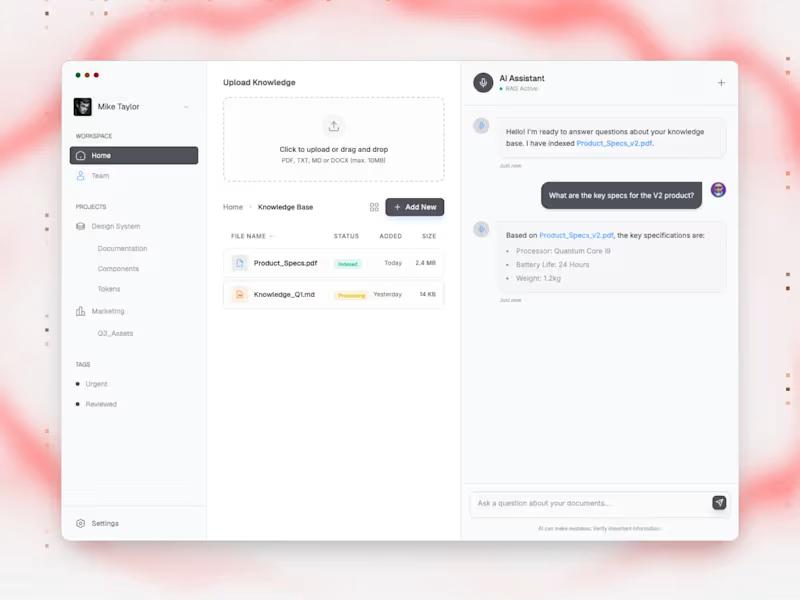
Contact for pricing
Tags
Next.js

React

Vercel

AI Engineer
Backend Engineer
Fullstack Engineer
Service provided by
Christine Straub Irvine, USA
- $50k+
- Earned
- 1
- Paid projects
- 5.00
- Rating
- 78
- Followers
AI Web ApplicationChristine Straub
Contact for pricing
Tags
Next.js
React
Vercel
AI Engineer
Backend Engineer
Fullstack Engineer
Services Offered:
Development of SEO-friendly, high-performance web applications with server-side rendering.
Building interactive, dynamic user interfaces with React.
Implementing features such as automatic code splitting, optimized prefetching, and more for enhanced performance.
Creating static websites or web applications that require dynamic data fetching.
MEAN Stack (MongoDB, Express.js, Angular, Node.js) / MERN Stack (MongoDB, Express.js, React, Node.js) / MERV Stack (MongoDB, Express.js, React, Vue.js)
MongoDB: A NoSQL database designed for scalability and flexibility.
Express.js: A back-end web application framework for Node.js, designed for building web applications and APIs.
Angular: A platform and framework for building single-page client applications using HTML and TypeScript.
Node.js: A JavaScript runtime built on Chrome's V8 JavaScript engine, used for building fast, scalable network applications.
Services Offered:
Full-stack JavaScript development, enabling seamless work across both client and server sides.
Development of robust, scalable web applications with real-time capabilities.
Building dynamic single-page applications (SPAs) with Angular on the frontend.
Implementing RESTful API services with Express.js and Node.js on the backend.
What's included
Web Application / Website
A fully functional, responsive web application or website tailored to meet your business requirements.
Codebase
Source Code: Complete, well-documented, and commented source code for all developed features, ensuring ease of future maintenance and development.
Version Control: Access to the version control repository (e.g., GitHub, Bitbucket) that hosts the project's source code, including all development history.
Documentation
Technical Documentation: Detailed documentation covering the architecture, technologies used, codebase structure, deployment process, and third-party integrations.
API Documentation: If APIs are developed or integrated, comprehensive API documentation outlining endpoints, request/response formats, and use cases.
Testing Reports
Unit Testing: Reports from unit tests covering critical components of the application.
Integration Testing: Documentation of integration tests performed to ensure different parts of the application work together seamlessly.
Deployment and Configuration Files
Deployment Guide: A step-by-step guide for deploying the application in various environments.
Configuration Files: Necessary configuration files for different environments (development, testing, production), including any environment-specific settings.
Example work
Contact for pricing