
Designing Digital Delight: Where Every Click Counts!Niranjan Cavalien
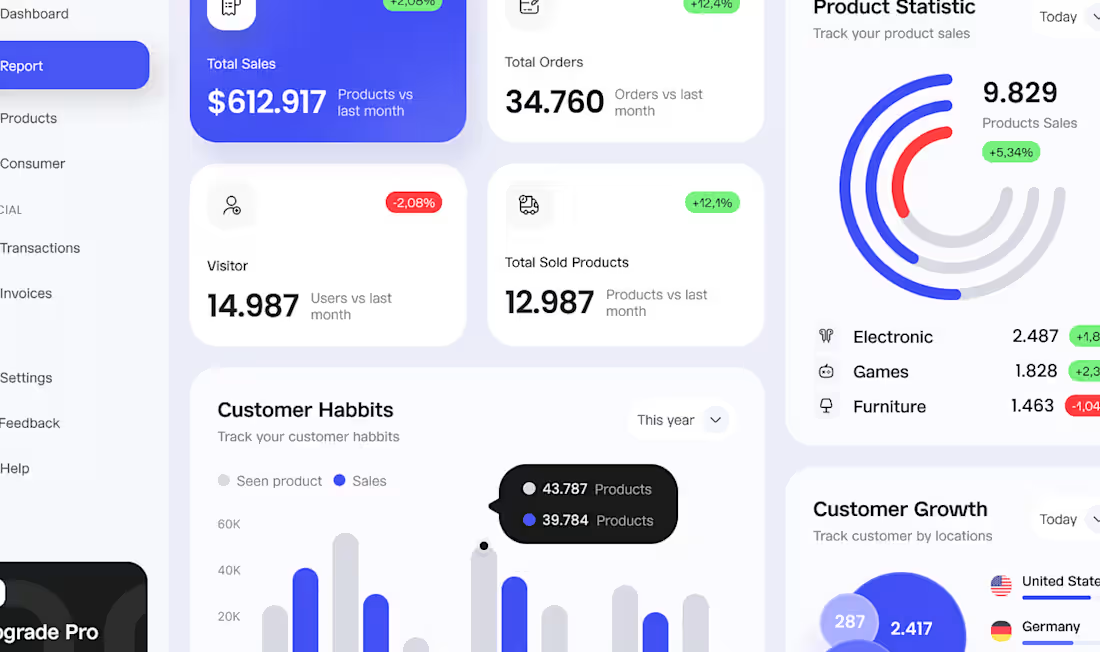
As a solo designer, I specialize in delivering end-to-end UI/UX design solutions, covering everything from initial wireframes to polished final designs. What sets me apart is my emphasis on creating user-centric experiences that are both visually appealing and highly functional. Through close collaboration with clients and a keen attention to detail, I ensure that every project achieves outstanding results that leave a lasting impression.
What's included
Wireframes
Detailed sketches or digital representations outlining the layout and structure of each page or screen.
Mockups
High-fidelity visual representations of the final design, including colors, typography, and imagery, but without functional elements.
Prototype
Interactive simulation of the user interface, allowing the client to experience navigation and basic functionality firsthand.
Style Guide
Documentation detailing the design elements, such as color palettes, typography choices, iconography, and usage guidelines, ensuring consistency across platforms.
Final Design Files
All necessary assets in appropriate formats (e.g., PSD, Sketch, XD, or Figma files) ready for development.
User Flows
Visual representations of how users navigate through the website or app, mapping out their journey from entry to conversion or task completion.
Accessibility Guidelines
Recommendations for ensuring that the design meets accessibility standards, making it usable for people with disabilities.
UI Kit
Customized library of reusable design components, such as buttons, forms, and icons, streamlining future design iterations and maintenance.
Documentation
Detailed instructions or guidelines on how to implement the design, including any specific interactions or animations.
Feedback and Revisions
Opportunity for the client to provide feedback on the deliverables and request revisions to ensure satisfaction and alignment with project goals.
FAQs
Niranjan's other services

Contact for pricing
Tags
Figma

UI Designer
UX Designer
Service provided by
Niranjan Cavalien Bengaluru, India
Designing Digital Delight: Where Every Click Counts!Niranjan Cavalien
Contact for pricing
Tags
Figma
UI Designer
UX Designer
As a solo designer, I specialize in delivering end-to-end UI/UX design solutions, covering everything from initial wireframes to polished final designs. What sets me apart is my emphasis on creating user-centric experiences that are both visually appealing and highly functional. Through close collaboration with clients and a keen attention to detail, I ensure that every project achieves outstanding results that leave a lasting impression.
What's included
Wireframes
Detailed sketches or digital representations outlining the layout and structure of each page or screen.
Mockups
High-fidelity visual representations of the final design, including colors, typography, and imagery, but without functional elements.
Prototype
Interactive simulation of the user interface, allowing the client to experience navigation and basic functionality firsthand.
Style Guide
Documentation detailing the design elements, such as color palettes, typography choices, iconography, and usage guidelines, ensuring consistency across platforms.
Final Design Files
All necessary assets in appropriate formats (e.g., PSD, Sketch, XD, or Figma files) ready for development.
User Flows
Visual representations of how users navigate through the website or app, mapping out their journey from entry to conversion or task completion.
Accessibility Guidelines
Recommendations for ensuring that the design meets accessibility standards, making it usable for people with disabilities.
UI Kit
Customized library of reusable design components, such as buttons, forms, and icons, streamlining future design iterations and maintenance.
Documentation
Detailed instructions or guidelines on how to implement the design, including any specific interactions or animations.
Feedback and Revisions
Opportunity for the client to provide feedback on the deliverables and request revisions to ensure satisfaction and alignment with project goals.
FAQs
Niranjan's other services
Contact for pricing