
AI Chatbot for Power BI | Ask Questions About Your DataVarun Sethi
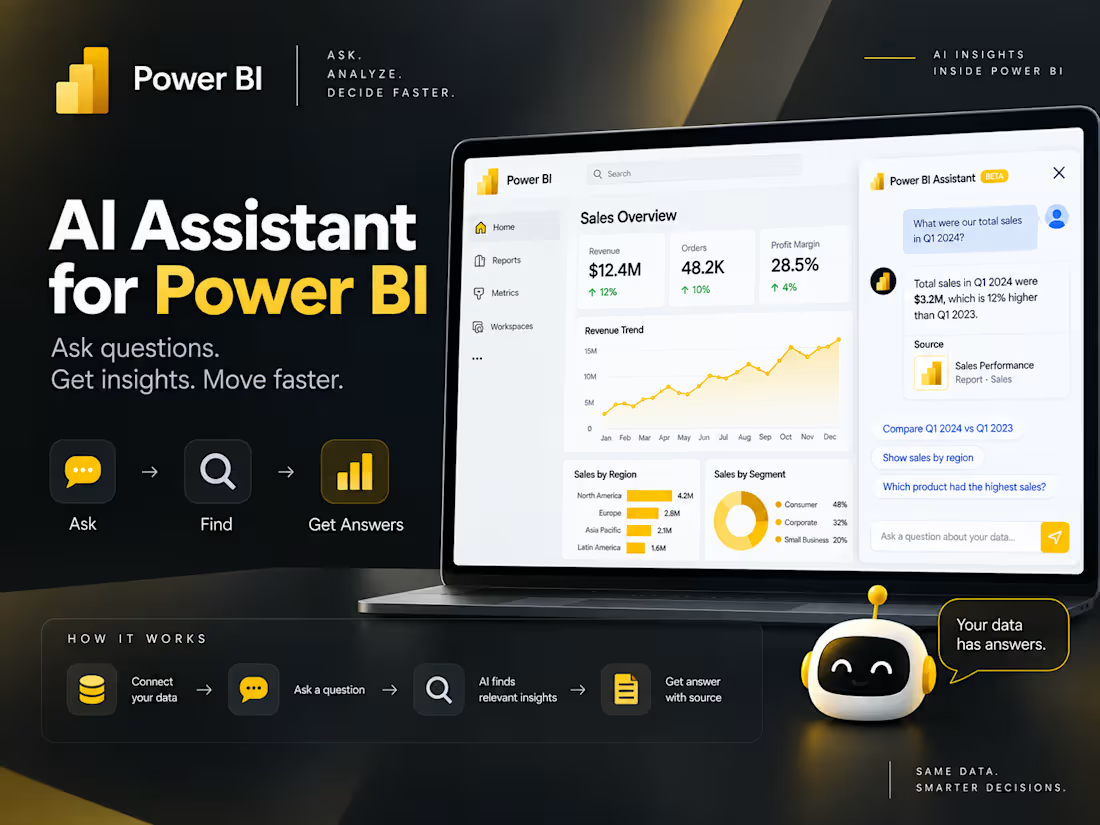
I build AI-powered data assistants directly inside Power BI, so teams can interact with their existing reports using natural language instead of manually searching through dashboards.
The chatbot works with your existing Power BI infrastructure and can analyze information across multiple dashboards/reports to answer decision-making questions and point you to the relevant source.
What I can build
AI chatbot embedded inside Power BI
Natural-language questions about your data
Answers based on your existing Power BI reports/data
Search across multiple dashboards and reports
Relevant dashboard/report source for each answer
Data-grounded responses with traceable sources
Dashboard and report discovery
Business KPI and decision-support queries
Integration with your existing Power BI infrastructure
Why it’s useful?
Instead of asking “Which dashboard has this information?”, simply ask the chatbot the question.
It can identify the relevant information across your Power BI environment, provide the answer, and show where the information came from.
No need to manually search through multiple dashboards.
FAQs

Contact for pricing
Duration1 week
Tags
Microsoft Power BI

AI Chatbot Developer
Business Intelligence
Conversational AI Developer
Conversational Bot
Service provided by
Varun Sethi Chandigarh, India
- 2
- Followers
AI Chatbot for Power BI | Ask Questions About Your DataVarun Sethi
Contact for pricing
Duration1 week
Tags
Microsoft Power BI
AI Chatbot Developer
Business Intelligence
Conversational AI Developer
Conversational Bot
I build AI-powered data assistants directly inside Power BI, so teams can interact with their existing reports using natural language instead of manually searching through dashboards.
The chatbot works with your existing Power BI infrastructure and can analyze information across multiple dashboards/reports to answer decision-making questions and point you to the relevant source.
What I can build
AI chatbot embedded inside Power BI
Natural-language questions about your data
Answers based on your existing Power BI reports/data
Search across multiple dashboards and reports
Relevant dashboard/report source for each answer
Data-grounded responses with traceable sources
Dashboard and report discovery
Business KPI and decision-support queries
Integration with your existing Power BI infrastructure
Why it’s useful?
Instead of asking “Which dashboard has this information?”, simply ask the chatbot the question.
It can identify the relevant information across your Power BI environment, provide the answer, and show where the information came from.
No need to manually search through multiple dashboards.
FAQs
Contact for pricing