
Creative Virtual Assistant Theresa C
I help startups and content creators get out of the weeds by managing admin tasks and delivering clean, AI-assisted visuals. My background training in corporate operations ensures things run smoothly behind the scenes while supporting creative growth.
What's included
Email & Calendar Management
Organized inbox (labeled, archived, or zero-inbox setup)
• Calendar cleaned, updated, and conflict-free
• Response templates (if applicable)
• Weekly summary of actions taken
Data Entry & Research
•Completed spreadsheets (Google Sheets or Excel)
• Clean, validated data entries
• Research summaries or source lists
• Organized folders with labeled files
File Organization & Document Formatting
• Structured folder system (Drive, Dropbox, etc.)
• Properly named and categorized files
• Professionally formatted documents (PDF, DOC, or Google Docs)
• Editable source files
Appointment Scheduling
Confirmed appointments added to calendar
• Rescheduling or cancellations handled
• Confirmation emails sent
• Scheduling workflow documented (if ongoing)
Project Management Assistance
Task list or project board (Notion, Asana, Trello, etc.)
• Status updates or progress tracker
• Deadline tracking
• End-of-project recap or checklist
Creative & AI-Assisted Design Deliverables
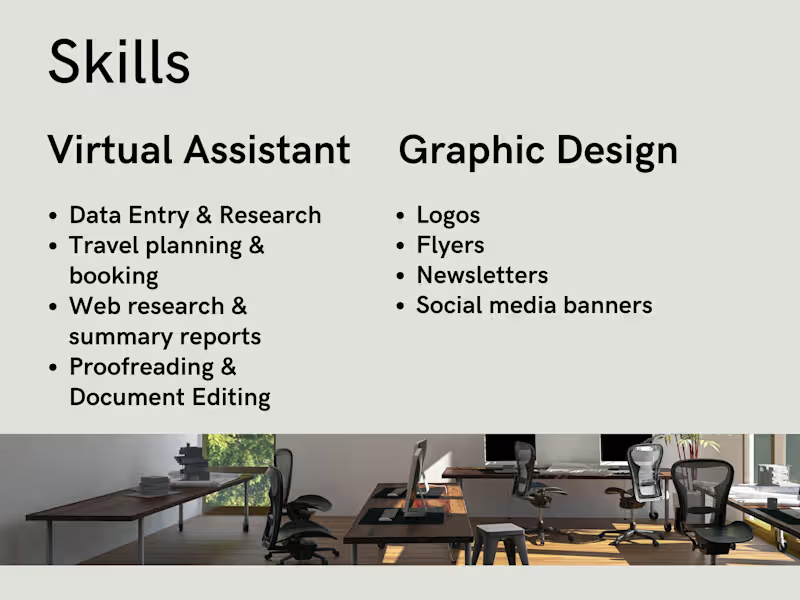
AI Graphics, Logos, Banners, Templates & Flyers
• Final design files (PNG, JPG, PDF as needed)
• Editable source files (Canva link or file)
• Brand-aligned visuals
• Platform-ready formats (social, email, web, print)
• Organized delivery folder
Theresa's other services
Contact for pricing
Tags
Adobe Illustrator

Adobe InDesign

Adobe Photoshop

Adobe XD

Figma

Graphic Designer
Logo Designer
Packaging Designer
Service provided by
Theresa C Ashburn, USA
Creative Virtual Assistant Theresa C
Contact for pricing
Tags
Adobe Illustrator
Adobe InDesign
Adobe Photoshop
Adobe XD
Figma
Graphic Designer
Logo Designer
Packaging Designer
I help startups and content creators get out of the weeds by managing admin tasks and delivering clean, AI-assisted visuals. My background training in corporate operations ensures things run smoothly behind the scenes while supporting creative growth.
What's included
Email & Calendar Management
Organized inbox (labeled, archived, or zero-inbox setup)
• Calendar cleaned, updated, and conflict-free
• Response templates (if applicable)
• Weekly summary of actions taken
Data Entry & Research
•Completed spreadsheets (Google Sheets or Excel)
• Clean, validated data entries
• Research summaries or source lists
• Organized folders with labeled files
File Organization & Document Formatting
• Structured folder system (Drive, Dropbox, etc.)
• Properly named and categorized files
• Professionally formatted documents (PDF, DOC, or Google Docs)
• Editable source files
Appointment Scheduling
Confirmed appointments added to calendar
• Rescheduling or cancellations handled
• Confirmation emails sent
• Scheduling workflow documented (if ongoing)
Project Management Assistance
Task list or project board (Notion, Asana, Trello, etc.)
• Status updates or progress tracker
• Deadline tracking
• End-of-project recap or checklist
Creative & AI-Assisted Design Deliverables
AI Graphics, Logos, Banners, Templates & Flyers
• Final design files (PNG, JPG, PDF as needed)
• Editable source files (Canva link or file)
• Brand-aligned visuals
• Platform-ready formats (social, email, web, print)
• Organized delivery folder
Theresa's other services
Contact for pricing