
A FULL MOBILE APP DESIGNJoy Asuquo
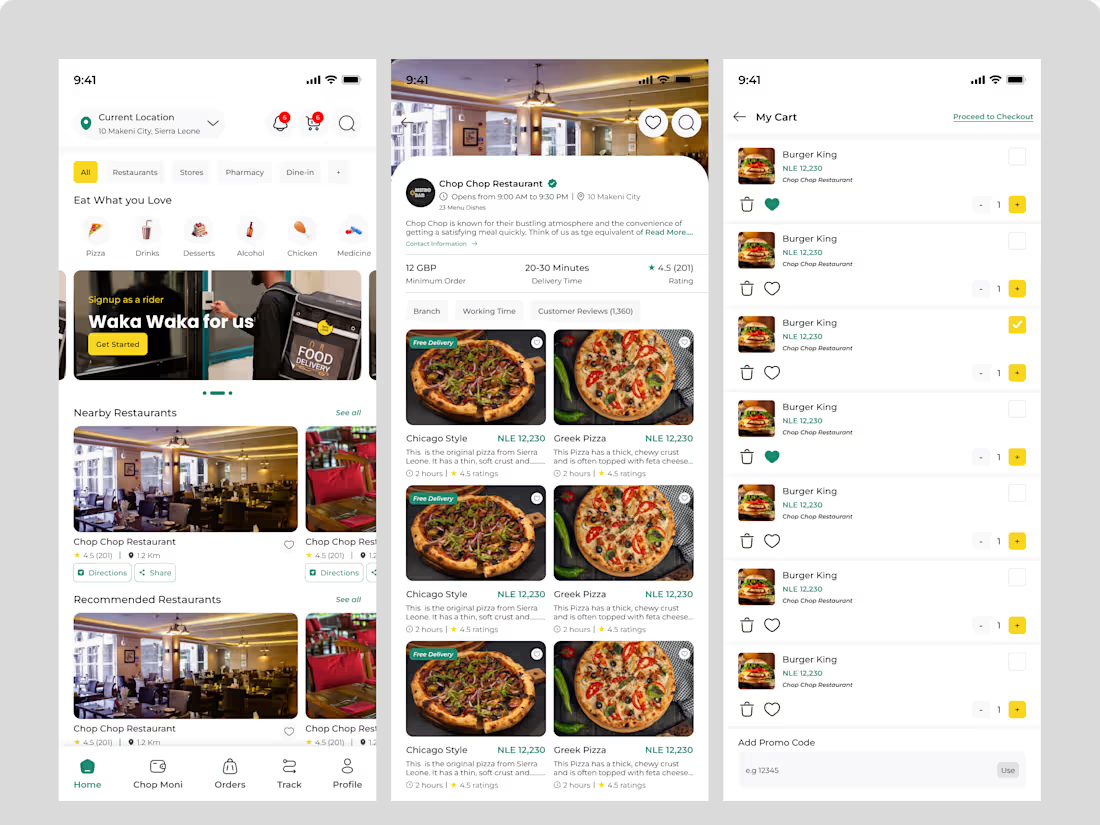
Imagine an app experience that seamlessly blends functionality with clean design, allowing users to accomplish their tasks, delighted and eager to return. That's the experience I bring to mobile and web app design.
Through deep attention to detail, I create seamless user interactions that feel effortless and familiar.
My approach is all about collaboration & teamwork. I love working closely with visionaries and idea-driven entrepreneurs who are excited about their products.
Let’s create an app that delivers exceptional service, leaving a lasting impression on your users
What's included
Process Deliverable
1 Project Kickoff Report: I start with outlining project goals, target audience, key features, and agreed-upon timelines. It sets the stage for the entire design process.
2 User Research Findings: After conducting user research , this reports gotten on user interviews, surveys, usability testing, and competitor analysis will help provides insights into user needs, behaviors, and pain points, informing design decisions.
3 Wireframing: Developing wireframes and user flows to establish the app's layout and navigation structure.
4 User Personas & User Journey Maps: User personas are fictional representations of target users, detailing their demographics, goals, and motivations. User journey maps visualize the user's interaction with the app, highlighting potential pain points and opportunities for improvement.
5 Visual Design: Creating high-quality screens using Figma as a tool helps showcase the brand identity and user experience and engagement.
6 Style Guide/Design System: This comprehensive document outlines the app's visual language, including color palettes, typography, iconography, and UI components. It ensures consistency and brand identity throughout the app.
7 Interactive Prototyping: Crafting clickable prototypes allow clients to experience the app's user flow and interactions, simulating the actual user experience. They are valuable for user testing and stakeholder feedback.
8 User Flow Diagrams: These diagrams illustrate the paths users take to complete specific tasks within the app, ensuring a smooth and efficient user experience.
9 Usability Testing Reports: Usability testing conduction presents the summary of the findings, highlighting areas for improvement and providing recommendations.
10 Reviews and Feedback: Working hand in hand to ensure designs are refined and polished.
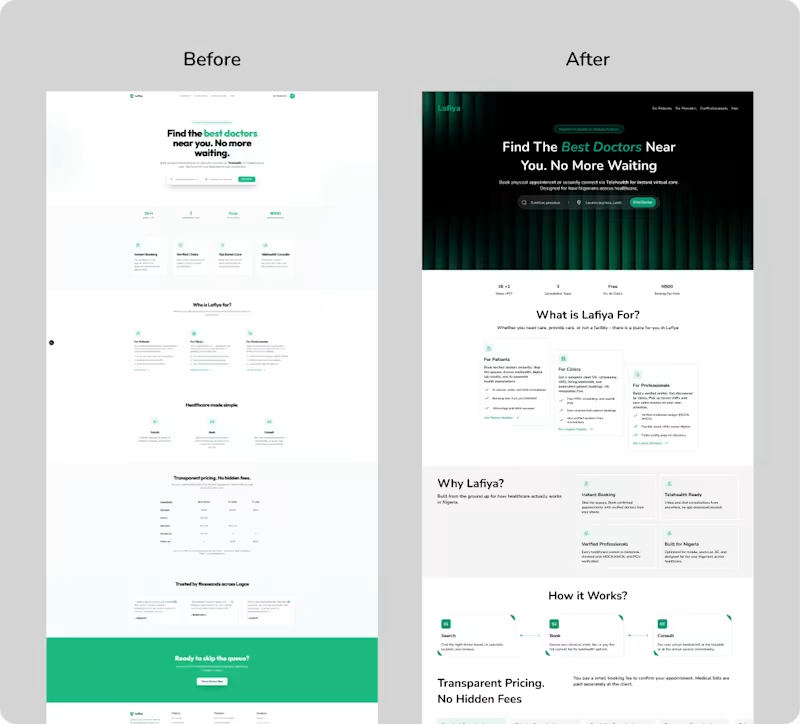
Example work

Joy's other services
Contact for pricing
Duration1 week
Tags
Adobe Photoshop

FigJam

Figma
Jitter

Slack

Mobile Designer
UI Designer
UX Designer
Service provided by
Joy Asuquo Lagos, Nigeria
- 5.00
- Rating
- 24
- Followers
A FULL MOBILE APP DESIGNJoy Asuquo
Contact for pricing
Duration1 week
Tags
Adobe Photoshop
FigJam
Figma
Jitter
Slack
Mobile Designer
UI Designer
UX Designer
Imagine an app experience that seamlessly blends functionality with clean design, allowing users to accomplish their tasks, delighted and eager to return. That's the experience I bring to mobile and web app design.
Through deep attention to detail, I create seamless user interactions that feel effortless and familiar.
My approach is all about collaboration & teamwork. I love working closely with visionaries and idea-driven entrepreneurs who are excited about their products.
Let’s create an app that delivers exceptional service, leaving a lasting impression on your users
What's included
Process Deliverable
1 Project Kickoff Report: I start with outlining project goals, target audience, key features, and agreed-upon timelines. It sets the stage for the entire design process.
2 User Research Findings: After conducting user research , this reports gotten on user interviews, surveys, usability testing, and competitor analysis will help provides insights into user needs, behaviors, and pain points, informing design decisions.
3 Wireframing: Developing wireframes and user flows to establish the app's layout and navigation structure.
4 User Personas & User Journey Maps: User personas are fictional representations of target users, detailing their demographics, goals, and motivations. User journey maps visualize the user's interaction with the app, highlighting potential pain points and opportunities for improvement.
5 Visual Design: Creating high-quality screens using Figma as a tool helps showcase the brand identity and user experience and engagement.
6 Style Guide/Design System: This comprehensive document outlines the app's visual language, including color palettes, typography, iconography, and UI components. It ensures consistency and brand identity throughout the app.
7 Interactive Prototyping: Crafting clickable prototypes allow clients to experience the app's user flow and interactions, simulating the actual user experience. They are valuable for user testing and stakeholder feedback.
8 User Flow Diagrams: These diagrams illustrate the paths users take to complete specific tasks within the app, ensuring a smooth and efficient user experience.
9 Usability Testing Reports: Usability testing conduction presents the summary of the findings, highlighting areas for improvement and providing recommendations.
10 Reviews and Feedback: Working hand in hand to ensure designs are refined and polished.
Example work
Joy's other services
Contact for pricing